Add MobilityArena as a preferred source on Google
As a mobile platform, Windows 10 Mobile is dead. Nobody is making new phones any more, and Microsoft is no longer adding new features to the OS. However, the company continues to provide security updates. Two days ago, my Lumia 950 got a prompt for a 2018-05 Windows 10 Version 1709 Update for arm-based phone devices.
Running the update proved to be without issues and in a few minutes, it was installed on the phone. Again, this update is mostly security patches. But while Microsoft has said there will be no new feature developments for the Windows Phones, it does look like there is one here.
Using The 2018-05 Windows 10 Version 1709 Update
When using the Microsoft Store after I installed the 2018-05 Update for Windows 10 Version 1709 for arm-based phone devices, I was not required to login to download and install apps. When I tap “Get” to download an app, I get a pop-up that asks me to sign in with Microsoft and use the app on any compatible device. Below that are options to decline or sign in.
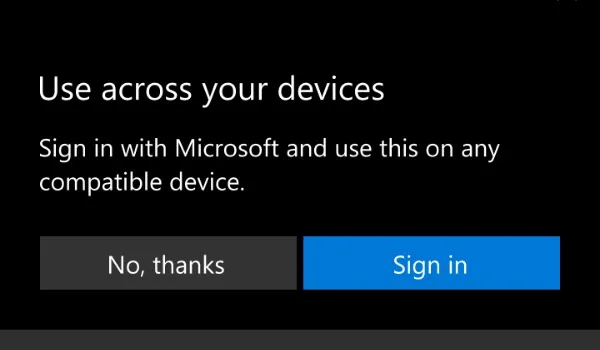
When I decline by clicking on, “No, thanks”, the app still downloads. I am guessing that I just won’t be able to use the app on another compatible device. Who cares? I am able to install apps once again on my beloved Lumia.
Great News For Me
This is great, especially as I have been locked out of my Microsoft account for months now, with no working solution from Microsoft support. I detailed this in a forum post, Why I dumped and deleted Skype everywhere .
Being unable to login to my Microsoft account has meant that I haven’t been able to use my Lumia as I want, because of no access to download apps. But this new development means that problem is gone. I still won’t be able to use Skype, but my beloved Lumia 950 can function as a smartphone again.
This new open nature of Microsoft Store has me asking though, “Does this mean that Microsoft is aware that there are issues with some Microsoft accounts and has “opened” up the store for this reason?
- Don’t miss our reviews .
- Join our WhatsApp Group , to be notified of the most important articles and deals,
- Follow us on Instagram , Facebook , Twitter , and YouTube .
Author:Mister Mobility
Digital Skills and Communication Coach | Mobile Phone Connoisseur since 2001 | Tech Blogging since 2004
Add MobilityArena as a preferred source on Google
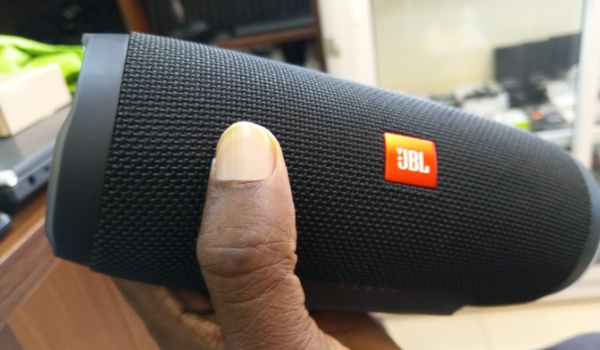
At first sight, the JBL Charge 3 wireless speaker is impressive. It just comes across as something that oozes power. This well crafted audio cylinder looks the part of a tool that mean business. So, we took it for a spin.
Either ends of the tube are the locations of the woofers – and some serious ones they are. But we will come to those later. The speaker sits horizontally. At the top are carved buttons – skip, volume up, random, power, volume down, and Bluetooth pairing.
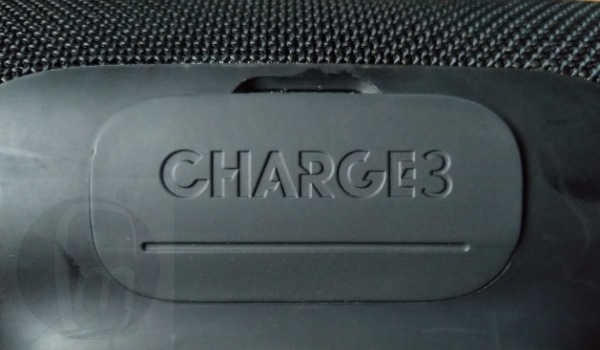
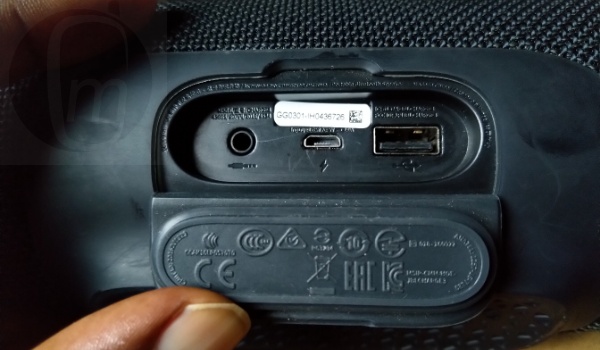
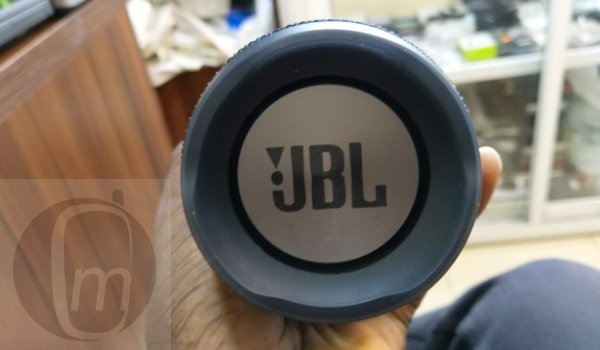
The red JBL logo is on the front of the speaker. On the rear side is a flap labelled “Charge3”. Open it to reveal a number of connectivity ports, namely (from left to right): 3.5mm audio port, standard micro-USB charging port, and lastly, a USB port.
JBL Charge 3 Wireless Speaker Review: Setting Up
The startup sequence gives you a hint of what to expect from this wireless speaker model. Press and hold the Bluetooth icon styled button till you see the power light start to blink blue. That’s when it is ready for pairing. Open the Bluetooth menu on your phone, tap “Add new device”. You should see “JBL Charge 3” listed there. Tap on the name to complete the pairing. Once paired, you are ready to be wowed by this sculpture-like tube.
JBL Charge 3 Wireless Speaker: Proper Party Animal
Bass is deep, sound clarity is great, and the volume is amazing. The speaker simply wows in terms of quality. Those side woofers at either ends of the cylinder are amazing.
No surprise too. It costs about N60,000 in the market. If you pay that amount for a wireless speaker, it better deliver great audio. The Charge 3 delivers on that. This is a proper party animal: simply invite friends over and have a party with this speaker pumping out the beats. Be careful not to be a nuisance to the neighbours though.
Parties aside, fellow gadget enthusiast, Gbenro Ogundipe , told me that the JBL Charger “works very well as a conference device for Group Skype and SFB calls”. According to him, its built-in mic doesn’t pick up its own sound, a critical factor when evaluating conferencing gear.
So, if you need a solid speaker for those Skype conference calls, this is as good as any. That is it on this JBL Charge 3 review .
Where To Buy JBL Charge 3 Wireless Speaker
You can buy either this wireless speaker or the smaller, JBL Harman Flip 4 model from Swot Solutions. They are based inside Computer Village at Ikeja, Lagos and they will deliver to you as well, if that’s what you want. Call 08022891860 to reach them. The JBL Charge3 costs N60,000, while the JBL Harman Flip 4 model costs N40,000.
- Don’t miss our mobile phone reviews .
- Follow our news on Google News .
- Join our WhatsApp Group , to be notified of the most important articles and deals,
- Follow us on Instagram , Facebook , Twitter , and YouTube .
Author:Mister Mobility
Digital Skills and Communication Coach | Mobile Phone Connoisseur since 2001 | Tech Blogging since 2004
