Add MobilityArena as a preferred source on Google
I enjoy a good drive – especially long road trips. I am also an advocate of safety while at the wheels. The truth is that smartphones have become our greatest source of distractions everywhere – including when we are driving. From my experience of years of driving hundreds of kilometres, I have drawn up a list of some essential smartphone accessories for safe driving.
Safe driving is primarily about giving the road and the car your full attention. Taking your eyes off the road and taking your hands off the steering wheel are the two easiest ways to get into an accident. Have a look at my list of phone accessories that can help you stay safe while driving.
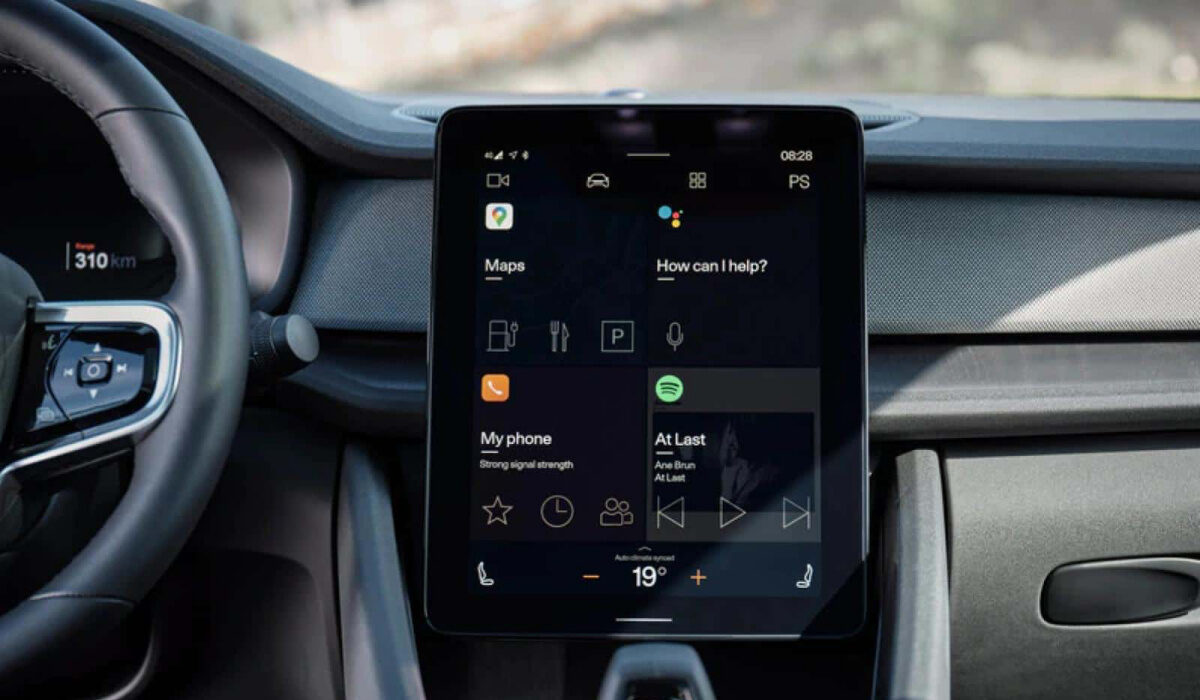
Embrace using smartphone accessories for safe driving.
- Phone Mount
- Bluetooth Headset or Speaker
- USB Car Charger
- Some other things you can do for safe driving Use a Voice-Activated Assistant Use Do Not Disturb mode
Phone Mount
First on my list of essential smartphone accessories for safe driving is a smartphone mount. A phone mount is an essential car accessory, as it allows you to keep your smartphone in a secure and visible location while driving. A mount that attaches to the dashboard or windshield is ideal, as it keeps your phone within easy reach and allows you to keep your eyes on the road.
Bluetooth Headset or Speaker
A Bluetooth headset or speaker is one of the most essential smartphone accessories for safe driving. It allows you to take calls hands-free, which can help prevent distracted driving.
You really should avoid taking calls while driving, if possible. That is the best way to give undivided attention to the road and to other road users. But should you have to, please use a hands-free system, so you can keep your hands on the steering wheel.
Many newer cars come equipped with a built-in entertainment system with Bluetooth connectivity. Mine does. But if your car doesn’t have this feature, a Bluetooth headset or speaker is a good alternative to invest in. Your safety comes first.
USB Car Charger
A USB car charger allows you to keep your phone charged while driving, which is important for using GPS or music apps. If there is one feature that drains my smartphone battery fast when I am driving, it is Google Maps. As such, having a charger handy is important.
Look for a charger that can charge multiple devices at once, so you can keep your passengers’ devices charged as well. Also, I recommend that you get a charger with at least 18W fast charging that is compatible with your smartphone’s fast charge technology. In my experience, a regular charger will not top up your smartphone if you are using Google Maps or some other navigation alternative. It is as useless as not having a charger. If your smartphone has fast charging, buy a compatible fast car charger for use with it.
Some other things you can do for safe driving
This are not exactly accessories, but since this article is about safety practices while driving, I am mentioning them here.
Use a Voice-Activated Assistant
Many phones have a voice-activated assistant, such as Siri or Google Assistant, which can be used to make calls, send texts, and get directions hands-free. This can be a useful tool for safe driving, as it allows you to use your phone without taking your hands off the wheel. If your vehicle does not have built-in voice controls, use your phone’s voice assistant.
Use Do Not Disturb mode
Lastly, many smartphones also have a “Do Not Disturb” mode, which can be enabled while driving to prevent notifications from distracting you. This mode can be set to automatically turn on when you’re driving, or you can manually turn it on before you start driving.
Don’t forget it: whether you are driving a gasoline engine car, an electric car , or a hybrid vehicle , staying safe and alive and keeping other road users from harm is of utmost importance. Get these three essential smartphone accessories for safe driving.
Author:Mister Mobility
Digital Skills and Communication Coach | Mobile Phone Connoisseur since 2001 | Tech Blogging since 2004
Add MobilityArena as a preferred source on Google
With so many online accounts, it can be difficult to generate and remember unique passwords for each one. Many of us are thus guilty of using weak or easy-to-guess passwords, or even using the same password across many accounts. These practices are easy but unsafe in the long run, and can put sensitive information in danger.
In this article, I’ll show you different ways to keep your passwords safe. Security failures have become more frequent, increasing the risk of being hacked. So it’s smart to do your best to safeguard your data.
How Can You Keep Your Passwords Safe?
Since passwords are the main way to authenticate and access control to computer systems and personal accounts, keeping them safe is crucial. Strong passwords limit the chance of unauthorized access, safeguard your sensitive data, and preserve the integrity of your data.
The following are some of the best techniques to keep your passwords safe:
Use a Password Manager
Using a password manager is one of the best ways to keep your passwords safe. A password manager is a software application that securely keeps and manages all of your passwords in one location. Additionally, it creates strong passwords for you and fills them in automatically when you connect into your accounts.
This means you won’t need to remember each password, and you’ll also be better able to make sure that each password is unique and safe. Here are a few good examples of trustworthy password managers: Bitwarden , LastPass , Dashlane .
Use a Strong Password
To keep your passwords safe and unpredictable, it’s critical to use a mix of upper and lower case letters, digits, and symbols when creating them. Also you should avoid using personal information like your name, age, or phone number.
Experts advise to include a minimum of eight characters in your password. Also, instead of using a password, consider using a passphrase, which is a lengthier string of words. Make sure this phrase is simple for you to remember but challenging for others to decipher.
They not only make it nearly impossible for hackers to access your device, but they also make it more difficult for offline thieves to access the private data saved on your phone.
Avoid Reusing Passwords
Using the same password across several accounts puts your password security at risk because if one account is compromised, all of your accounts are accessible.
As a result, to keep your passwords safe, it’s essential to make each account’s password distinct. As I’ve described above, a password manager can be an excellent solution if you have trouble remembering all of your passwords.
Enable Two-Factor Authentication
Two-factor authentication secures your accounts by requiring an additional authentication factor in addition to your password, such as a fingerprint scan or a one-time code delivered to your phone.
Without the second factor of authentication, even if someone guesses or hacks your password, they won’t be able to access your account. These are some good 2FA manager options to keep your passwords safe: Authy , Google Authenticator .
Change Passwords Regularly
It’s a good idea to update your passwords on a regular basis, at least once every three months, to keep your passwords safe. It’s considerably better for password security because it reduces the possibility of someone guessing or cracking your password.
If you use a password manager, it gets simpler to change your passwords on a regular basis.
Be Wary of Phishing Scams
Phishing schemes are fraudulent attempts to steal personal information such as usernames, passwords, and credit card information by impersonating a legitimate organization. Be wary of emails, messages, or phone calls requesting your login details or other personal information.
Before disclosing any personal information, always check the source’s legitimacy. This is important to keep your passwords safe.
Lock Up Your Phone
This one should be obvious, but I’ll mention it nonetheless. Set up a difficult-to-crack password as soon as you obtain a new device, whether it’s a tablet or a smartphone. Also make sure to enable device lock (turn the screen off at all times). Adjust the phone’s settings to have it lock automatically after a certain period of inactivity if you find this inconvenient for any reason.
To conclude , it’s important to keep your passwords safe since they’re the key to your user accounts, sensitive information, and personal information. You can keep your passwords safe and lessen the risk of your accounts being hacked or compromised by following the tips I’ve provided in this guide.
If you need more ideas to safeguard your data, check out our iPhone and Android security guides.
