Add MobilityArena as a preferred source on Google
There are smart and self-driving vehicles cars in the EV market with intelligent capabilities, but they have yet to make it to mass market. Certain technologies will help bring autonomous vehicles to the masses .
As much as we hear about smart and self-driving vehicles these days, they have yet to make it to mass market. Certainly, there are certain cars in the EV market with intelligent capabilities; some of them will more or less drive themselves, at least in some situations.
And we know that there are cars in development that can fully handle themselves. As of 2020 though, the technology isn’t quite where it needs to be to inspire mass market adoption (let alone changes to laws and regulations that would make fully autonomous vehicles legal).

Which technologies will help bring autonomous vehicles to the masses?
It is difficult to say in full what’s needed to get us to that point. But the following are three technologies that still need to be refined and perfected if we’re to move toward smarter vehicles.
1. Comprehensive Visual Sensors
As of now, autonomous vehicles depend on a number of different kinds of sensors. There’s standard radar, which can recognize the speed of surrounding vehicles; there are cameras that monitor surroundings in real time; and there’s advanced technology called Lidar, which Wired wrote about as a key component of self-driving cars — so cheap it could make such vehicles “a reality.” Unfortunately, none of these sensor options seems to be fully up to the task of gauging an autonomous car’s surroundings. In The New York Times’ look at newer sensors , limitations for each of these options were pointed out, and it was stated that “autonomous cars still can’t see well enough to safely maneuver in heavy traffic.” The same article was making the case for brand new infrared cameras that can recognize and distinguish between objects (such that they can tell the difference between, say, cars, traffic cones, and pedestrians). We don’t know just yet if this is the answer, but it’s clear that more comprehensive sensors are required for autonomous vehicles to operate as they need to.
2. More Capable Batteries
Car batteries have become more of a focal point among interested consumers in recent years, largely because of their implications for electric vehicles. We remarked on a new electric car batter from GM earlier this year, for instance, and it has generated a fair amount of excitement. Supposedly, the battery can outperform Tesla when it comes to driving range, allowing for 400 miles (as opposed to the Tesla Model S Long Range’s 390). It’s likely that we’ll continue to see some one-upping among EV manufacturers seeking to conquer this emerging market.
However, advancement of autonomous vehicles will likely require a more in-depth evolution of car batteries. These cars simply ask more of their batteries, which means said batteries have to be capable of generating significant, safe power without malfunctioning. Overheating is of particular concern, and is already a key focus of electrical engineers designing battery casings and printed circuit boards for use in automobiles. A detailed overview of metal core PCBs by Altium speaks to one potential solution; the use of metal cores in electrical components can help them to conduct heat efficiently, thus potentially allowing a more powerful battery to operate safely. But optimizing this sort of technology for use in high-end autonomous vehicles is still a process.
3. 5G Internet
5G is less a vehicle component and more of a general technological development. With that said however, it’s extraordinarily important to the safe and widespread deployment of smart, self-driving cars. Simply put, intelligent vehicles will only be adequately safe if they’re able to communicate with one another and with their surroundings, and this — to some degree — requires constant, reliable connectivity. That’s something that emerging 5G networks can offer, but they’re not there quite yet.
As stated in ZDNet’s post on 5G and autonomous vehicles , “5G mobile networks are still in the early stages of deployment,” with carriers investing billions but connectivity still nowhere near the ultimate goals. That’s simply not good enough for safe autonomous vehicles, though the same post does note that this might not matter. If other technology progresses to the point that cars can drive safely, they may only rely on network connections somewhat superficially. Altogether, it does appear as if we’re moving toward a reality of widespread autonomous vehicle usage. Whether this happens in five years or 15 though will depend on technologies like these, and how quickly they progress.
Author:InfoDesk
Add MobilityArena as a preferred source on Google
With so many smartphones with good cameras out there, getting started as a video vixen – or fox – has never been easier. However, if you want decent audio on your recorded videos, you should get a lapel mic. A lapel mic has a 3.5mm jack that plugs into your phone’s 3.5mm audio port and is pinned on your clothing so it captures your voice well even when your recording Android phone is some distance away or when there is some background noise. Here is a quick guide on how to use a lapel mic with your phone for video recording .
PS : A lapel mic is also called a lavalier mic or clothes mic, so feel free to use the terms interchangeably as we do in this article. Also, this article focuses on how to use one of these mics with an Android phone or tablet.
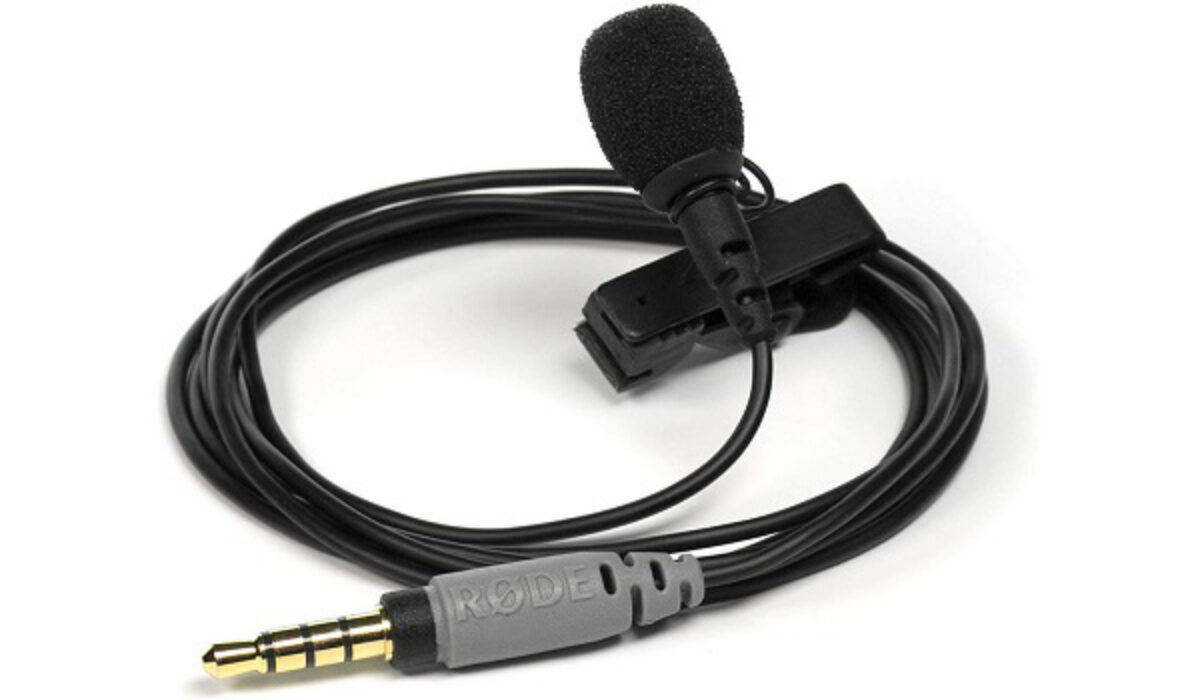
A wired lapel mic
- Get a lavalier or lapel mic
- Get a compatible video recording app
- Set Things Up
- Using a Wireless Lavalier Microphone with your phone
Get a lavalier or lapel mic
There is a lavalier mic for everyone. That means you can get rock bottom-priced ones for as low as $6 (N2,000) or for as high as $170 (N60,000). Your budget won’t be a problem. And the cheap ones do a good job too. I have tested a $6 wired lav mic with the Nokia 7 Plus and found it satisfactory. At the bottom of this article, I share about using a wireless lavalier microphone as well, so look out for that.
So, go shopping and get one right now. And be sure to get one with as long a cable as possible. Also, while you can find a basic wired lavalier mic for as low as $6, and a basic wireless lapel mic for about $20, what you want to do is get the highest quality that your budget can accommodate. So, look around for something that offers more than the basics.
Get a compatible video recording app
Using a lapel mic with your phone is not as straightforward as just plugging it in and starting to record. You need an app that lets you select an external mic for use when recording your video.
The app should also let you use your phone’s selfie camera, if you are recording alone. Using your selfie camera means you can see how you are being captured in the recording and can adjust. If you have a video cameraman who handles the recording, this isn’t important.
So, what video recording app do I recommend? I have tested a handful and finally settled for HD Camera and Video REC as the best of the lot. It is built on Open Camera app and performs much better. The user interface is simple and it provides all the options I need.
You can download it HERE .
Of course, there are others out there, including paid apps that you can buy if you really want to go all the way.
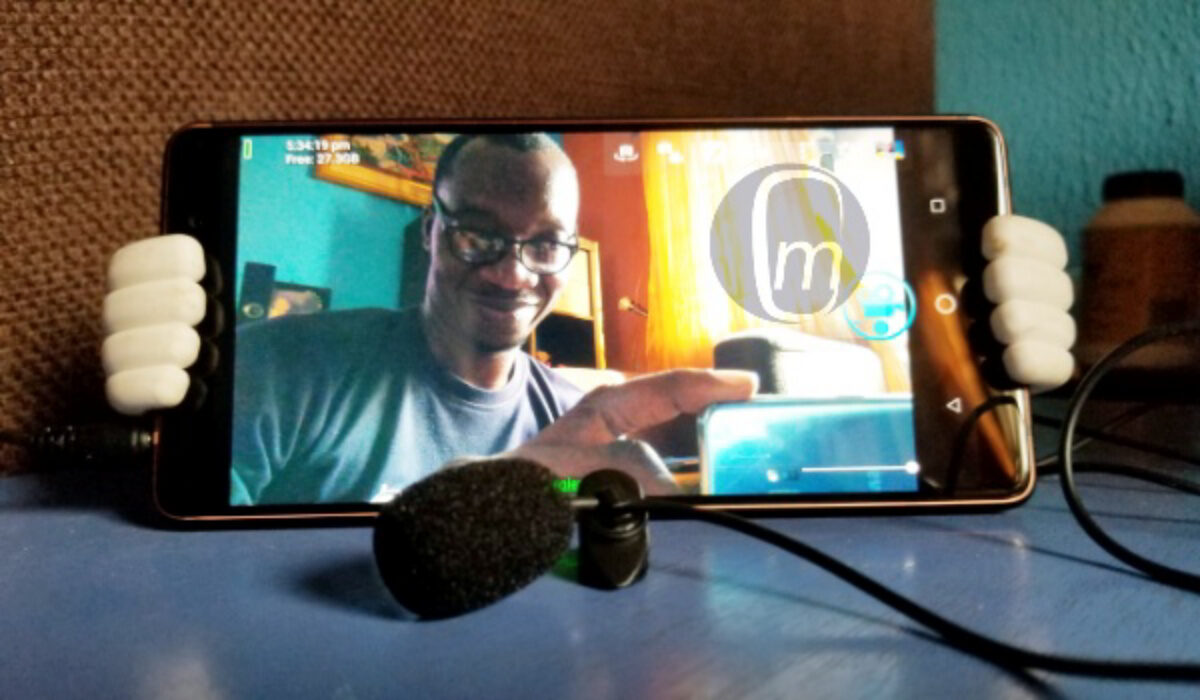
A lapel mic plugged in to my smartphone
Set Things Up
To set things up, open the HD Camera and Video REC app, tap the Settings icon, select “ Video settings… “, and scroll down to where it says, “ Audio source “, tap it, then choose “ External mic (if present) ” from the available options.
From now, any time you want to record a video and have the clothes mic plugged in, it will use that for audio recording.
That is it. You have your smartphone and lapel mic setup and ready to record great videos with solid audio. I wish you a successful career as a vlogger or video content creator.
Using a Wireless Lavalier Microphone with your phone
The world is going wireless and wireless Lavalier microphones are now available for use with your smartphone when shooting your YouTube videos or vlogs. And the best part is that they are plug-and-play. Just charge it, plug in the receiver to your device, and start recording. Have a look at this guide that I put together:
Author:Mister Mobility
Digital Skills and Communication Coach | Mobile Phone Connoisseur since 2001 | Tech Blogging since 2004
