Add MobilityArena as a preferred source on Google
Whenever we think of international phone calls from the US, our minds are barraged with images of costly phone invoices. However, breaking your bank to make international calls is unnecessary. It can even be free in some cases.
It doesn’t matter if you are visiting the US for a few days or are a US citizen; you can make cheap international phone calls from the US. But how? 🤔
<img loading=“lazy” src=“https://mobilityarena.com/wp-content/uploads/2022/08/Make-Cheap-International-Calls-from-the-US-1200x700.jpg" onerror=“this.onerror=null;this.src=‘https://blogger.googleusercontent.com/img/a/AVvXsEhe7F7TRXHtjiKvHb5vS7DmnxvpHiDyoYyYvm1nHB3Qp2_w3BnM6A2eq4v7FYxCC9bfZt3a9vIMtAYEKUiaDQbHMg-ViyGmRIj39MLp0bGFfgfYw1Dc9q_H-T0wiTm3l0Uq42dETrN9eC8aGJ9_IORZsxST1AcLR7np1koOfcc7tnHa4S8Mwz_xD9d0=s16000';" alt=“How To Make Cheap International Calls from the US
- 1”>
In this article you’ll learn the best three ways to make cheap international calls from the United State to other countries. Read it till the end and find out a bonus tip too. Let’s get started!
How to Make Cheap International Calls from the US?
Here’re three simple ways to make inexpensive international calls from US to oversees.
1. With cloud-based virtual phone numbers
Let’s understand cloud-based virtual phone numbers and see how you can use them to make cheap international phone calls from the US.
Cloud-based virtual phone numbers are independent phone numbers, not linked to any SIM cards or conventional cellular networks. These phone numbers use internet connectivity to establish phone connections instead of traditional network coverages and sturdy copper-wired telephone lines.
<img loading=“lazy” src=“https://mobilityarena.com/wp-content/uploads/2022/08/Make-Cheap-International-Calls-from-the-US-2-1200x700.jpg" onerror=“this.onerror=null;this.src=‘https://blogger.googleusercontent.com/img/a/AVvXsEhe7F7TRXHtjiKvHb5vS7DmnxvpHiDyoYyYvm1nHB3Qp2_w3BnM6A2eq4v7FYxCC9bfZt3a9vIMtAYEKUiaDQbHMg-ViyGmRIj39MLp0bGFfgfYw1Dc9q_H-T0wiTm3l0Uq42dETrN9eC8aGJ9_IORZsxST1AcLR7np1koOfcc7tnHa4S8Mwz_xD9d0=s16000';" alt=“Make Cheap International Calls from the US by using a virtual number
- 2”>
The important aspect of virtual phone numbers is they do not require dedicated devices, mobile phones, or other phone systems. Even you can host unlimited phone numbers from a single account in an app, and the app works on all digital devices.
Enough about virtual phone numbers.
Let us focus on how you can make cheap international calls from the US using these phone numbers.
Let us understand it through an example; if you are in the US for a business trip and have to frequently make international calls back to your country ( say Australia ). It will cost you more if you opt for a regular phone call from the US to Australia.
In such a case, you can buy cheap virtual phone number from Australia in the US. You can make and receive calls from that virtual number to and from Australia, which will also localize your phone calls internationally and the incurred charges.
You do the math here. Which will assist you in saving money more, international calls with roaming charges or localized virtual phone numbers for international calls.
Using virtual phone numbers to make cheap international phone calls also comes with ( its own ) pros and cons, which we shall discuss in the section below.
Pros
- These calls are cost-efficient . You can communicate with each other for low call charges.
- You can set up toll-free numbers to let people reach you for free.
- Of course, the security and privacy aspect – mitigate the theft and abuse of your personal details.
- VoIP numbers deliver quality and consistency in all sorts of communication.
- During international calls, you can relish advanced features like recording, routing, monitoring, and analytics, voicemail drop.
- Device compatibility – use virtual phone numbers on all digital devices like mobile phones, laptops , tabs, desktops, etc.
Cons
- You require stable internet connectivity. These calls may not be possible in the remotest of places in the US.
- In the case of emergencies, you cannot track call locations, lost mobile phones, etc.
- In rare cases, the cost of VoIP numbers in certain countries may be expensive.
2. With International SIM Cards
Same as above, we shall first understand what an international SIM card is and jump right into how it helps to make cheap international calls from the US.
International SIM cards are nothing out of the ordinary. These are regular SIM cards but facilitate you with a phone number that can be used internationally.
For instance, you are an Australian business person traveling to the US. You should purchase a new US phone number at the Airport or depend on a free Wi-Fi connection to make calls.
Free Wi-Fi connection might not be available everywhere you go, so you have to go through the trouble of purchasing a new US phone number.

You can easily avoid this situation with an international SIM card. You could land on US soil and make phone calls instantly. But how does it help you make cheap international phone calls?
These international SIM cards assist you in saving money up to 90% on international roaming charges. And in some countries, you won’t be charged for inbound calls.
Reducing roaming charges makes international phone calls from the US cheap, effortless, and, more importantly, time-saving.
Now, let us go through some pointers on the Pros and Cons of the international SIM card.
Pros
- Saving money up to 90% on international roaming charges compared to local numbers.
- Eliminate the troubles of purchasing new numbers while visiting the US.
- Use the international number not only in the US but everywhere you go ( around the globe ).
- Eliminate Wi-Fi connection dependency and access internet connectivity wherever you go as long as you have credits ( balance ) on your global SIM card.
- Versatility – you can use it to make calls from someone else’s phone if your phone is dead.
Cons
The availability of international SIM cards can be a problem. All service providers might not provide you these SIMs.
You might have to make a lofty upfront payment despite on-call cost savings.
Getting Bulk International Voice Calling Packages
Now, let us understand the bulk international voice calling packages and how they assist you in making cheap international phone calls from the US.
Bulk International Voice Calling Packages are simply tailored services provided by your phone service providers. These packages cannot be ordered by users and aren’t explicitly designed to focus on a single user’s usage.
Vendors can design plans and packages ranging from small data packages to huge international calling packages with variable prices. It is essential to understand that these packages vary from vendor to vendor.
<img loading=“lazy” src=“https://mobilityarena.com/wp-content/uploads/2022/08/Make-Cheap-International-Calls-from-the-US__4-1200x700.jpg" onerror=“this.onerror=null;this.src=‘https://blogger.googleusercontent.com/img/a/AVvXsEhe7F7TRXHtjiKvHb5vS7DmnxvpHiDyoYyYvm1nHB3Qp2_w3BnM6A2eq4v7FYxCC9bfZt3a9vIMtAYEKUiaDQbHMg-ViyGmRIj39MLp0bGFfgfYw1Dc9q_H-T0wiTm3l0Uq42dETrN9eC8aGJ9_IORZsxST1AcLR7np1koOfcc7tnHa4S8Mwz_xD9d0=s16000';" alt=“Use international bulk calling packages to Make Cheap International Calls from the US
- 4”>
However, these packages can help you save a considerable amount if you frequently make lengthy international calls. Regular international calls will charge you more with roaming, but you can mitigate this issue using calling packages.
Let us look at this example; if it costs you a dollar per minute on regular international calls. If you talk for 30 minutes, you spend $30. Now, calling packages can provide you with a 30 minutes international calling package for $9. Here, you saved $21 on a half an hour call.
You should also remember that these packages come with deadlines, which expire on the deadline. And more importantly, on special occasions like holidays and festivals.
These calling packages can help you make cheap international calls and save a lot in the long run . These features and services suit a permanent US settler who needs to communicate with customers and associates in other countries.
Everything comes with its black and white sides; Bulk International Voice Calling Packages are no exception. Let us go through its pros and cons.
Pros
- Cheaper international calling rates than regular international calling rates.
- Numerous options to choose from; select that meets your calling requirements.
- Considerable savings on international calling in the long run.
- These packages come with bonus packages providing you free minutes or data packets.
Cons
- These packages are dynamic and may not be available throughout the year.
- Killer deadlines confine you to use your calling minutes within a specific time. Packages expire after deadlines.
- Suppose you are not careful and discard notifications. In that case, you might overuse and surpass package limits, leading to regular call rates, and costing you more.
- Not all vendors provide these international calling packages, and prices may vary even if they do.
As promised, a bonus tip for making cheap international calls from the US is using free app-to-app phone calls. You can use numerous free applications in google play or App Store to make a cheap in-app purchase and enjoy enormous benefits.
Applications like Facebook Messenger , WhatsApp , Viber , Google Voice ( to Canada ), etc., use internet connectivity, allowing you to make phone calls for free internationally, but only within the app environment. Both parties should have internet connectivity and utilize the same audio and video calling app.
Conclusion:
We assure you that you can save a fortune in the long run if you utilize any of the above ways to make cheap international calls from the US . It is always a good idea to test the available alternatives and determine what suits your pursuit.
The ways mentioned above are the results of our research and practical usage. They have helped us save a considerable amount in recent years.
Even if it is not necessary, what works for us should work for you too. You should try these ways and see for yourself.
Free app-to-app communication can also be a good alternative but has limitations and is unsuitable for every situation.
1. Can I make free international calls with a Wi-Fi connection?
Yes, you can make free international calls with a Wi-Fi connection that are generally in-app-call, meaning both parties should use the same app. Phone calls through Facebook Messenger or WhatsApp are free international calls with a Wi-Fi connection. It is necessary to create app accounts to access communication features.
2. What is the best way to make international calls?
No one can claim a single way to be the best way to make calls internationally. Since different people have different communication requirements, and, more importantly, it all depends on perspectives and preferences.
However, virtual phone numbers can be a go-to element for future communication.
3. What is the cheapest app for international calls?
Many may apps allow you to make cheap international calls, and Viber is one of those. Viber charges a minimum ( amount ) to buy credits you can use to make calls outside the Viber environment, like call landlines and mobile phones. You can also consider virtual phone numbers for cheap international calls.
- Don’t miss our mobile phone reviews .
- Follow our news on Google News .
- Join our WhatsApp Group , to be notified of the most important articles and deals,
- Follow us on Instagram , Facebook , Twitter , and YouTube .
Author:Anna Makama
Gadget lover making my way through life one day at a time.
Add MobilityArena as a preferred source on Google
It’s normal to consider purchasing a new computer if the performance of your current one is preventing you from working effectively. However, there are a few easy adjustments you can make to greatly boost speed and processing power in your PC before you decide to open your checkbook and purchase a new one altogether.
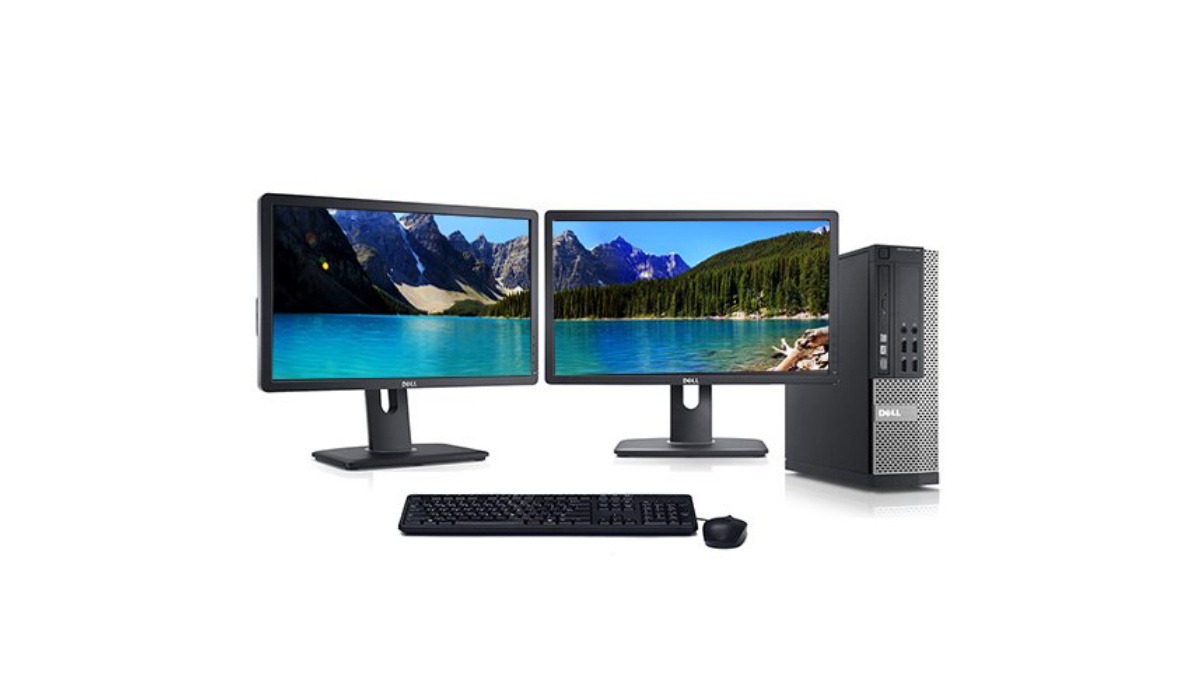
One of such tweaks to try is upgrading your RAM. This probably already sounds intimidating, but no need to worry. We’ve created this guide for you, so you can learn how to update the RAM on your computer to get a snappier, more fluid performance.
First Things First…
A computer’s short-term memory bank is called RAM, or random access memory. RAM is incredibly rapid and stores data that is presently being processed or will be needed shortly, unlike the long-term storage space found on your hard disk.
The maximum amount of RAM (random access memory) that any given computer can use is set. As such, you’ll need to first check to see if your computer can manage the higher capacity before adding more memory to it.
Here’s how to check the RAM for your motherboard based on the design of your system:
- Holding down the Windows key while pressing R will bring up the Run window.
- To display a summary of your System Information , enter “ msinfo32 ” into the dialog box and press OK .
- Under BaseBoard Manufacturer , BaseBoard Product , and BaseBoard Version , you’ll be able to find information about your motherboard.
- Using that information, look up the specifications of your motherboard online to learn about the maximum RAM configuration and capacity.
Once you are aware of your system’s limitations, you can consider how to effectively use the motherboard’s RAM slots in accordance with your requirements and financial constraints.
Upgrading the RAM on your PC
Although installing RAM is pretty simple, it is important to be careful not to harm any of the delicate internal hardware components. Another word of caution: opening up the PC could void the guarantee provided by the manufacturer, so weigh your options before deciding on this step.
You’ll be able to install RAM on desktops and laptops by following the installation guide below.
How to Install RAM on a Laptop
Before you proceed with installing RAM, make sure you can update the RAM by yourself. This is because some laptops have the RAM modules soldered directly onto the motherboard, which means the process might be a bit more complicated.
Here are thorough instructions on how to change RAM on a laptop, assuming that your laptop device has removable modules:
- Turn off your laptop, shut the lid, and allow it to cool completely.
- Disconnect all cables, cords, and peripherals while you wait.
- Put your laptop on a solid, flat surface with the bottom facing up.
- Open up the compartment containing your RAM, or unscrew and remove the bottom casing, depending on the make and model of your laptop.
- Touching an unpainted metal surface will help you to ground yourself, so you can shield your internal components from static electricity.
- Remove the clips securing your current memory modules by carefully pulling them apart. You can pull the RAM module completely out of the slot once it partially pops out.
- Insert your new RAM by matching the module with the slot, pressing down forcefully on the module until it locks in place, and being careful not to touch the gold connectors on top of the module.
- After all new modules have been placed, turn your laptop the correct way up, secure the RAM access panel or bottom case, and plug all cables and cords back in.
How to InstallRAM on a Desktop Computer
Follow these steps to install RAM if you’re using a desktop computer:
- Before unplugging any cables or wires, turn off your PC.
- Place the device on a flat, smooth surface, making sure to lay it on its side.
- You’ll probably need to refer to your owner’s manual and have a Phillips screwdriver on hand in order to remove your computer’s case and gain access to the motherboard.
- To avoid static discharge harming delicate internal computer components, ground yourself by contacting an unpainted metal surface.
- Pressing down on the clamps at either end will release the RAM modules, causing them to rise up from the slot so you can pull them out straight away.
- To avoid damaging the gold connectors or other components, only handle the edges or corners of your new RAM modules.
- Install your new RAM by ensuring that the slots on each module’s notches line up with them. Then, press down hard but evenly until the clips on either side of the module click into place.
- Put your PC back together and reconnect all of the wires and accessories.
After the Upgrade…
Restart your computer after completing the installation to make sure your system has detected the new RAM. This can be done by accessing the Control Panel, clicking System and Security, and choosing System to view your device settings, or by using the Task Manager.
You’ll know that your update was successful if the quantity of memory indicated in the Control Panel matches the amount of RAM you added. Also, at this point, your device’s performance should be way better than it was before you initiated the upgrade.
In summary , consider upgrading your system’s RAM first before you make a decision to buy a new one if you’re not satisfied with its performance. The instructions we’ve provided above should suffice to get it done, but if you’re unsure that you can handle it correctly, make sure to see a computer repair professional.
We hope you’ve benefited from this article, so don’t hesitate to share it with your friends and loved ones so they can also benefit from it.
- Don’t miss our mobile phone reviews .
- Follow our news on Google News .
- Join our WhatsApp Group , to be notified of the most important articles and deals,
- Follow us on Instagram , Facebook , Twitter , and YouTube .


