Add MobilityArena as a preferred source on Google
Network authentication methods are essential to protect the data that travels through your network. Authentication is the process of verifying the identity of a user, device, or application that wants to access a network. In this article, we will explore seven common network authentication methods that businesses use to secure their networks.
- Password-Based Authentication
Password-based authentication is the most common authentication method used by businesses. It involves the use of a username and password combination to verify the identity of the user. Password-based authentication is easy to set up and use, but it has several weaknesses, such as password reuse, weak passwords, and phishing attacks.

To overcome these weaknesses, businesses should encourage users to use strong passwords and enable two-factor authentication. Two-factor authentication involves using an additional authentication method, such as a fingerprint or a one-time code, to verify the user’s identity.
- Biometric Authentication
Biometric authentication is a method that uses physical or behavioral characteristics to verify the identity of the user. This method includes fingerprint recognition, face recognition, and voice recognition. Biometric authentication is more secure than password-based authentication, but it requires specialized hardware, software, and training.
- Certificate-Based Authentication
Certificate-based authentication involves the use of digital certificates to verify the identity of the user. This method is commonly used in public key infrastructure (PKI) systems. Certificate-based authentication provides strong security, but it is complicated to set up and manage.
- Multi-Factor Authentication
Multi-factor authentication involves using two or more authentication methods to verify the identity of the user. For example, a user might enter a password and use a fingerprint scanner to authenticate. Multi-factor authentication provides strong security, but it can be complicated to set up and use.
- Single Sign-On (SSO)
Single Sign-On (SSO) is a method that allows users to access multiple applications with a single set of credentials. SSO simplifies the authentication process and improves user experience. SSO can also improve security by reducing the number of passwords that users need to remember.
- OAuth Authentication
OAuth is an open standard for authorization that allows third-party applications to access user data without requiring the user’s password. OAuth authentication is commonly used in social media applications and online services. OAuth authentication provides convenience for users, but it can also increase the risk of data breaches if not implemented correctly.
- RADIUS Authentication
RADIUS (Remote Authentication Dial-In User Service) is a protocol that allows remote access servers to communicate with a central authentication server to authenticate users. RADIUS is commonly used in wireless networks and VPNs. RADIUS authentication provides strong security and is easy to set up and manage.
Using Splynx for Network Authentication
Splynx is an all-in-one solution for managing ISP networks. It provides several authentication methods that can be used to secure your network. The supports password-based authentication, biometric authentication, certificate-based authentication, multi-factor authentication, and single sign-on.
Splynx also supports RADIUS authentication, which is commonly used in wireless networks and VPNs. With Splynx , you can easily set up and manage your RADIUS server, configure access policies, and track user activity.
The system supports OAuth authentication, which is commonly used in social media applications and online services. With Splynx, you can easily integrate with popular OAuth providers, such as Facebook , Google , and Twitter , to provide convenient authentication options for your users.
Conclusion
Network authentication methods are essential for securing your network and protecting your data. Password-based authentication is the most common authentication method, but it has several weaknesses. Biometric authentication, certificate-based authentication, multi-factor authentication, and single sign-on are more secure but can be more complicated to set up and manage.
Author:Anna Makama
Gadget lover making my way through life one day at a time.
Add MobilityArena as a preferred source on Google
Some years ago, OnePlus, once the champion of a clean, near stock Android experience, and known for its flagship killer phones, began a shift away from that framework. Most especially, the new OxygenOS is so far removed from the near stock experience that OnePlus fans loved. Today, the traditional fanbase of OnePlus no longer recognise the brand that they used to love. But a new brand has risen to fill that gap. Nothing is the new OnePlus, and it is clear why.
In October 2020, Carl Pei, the co-founder of OnePlus and director of the company’s global operations left the firm to start a new technology brand, called Nothing Technologies. With its operational base in the United Kingdom, Nothing embodies everything that OnePlus used to stand for.
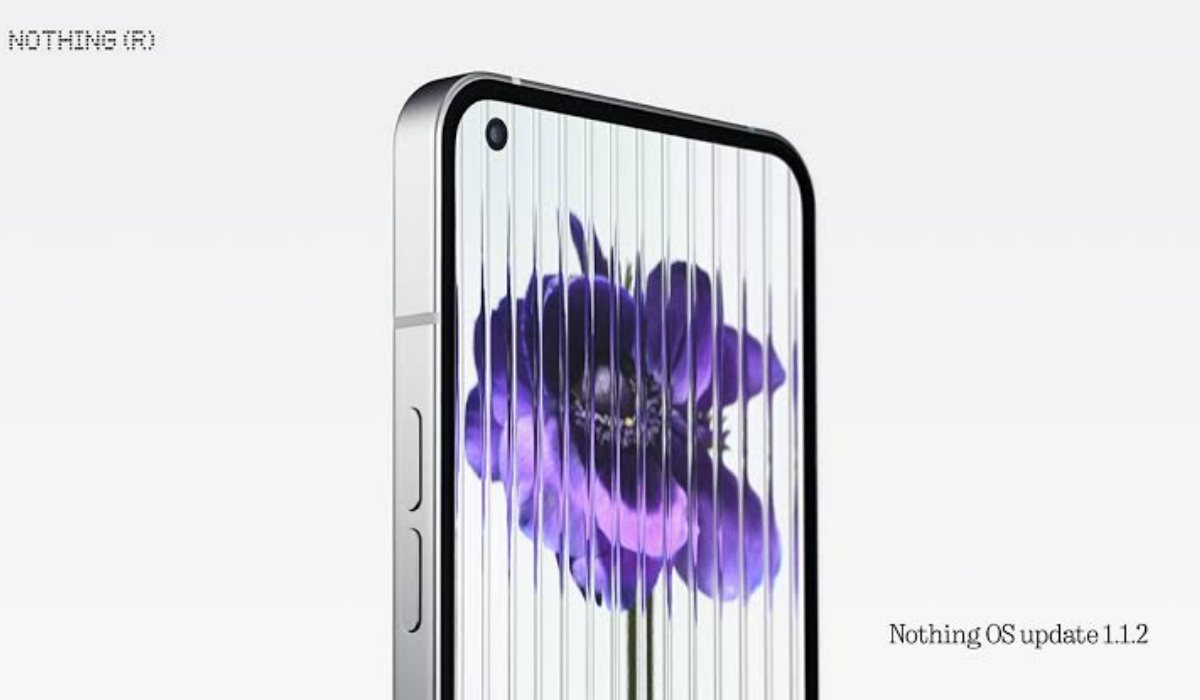
Topmost of that is the concept of a lean and clean software experience that feature minimal bloat, that is as close to stock Android as much as possible, and that offers timely software updates. The Nothing Phone (1) embodies this well. Forget the lights on the back of the phone (which served as a great marketing tool – and a successful one, too). Once you get past the gimmicks, what you will find in using Nothing Phone (1) is the soul of the OxygenOS that we used to love.
Nothing OS (1) is the next best thing to the software in a Google Pixel right now. That used to be OxygenOS in OnePlus Phones (and also the Essential Phone, and guess who acquired what was left of Essential in 2021 – yes, Nothing Technologies). Are you connecting the dots? I remember that the Essential Phone (1) was also the only Android phone that got Android updates the very same day that Pixel phones got them. Same day, not a week later. Not two days later. The same day.
As I type this, news is out that Nothing is about releasing Android 14 Beta 1 update for the Phone (1). Impressive. The UK company is clearly aiming to fill the shoes of both the old OnePlus and the now defunct Essential. And it is doing a fine job of it so far. But what of the hardware? Is Nothing able to match what OnePlus used to offer by way of flagship killers, or the premium flagship grade that the Essential Phone (1) also offered? Psst: See the similarities in the phone naming schemes of Essential and Nothing? Yup.
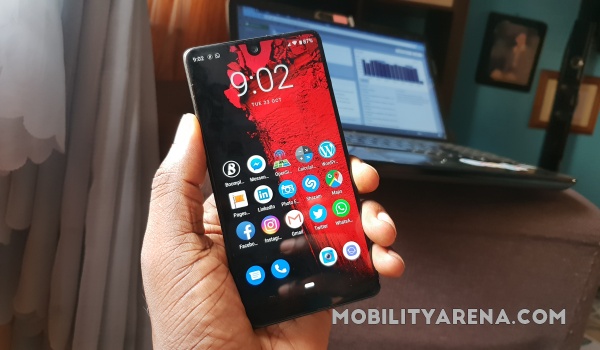
Nothing Phone rises from the ashes of Essential Phone
As far as the first model from Nothing Technology is concerned, it didn’t even come close. OnePlus flagship killers were mid-range phones that offered similar performance to premium flagships and at a much lower price. Essential’s Phone (1) was a full-blown premium flagship. In contrast, Nothing Phone (1) is strictly a mid-range smartphone. Full stop.
I am not a fan of the gimmicky lighting, though I understand that it served its purpose in drumming up publicity for the phone. But its successor, Nothing Phone 2 , is a totally different beast, if the leaked info we have are anything to go by. It is expected to show up with a more powerful chipset to provide performance that is closer to flagship grade. Add 12GB of RAM and other high-end specs, and the becoming of Nothing is finally completed.
Nothing Phone 2 will capture the full essence of OnePlus and Essential in one device, and I am itching to see what this will look like. Also, US mobile consumers who felt disappointed that the Phone 1 was not officially launched in the United States can relax and look forward to better times: Nothing Phone 2 will change that this year.
With Google still messing up the Pixel lineup with overheating issues , Android purists deserve an alter active brand to look to for a clean and smooth user experience in an Android phone. It looks like something fantastic is coming their way from Nothing Technologies. Yes, Nothing is the new OnePlus and Essential wrapped up in one.
Author:Mister Mobility
Digital Skills and Communication Coach | Mobile Phone Connoisseur since 2001 | Tech Blogging since 2004
