Add MobilityArena as a preferred source on Google
The iPhone is certainly one of the most sought-after devices, and as we all know, a brand new iPhone may be pricey, with several checklists required before purchase. However, if you are on a limited budget, you can buy a used iPhone at a substantially reduced price.
- What Are the Things to Check Before Buying a Used iPhone Online? Request a Purchase Receipt Wear and Tear Check the IMEI Number Check Serial Number Check the Camera Check Battery Health Check the Microphone and Speaker Authenticity of Device Parts
What Are the Things to Check Before Buying a Used iPhone Online?
Second-hand iPhones are constantly in high demand, and they’re an excellent alternative if you’d like to save money on an Apple smartphone. As with any second hand purchase, there are some things you should check before handing over your cash. Below is a simple checklist that’ll help you out when buying a used iPhone online.
Request a Purchase Receipt
Before buying a used iPhone online, demand that the seller supply you with a soft or hard copy of the original receipt. The receipt will reveal two important details: previous ownership and warranty status. Check the iPhone receipt to determine if the recipient and the purchase date match the seller’s name or ID.
This helps you determine whether the seller was the first owner and whether the iPhone is still under warranty. If the seller is unable to provide a receipt, consider whether you are willing to accept not being able to trace device ownership.
Wear and Tear
Another thing to do before buying a used iPhone online is to get a photo of the device from every angle possible, including close-up macro pictures if possible. This allows you to take a look for large scratches, dents, discoloration, and markings. Examine the camera lens for any scratches that can affect the quality of the pictures and confirm that wireless charging is still functional.
In addition, request that the vendor test the ports by charging with a cord and, if applicable, plugging in wired headphones via the headphone jack. Although the iPhone should be water and dust resistant, this protection does not last forever.
Check the IMEI Number
Ask the seller to go to Settings > General > About and check the IMEI (International Mobile Equipment Identity) number. Do this before buying a used iPhone online to see if the device’s characteristics match those on the certified receipt. Alternatively, instruct the seller to dial *#06# to obtain the unique IMEI number.
When the IMEI number of the iPhone is displayed, you can compare it to the receipt the seller gave you to verify the purchase. You should also use IMEI.info to check the network, country, warranty, system version, and other specifications of your mobile device. The IMEI number can also be found on the back of the original box.
Check Serial Number
Apple assigns serial numbers to all of its devices in addition to the IMEI number for warranty validation. This is another thing to check for before buying a used iPhone online. To check the serial number of an iPhone, have the seller navigate to Settings > General > About .
The serial number can reveal information such as when and where the iPhone was made. On Apple’s coverage page, you can also verify the device specifications provided by the vendor and check the service and support coverage.
Check the Camera
Along with making sure the iPhone’s camera is unbroken, it’s crucial to ensure that it functions properly. In some cases, third-party repair shops have been known to replace genuine iPhone camera parts with unauthorized ones.
So, before buying a used iPhone online, ask the seller to take pictures with the phone’s camera, then ask to see the pictures right away. Next, request that they take photos with both the front and back cameras. Then, check to see if the image is clear to ensure that the iPhone’s camera hardware is still operational.
Check Battery Health
Batteries are among the most commonly damaged parts of electronic devices. Poor battery life can be caused by both normal usage and poor charging habits. As such, before buying a used iPhone online, ask the used iPhone seller to open Settings > Battery > Battery Health to check the iPhone battery status.
Recognizing that all rechargeable batteries have a finite shelf life is essential. It’s best to keep your expectations for battery life in check when purchasing a used iPhone or any phone in general.
After 500 full charge cycles, iPhone batteries should still have up to 80% of their original capacity, according to Apple. Any battery health that is less than 80% will cause iPhones to perform poorly and may require immediate replacement. Damaged batteries are replaceable for free if the iPhone is still under warranty. Alternatively, Apple provides a paid battery repair service for iPhones that are out of warranty.
Check the Microphone and Speaker
Some of the most common signs of a water-damaged iPhone are faulty speakers. Since this damage is often hidden inside the device, it is one of the most important things to look for before buying a used iPhone online.
Make sure the online seller turns the iPhone to maximum volume to test the speaker’s health. Afterward, make a quick outbound call or text to see if the sound is static-free, or ask them to record a specific phrase and play it back to you using its microphone. Alternately, you could request that they play music while testing the device, adjusting the volume as necessary.
Authenticity of Device Parts
Inquire with the seller about previous repairs to the device and whether they were completed by an Apple-authorized service provider. Repairs performed in unauthorized centers may result in the device’s parts no longer being authentic. So, before buying a used iPhone online, check to see if the iPhone has any fake parts. It’s much simpler to check this in person of course, but as an online buyer, you can still inquire about this with the seller.
Ultimately, used iPhones can come with certain dangers, especially if you’re buying them online. However, you can minimize these risks if you follow the guidelines mentioned above before buying a used iPhone online.
Author:Joan Agie
Add MobilityArena as a preferred source on Google
The Apple iPhone 15 Pro is the best compact smartphone on the market. It combines the power of the latest Bionic chipset with the smoothness of iOS in a small mini-smartphone size.
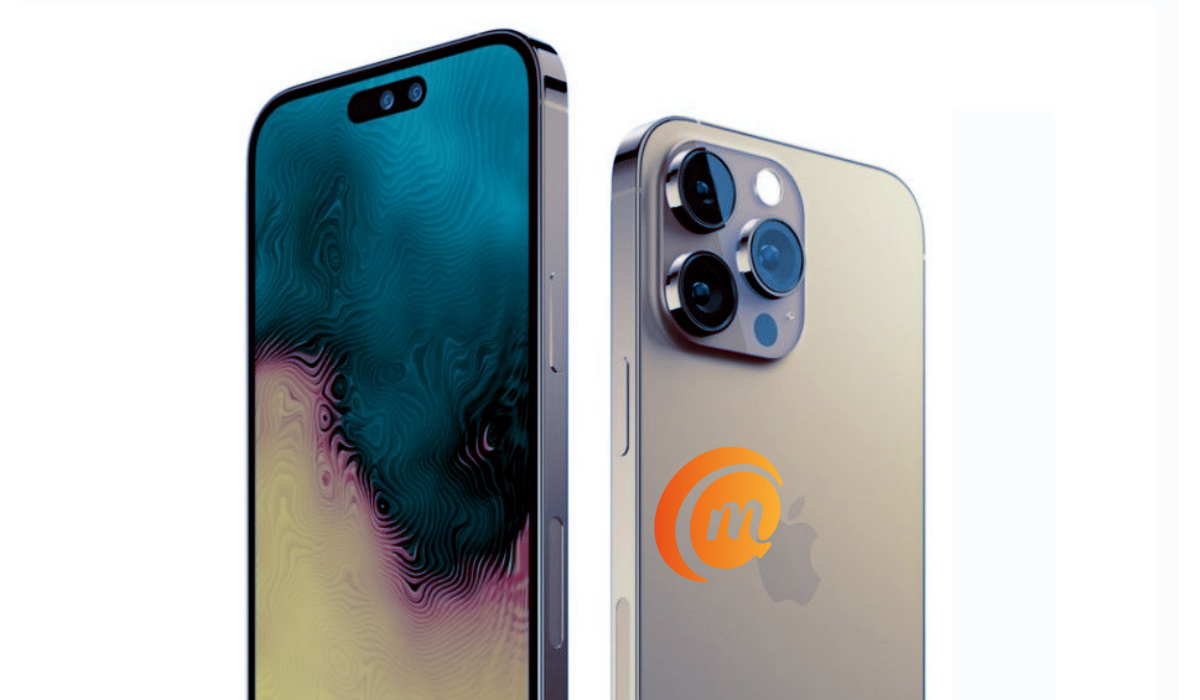
The iPhone 15 Pro brings the iconic metal frame and glass sandwich build, a new and more powerful A-series chip, the A17 Pro, more RAM, better graphics, as well as better cameras. Of course, it will be the most powerful iPhone Pro ever. It will also be the first iPhone with a USB-C port instead of the Lightning port that the iPhone has been known for.
- aptX Bluetooth Codecs
- Chipset
- Does iPhone 15 Pro have an IR blaster?
- Detailed Specifications
- Prices of iPhone 15 Pro in the USA, UK, and EU
- Hands-on Video
aptX Bluetooth Codecs
The iPhone 15 Pro does not support any aptX Bluetooth codecs.
Chipset
The iPhone 15 Pro has the new A17 Pro processor for performance boost, as well as more powerful neural processing and better photography as well.
Does iPhone 15 Pro have an IR blaster?
If you are interested in having infrared (IR) blaster and have wondered whether the iPhone 15 Pro has one, we clear the air on it. The iPhone 15 Pro does not have an IR blaster. The growing interest in this feature in the last few years has motivated some phone brands to start including it in their devices. Unfortunately, Apple has not included it in the iPhone 15 Pro.
Apple iPhone 15 Pro
Detailed Specifications
Mobile Wireless Network and Software
- 2G mobile network bands : GSM, GPRS, EDGE 850 / 900 / 1800 / 1900 MHz.
- 3G mobile network bands : UMTS, WCDMA, HSDPA 850 / 900 / 2100 MHz
- 4G mobile network bands : LTE.
- 5G mobile network bands : NSA/SA
- SIM Type : Nano-SIM, Dual SIM/eSIM
- Software / OS : iOS 17
Design, Form Factor, Appearance
- Dimensions : 146.47 x 70.46 x 8.24 mm
- Weight : 187g
- Display : 6.1 inches, 1179 x 2556 pixels, 120 Hz refresh rate, 20:9 aspect ratio, Always-On Display, Super Retina, OLED screen, Ceramic shield glass
- Colours : White. Red. Green.
- Physical Build : Gorilla Glass screen, Stainless Steel frame, Glass rear cover
Internal Hardware Specs
- CPU/ Processor : 64-bit, 3.6 GHz Hexa-core
- Chipset : Apple A17 Pro (3nm)
- GPU/ Graphics Processing Unit : Apple GPU
- RAM : 8 GB
- Extended/Virtual RAM : No.
- Internal Storage : 128 GB / 256 GB / 1 TB
- External Storage : None
Photography, Video Recording
- Main Camera : 48 MP main sensor, autofocus, dual LED flash, 4k video, 1080p@30fps video recording
- Front Camera : 12 MP, fixed focus, 4k video, 1080p@30fps video capture
Audio, Video Playback
- Music Support : PCM, AAC / AAC + / eAAC + / MP3 / AMR – NB / WB / APE
- Audio : No 3.5 mm audio jack
- Loudspeaker : Stereo speakers
- Video Support : H.264/MP4/MPEG4 player
- FM Radio : No.
Phone Sensors
- Digital Compass : Yes.
- Accelerometer : Yes.
- Proximity Sensor : Yes.
- Ambient Light Sensor : Yes.
- Barometer : Yes.
- Pedometer : No.
- Heart Rate Monitor : No.
- Gyroscope (G-Sensor) : Yes.
- Fingerprint Scanner : No.
- Face Unlock : Yes.
- Iris Scanner : No.
- Motion Sensing / Gesture Control : No.
- Voice Control : No.
- Intelligent Digital Assistant : Yes; Siri.
- Infra-red Blaster : No.
Connectivity Options
- Bluetooth Version : 5.3
- Bluetooth Profiles : A2DP, LE
- WiFi : Wi-Fi 802.11 a/b/g/n/ac/6, hotspot
- GPS : Yes, A-GPS, GLONASS, BDS, Galileo, QZSS
- USB : microUSB v2.0. Type-C.
- NFC : Yes.
Miscellaneous Specs and Features
- Battery Type and Capacity : Non-Removable Lithium-Ion 3274 mAh
- Battery Charging : Power Deliver 2.0 (50% in 30 minutes)
- Wireless Charging : 15W (Magsafe). 7.5W Qi
- Reverse Charging : 4.5W reverse wired.
- Model Version/Number :
Launch/Release Dates and Information
- Announced : September 2023
- Release Date : September 2023
Prices of iPhone 15 Pro in the USA, UK, and EU
- USA : from $1,059.99
- United Kingdom (UK) : from £ 970
- European Union (EU) : from €1,250
The above prices may change with time from country to country, as market forces and economic policies influence product price movements.
Hands-on Video
Enjoy Mister Mobility’s hands-on video of the iPhone 15 Pro on YouTube .
MobilityArena Buyer’s Guide Verdict
if you are looking for the most powerful smartphone with a small screen, the Apple iPhone 15 Pro fits. It is the best compact smartphone on the market. It combines the power of the latest Bionic chipset with the smoothness of iOS in a small mini-smartphone size.
Our Buyer’s Guide Verdict is a recommendation based on the specifications of the device and a general guide to help you understand how much value a device offers for its price. It is not an endorsement of the device. Ask questions and use your judgement when buying any device; MobilityArena takes no responsibility for your buying decisions .
