Add MobilityArena as a preferred source on Google
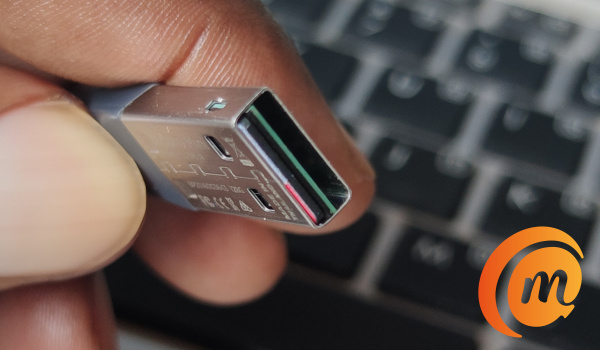
News flash! Yes; your phone can be hacked while you are charging it at a public point. If you plug your phone to charge using a USB port at a public place, or plug it to someone’s PC or laptop, it can be hijacked or infected with malware. It is called juice jacking.
No; I didn’t make that up to alarm you. I mean it for real. Your smartphone’s USB port is a doorway to your phone and you should be careful where you plug it in. Let me explain it in clear terms to you with something you can relate to.
You see, if you are able to plug your phone to your laptop or PC to copy files, then someone with access to whatever you plug your phone into can copy files – including malware – to your phone and hijack it. You do get the picture now; don’t you? That is why a smartphone can be hacked while you are charging it.
USB charging chords are no longer just charging cables. They are also transmission channels for data. In effect doorways to your phone. So, your phone can be hacked or infected if you plug it into someone’s PC. If a malicious person sets up a public charging kiosk and you plug your phone there…..your guess is as good as mine. Gone girl.
Even where the charging station is run by trusted operators, a malicious person acting independently can plug in a laptop and load malware into the network. The result is that anyone who plugs in their smartphone there to charge is vulnerable and can be compromised. The attacker has enough access to take full control of your device through an implanted malware.
Simply put, when you plug your precious smartphone into a USB outlet or device, you open it up to data transfer, and in the case of malicious actors, you could lose financial information, or get it infected with a virus, ransomware or some other malware. Nasty business.
What can you do to prevent your phone from being hacked while you are charging it?
- Abstinence . No; I’m not talking about sex. Avoid charging your smartphone via public spots. As I have repeated to people a million times in the last two decades, physical access is the easiest way gadgets get infected or hacked. Stay away. Get a power bank for when you are out and about.
- Buy a charging-only cable . If you must use a public point, one thing you can do to prevent your smartphone or tablet from being compromised or hacked while you are charging it is to use a charging-only cable. In addition to the standard, full capacity USB cable that comes with your phone, you can also buy a charging-only cable for use in public places. That kind of cable does not have the ability to transmit data. It charges only, and so cannot be used to hack or infect your device.
- Avoid USB outlets : If you must charge your phone while away from home, do it using the standard power outlets and not computers or any USB outlet. Generally, avoid plugging your smartphone into random USB ports. Even a USB flash drive plugged in can spell disaster.
- Lock your phone . “But I don’t have anything to hide” Don’t be an idiot: you have a lot to lose, including bank account details and other critical information. Put a password on your smartphone.
- What of mobile antivirus? The jury is still out on how effective these are, but you should consider installing one from a trusted name e.g. Avast, AVG, ESET, Kaspersky, Norton, and others.
Hopefully, you won’t forget the lessons shared here. You really do not want to be a victim of malware and have your data stolen or device in the control of a stranger. Take steps to prevent your phone from being hacked when you are charging it.
Don’t give physical access to your phone. That includes leaving it in someone’s hands while you dash to the loo, or plugging it into someone’s laptop to charge. The owner of the laptop might mean no malice, but it won’t matter if the laptop is infected already. It gets passed to you. Stay safe.
- Don’t miss our reviews .
- Join our WhatsApp Group , to be notified of the most important articles and deals,
- Follow us on Instagram , Facebook , Twitter , and YouTube .
Author:Mister Mobility
Digital Skills and Communication Coach | Mobile Phone Connoisseur since 2001 | Tech Blogging since 2004
Add MobilityArena as a preferred source on Google
5G is so much faster than 4G that it makes sense that you want to experience 5G speeds. Everything is better with 5G. Technically, it is possible to upgrade a 3G phone to 4G. But you would have to be a highly skilled electronics engineer to pull it off. Let me explain.
- Is it possible to convert a 4G phone to 5G? Can my 4G mobile phone be converted or upgraded to 5G?
- How to convert a 4G phone to 5G with a compatible case
- Replace Your 4G Phone With A 5G Phone
- How To Choose A 5G Phone
Is it possible to convert a 4G phone to 5G?
Can my 4G mobile phone be converted or upgraded to 5G?
Yes; it can be, though it isn’t so straightforward. There are currently two ways you can get it done. Let’s have a look.
The first way to upgrade or convert a 4G phone to 5G is highly technical: it requires you to change a number of key components in the device. These components include: the modem and the processor. You would need to replace the 4G modem in your phone with a 5G modem. Also, if the built-in processor does not support 5G, you would need to replace that with a 5G-compatible unit too.
Chances are that the phone’s software already supports 4G, but you might also have to modify one or two things in that too. So, you pretty much have to dismantle your 4G phone and have these above modifications made in order to convert it to 5G. And to do that, you’d have to be a highly skilled electronics engineer or technician.
Unfortunately, these parts that you need to replace are not sold in your local market, and the expertise required to make those changes are not exactly available in the average phone repair shop. Where available, the total cost of such a conversion will make nonsense of things.
Are you catching my drift? While it is theoretically possible to upgrade a 4G phone to 5G, it is not very pragmatic.
How to convert a 4G phone to 5G with a compatible case
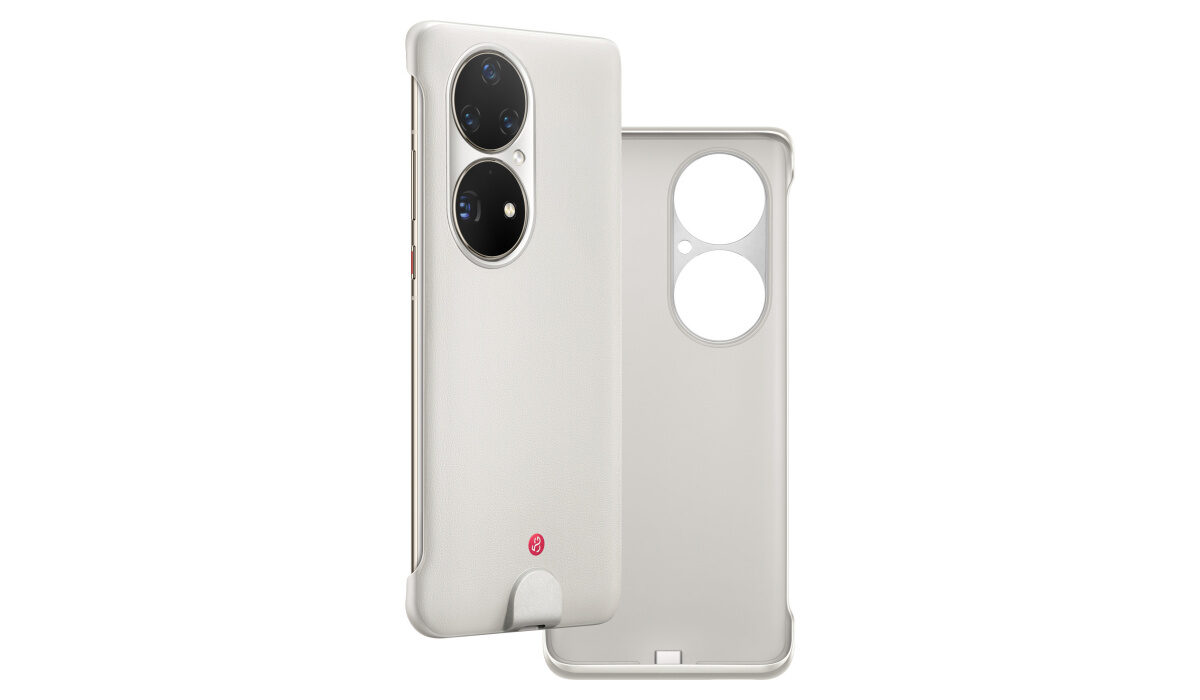
This case adds 5G to the Huawei P50 Pro, a 4G smartphone
The second way to convert a 4G phone to 5G is to use a special case. Yes; it turns out that is a thing. Using a 5G case on your 4G phone is the second way to add 5G to it. Huawei did it. Because of the US government ban, Huawei cannot make 5G phones, so all their new smartphones, including their premium flagships, do not have 5G. They are strictly 4G phones. But guess what Huawei did in the case of the P50 Pro: they got a 3rd party to manufacture a 5G case. That’s a case with inbuilt e-SIM and 5G connectivity.
Snap the case on the Huawei P50 Pro, and you have added 5G to a 4G phone. It is a brilliant idea, and I think that more manufacturers will consider it as an option. So, if your phone’s manufacturer embraces the concept, you will be able to add 5G to your 4G smartphone just by buying a compatible case. Absolutely brilliant.
But if you do not have the technical skills and funds to add the components (and most people don’t), and there is no compatible 5G case for your smartphone, there is no other way to upgrade your 4G phone to 5G. At least, not yet. What do you do, then?
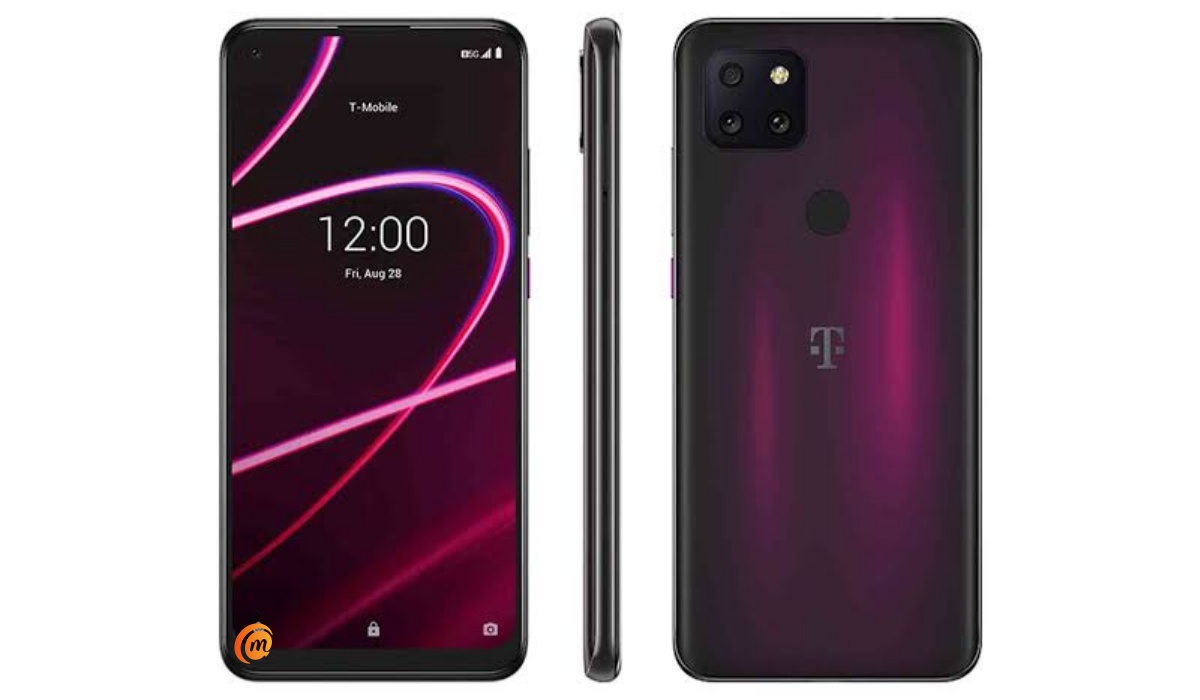
Replace Your 4G Phone With A 5G Phone
If you currently own a 4G smartphone and want 5G Internet connectivity, the easy and simple way to go about it is to purchase a 5G phone to replace your existing device. Then sell or gift out your old 4G smartphone.
While it is technically possible to upgrade a 4G phone to 5G, it is largely impracticable. The process is beyond what you can do, and it would be too costly.
How To Choose A 5G Phone
Before choosing a 5G phone, be sure to confirm that it supports the LTE frequency band of the 5G mobile wireless operator that you want to use it on.
There are dozens of 5G frequency bands in use around the world by various cellular carriers. If you buy a 5G phone that does not support the 5G frequency that your operator/carrier uses, your phone will not be able to connect to that 5G network. And that would be a waste.
In addition, if you travel internationally, you should also consider what network frequency bands are supported in the countries you travel to, or intend to travel to.
If you plan to use a local SIM for 5G Internet access in those countries, you will need a phone that supports available networks there. As a rule, the more bands a smartphone supports, the better.
Now you understand that though it is possible to upgrade or convert a 4G mobile phone to 5G, it is mostly impractical and will cost an arm and a leg. It is just best to replace your 4G phone with a 5G smartphone.
Related Article : Types of 5G networks .
