Add MobilityArena as a preferred source on Google
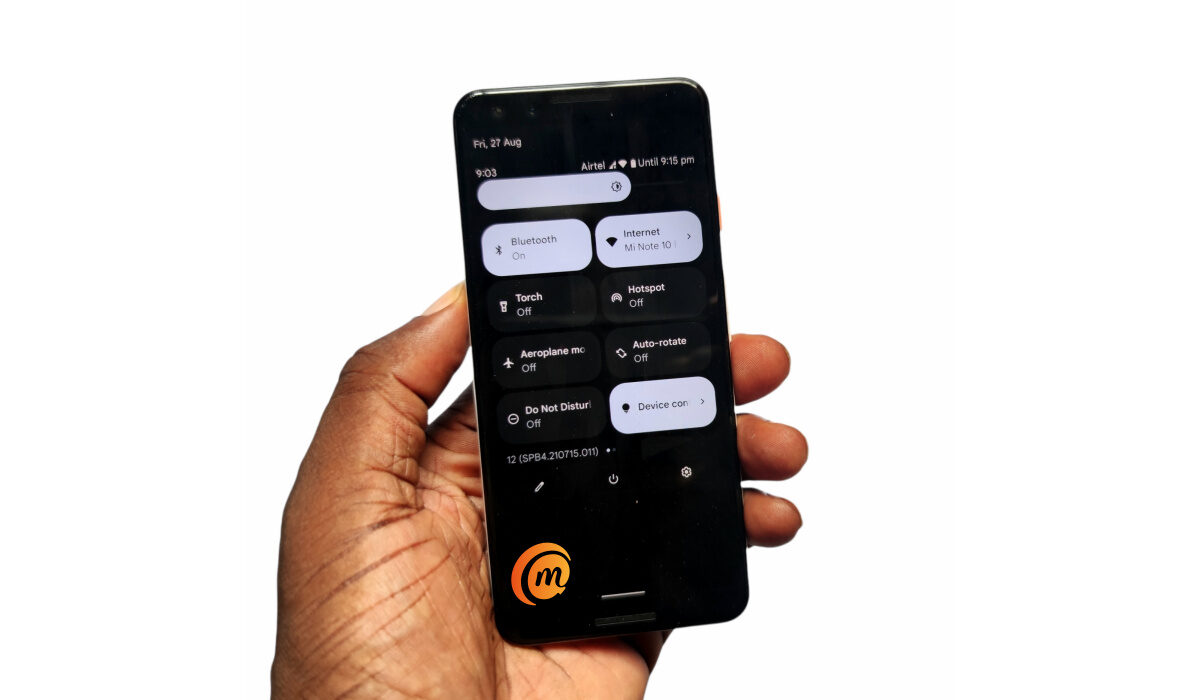
Android 12 is here and millions of Google Pixel phone owners around the world are updating their devices. Also, Pixel 6 and 6 Pro units, running Android 12 out of the box, are now shipping. Of you own one of these Android 12 Pixel phones, there are a few things you can do to get the best user experience out of them.
Having used an Android 12 Pixel device for a while now, I have had to make some modifications to make it work for me. Chances are that you will find that information useful too.
The tweaks listed below can be applied to any Google phone running Android 12 – Pixel 3, 3XL, 3a, 3a XL, 4, 4 XL, 4a, 4a 5G, 5, 5a with 5G, 6, and 6 Pro .
- Get The Best Out Of Your Android 12 Pixel Phone With These Tips Enable Camera Storage Saver for Pixel 6 and 6 Pro Enable Smart Storage Enable Live Caption Disable Bubbles Disable Smart AutoRotate Enable Notification History Disable Icon Theming
Get The Best Out Of Your Android 12 Pixel Phone With These Tips
Seeing that Pixel phones are famed for their photography capabilities, let’s start with a few tweaks in the department. Some tweaks are applicable only to the Pixel 6 and 6 Pro, and are duly stated.
Enable Camera Storage Saver for Pixel 6 and 6 Pro
If you have purchased a Pixel 6 phone, you are likely a shutterbug, snapping away ever so often. That eats up your phone’s storage space. Google introduced Camera Storage Saver to help you store your photos in more space-efficient formats
To enable it, launch the Camera app > Tap the cog icon in the top left corner > More settings > Device storage . The toggle is in there. Enable it to enjoy some space saving.
This is available for Pixel 6 and 6 Pro devices only.
Enable Smart Storage
Smart Storage tells your Android 12 Pixel phone to delete any photos older then 60 days in Google Photos. I am not sure I want to do that, because Photos is a great way to keep an unlimited archive of photos I have taken over the years.
But if saving storage space is your primary concern, Smart Storage is the feature designed just for you. To enable it, go to your phone Settings > Storage > Free up space > tap on the hamburger menu at the top left of the screen > Settings . You will find the toggle in there.
Enable Live Caption
Live Caption adds sub-titles to video content to help visually impaired persons. Everyone matters and you should turn it on. You never know who will be interacting with that video you want to record and share.
To enable Live Caption in your Android 12 Pixel phone, go into Settings > Sound & vibration > Live Caption.
Disable Bubbles
I have always disliked heads-up notifications. They are intrusive and annoying. In Android 12, Google has attempted to make them less so by making them bubbles instead. Bubbles are tiny versions of chatheads and heads-up notifications – like….small bubbles.
Nice try, Google, but they still annoy. To disable pesky Bubbles notifications in your Android 12 Pixel phone, go to Settings > Notifications > Bubbles, and toggle it off. Peace and calm.
Disable Smart AutoRotate
I know that lots of people keep auto-rotate enabled on their smartphone, but I have never been a fan of it. I dislike how the display orientation changes at random because you tilted your hand or body a little this way or that way.
Anyway, Google introduced smart auto-rotate, which is supposed to act smarter than regular auto-rotate. In theory, it uses the front camera to keep track of the alignment of your head while using the phone, so it can keep the screen orientation aligned with your head no matter what position you take. Sounds cool. But it doesn’t do it most of the time. So, I turned it off.
To join me until Google fixes it so it works better, go to Settings > Display > Auto-rotate screen . You will find the option that says “Enable Face Detection” in there.
Enable Notification History
Notification History is a new feature that is self-explanatory: it gives you a historical list of notifications you got on your device. It can come in quite handy if you are the forgetful type as need to figure out a timeline of events.
To turn on Notification History, go to Settings > Notifications > Notification history . The toggle is right there waiting for you.
Disable Icon Theming
Colour Schemes and Income Themes are cool customisation features that let you make your Android 12 Pixel phone yours. While I find the Colour Scheme work well, Icon Themes are a different kettle of fish.
Why? Pretty much only the default Icons get themed when you use it. The 93 other apps you installed from Google Play Store mostly keep their icons. The result? A less than pleasant look in the absence of uniformity.
The whole idea of Theming is uniformity, so what is the point? Thankfully, it is not enabled by default. This is me giving you a heads-up about it should you be considering enabling it. You’re welcome.
It Is A Wrap
Those are the tweaks I have for you for now for your precious Android 12 Pixel smartphone. Some of these tweaks might work on non-Pixel phones too, but are there any of those with Android 12 yet?
Author:Mister Mobility
Digital Skills and Communication Coach | Mobile Phone Connoisseur since 2001 | Tech Blogging since 2004
Add MobilityArena as a preferred source on Google
| Samsung Galaxy A03 Core – Specs at a glance |
|---|
| OS: Android 11. Release Date: 2021. Network Type: 2G/3G/4G Display: 6.5-inch PLS TFT Infinity-V Processor: Unisoc SC9863A Selfie Camera: 5 MP Rear camera: 8 MP RAM: 2 GB ROM: 32 GB Battery: 5000mAh. Review |
- Samsung Galaxy A03 Core Specs and Features Does Samsung A03 Core have a fingerprint reader? Is Samsung Galaxy A03 Core a dual SIM phone? Does Samsung A03 Core support fast charging? Is Samsung A03 Core’s display/screen Super AMOLED? Is Samsung A03 Core waterproof? Will Samsung Galaxy A03 Core work in the USA? Is Samsung Galaxy a03 Core worth buying?
- MobilityArena Buyer’s Guide Verdict
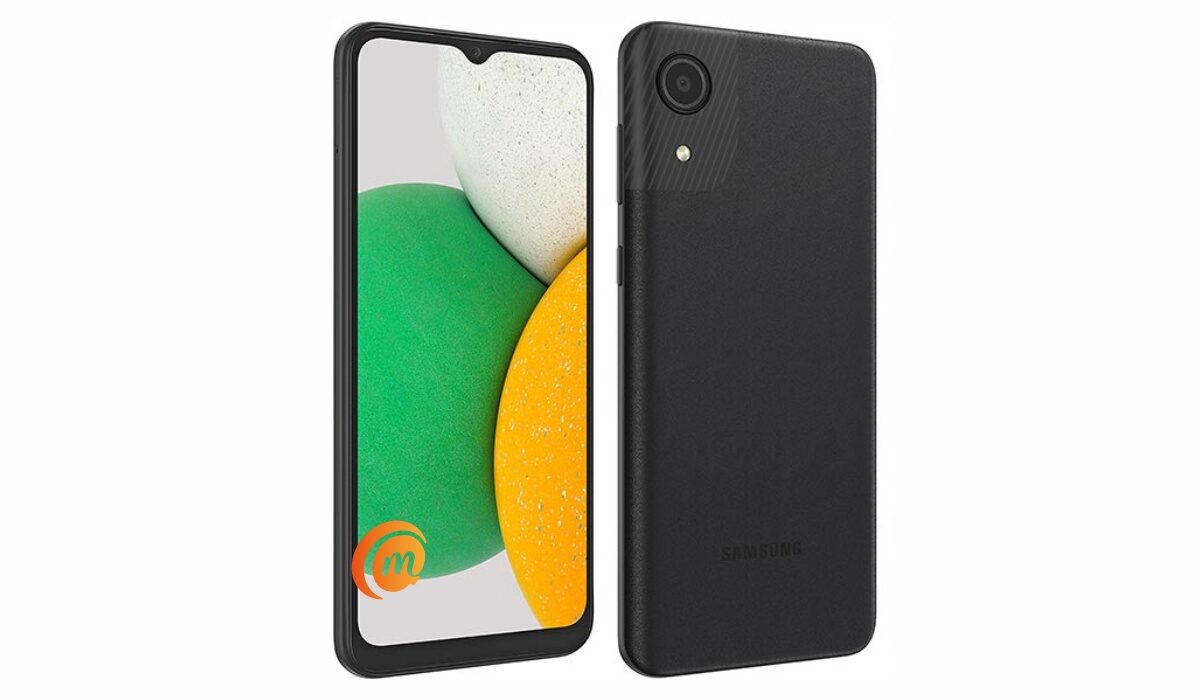
Samsung Galaxy A03 Core Specs and Features
Mobile Wireless Network and Software
- 2G mobile network bands : GSM, GPRS, EDGE 850 / 900 / 1800 / 1900 MHz.
- 3G mobile network bands : UMTS, WCDMA, HSDPA 850 / 900 / 2100 MHz
- 4G mobile network bands : LTE 1(2100) / 3(1800) / 5(850) / 8(900) / 38(2600) / 40(2300) / 41(2500)
- 5G mobile network bands : No.
- SIM Type : Nano-SIM, Single and Dual SIM options
- Software / OS : Android 11 + One UI 3.1 Core
Design, Form Factor, Appearance
- Dimensions : 166.6 x 75.9 x 9.1 mm
- Weight : 177g
- Display : 6.5 inches, HD+, 19.5:9 aspect ratio, PLS TFT, Infinity-V display.
- Colours : Black. Blue.
- Physical Build : Polycarbonate.
Internal Hardware Specs
- Processor Type : 64-bit, 1.6 GHz Octa-core
- Processor Name : Unisoc SC9863A (28 nm)
- Graphics Processor : PowerVR
- RAM : 2 GB
- Internal Storage : 32 GB
- External Storage : microSD (dedicated slot)
Photography, Video Recording
- Rear Camera : 8 MP single sensor, LED flash, 1080p@30fps video recording
- Front-facing Camera : 5MP, 720p video capture.
Audio, Video Playback
- Music Support : PCM, AAC / AAC + / eAAC + / MP3 / AMR – NB / WB / APE
- Audio : 3.5 mm audio jack; Dolby Atmos* 360˚ surround sound
- Loudspeaker : Mono speaker
- Video Support : H.264/MP4/MPEG4 player
- FM Radio : Yes.
Phone Sensors
- Digital Compass : N/A.
- Accelerometer : N/A.
- Proximity Sensor : Yes.
- Ambient Light Sensor : N/A.
- Barometer : No.
- Pedometer : No.
- Heart Rate Monitor : No.
- Gyroscope (G-Sensor) : N/A.
- Fingerprint Scanner : No.
- Face Unlock : Yes.
- Iris Scanner : No.
- Motion Sensing / Gesture Control : No.
- Voice Control : No.
- Intelligent Digital Assistant : Yes; Google Assistant.
- Infra-red Sensor : No.
Connectivity Options
- Bluetooth : v4.2, A2DP
- WiFi : Wi-Fi 802.11 b/g/n, hotspot
- GPS : Yes, A-GPS
- USB : microUSB v2.0.
- NFC : No.
Miscellaneous Specs and Features
- Battery Type and Capacity : Non-Removable Lithium-Ion 5000 mAh
- Battery Charging : 10W charging
- Wireless Charging : No.
- Reverse Charging : No.
- Model Number : SM-A032FZBDXFE.
Samsung Galaxy A03 Core Price and Launch Date
- Announced : November 2021
- Release Date : November 2021
- United States : $157.00 (Amazon)
- United Kingdom : £100.00
- Australia : A$176.00
- European Union (EU): €78 – €95
Does Samsung A03 Core have a fingerprint reader?
No; Samsung A03 Core does not have a fingerprint scanner.
Is Samsung Galaxy A03 Core a dual SIM phone?
The Samsung A03 Core has both single and dual SIM options available for buyers to pick from.
Does Samsung A03 Core support fast charging?
Samsung Galaxy A03 Core does not have fast charging.
Is Samsung A03 Core’s display/screen Super AMOLED?
No; the display of the Samsung Galaxy A03 Core is not Super AMOLED. It uses an IPS LCD screen.
Is Samsung A03 Core waterproof?
No; Samsung A03 Core is not water or dust-proof.
Will Samsung Galaxy A03 Core work in the USA?
The Galaxy A03 Core has network support across GSM-based US telecom carriers.
Is Samsung Galaxy a03 Core worth buying?
This is Samsung’s entry level smartphone model. In other words, it is the cheapest Samsung smartphone. It has 4G LTE and a good battery, but has no fingerprint scanner.
MobilityArena Buyer’s Guide Verdict
Samsung A03 Core is an entry-level Samsung smartphone. It does not have a fingerprint scanner, though, so if that is important to you, you might want to explore options from other brands.
Our Buyer’s Guide Verdict is a recommendation that we make based on our evaluation the specs of the device. It is a general guide designed to help you understand how much value a smartphone offers for its price. It is not a stamp of quality assessment or an endorsement of the device or of the manufacturers. Be sure to ask questions and use your judgement when buying any device, as MobilityArena may not be held responsible for your buying decisions .
Samsung Galaxy A03 Core Review Rating
Samsung A03 Core is a well-built device. Being an entry-level Android phone, do not expect fantastic performance or cutting edge features. It is simply a phone that gets the job done and nothing else. Read our Samsung Galaxy A03 Core Unboxing and hands-on review .
Successor : Samsung Galaxy A04 Core .
