Add MobilityArena as a preferred source on Google
Locking our smartphones to prevent unauthorized access is pretty much a no-brainer. However, unlocking said smartphones tends to be monotonous, and sometimes difficult.
But if you own a relatively new Android smartphone, you do not need to bother with such issues. A new feature, known as Smart Lock, can automatically unlock your phone without prompting you to do anything. Here’s everything you need to know about Android Smart Lock.
HOW TO ENABLE SMART LOCK
Google introduced Smart Lock with Android 5.0 Lollipop version, and since then it has evolved. This feature lets you specify conditions when it is safe to remove the PINs, patterns, and any other security procedures required to unlock your phone.
To enable Smart Lock, go to Settings > Security > Smart Lock. You will be prompted to input your phone’s PIN, pattern, or password before you continue. After doing that, you can enable the feature, and with it enabled you can choose from 4 options to unlock your phone.
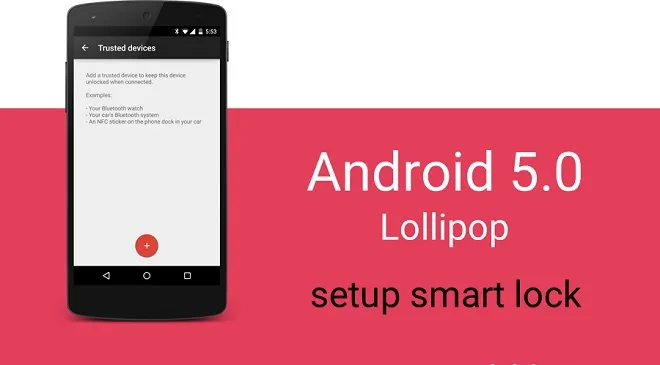
The options are On-body Detection, Trusted Places, Trusted Devices and Trusted Face. Not all of these are available on every device, so you’ll have to check for which of the options work for your phone.
HOW TO USE ON-BODY DETECTION
This option uses the phone’s accelerometer and other sensors to keep your phone unlocked when it detects that it’s being carried in your hand, pocket, or bag. To enable On-body detection, go to the Smart Lock menu, then tap on On-Body Detection, then toggle it on.
HOW TO SET UP TRUSTED PLACES
If you prefer to keep your phone locked while you’re walking, you can set up Trusted Places. This makes use of geofencing, or geographic boundaries defined by your phone’s mapping software, to detect when you’re at home, work or any other location where you feel comfortable leaving your phone unlocked.
As long as your phone has an internet connection and access to your location, you never have to worry about unlocking it again.
Before you enable Trusted Places, enable location mode on your phone. Once you do that, you can add your trusted places.
- Add your home location by tapping Trusted Places from the Smart Lock menu. Tap Home, then tap, Turn on this Location.
- Add a custom location by tapping Trusted Places from the Smart Lock menu, then tapping Add Trusted Place. A map will open to your current location. Name the trusted location, then press OK.
HOW TO SET UP TRUSTED DEVICES
Trusted Devices lets you use a paired watch, fitness tracker or car speaker to keep your device unlocked. When you designate a Bluetooth device as trusted, your phone automatically unlocks the moment it pairs with it.
To add a trusted Bluetooth device,
- Tap on Trusted Devices in the Smart Lock menu.
- Tap on Add Trusted Device > Bluetooth, then on the list of connected devices, tap a device. The list will only show paired devices.
You can also set up a trusted NFC tag, which is even safer than Bluetooth. In this case, you can set an NFC sticker in your car or your bedside, so that when you tap the sticker with your device, it unlocks. Here’s how to set it up:
- Tap Trusted Devices > Add trusted Device > NFC.
- Tap your device to the NFC tag, then add a name for the NFC tag. Then tap OK
HOW TO CONFIGURE TRUSTED FACE
This method is not the most secure way to unlock your smartphone, but it is one of the most convenient. When you set it up, your phone’s front-facing camera will search for your face and unlock it if it recognizes you. To set up a Trusted Face,
Tap on Trusted Face. Set Up, then follow the on-screen instructions.
When your phone stats looking for your face, you’ll see the Trusted Face icon. If your phone does not recognize your face, you can unlock it with the PIN, pattern, or password you saved.
Don’t miss our reviews .
Follow our news on Google News .
Join our WhatsApp Group , to be notified of the most important articles and deals,
Follow us on Instagram , Facebook , Twitter , and YouTube .
Author:EmmyCN
Add MobilityArena as a preferred source on Google
Last night, in the course of a Twitter discussion, a Mobilista (that’s a follower of Mobility Arena) and fellow Windows Phone lover requested that I give him my beloved Lumia 950. I replied that he would have to pry the thing out of my cold, dead hands. Of course, he was joking. And he expressed the sentiment that he thought he was the only Windows phone lover left out there. I had only one response:
😁 You will have to pry that Lumia out of my cold, dead hands, bro! — Mister Mo (@moverick) August 7, 2017
News flash. There are still multitudes of us out there. Yes; Android has almost 90% of the global smartphone market in terms of sales numbers. The iPhone has about 90% of the profit. Both Android and iOS have tons of apps.
Which Way, Windows Phone Lovers?
What does Windows Phone have? Next to zero markets share, an ever reducing library of apps and absolutely no profits. Oh, Windows 10 Mobile still gets regular software updates. That’s something. Scratch that; it is nothing. Why? I get those updates on my Lumia and I cannot tell that anything has changed thereafter. Windows phone has nothing to brag about anymore.
But guess what, Windows Phone lovers are head over heels in love with the platform all the same.
Please hold my beer while I throw a few questions at you. When you fell in love with your boo, was it because the rest of the world loved him or her? Was it because 90% of the people in the world approved? Was it because she was smarter than 90% of all women or men? Or richer? No? It wasn’t because of any of those reasons? And you love them all the same? There you go.
You already have your answer to the question you were going to ask me. You already know why some of us still love Windows Phone. We love it because we love it. You can give us all the reasons why we shouldn’t be caught dead or alive with a Windows Phone, and we would still hug our Lumias and their siblings from other mothers.
Lumia 950 Takes Great Photos Too
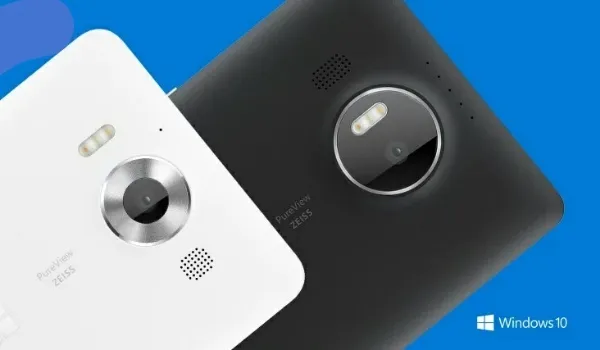
In the case of the almost two years old Lumia 950, it still shoots some of the best pictures ever from a smartphone. After a meeting with a client a few weeks ago, the group needed to take a picture and a good camera was needed. I pulled my Lumia 950 out of my pocket and offered it. Someone said he hoped the photo would come out nice. I chuckled.
We took a look at the photos afterwards and everyone marveled at how great the photograph came out. Suddenly, the Lumia 950 became the subject of discussion. Two of the gentlemen wanted to know where to buy one and all. The Lumia 950 is that good a cameraphone.
Knowing their mobile lifestyles, however, I did let them know that if they wanted one, they would have to deal with some travails , including lack of some apps they use on their Android phones. Love is not blind; it sees faults. The decision whether they can live with a Windows Phone or not will be theirs to make, just like I had made mine.
Ride-or-die Lovers
Windows Phone lovers are real ride-or-die people. Android and iOS fanboys keep yelling at us, “ Windows Phone is dead! ” We hear you all. We still love it. It may be dead to you, but it is alive not just in our hearts but also in our hands. Is it your dead?
Yes o! The world can say all the negative things that can come up with about Windows phone. We would NEVER stop loving it! — Alagbu (@Bagzton) August 7, 2017
However you choose to look at it, if you want my Lumia 950, you will have to kill me and then pry it out of my cold, dead hands. And I promise you that even in death, you will have your work cut out for you. This is love till death – mine or the phone’s – do us part.
Lumia 950 Specs
Lumia 950 Review
Using The Lumia 950 A year After
Don’t miss our reviews .
Join our WhatsApp Group , to be notified of the most important articles and deals,
Follow us on Instagram , Facebook , Twitter , and YouTube .
Author:Mister Mobility
Digital Skills and Communication Coach | Mobile Phone Connoisseur since 2001 | Tech Blogging since 2004
