Add MobilityArena as a preferred source on Google
The Apple AirPods have revolutionized the way we listen to music and communicate wirelessly. However, among the different models available, the AirPods Pro and 3rd Generation AirPods have gotten the most trending complaints from users. Read through this article as I explore the most common problems users face with these models and provide effective solutions to enhance your AirPods experience.
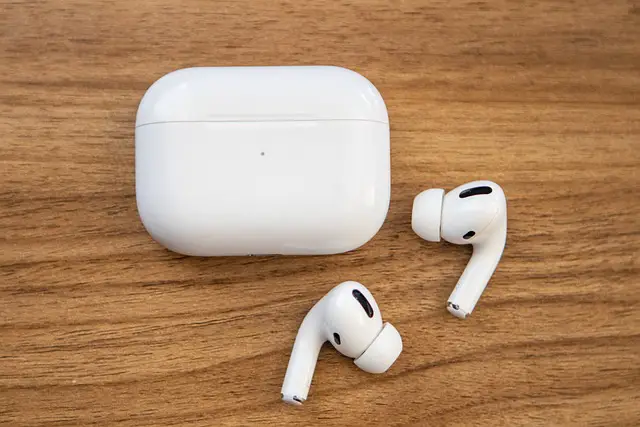
- Common Complaints with Apple AirPods Pro and 3rd Generation AirPods Imbalance of Audio Production on Apple AirPods Pro and 3rd Generation AirPods Background Noise on Apple AirPods Pro and 3rd Generation AirPods Connectivity Glitch Battery Problems Poor Sound Quality Unexpected Music Pause
- Conclusion
Common Complaints with Apple AirPods Pro and 3rd Generation AirPods
Imbalance of Audio Production on Apple AirPods Pro and 3rd Generation AirPods
Audio imbalance is one of the most frequently reported issues, especially with the 3rd Generation AirPods. Users have noted that one of the AirPod pairs, often the left one, can sound significantly louder than the right one, leading to an unsatisfactory listening experience. Below are a few steps to solve this:
- Check the audio balance settings by going to Settings > Accessibility > Audio/Visual and ensuring the balance slider is centered.
- If the problem persists, try resetting your AirPods by placing them in the charging case, closing the lid, waiting for 30 seconds, and then reconnecting them.
Background Noise on Apple AirPods Pro and 3rd Generation AirPods

Background noise can frustrate the beautiful moment of listening to good music. Users have reported that the 3rd Generation AirPods give more background noise compared to previous models, making it difficult to enjoy music or podcasts. These steps I have highlighted might help resolving this issue:
- Ensure that the AirPods are properly seated in your ears. A secure fit can help improve sound isolation.
- Consider using the AirPods Pro, which features Active Noise Cancellation for a more immersive listening experience.
Connectivity Glitch
Another major complaint from users is the difficulty connecting their AirPods to devices, especially after software updates. This can be frustrating, particularly when trying to use them on the go. You can use these steps to troubleshoot and fix:
- To troubleshoot connectivity issues, try turning Bluetooth off and on again on your device.
- If that doesn’t work, forget the AirPods in your device’s Bluetooth settings and then reconnect them.
Battery Problems
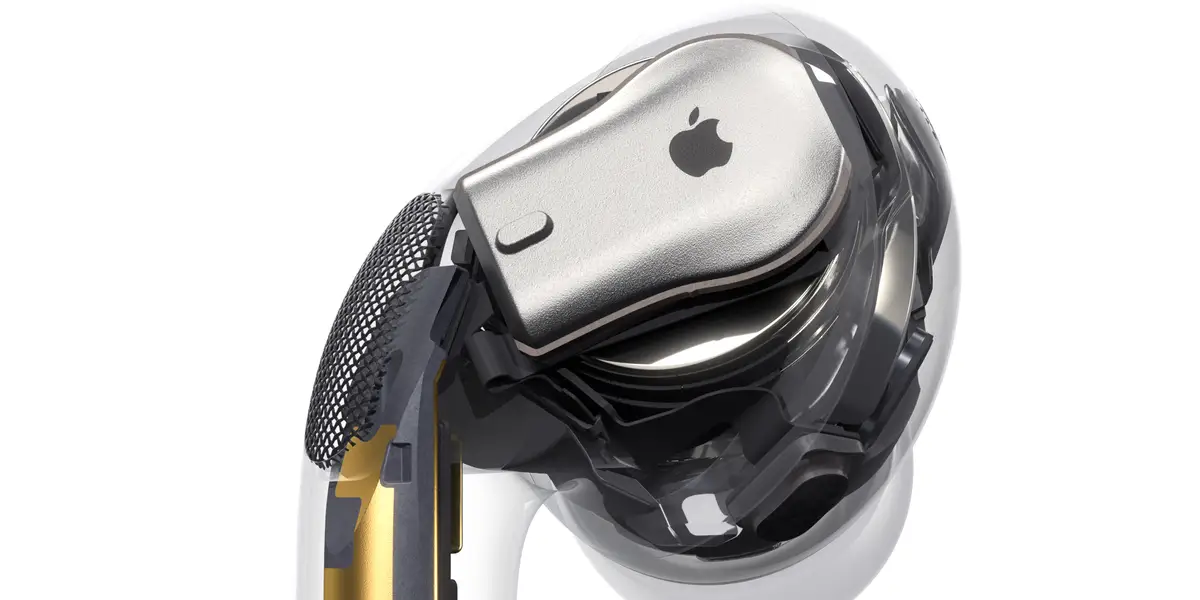
Battery life is another common problem, some users reported that their AirPods Pro case dies faster than expected or that one AirPod doesn’t charge properly. I recommend you do the following:
- Make sure the charging contacts on both the AirPods and the case are clean. Use a soft, dry cloth to wipe them down.
- If the issue persists, consider contacting Apple Support for potential battery replacement options.
Poor Sound Quality

There is also the report about crackling or static sounds, particularly in noisy environments, which can detract from the listening experience. To enjoy your device:
- Ensure that your AirPods are updated to the latest firmware. You can check this in Settings > Bluetooth, then tap the “i” icon next to your AirPods.
- If you experience sound issues during calls, try resetting your network settings by going to Settings > General > Transfer or Reset iPhone > Reset > Reset Network Settings.
Unexpected Music Pause
Another common complaint, particularly with the AirPods Pro, is that the music or audio keeps pausing unexpectedly. This can be caused by accidental touches or issues with the in-ear sensors. Simply:
- Clean the in-ear sensors to ensure they are free from debris or earwax.
- Adjust the touch controls in the Bluetooth settings to prevent accidental pauses.
Conclusion
The Apple AirPods, particularly the AirPods Pro and 3rd Generation models, are pretty much celebrated for their innovative design and sound quality, nonetheless, users have reported a range of issues that can affect their experience. Understanding these common complaints and following the provided solutions, you can enhance your AirPods functionality and enjoy a seamless audio experience. If you continue to encounter problems despite trying these solutions, don’t hesitate to reach out to Apple Support for further assistance. With the right care and troubleshooting, you can maximize the performance of your AirPods and enjoy the premium sound quality Apple is known for.
Author:Ifeoluwa Adeleke
Add MobilityArena as a preferred source on Google
Generative AI has taken the world by storm, giving unprecedented capabilities and possibilities. It’s like having an intelligent assistant who can curate content, design artworks, even draft business emails, only if it could make a decent cup of coffee. However, with this technology fast becoming generally acceptable, there are several significant challenges. I put together the hurdles and provide practical solutions to help you navigate the generative AI landscape more effectively.

- Ensuring Data Privacy and Security While using Generative AI
- Combating Misinformation and Bias
- Navigating Ethical and Legal Implications
- Dealing with Technical Complexity
- Avoiding Total reliance and Build Creativity
- Conclusion
Ensuring Data Privacy and Security While using Generative AI

One of the major concerns for many generative AI users, is the protection of personal data. The best way to protect your personal data from spilling off from G.AI is to be cautious about sharing sensitive information when using AI tools. Make use of platforms that prioritize data privacy and offer end-to-end encryption. Regularly review and adjust privacy settings, and consider using a VPN when accessing AI services.
Combating Misinformation and Bias
Most Generative AI models are prone to producing inaccurate or biased information, leading to the spread of misinformation. Always fact-check AI-generated content using reliable sources. Be cautious of potential biases in AI outputs and critically evaluate the information provided. Use multiple AI tools or sources to cross-reference information and gain diverse perspectives. Consider the context in which the AI was trained and its limitations. Be aware that AI models may reflect societal biases present in their training data. Regularly update your knowledge about AI advancements and implications. Remember that while AI is a powerful tool, human judgment and critical thinking remain essential in interpreting and applying its outputs effectively.
Navigating Ethical and Legal Implications

Dealing with Technical Complexity

For lots of users, the technical aspects of generative AI can be challenging. I usually recommend for beginners to start with user-friendly AI tools. Take advantage of online tutorials, courses, and community forums to enhance your understanding. Gradually experiment with more advanced features as you become comfortable with the technology. When you consistently use it and familiarize yourself with it, you’ll definitely enjoy it.
Avoiding Total reliance and Build Creativity
Here lies the risk of becoming overly and totally dependent on Generative AI, potentially restricting personal creativity and critical thinking skills. Only Use generative AI as a tool to enhance your creativity, don’t swap your creative thinking with it. Draw clear boundaries for when and how you use AI in your work or personal projects. Constantly engage in AI-free creative exercises to maintain and develop your own cognition.
Conclusion
In conclusion, users can harness the power of AI while mitigating its risks. Always have this at the back of your mind, the key to successful AI adoption is in maintaining a balance between leveraging its capabilities and preserving human judgment and creativity. As AI continues to evolve, staying informed about its developments and best practices will be crucial. Embrace this transformative technology responsibly, and you’ll be well-positioned to reap its benefits in various aspects of your personal and professional life.
