Add MobilityArena as a preferred source on Google
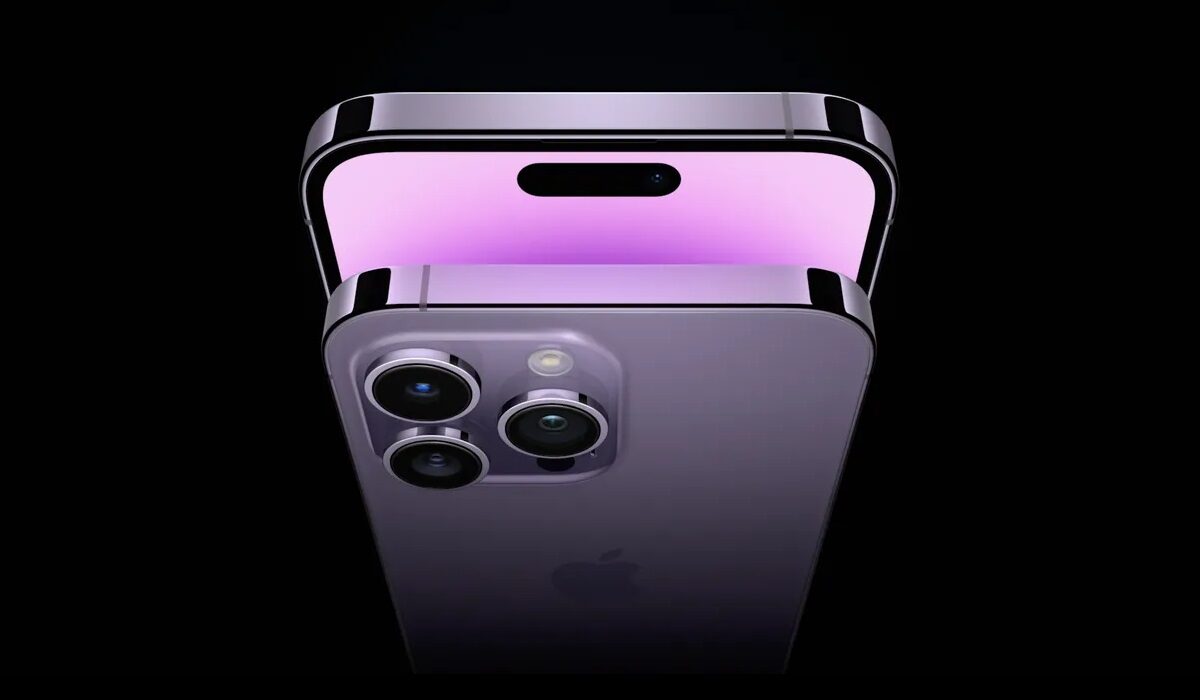
The iPhone 14 Pro and 14 Pro Max are the two top smartphones from Apple released in September 2022. As expected, they feature the best specs available in any iPhone till date. Their latest innovation includes SOS satellite messaging, which allows users who are outside of regular wireless network coverage to send emergency SMS messages through a satellite connection.
Welcome to our complete guide to the Apple iPhone 14 Pro and 14 Pro Max. On this page, we cover everything you need to know about this mobile device, including its specifications, price, release date, and more.
Apple iPhone 14 Pro and 14 Pro Max – summary of specs
- OS: iOS 16
- Release Date: September 2022
- Network Type: 2G/3G/4G/5G
- Display: 6.1 inches (iPhone 14 Pro); 6.7 inches (iPhone 14 Pro Max)
- Processor: Apple A16 Bionic
- Selfie Camera: 12 MP
- Rear camera: 48 MP quad lens
- RAM: 6 GB
- ROM: 1 TB
- Battery: 4352 mAh
- Apple iPhone 14 Pro and 14 Pro Max Specs Does Apple iPhone 14 Pro Max have Google Play Store?
Apple iPhone 14 Pro and 14 Pro Max Specs
Mobile Wireless Network and Software
- 2G mobile network bands : GSM, GPRS, EDGE 850 / 900 / 1800 / 1900 MHz. CDMA 800 / 1900
- 3G mobile network bands : UMTS, WCDMA, HSDPA 850 / 900 / 2100 MHz. CDMA2000 1xEV-DO
- 4G mobile network bands : LTE.
- 5G mobile network bands : SA/NSA/Sub6/mmWave (depends on variant)
- Satellite messaging : Yes; Emergency SOS
- SIM Type : Single and Dual (Nano-SIM + eSIM) options; eSIM only in the USA
- Software / OS : iOS 16
Design, Form Factor, Appearance
- Dimensions : 160.8 x 78.1 x 7.65 mm (147.5 x 71.5 x 7.9 mm for 14 Pro Max)
- Weight : 238g (206g for 14 Pro Max)
- Display : 6.1 inches, 1284 x 2778 pixels, Super Retina XDR display with ProMotion, 120Hz refresh rate, HDR10, Dolby Vision, OLED, Scratch-resistant ceramic glass, oleophobic coating (6.7 inches for iPhone 14 Pro Max)
- Colours : Space black, Silver, Gold, Deep purple.
- Physical Build : Glass front with Ceramic Shield, Textured matte glass back, stainless steel frame. IP68 dust/water-resistant (can be submerged up to 6 m for 30 mins)
Internal Hardware Specs
- Processor Type : 64-bit, 3.22 GHz Hexa-core
- Processor Name : Apple A16 Bionic (5 nm)
- Graphics Processor : Apple GPU (5-core graphics)
- RAM : 6 GB
- Internal Storage : 128 GB / 256 GB / 512 GB / 1 TB
- External Storage : No.
Photography, Video Recording
- Main Camera : 48 MP main sensor + 12 MP telephoto lens + 12 MP ultrawide lens + ToF TOF 3D LiDAR depth sensor, autofocus, dual LED flash, 4k video, 1080p@30fps video recording
- Front Camera : 12 MP, auto focus, Face ID Recognition, 4k video, 1080p@30fps video capture
Audio, Video Playback
- Music Support : PCM, AAC / AAC + / eAAC + / MP3 / AMR – NB / WB / APE
- Audio : No audio jack
- Loudspeaker : Stereo speakers
- Video Support : H.264/MP4/MPEG4 player
- FM Radio : No.
Phone Sensors
- Digital Compass : Yes.
- Accelerometer : Yes.
- Proximity Sensor : Yes.
- Ambient Light Sensor : Yes.
- Barometer : Yes.
- Pedometer : No.
- Heart Rate Monitor : No.
- Gyroscope (G-Sensor) : Yes.
- Fingerprint Scanner : No.
- Face Unlock : Yes.
- Iris Scanner : Yes.
- Motion Sensing / Gesture Control : No.
- Voice Control : No.
- Intelligent Digital Assistant : Yes; Siri.
- Infra-red Blaster : No.
Connectivity Options
- Bluetooth Version : 5.3
- Bluetooth Profiles : A2DP
- WiFi : Wi-Fi 802.11 a/b/g/n/ac/6, hotspot
- GPS : Yes, A-GPS, GLONASS, GALILEO, BDS, QZSS
- USB : Lightning, USB 2.0.
- NFC : Yes; supporting Apple Pay (Visa, MasterCard, AMEX certified)
Miscellaneous Specs and Features
- Battery Type and Capacity : Non-Removable Lithium-Polymer 3,200 mAh (4323 mAh for iPhone 14 Pro Max)
- Battery Charging : 27W fast charging. USB Power Delivery 2.0.
- Wireless Charging : 15W MagSafe wireless charging. 7.5W Qi magnetic fast wireless charging.
- Reverse Charging : No.
- Model Version/Number : A2643, A2484, A2641, A2644, A2645
Launch/Release Dates and Information
- Announced : September 7, 2022
- Release Date : September 16, 2022
Apple iPhone 14 Pro Prices by Country
- United States of America (USA) : $999 (128 GB). $1,099 (256 GB). $1,199 (512 GB). $1,299 (1 TB).
- United Kingdom (UK) : from £899.00
- European Union (Germany, France, Belgium, etc): from €1,139
- Nigeria : ₦700,000 (128 GB). ₦950,000 (256 GB). ₦1,140,000 (512 GB). ₦1350,000 (1 TB).
- Egypt : Egyptian Pounds
- UAE : AED
- India : from ₹ 129,900 Indian Rupee
- Iraq : Iraqi Dinar
- Kenya : Ksh.
- Ghana :
Apple iPhone 14 Pro Max Prices by Country
- United States of America (USA) : $1,099 (128 GB). $1,199 (256 GB). $1,299 (512 GB). $1,399 (1 TB).
- United Kingdom (UK) : from £999.00
- European Union (Germany, France, Belgium, etc): from €1,239
- Nigeria : ₦800,000 (128 GB). ₦1,050,000 (256 GB). ₦1,240,000 (512 GB). ₦1450,000 (1 TB).
- Egypt : Egyptian Pounds
- UAE : AED
- India : from ₹ 129,900 Indian Rupee (128 GB)
- Iraq : Iraqi Dinar
- Kenya : Ksh.
- Ghana :
The above prices may change with time from country to country, as market forces and economic policies influence product price movements.
Does Apple iPhone 14 Pro Max have Google Play Store?
iPhones are not Android phones, and so do not support Google Play Store. They do have the Apple App Store, from which you can download software applications, including Google Maps, Gmail, YouTube, and others.
In September 2023, Apple announced the iPhone 15 Pro Max as the successor to the 14 Pro Max.
MobilityArena Buyer’s Guide Verdict
Our Buyer’s Guide Verdict is a recommendation based on the specs of the device and a general guide to help you understand how much value a device offers for its price. It is not an endorsement of the device. Ask questions and use your judgement when buying any device; MobilityArena takes no responsibility for your buying decisions .
Apple iPhone 14 Pro Max Phone Review Rating
Not available.
Author:InfoDesk
Add MobilityArena as a preferred source on Google
For years, iPhone users who wanted to switch to Android had it tough. While there were 3rd party apps that helped, the process was not seamless and easy. As a matter of fact, it often involved almost tearing of hair experiences.
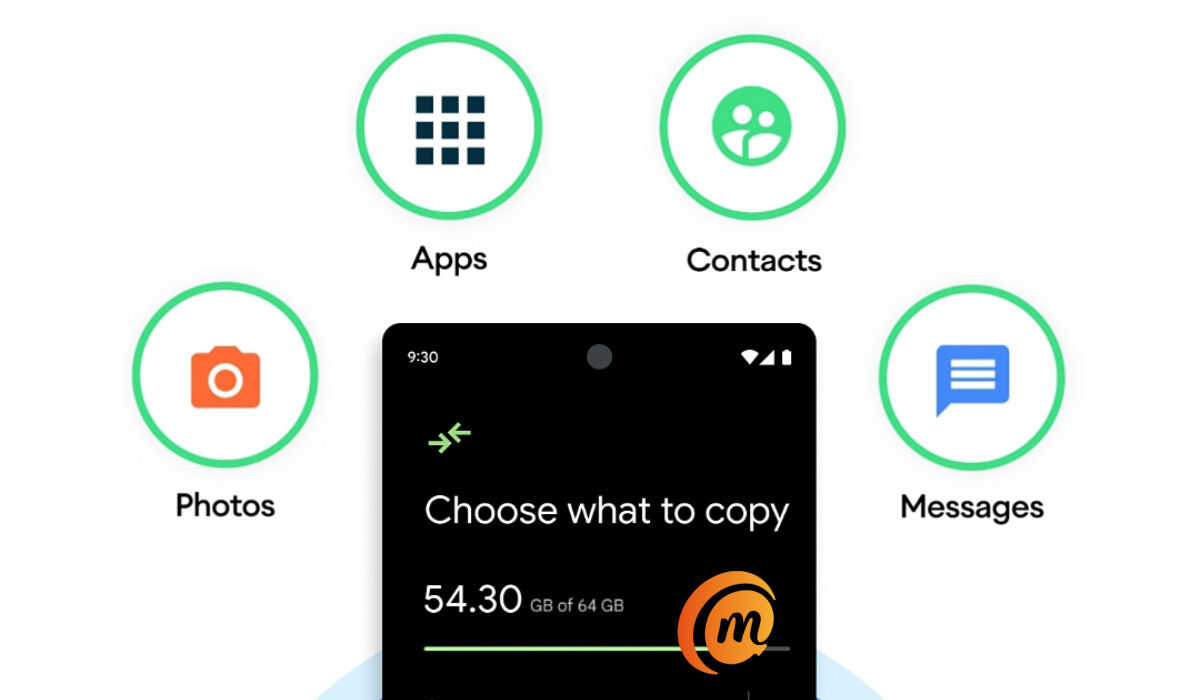
The good news is that it is now possible to make that switch to Android from an Apple iPhone in an easy and convenient manner, thanks to the Switch to Android app developed by no less than Google itself. Using the app, you can move everything on your iPhone over to an Android smartphone in a matter of minutes. Here are answers to some of the questions you have asked.
- Can I move everything on my iPhone to Android?
- Do I need a cable to copy my things from iPhone to Android?
- Can I transfer WhatsApp messages from iPhone to Android?
- Can I copy my iTunes music from iPhone to Android?
- Can I copy iCloud files to Android?
- Can I move my paid apps from iPhone to Android?
Can I move everything on my iPhone to Android?
Yes; using the Switch to Android app lets you copy messages, contacts, photos, videos, and apps from your iPhone to your new Android phone.
Do I need a cable to copy my things from iPhone to Android?
You can use a cable with the Switch to Android app, but where there is no cable, you can alternatively use Wi-Fi.
Can I transfer WhatsApp messages from iPhone to Android?
Moving your WhatsApp messages from iPhone to Android is easy with the Switch to Android app.
Can I copy my iTunes music from iPhone to Android?
You can copy or move only DRM-free, non-iTunes music, on your iPhone over to your new Android device.
Can I copy iCloud files to Android?
To move your iCloud backup, you need to manually download the files and then upload to Google One .
Can I move my paid apps from iPhone to Android?
The Switch to Android app automatically moves only free apps. To move paid apps, contact the developers to find out what they have available on Android, then download and install them.
Steps to Switch to Android and copy all data from an iPhone
The Switch to Android app is designed to help you move from iPhone to Android by automatically moving your messages, contacts, photos, videos, and apps. Here is how to go about it.
- Disable the iMessage app on your iPhone before removing your SIM card. This is important to make sure your text messages get sent to your new Android smartphone. Go to your iPhone Settings > Messages > Off
- Install the Switch to Android app: Download it from Google Play store and install it on your phone.
- Launch the app and initiate the transfer. When asked, indicate whether you have a cable or not for the transfer process. Of you do not have a cable, you will be provided with the option to transfer your data over to your new Android using Wi-Fi connection. This is similar to how many device-to-device file sharing apps already work, so it isn’t unfamiliar territory.
- During the transfer process, the Switch to Android app will prompt you to move your WhatsApp data by scanning a QR code on your iPhone. This will launch WhatsApp and enable you to move all your messages, voice messages and media to your new Android.
- To move your iCloud, you will need to manually download it from Apple’s website and upload it to your Google One account.
- To move your paid apps, you have to contact the developer to see if they have an Android version. Find those apps in the Play Store, then download and install them on your Android phone.
Once completed, you will now have all your messages, photos, phone history, videos, and apps on your new Android smartphone and ready to go. You can now remove the SIM card from your iPhone, insert it in your Android phone and join the party.
