Add MobilityArena as a preferred source on Google
Tech rumourville once announced that the iPhone 16E (formerly called iPhone SE 4th Generation) would never see the light of day, because the SE 3 was the last release of that lineup. Fresh information coming out says that has changed and that you can expect the iPhone SE 4 in 2025. It will sell in the United States, Canada, the United Kingdom, and other markets.
Welcome to our complete guide to the iPhone 16E. We have everything you need to know about this mobile device, including its specifications, price, release date, and more.
The iPhone 16E (also called the iPhone SE4 and iPhone SE 2025) will be based on the design of the iPhone 14. The iPhone SE range finally ditches the dated design and Home button to adopt a full screen display. That is a good thing; right? We bet that some people will miss the Home button.
iPhone 16E brief information
- OS: iOS 18
- Release Date: 2025
- Network Type: 2G/3G/4G/5G
- Display: 6.1-inch, 1170 x 2532 pixels resolution, 60 Hz OLED
- Processor: Apple A18 Bionic
- Selfie Camera: 12 MP
- Rear camera: 48 MP
- RAM: 6 GB
- ROM: 256 GB
- Battery:
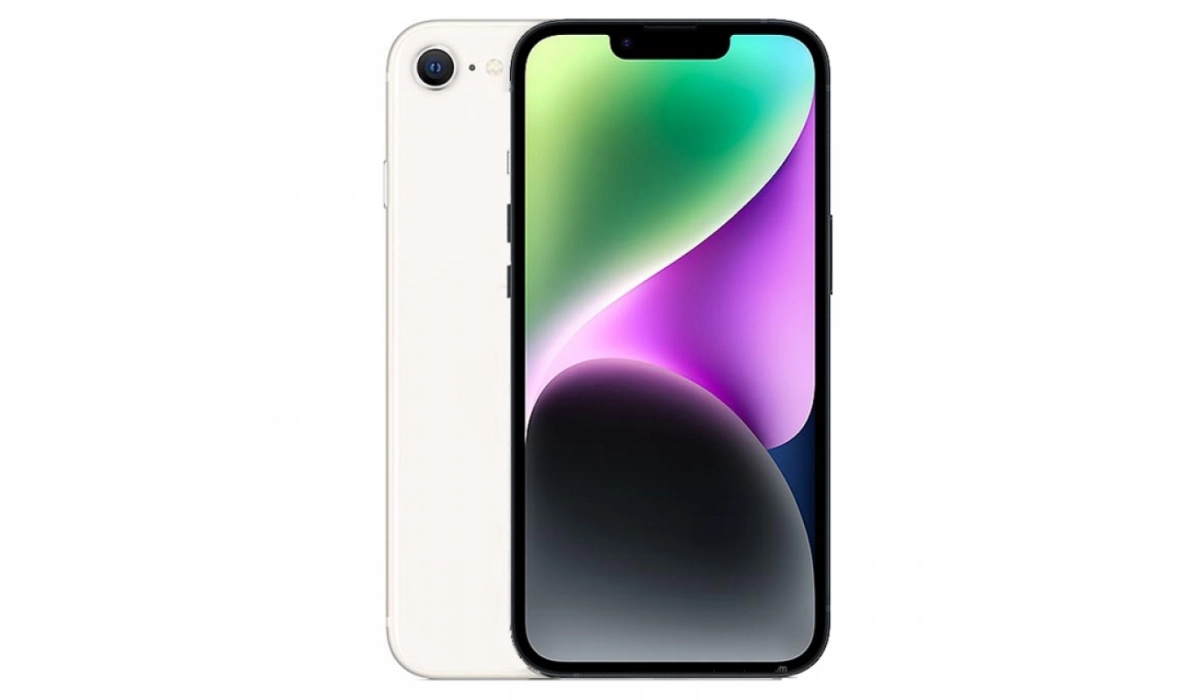
Apple iPhone 16E (iPhone SE 4th Gen) is based on the design of the iPhone 14
- Does iPhone 16E have IR blaster (infrared port)?
- Does iPhone SE4 have wireless charging?
- Does iPhone SE4 have Gorilla Glass?
- Does iPhone SE 4 have aptX Bluetooth codecs?
- Does iPhone SE 4 have 3.5mm audio jack?
- Apple iPhone 16E Specifications
- Price in the United States
- Price in Canada
- Price in the UK
- Price in Australia
- Price in the EU (Germany, Netherlands)
- MobilityArena Buyer’s Guide Verdict
- iPhone 16E Review Rating
Does iPhone 16E have IR blaster (infrared port)?
The iPhone SE4 does not have an infrared port (IR blaster).
Does iPhone SE4 have wireless charging?
The iPhone SE 4th gen supports Qi based wireless charging.
Does iPhone SE4 have Gorilla Glass?
The iPhone SE4 uses ceramic shield glass as protection over the display.
Does iPhone SE 4 have aptX Bluetooth codecs?
The iPhone SE4 does not support any aptX Bluetooth codecs.
Does iPhone SE 4 have 3.5mm audio jack?
Apple does not include a 3.5mm headphone jack in the iPhone SE4.
Apple iPhone 16E Specifications
Mobile Wireless Network and Software
- 2G mobile network bands : GSM, GPRS, EDGE 850 / 900 / 1800 / 1900 MHz.
- 3G mobile network bands : UMTS, WCDMA, HSDPA 850 / 900 / 2100 MHz
- 4G mobile network bands : LTE.
- 5G mobile network bands : NSA/SA
- SIM Type : Nano-SIM, eSIM
- Software / OS : iOS 18
Design, Form Factor, Appearance
- Dimensions : 160 x 77.25 x 9.3 mm
- Weight : 195g
- Display : 6.1 inches, 1170 x 2532 pixels, 60 Hz refresh rate, Super Retina OLED screen, Scratch-resistant Ceramic Shield glass
- Colours : Red. White. Black.
- Physical Build : Aluminum frame; glass back; IP67 dust/water resistant (up to 1m for 30 mins)
Internal Hardware Specs
- CPU/ Processor : 4.0 GHz Hexa-core
- Chipset : Apple A18 Bionic
- GPU/ Graphics Processing Unit : Apple GPU (5-core)
- RAM : 6 GB
- Extended/Virtual RAM : N/A
- Internal Storage : 128 GB / 256 GB NVMe
- External Storage : No
Photography, Video Recording
- Main Camera : 48 MP autofocus, dual LED flash, 4k video, 1080p@30fps video recording, OIS, HDR
- Front Camera : 12 MP fixed focus, Face Recognition, 1080p@30fps video capture, HDR
Audio, Video Playback
- Music Support : PCM, AAC / AAC + / eAAC + / MP3 / AMR – NB / WB / APE
- Audio : No 3.5 mm audio jack
- Loudspeaker : Stereo speakers
- Video Support : H.264/MP4/MPEG4 player
- FM Radio : No.
Phone Sensors
- Digital Compass : Yes.
- Accelerometer : Yes.
- Proximity Sensor : Yes.
- Ambient Light Sensor : Yes.
- Barometer : No.
- Pedometer : No.
- Heart Rate Monitor : No.
- Gyroscope (G-Sensor) : Yes.
- Fingerprint Scanner : No.
- Face Unlock : Yes.
- Iris Scanner : No.
- Motion Sensing / Gesture Control : No.
- Voice Control : No.
- Intelligent Digital Assistant : Yes; Siri.
- Infra-red Blaster : No.
Connectivity Options
- Bluetooth Version : 5.3
- Bluetooth Profiles : A2DP LE
- WiFi : Wi-Fi 802.11 a/b/g/n/ac/6, hotspot
- GPS : Yes, A-GPS, GLONASS, BDS, Galileo, QZSS
- USB : microUSB v2.0. Type-C.
- NFC : Yes.
Miscellaneous Specs and Features
- Battery Type and Capacity : Non-Removable Lithium-Polymer
- Battery Charging : 27W fast charging
- Wireless Charging : 7.5W Qi standard.
- Reverse Charging : No.
- Model Version/Number :
Launch/Release Dates and Information
- Announced : Expected in Q2 2025
- Release Date : Expected in Q2 2025
Pricein the United States
- USA : $499 (Expected)
Price in Canada
- Canada :
Price in the UK
- United Kingdom (UK):
Price in Australia
- Australia :
Price in the EU (Germany, Netherlands)
- European Union (EU):
The above prices may change with time from country to country, as market forces and economic policies influence product price movements.
MobilityArena Buyer’s Guide Verdict
For the first time, an iPhone SE model drops the dated traditional iPhone design with bezels and a Home button. The Apple iPhone 16E model takes on the design of the iPhone 14 and so has a wide notch. This is a good step forward, but it means lovers of the fingerprint scanner now have to do without.
Our Buyer’s Guide Verdict is a recommendation based on the specificationss of the device and a general guide to help you understand how much value a device offers for its price. It is not an endorsement of the device. Ask questions and use your judgement when buying any device; MobilityArena takes no responsibility for your buying decisions .
iPhone 16E Review Rating
Not available.
Author:InfoDesk
Add MobilityArena as a preferred source on Google
Making eye-catching graphics that appeal to the public is crucial in the real world, where visual and audiovisual content is what commands attention. We are aware that creating good design requires a lot of effort, and occasionally we lack the creativity and design know-how to create attractive, high-quality images. You can use graphic design apps or applications to accomplish this, so don’t worry. You can always do this on your smartphone.
The top 10 smartphone graphic design apps are included in the list below:
1. Adobe Illustrator
In a straightforward, user-friendly, and contemporary style, Adobe Illustrator provides vector drawing tools and functionality and is easily one of the best graphic design apps you can use on your smartphone or tablet.
With the help of one of the top design apps, you can skilfully create beautiful designs from any inspiration or concept. The perspective guidelines, which enable the creation of 3D environments from 2D designs, deserve special attention.
Another intriguing choice is the ability to launch Adobe Capture from this program, allowing you to generate new shapes and have them instantly available on your Draw canvases. Additionally, because it is a member of the Adobe family, the program enables you to easily refine your drawings on your computer by sending them straight to Illustrator.
2. Procreate
You will benefit much from this vector graphic editing program for digital painting. It was created and released by Savage Interactive for iOS and iPad with the intention of extending the iPad’s artistic potential and can be helpful for both experienced and novice artists.
Due to the fact that it offers several extremely user-friendly tools that work with pencils, this program has grown to be very well-liked among designers and artists over time. One of the simplest ways to study illustration, it offers a highly intriguing feature for making time-lapse recordings of your works.
3. Font maker
With Fonts Maker, you can quickly make a handwritten font, submit it by email, and turn it into a TTF file. It costs 8.99 euros and is a specific iPad application. You must use this design app if you enjoy typography.
4. Figma
Figma is a vector graphic design app and prototype tool that is mostly web-based. However, desktop apps for macOS and Windows allow for additional offline functions. It has evolved into a necessary tool, and many organizations now provide Figma courses to educate designers on how to use this program.
This program stands out from others since it streamlines web page design using elements that are necessary for any tool of this type, including automatic design or changeable themes. Additionally, it enables teams to concurrently collaborate online on the same project.
5. Snapseed
For iOS and Android, Snapseed is a photo-editing app that lets users snap pictures and add digital effects. It was developed by Nik Software and is now owned by Google. It is one of the best photo editing apps, along with Pixlr. Among its many options, which will enable you to create an amazing look on your photos, are the removal of objects, adjusting perspectives, enlarging images, sharpening to enhance details, and restoring burned backgrounds and shadows. It is unquestionably one of the top 10 design applications.
6. Sketchbook
This program is excellent for creating digital sketches. The application is currently free for all users as well. The user interface (UI) of this program is hidden until you pick up a pencil, pen, marker, or brush. It has a drawing engine that can work with a canvas of 100 mpx while preserving the intimacy of traditional sketching.
7. Photoshop
PhotoShop is a leading graphic design tool, so much so that words like “photoshopping” have gained fame in the general lingo. By the way, we don’t believe that this will make the RAE very humorous. Photoshop has a lot more intriguing functions than just photo retouching though.
8. Pixlr
Pixlr lets you experiment with a wide range of effects, borders, and overlays if you require images for your social media accounts, website, or articles. You may trim, resize, and fix annoying red eye with this utility. Additionally, you may use text and overlapped photos to make images.
9. Canva
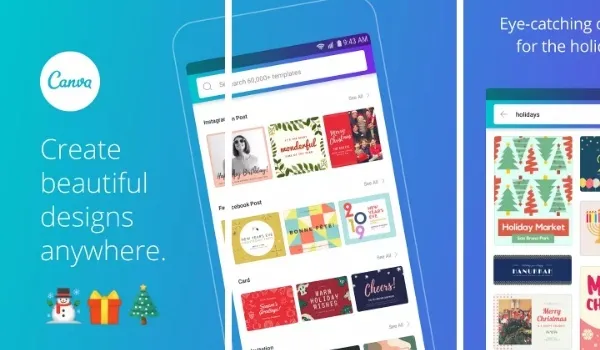
Canva is a tool that beginners can use because it allows them to complete many types of high-quality work from their smartphones without having any prior understanding of graphic design. This graphic design app includes templates for making resumes as well as brochures, logos, posters, business cards, flyers, and book covers. It offers a subscription plan in addition to being free, giving you access to premium templates.
10. CorelDraw
- Don’t miss our mobile phone reviews .
- Follow our news on Google News .
- Follow us on Instagram , Facebook , Twitter , and YouTube .
Author:Moses Udah
Creative, teacher, web content writer, copywriter, and student.
