Add MobilityArena as a preferred source on Google
The iPhone 7 Plus is here and looks exactly like its older sibling, but is water and dust resistant and more powerful. Have a look at the detailed Apple iPhone 7 Plus specifications sheet for all the little differences here and there.

Apple iPhone 7 Plus Specs
Wireless Network & Software
- GSM : GSM 900 / 1800
- 3G : HSDPA 900 / 2100
- 4G : LTE + VoLTE band 1(2100), 2(1900), 3(1800), 4(1700/2100), 5(850), 8(900), 12(700), 13(700), 17(700), 18(800), 19(800), 20(800), 25(1900), 26(850), 29(700) – A1662. LTE band 1(2100), 2(1900), 3(1800), 4(1700/2100), 5(850), 7(2600), 8(900), 12(700), 17(700), 18(800), 19(800), 20(800), 25(1900), 26(850), 28(700), 38(2600), 39(1900), 40(2300), 41(2500) – A1723
- SIM Type : Nano SIM
- OS : iOS 10
Design
- Dimensions : 158.2 x 77.9 x 7.3 mm
- Weight : 188 g
- Display : 5.5 inches, 1920 x 1080 pixels (401 PPI) LED-backlit IPS LCD display with ion-strengthened glass, oleophobic coating
- Sensors: Fingerprint, accelerometer, gyro, proximity, compass
- Build : IP67 splash, water, and dust resistance
- Colours : Jet black. Black, Silver. Gold. Rose gold
Hardware
- Processor Type : Quad-core
- Processor Name : Apple A10 Fusion
- Graphics Processor : 6-core
- RAM : 3 GB
- Internal Storage : 32 GB / 128 GB / 256 GB
- External Storage : No
- Cloud Storage : iCloud
Camera
- Rear : 12 megapixel auto-focus dual camera with 5x digital zoom, optical image stabilization, six-element lens and Quad-LED flash
- Video recording : 4K video recording at 30 fps
- Front-facing : 7-megapixel FaceTime camera
Multimedia
- Music Support : mp3, aac, aac+, eaac+, amr
- Loudspeaker : Stereo
- Video Support : mpeg4, h.263, h.264
- FM Radio :
Connectivity
- Bluetooth : v4.2, A2DP, LE
- WiFi : Wi-Fi 802.11 a/b/g/n, Wi-Fi Direct, hotspot
- GPS : Yes
- NFC : Yes (Apple Pay only)
- USB : microUSB v2.0, reversible connector
Miscellaneous
Charging : Regular
Battery : Non-removable Li-Ion 1,960 mAh
Announcement : September 7, 2016
Availability : September 16, 2016
Smartphone Price : $769 / $869 / $969
Don’t miss our reviews .
Follow our news on Google News .
Join our WhatsApp Group , to be notified of the most important articles and deals,
Follow us on Instagram , Facebook , Twitter , and YouTube .
Author:InfoDesk
Add MobilityArena as a preferred source on Google
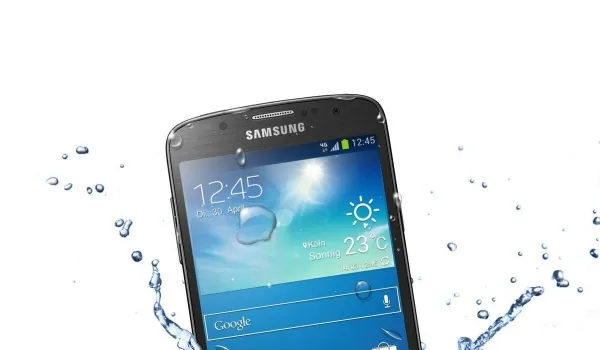
One of the worst things that can happen to a smartphone is for it to fall into water. When it happens, the chances that it becomes damaged are very high. So, as much as possible, you should try to prevent your phone from falling into water. But then, if your phone does fall into water, there are things you can do to reduce the damage. Here are some ways to avoid heavier damage to water-damaged smartphones:
- Turn it off immediately and hold it upright.
- Remove the protective cover, the battery, your SIM and microSD cards from their respective slots.
- Use a dry cloth or paper towel to soak up as much of the water as you can. Be careful with this, as you could mistakenly push in water to more of the phone’s openings.
- If the water damage is more extensive, you can use a vacuum to suck out some water from the phone’s cracks. Make sure there are no small parts that could get sucked up by the vacuum.
- Place the phone in a Ziploc bag full of uncooked rice. This would absorb the water from the smartphone. There are many phone drying pouches in the market, and these are important if you tend to drop your phone in water. But when you don’t have those, a bag of rice would do.
- Leave the phone in rice for a day or two. Do not try to switch it on during this period.
- After two days, you can bring the phone out of the rice and try switching it on. If it doesn’t come on, try charging it. If that doesn’t work either, you might need to change your battery.
- If your smartphone turns on, watch it carefully for a few days. If you notice anything strange, like an unresponsive touch screen or a faulty speaker, you need to take it in for repairs.
You can prevent water damage to your phone by making use of water-resistant phone cases. There are several of those on the market. Also, there are various smartphones that are water-resistant. These phones include the Samsung Galaxy S7/S7 Edge and the iPhone 7/7Plus.
Here are some things you should never attempt on water-damaged smartphones:
- Do not turn it on
- Do not press any buttons
- Do not shake or hit the device.
- Do not try to take the smartphone apart.
- Do not blow on it. This could push the water deeper into the smartphone, thus damaging it more.
- Do not try to heat up your phone.
- Don’t miss our reviews .
- Follow our news on Google News .
- Join our WhatsApp Group , to be notified of the most important articles and deals,
- Follow us on Instagram , Facebook , Twitter , and YouTube .
