Add MobilityArena as a preferred source on Google
As a rule, I do not use a case on my smartphones, but if I had to, it would be one like the Arc Pulse. Here’s why.
- My history with cell phone cases
- What is special about the Arc Pulse case?
- What is Arc Pulse made of?
- Arc Pulse Case for iPhone
- Arc Pulse Case for Samsung Galaxy S-series
- How much do they cost?
- More Arc Pulse case alternatives
My history with cell phone cases
I have owned several hundreds of mobile phones since 2001 when I purchased my first. Between that time and now, I have not used a case on more than ten of them. While I see and acknowledge the advantages of using a phone case, I really have not needed them.
Phone cases provide protection for these fragile gadgets that we use daily, but I am so extremely careful with my phones that they hardly ever come to any harm. In over 20 years of owning cell phones, I have damaged only three of them. Three out of several hundreds. That’s an insane record. Perhaps I ought to apply for a Guineess record for this?
Anyway, apart from being extremely careful with my phones, I also love beautiful phones and hate to hide their beauty behind or inside a case. Why should I spend good money on a sleek or elegant smartphone and then have to hide all that gorgeousness with a case?
Lastly, traditional cases add thinness and heft to phones. I want my phones thin and lightweight. Thick and heavy phones are a turn-off. And every time I have put a phone in a case, the new heft and thickness is unpleasant.
So, as much as it lies within my power, I stay away from phone cases. But the Arc Pulse case has me wanting one. Why? Let me tell you.
What is special about the Arc Pulse case?
The Arc Pulse case is a cell phone case that is actually not a case. It is two separate parts that fit at the top and at the bottom edges of the iPhone – and provides all the protection that the phone needs. This is what it looks like on an iPhone:
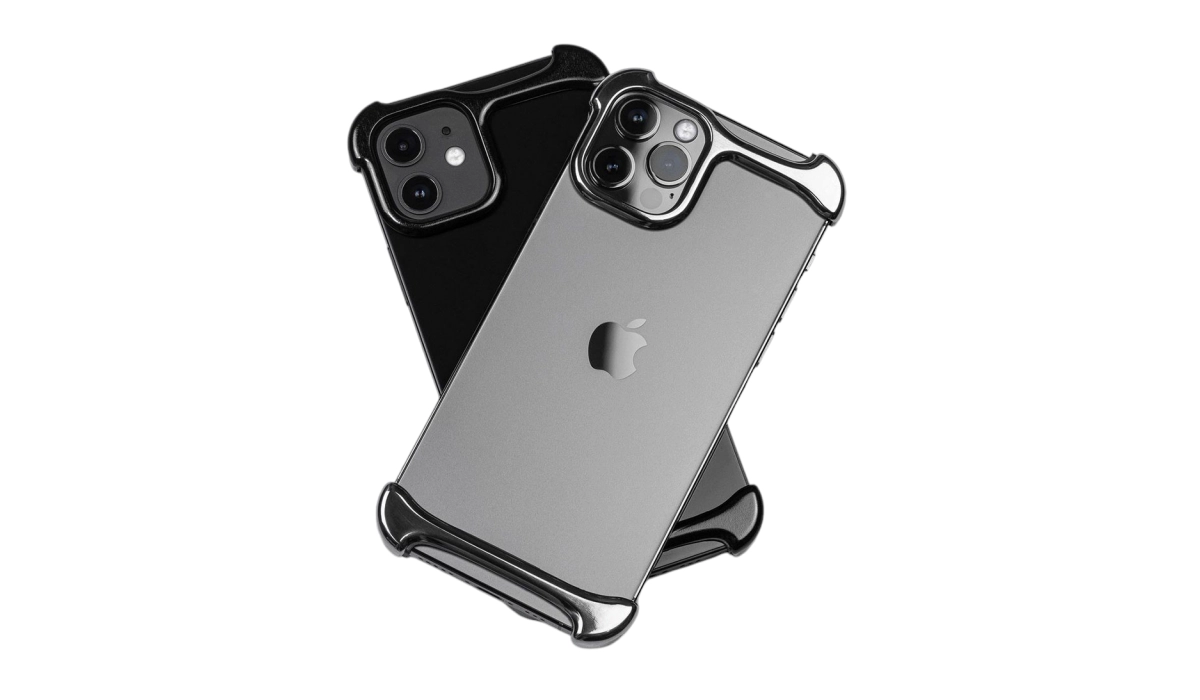
Really, you might say? How does that contraption protect an iPhone? Apart from the screens, the most critical parts of smartphones when it comes to the risk of physical damage from falls and shocks are the four corners and the rear camera lenses. These are the very spots that the cases secure. So, if your phone has an Arc Pulse case on and falls to the ground, the very spots on the frame and body that are most vulnerable are protected.
The design of Arc Pulse cases is such that they are super lightweight and do not add significant heft to the phones they protect. Neither do they hide the beauty of your device. Because the whole of the device is not covered, you can also enjoy the feel of the phone in your hand – again without any increase in thickness or weight, at least not any that you can feel.
This design provides the protection of a case without actually being a case. This is what every other case out there should aspire to be like. Every cell phone case in the market should have a minimalist, slim-fit, bumper design similar to this.
What is Arc Pulse made of?
Arc Pulse cases are made an aerospace-grade aluminum or titanium top layer and a shock-absorbing inlay that is not visible to the eyes. This combination provides both strength and shock absorption, respectively. In simple English, this kind of case is not only strong but it also absorbs the shocks and energy from impact when your phone drops to the floor.
Arc Pulse Case for iPhone
Arc Pulse cases have been around since the iPhone 13 series and are available for iPhone 14, iPhone 15, and iPhone 16 series.
Arc Pulse Case for Samsung Galaxy S-series
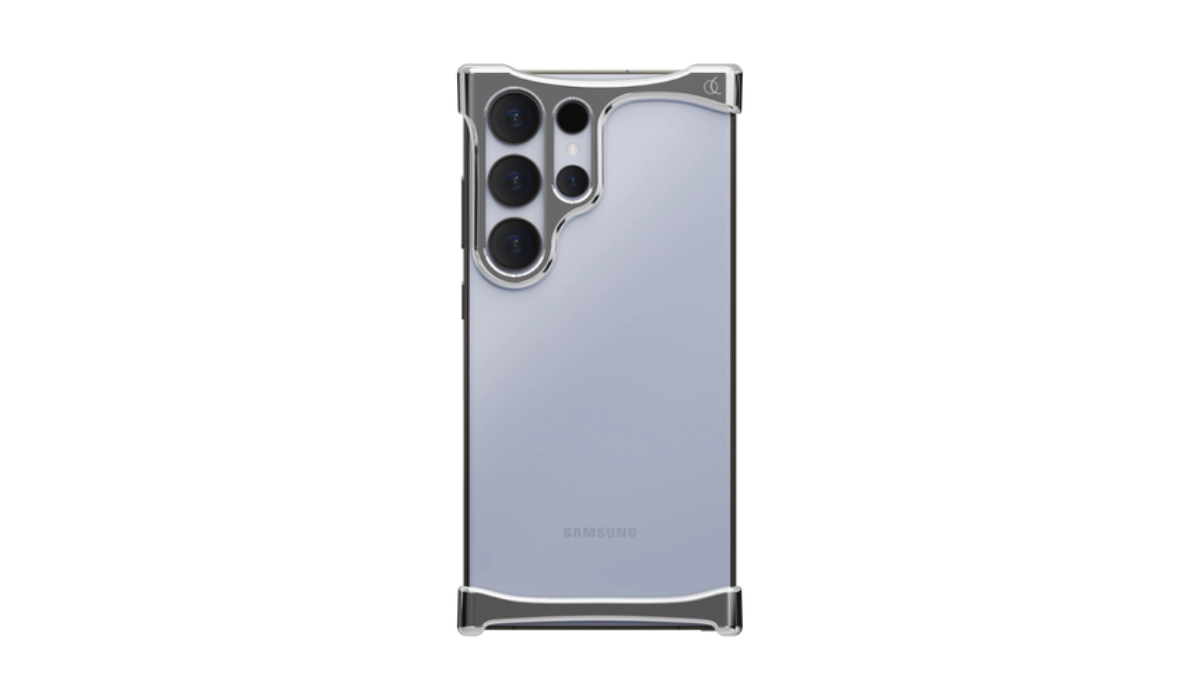
Arc Pulse phone case for Samsung Galaxy S24 Ultra
The good news is that Arc Pulse cases are also available for Samsung smartphones but only for the top devices in the S-series. Which is both good news and bad news. Good news because Samsung S-series owners can get one, but bad news because if you don’t own a Samsung S Ultra, there is no Arc Pulse case for your Samsung phone. Bummer.
But I get why it is this way. These cases are not cheap. The cost of buying one makes sense only for the most premium of devices.
How much do they cost?
Arc Pulse phone cases for iPhone and Samsung cost a pretty penny – in the range of $100+. Whichever device you are buying one for, you will not spend anything less than $100 for it.
If you find Arc Pulse cases too expensive, there are similar products from nameless and lesser known brands that cost as low as $30. You might want to check those out. Do note that there is no way to tell how good they are, so you are on your own. For example, you may want to try out this $29.99 Aidvaia phone case .
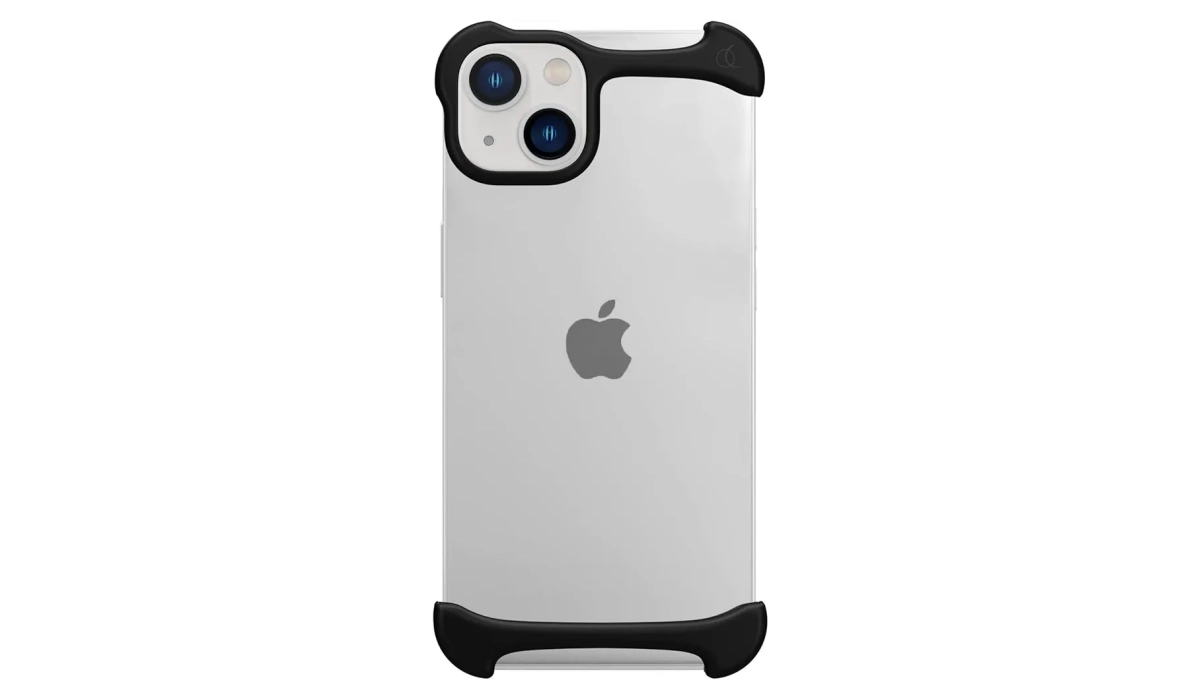
The aidvaia frameless protective iPhone case is made of the same materials and structures as Arc Plus cases, offering both strength and shock absorption from falls and impact. It costs much less though. It looks like a valid alternative. The choice is yours.
If I do find one that is designed for my smartphone, I will definitely be giving it a try. Minimalist protective cases of this kind are right up my alley.
More Arc Pulse case alternatives
Here are a few alternatives to check out:
- aidvaia
- Ogranee
- FMF
They all cost less too. But like I mentioned earlier, I can’t verify how well that they work. Considering how affordable they are, it shouldn’t hurt to experiment with them to find out.
Author:Mister Mobility
Digital Skills and Communication Coach | Mobile Phone Connoisseur since 2001 | Tech Blogging since 2004
Add MobilityArena as a preferred source on Google
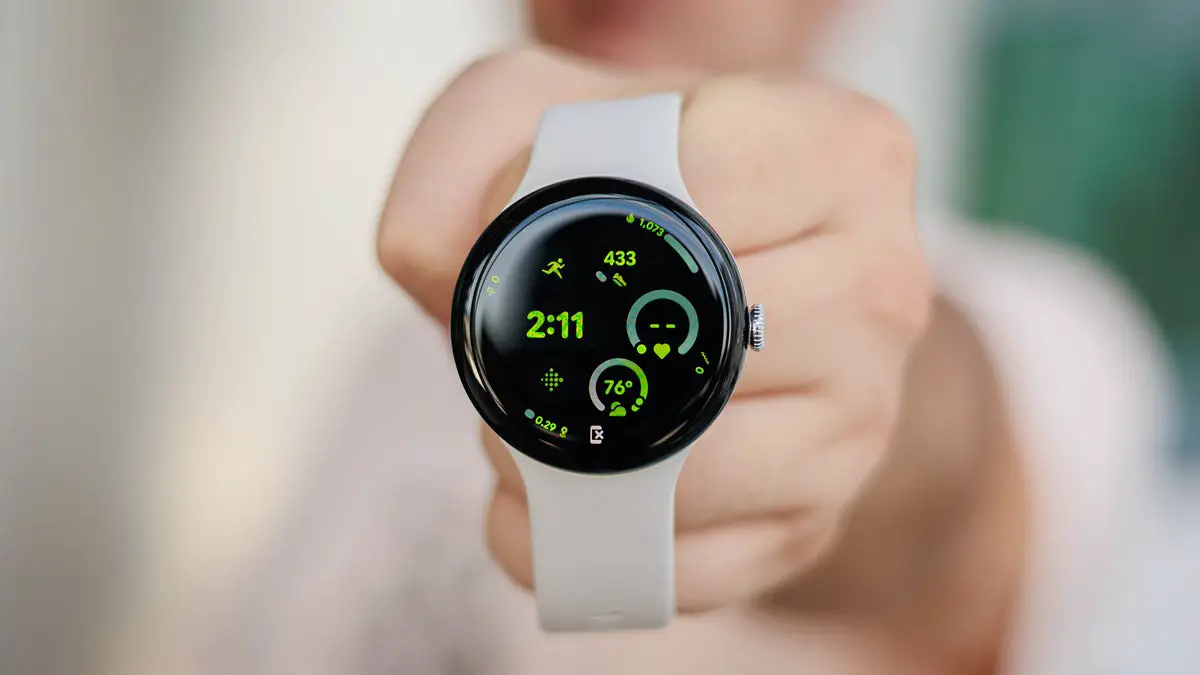
The Google Pixel Watch 3 has quickly become a favorite among smartwatch enthusiasts, thanks to its sleek design, advanced health tracking features, and seamless integration with the Google ecosystem. However, like any new technology, it comes with its own set of challenges that users may encounter. From connectivity problems and battery drain to software bugs and limited customization options, these challenges can affect your overall satisfaction with the device. Understanding these issues is crucial for maximizing the functionality of your Google Pixel Watch 3. By addressing these common complaints proactively, you can ensure that your time with this impressive smartwatch is both enjoyable and efficient. Let’s explore some common issues reported by users as I provide practical solutions to enhance your experience with this innovative smartwatch.
- Software Update Problems
- Connectivity Issues
- Battery Life Concerns
- Notification Issues
- Repairability Concerns
- Conclusion
Software Update Problems
Many users of the Google Pixel Watch 3 have encountered issues when updating to the latest version of Wear OS, leading to frozen screens or error messages during installation. This can be frustrating, especially when you’re eager to enjoy new features. Simply follow my recommendations to avoid further issues:
- Wait Before Updating: If you hear about issues with a new update, consider holding off until Google releases a patch or fixes the problems.
- Perform a Hard Reset: If your watch freezes during an update, try a hard reset by holding down the crown and side button simultaneously for about 20 seconds until the Google logo appears. This can help restart your device.
- Check for Updates Regularly: After resolving any issues, make it a habit to check for updates regularly under Settings > System > Updates .
Connectivity Issues
Some users have reported difficulties connecting their Google Pixel Watch 3 to their smartphones via Bluetooth, which can hinder notifications and app syncing. Follow these simple steps to get it resolved:
- Ensure Proximity: Make sure your watch and phone are within close range (about 1.6 feet) for optimal connectivity.
- Reset Bluetooth Connection: Turn off Bluetooth on both devices, then turn it back on and attempt to reconnect.
- Factory Reset: If problems persist, consider performing a factory reset on your watch. Go to Settings > System > Reset options , but remember that this will erase all data on the watch.
Battery Life Concerns
While the Google Pixel Watch 3 offers impressive features, some users have noted that battery life can drain quickly, especially when using GPS or health tracking functions. Do the following to get a better result:
- Optimize Settings: Reduce screen brightness and turn off always-on display features to conserve battery life. You can adjust these settings in Display under Settings .
- Limit Background Apps: Disable unnecessary background apps that may be consuming power. Go to Settings > Apps and review which apps you can limit.
- Use Battery Saver Mode: Activate battery saver mode when you anticipate needing extra battery life throughout the day.
Notification Issues

Some users have experienced problems receiving notifications from their phones on their Google Pixel Watch 3, which can be a significant drawback for those who rely on timely alerts. I recommend you do the following:
- Check Notification Settings: Ensure that notifications are enabled in both the Pixel Watch app on your phone and the watch itself. Navigate to Settings > Notifications and verify that they are turned on.
- Disable Do Not Disturb Mode: Make sure that Do Not Disturb mode is not activated on either device, as this will silence notifications.
- Reinstall Pixel Watch App: If notifications still aren’t working, try uninstalling and reinstalling the Pixel Watch app on your phone to reset connections.
Repairability Concerns
A significant issue that has arisen is that the Google Pixel Watch 3 is not easily repairable if damaged. This has left some users feeling concerned about long-term durability. Follow these recommendations:
- Consider Preferred Care: If you haven’t already, consider purchasing Google’s Preferred Care plan at the time of purchase or within 30 days. This plan offers replacement options for damaged devices at a reduced cost.
- Handle with Care: To minimize damage risk, invest in a protective case or screen protector designed specifically for the Google Pixel Watch 3.
- Stay Informed About Replacements: If damage occurs, reach out to Google support for replacement options as soon as possible to avoid further complications.
Conclusion
The Google Pixel Watch 3 is an exciting addition to the smartwatch market, offering advanced features that cater to tech-savvy users. While some challenges exist, many of these issues can be effectively addressed through practical solutions and proactive measures. By staying informed about software updates, optimizing settings for battery life, and ensuring proper connectivity, you can enhance your overall experience with this impressive device. Embrace these solutions as opportunities to unlock the full potential of your Pixel Watch 3! With a little effort and care, you can enjoy all the benefits this innovative smartwatch has to offer while minimizing any frustrations along the way. Remember, every challenge presents an opportunity for improvement—both for you as a user and for Google as a brand committed to excellence in wearable technology.
