Add MobilityArena as a preferred source on Google
Recently, someone asked me if there is any difference between US and UK iPhone models . iPhones in the United States (US) and the United Kingdom (UK) are quite similar, but there are some differences and considerations that buyers should be aware of, and I will highlight them below. I will also answer some questions that people have about Apple iPhones in the United Kingdom.
The major difference between US and UK iPhones has to do with supported wireless networks. Another difference has to do with the lock status of the phones. Let’s have a look at the details below.
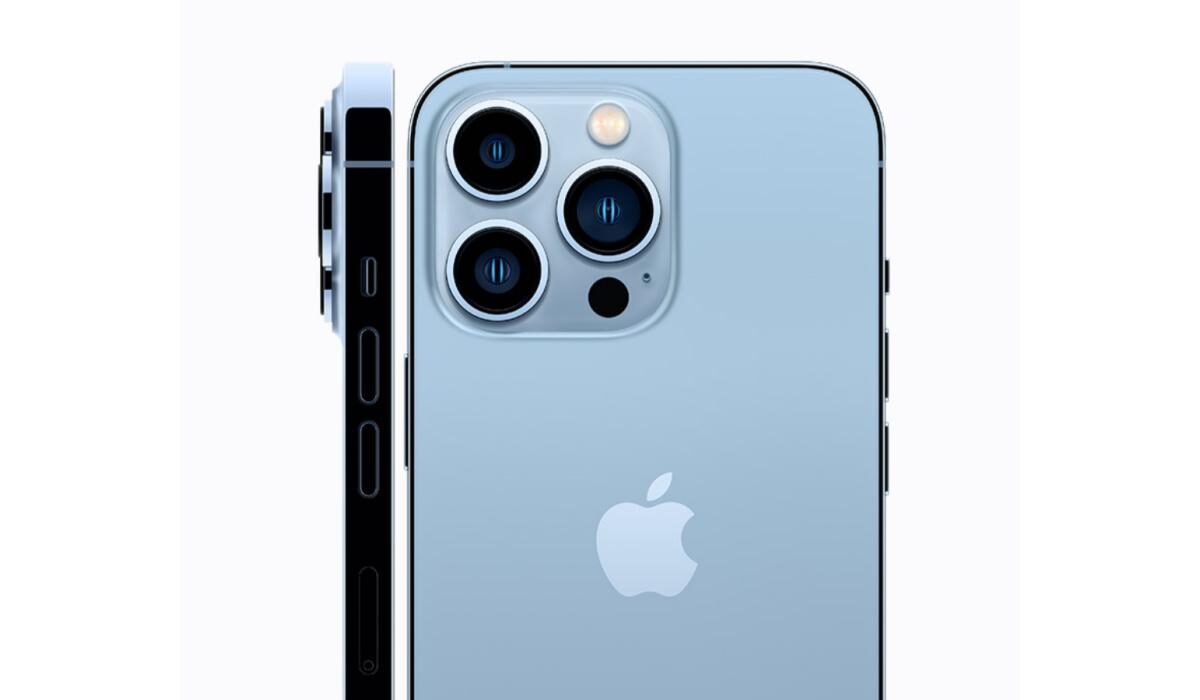
- Difference between US and UK iPhones
- Similarities between US and UK iPhones
- Answers to questions about UK iPhones Is iPhone cheap in the UK? What is the price of iPhone in United Kingdom? Are iPhones made in the UK? How do I know if my iPhone is UK? Are US and UK iPhones different in design?
Difference between US and UK iPhones
US iPhone models support both GSM and CDMA networks. GSM is the global standard that the rest of the world adopted for 2G and 3G networks. The United States went with CDMA. A carrier like Verizon in the USA runs its older generation networks on CDMA technology. UK iPhones will not work on such a network.
In addition, US iPhones also support US LTE carriers, while UK iPhones support UK LTE networks. While there is some overlapping, there are incompatibilities on both sides.
The other difference between US and UK iPhones is that US models generally are sold locked to a network and available on a small monthly payment. In the United Kingdom, Apple iPhones are sold unlocked and at their full prices. That is pretty much how iPhones are sold in most places around the world. The US market is the unique one. Of course, you can now buy unlocked iPhones in the US as well.
Another, not so significant, difference between US and UK iPhones is in the wall charger types. Because the UK uses a different electrical plug standard and type compared to the United States, iPhones sold in the UK come with power adapters that have three rectangular prongs.
There are definitely differences in language and localization, but those are relatively minor differences, as well.
Lastly, you will find differences in availability of apps depending on whether you are in the US or the UK. Some apps that are available to US users are unavailable to UK users.
In summary, the key difference between US and UK iPhones is 2G/3G/4G incompatibility, as the UK and US carriers use different bands. As such, of you purchase in the US, depending on the UK network you want to use it on, your US iPhone may not work in the UK, and vice versa.
Also, charging plug standards differ, but usually, cell phone users can find a workaround to that.
Similarities between US and UK iPhones
Having looked at the differences between US and UK iPhones, here are the similarities:
Both US and UK iPhones typically come with a one-year limited warranty from Apple. AppleCare+ can be purchased for extended coverage. Service and support options are available through Apple stores and authorized service providers in both countries.
Thanks to a stable exchange rate between the dollar and the pounds sterling, the prices of US and UK iPhones tend to be fairly at par for the most part.
Answers to questions about UK iPhones
Is iPhone cheap in the UK?
Not at all. Apple iPhones are premium devices and cost a pretty penny. The prices are usually at par with what they cost in the United States, though.
What is the price of iPhone in United Kingdom?
It depends on which model you are interested in. For example, the cheapest iPhone model of this year, Apple iPhone SE (2022), sells for £419 (4/64 GB), £467 (4/128 GB), and £558 (4/256 GB).
iPhone 13 Pro Max starts from £1049 (128 GB) and goes as high as £1493 (1TB).
Are iPhones made in the UK?
Not at all. Apple iPhones are currently manufactured in China and India.
How do I know if my iPhone is UK?
Apple classifies iPhones meant for the United Kingdom under “International” and allocates a model number to that category. To confirm if your iPhone is a USA or UK (International) model, check the label on the sales box. Better still, to be absolutely sure that you are buying an iPhone meant for your country, buy from only official Apple channels.
Are US and UK iPhones different in design?
Physically, they are the same – in design, size, and weight. The difference between US and UK iPhones is mostly about network compatibility.
Author:InfoDesk
Add MobilityArena as a preferred source on Google
Core fans of Pixel smartphones likely do not want to hear it, but for all the love that their beloved brand gets, it is plagued by one persistent issue. Pixel phones and heat are mostly inseparable. What is terrible about it is that the Google Pixel overheating problem happens very often when you are taking photos or recording videos with the camera. The very feature that Pixel smartphones are loved for is also its weakest point. If you are asking why your Google Pixel is getting hot, I have asked myself the same question.
It is an issue that plagues the brand across multiple models. At last count, the overheating problem has shown up on the Pixel 3, Pixel 4a, Pixel 5a 5G, Pixel 6, and Pixel 6 Pro. It has become so normal across multiple Pixel devices that it is almost scandalous. The Google Pixel overheating problem is so bad that many times, you have to shut down the camera, or turn off hotspot, or shut down the phone outright, to get it to cool down.
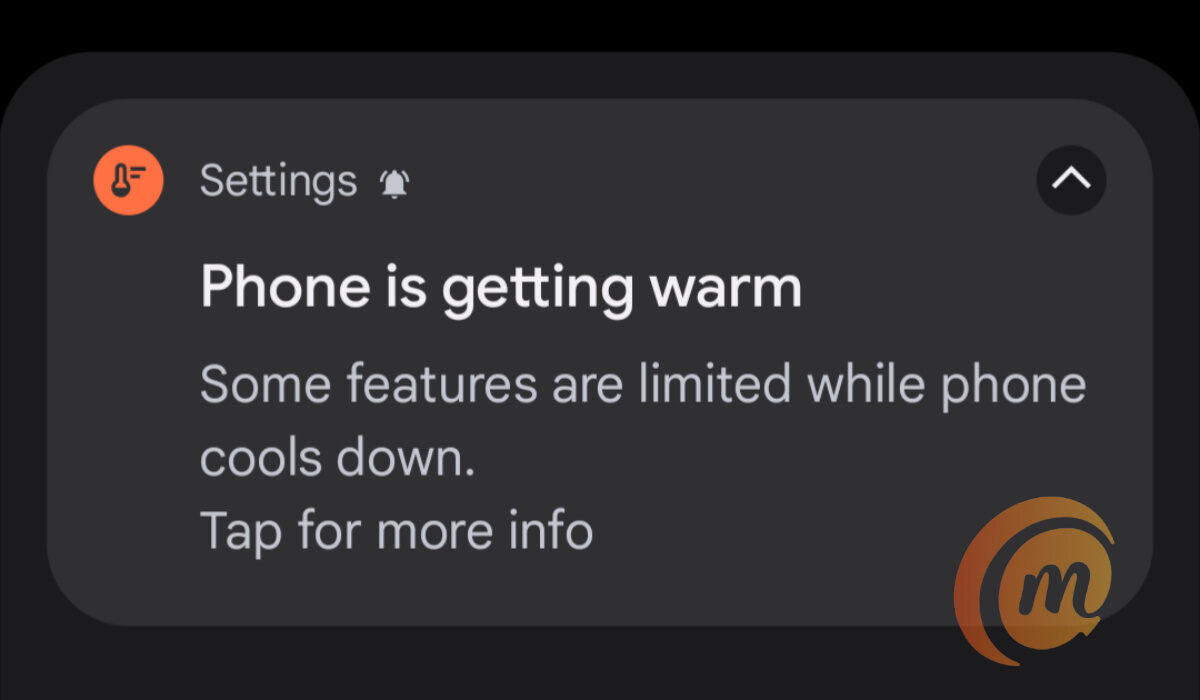
A notification due to the Google Pixel overheating problem
But these are temporary, and less than ideal, fixes. Why should you have to shut down the camera in the middle of taking photos at an important event? Or shut down the phone itself? I have used a few Pixel phones and the experience was the same. Above is a notification that I got used to seeing multiple times every single day on Pixel phones.
The above warning pops up when you are taking multiple photographs or recording videos. Sometimes, it would pop up while using the phone as a hotspot to get work done online on my laptop. Pixel smartphones just love to heat up, like the Human Torch of The Fantastic Four. It is a small miracle that we are not hearing stories of Google Pixel overheating AND combusting.
- Why is my Google Pixel getting hot?
- Google Pixel gets hot under the following circumstances
- The features I disabled to mitigate the Google Pixel overheating problem
Why is my Google Pixel getting hot?
I cannot say for sure why Google Pixel phones get hot. But having owned three models and experienced the same issues on all three, I have identified a few scenarios in which they do. Also, the camera seems to be a big culprit behind the overheating issue. I explain why I believe so below.
Google Pixel gets hot under the following circumstances
My Google Pixel phones got hot whenever I charged them, whenever I enabled the hotspot feature, when I record video for more than a few minutes, and when I used them to take more than a few photos. And then, in order to cool the phone down, the feature in use causing the overheating would be shut down by the phone. Many others have reported these same situations as what they are doing when their Google Pixel gets hot.
One of my observations is that the Pixel phones I have used would also overheat if I left the camera open but not in use . I found that disturbing: overheating from an idle camera? This was ridiculous, but it gave me a pointer to where the overheating was coming from (at least, some of it). The camera . So, I thought to change a few camera-related settings on one of my units. The result is that while the phone still warms up a little (and many phones do that now), the warming notice and automatic disabling of features and services did not happen as often as before any more.
The features I disabled to mitigate the Google Pixel overheating problem
I figured this has something to do with the camera, so I dived into the camera settings and fiddled around a while with settings that looked like could be behind this stressing of the phone. I won’t bore you with all the details. Here are the settings that I now have disabled in the Google camera:
- Google Lens suggestions
- Social share
- Frequent Faces
- Framing hints
- Exposure
- RAW+JPEG control (under Advanced)
- Social media depth features (under Advanced)
- Enable time lapse for Astrophotography (under Advanced)
I know these are a lot of features to disable, but I was desperate to have a stable and functional phone that I could actually use daily without being sabotaged in the middle of an important task. And it looks like I achieved just that. There is still some warmth when you use the phone for a while, but it doesn’t get severely warm or hot any more and those warmth/heat notifications don’t pop-up anymore.
Again, doing these did not solve the Google Pixel overheating problem completely for every model. A colleague implemented the above hacks in her Pixel 3, and the “overheating “Phone is getting warm” notification still pops up an error at random. But it is nowhere as bad as it used to be before applying the above modifications. Feel free to try out the above settings for yourself and see if it makes a difference. If it works for enough people, at least, we’d have given Google an idea of where to look to fix the underlying problem.
For now, it is a relief that I am able to use the Pixel 5a 5G without feeling like I am carrying a hot plate around. If there is anything you have done to mitigate or completely fix the Google Pixel overheating issue, do share. Lastly, if you are interested, please see my Google Pixel 5a 5G review .
Author:Mister Mobility
Digital Skills and Communication Coach | Mobile Phone Connoisseur since 2001 | Tech Blogging since 2004
