Add MobilityArena as a preferred source on Google
AWD and 4WD are two industry terms that are often used interchangeably, but they are not the same. Both All-wheel drive (AWD) and four-wheel drive (4WD) are technologies that send power from the engine to all four wheels of a vehicle, but they do so in different ways. AWD is typically found in passenger cars and crossover SUVs, while 4WD is more commonly used in trucks and SUVs designed for off-road use.
AWD systems are designed to improve traction in all driving conditions, including dry pavement, rain, and snow. These systems use sensors to monitor the vehicle’s speed, wheel slip, and other factors to determine how much power to send to each wheel. This makes AWD vehicles more stable and easier to control in slippery conditions.

On the other hand, 4WD systems are designed for off-road use and are typically found in trucks and SUVs. These systems are designed to provide maximum traction in extreme conditions, such as deep mud or snow, and are often used for towing or hauling heavy loads. Unlike AWD, 4WD systems typically have a low-range transfer case that allows the driver to select between two or four-wheel drive modes, depending on the driving conditions.
- Understanding AWD Definition of AWD Benefits of AWD Limitations of AWD
- Understanding 4WD Definition of 4WD Benefits of 4WD Limitations of 4WD
- Comparing AWD and 4WD Drivetrains Performance Comparison Fuel Efficiency Comparison Cost Comparison
- Choosing Between AWD and 4WD Consideration Factors Common Scenarios
Understanding AWD
Definition of AWD
All-Wheel Drive (AWD) is a drivetrain system that distributes power to all four wheels of a vehicle. This means that all four wheels can receive power from the engine, and can work together to provide better traction and stability on the road. AWD is typically found in cars, SUVs, and crossovers, and is designed to provide better performance in a variety of driving conditions, including wet, snowy, or uneven terrain.
Benefits of AWD
One of the main benefits of AWD is improved traction and stability on the road. Because power is distributed to all four wheels, AWD vehicles are better equipped to handle slippery or uneven road conditions, such as rain, snow, or ice. AWD can also improve acceleration and handling, particularly in off-road or high-performance vehicles.
Another benefit of AWD is that it can provide better fuel efficiency than four-wheel drive (4WD) systems. AWD systems are typically more lightweight and less complex than 4WD systems, which can help to improve the overall efficiency of the vehicle.
Limitations of AWD
While AWD can provide better traction and handling in certain driving conditions, it does have some limitations. AWD systems can be more expensive to manufacture and maintain than two-wheel drive (2WD) systems, which can increase the overall cost of the vehicle. AWD systems can also add weight to the vehicle, which can reduce fuel efficiency and performance.
In addition, AWD systems are not always necessary for all drivers. For example, drivers who live in areas with mild weather conditions may not need the added traction and stability provided by AWD. Additionally, AWD can be less effective in extreme off-road conditions, where 4WD may be necessary to provide the necessary traction and power.
Understanding 4WD
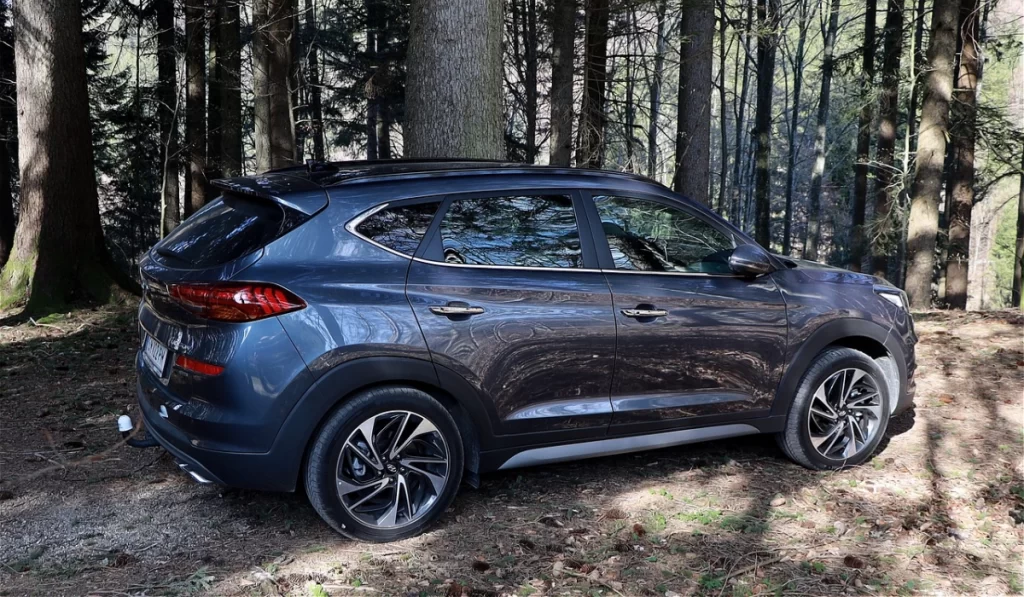
Definition of 4WD
Four-wheel drive (4WD) is a type of drivetrain system that distributes power to all four wheels of a vehicle. It is designed to provide maximum traction and stability on rough terrain, such as snow, mud, and rocky roads. In a 4WD system, the power is evenly distributed between the front and rear axles, which allows the vehicle to maintain its grip on the road and prevent wheel slippage.
Benefits of 4WD
The main benefit of 4WD is its ability to provide better traction and stability on challenging terrain. This makes it an ideal choice for off-road driving and for people who live in areas with harsh weather conditions. 4WD vehicles are also capable of towing heavy loads and hauling cargo, which makes them popular among farmers, construction workers, and outdoor enthusiasts.
Limitations of 4WD
While 4WD provides several benefits, it also has some limitations. One of the main drawbacks of 4WD is its reduced fuel efficiency compared to two-wheel drive (2WD) vehicles. This is because 4WD systems are heavier and more complex, which requires more energy to operate. Additionally, 4WD vehicles are more expensive to purchase and maintain than 2WD vehicles.
Another limitation of 4WD is that it is not suitable for high-speed driving on smooth roads. This is because 4WD systems are designed for low-speed traction and stability, which can make them unstable at high speeds. Therefore, 4WD vehicles are primarily used for off-road driving and for low-speed applications.
Comparing AWD and 4WD Drivetrains
When it comes to choosing between AWD and 4WD, there are several factors to consider. Here, we’ll compare the two in terms of performance, fuel efficiency, and cost.
Performance Comparison
Both AWD and 4WD are designed to improve traction and handling in challenging driving conditions. However, there are some differences between the two. AWD systems are typically better suited for on-road driving, providing improved traction in wet or slippery conditions. 4WD systems, on the other hand, are designed for off-road use, providing better traction on rough terrain and in extreme weather conditions.
In terms of handling, AWD vehicles tend to handle more like traditional two-wheel drive vehicles, while 4WD vehicles can handle more like off-road vehicles. AWD vehicles generally provide better handling on paved roads, while 4WD vehicles are better suited for off-road use.
Fuel Efficiency Comparison
Because AWD vehicles are designed to provide better traction and handling on the road, they tend to be heavier and less fuel-efficient than 2WD vehicles. 4WD vehicles are even heavier and less fuel-efficient than AWD vehicles, as they are designed for more extreme off-road use.
That being said, advances in technology have made AWD and 4WD vehicles much more fuel-efficient than they used to be. Some modern AWD and 4WD vehicles have fuel economy ratings that are nearly as good as their 2WD counterparts.
Cost Comparison
AWD and 4WD vehicles tend to be more expensive than their 2WD counterparts. AWD systems are typically more expensive to manufacture and install, and 4WD systems are even more complex and expensive. Additionally, AWD and 4WD vehicles tend to be heavier and require more maintenance than 2WD vehicles, which can add to their overall cost of ownership.
The choice between AWD and 4WD will depend on your specific needs and driving conditions. If you live in an area with frequent snow or rain, an AWD vehicle may be a good choice. If you plan on doing a lot of off-road driving, a 4WD vehicle may be a better option. However, keep in mind that both types of vehicles tend to be more expensive and less fuel-efficient than their 2WD counterparts.
Choosing Between AWD and 4WD
When deciding between all-wheel drive (AWD) and four-wheel drive (4WD), there are a few factors to consider. This section will explore some of the most important factors to keep in mind when making your decision.
Consideration Factors
One of the most important factors to consider is the type of terrain you will be driving on. AWD is generally better suited for driving on paved roads, while 4WD is better suited for off-road driving. If you plan on doing a lot of off-road driving, then 4WD may be the better choice for you.
Another factor to consider is the climate in which you will be driving. AWD is generally better suited for driving in wet or slippery conditions, while 4WD is better suited for driving in snow or ice.
Fuel efficiency is also an important factor to consider. AWD vehicles tend to be less fuel efficient than 4WD vehicles, so if you are looking for a vehicle with better gas mileage, then 4WD may be the better choice.
Common Scenarios
Here are a few common scenarios where one type of drive may be more suitable than the other:
- If you live in an area with mild winters and do not plan on off-roading, then AWD may be the better choice for you.
- If you live in an area with harsh winters and plan on doing a lot of off-roading, then 4WD may be the better choice for you.
- If you frequently drive on unpaved roads or in rugged terrain, then 4WD may be the better choice for you.
- If you frequently drive on paved roads and want better traction in wet conditions, then AWD may be the better choice for you.
Ultimately, the decision between AWD and 4WD will depend on your specific needs and driving habits. Consider the factors above and choose the option that best suits your needs.
Author:Mister Mobility
Digital Skills and Communication Coach | Mobile Phone Connoisseur since 2001 | Tech Blogging since 2004
Add MobilityArena as a preferred source on Google
A watermark is a visible overlay or logo that is usually placed on images or videos to protect the content or to give credit to the original creator. It’s typically a translucent image or text that appears on the video, often in a corner or across the entire frame. Now, removing watermarks from videos can be a bit tricky, but fear not! There are several methods and tools available that can help you achieve a watermark-free video.
I’ll delve into these methods and tools, providing you with step-by-step instructions and tips on how to remove watermark from videos. From manual editing with professional video editing software to using specialized online tools or AI-powered software, there are various approaches you can explore.

- How To Remove Watermark From Videos HitPaw Watermark Remover Remove & Add Watermark Video Eraser Apowersoft Online Video Watermark Remover BeeCut Online Watermarks Remover Medio.io Online Free Video Editor
How To Remove Watermark From Videos
Removing watermarks from videos is a common need, especially when you want to share or use a video without any distracting logos or text. Luckily, there are several methods you can try to remove watermarks, depending on the type and complexity of the watermark.
However, it’s important to note that removing watermarks should only be done if you have the necessary rights or permissions to modify the content. Always respect copyright and intellectual property laws.
That being said, here are various software and online tools you should consider when you want to remove watermarks from videos.
HitPaw Watermark Remover
HitPaw Watermark Remover is an amazing software tool that makes removing watermarks from videos a breeze. Whether you choose to use the app or the online tool, you’ll find that it offers a simple and user-friendly interface. This means that even if you’re new to video editing, you’ll be able to easily navigate the tool and remove watermarks like a pro. It’s designed to be accessible for both beginners and experienced users, so you can confidently remove watermarks from your videos with ease.
With the app, you can easily import your video and select the area where the watermark is located. The tool will then intelligently analyze the video and remove the watermark seamlessly while preserving the quality of the footage. If you prefer to use the online tool, you can upload your video file and follow the same process of selecting the watermark area for removal. However, it’s important to note that the effectiveness of the watermark removal may vary depending on factors such as the complexity of the watermark and the video’s content.
Remove & Add Watermark
Remove & Add Watermark is a versatile app that allows you to remove watermarks from your videos with ease. It offers a user-friendly interface and a range of features to help you achieve the desired result.
To remove a watermark using the app, simply follow these steps:
- Download and install the Remove & Add Watermark app from your app store.
- Open the app and select the video that contains the watermark you want to remove from your gallery.
- Use the app’s tools to select and highlight the area of the video where the watermark is located.
- The app will automatically analyze the selected area and remove the watermark, leaving you with a clean, watermark-free video.
- Preview the result and make any additional adjustments if needed.
- Once you’re satisfied with the edited video, save it to your device’s gallery.
In addition to removing watermarks, Remove & Add Watermark also offers the ability to add custom watermarks to your videos if desired. This can be useful if you want to protect your content or add branding elements to your videos.
Video Eraser
Video Eraser is a powerful tool that allows you to remove unwanted watermarks or logos from your videos. With Video Eraser, you can easily edit your videos and make them look clean and professional.
To use Video Eraser, follow these steps:
- Download and install Video Eraser on your device from the app store.
- Open the app and import the video you want to edit.
- Use the app’s tools to select the watermark or object you want to remove. You can use the brush tool to manually mark the areas or use the auto-detection feature for easier selection.
- Once you’ve selected the watermark or object, tap the “ Erase ” button, and the app will intelligently remove it from the video.
- Preview the edited video to ensure the watermark or object has been successfully erased.
- If you’re satisfied with the result, save the edited video to your device’s gallery.
Video Eraser offers a simple and intuitive interface, making it easy for anyone to remove watermarks or unwanted objects from their videos. It’s a handy tool for content creators, social media enthusiasts, or anyone who wants to enhance their videos.
Apowersoft Online Video Watermark Remover
Apowersoft Online Watermark Remover is a versatile tool that offers a wide range of solutions for different needs. Their video watermark remover, in particular, is a reliable feature that provides an easy-to-use editor. You can simply upload your video and start removing the watermark. The tool supports popular video formats like MP4, MKV, and WebM, although it may have some difficulties with less common file types. You have the flexibility to upload multiple files at once or work with a single video.
The removal process in Apowersoft’s tool is based on a box system. You can create, move, and edit boxes to cover the watermark, and the tool will fill in the covered area based on the surrounding video data. Using Apowersoft ensures that important data is preserved, which may not always be the case with free apps for basic video editing.
It’s important to note that the results of using Apowersoft’s watermark remover may vary depending on the complexity of the video’s background and moving parts. However, for short clips and small watermarks, Apowersoft generally does a commendable job.
BeeCut Online Watermarks Remover
BeeCut Online Watermark Remover is an awesome online tool that works for both videos and pictures. The focus here is mainly on videos, but there are plenty of other great tools out there for removing watermarks. Using BeeCut’s watermark removal tool is super easy. Just upload your file directly, and you’re good to go.
The editor is a bit basic, but it does the job. To specify the area for watermark removal, you can add resizable boxes and adjust them as needed. The result is pretty impressive for a free online tool. However, like with other options on the list, the outcome may vary depending on the complexity of the background and the watermark itself.
Medio.io Online Free Video Editor
Media.io Online Free Video Editor is an incredible online tool that offers a practical solution for removing watermarks from videos. With Media.io, the process of removing watermarks becomes a breeze. Simply click on the Choose File icon to upload your video, and let Media.io’s Watermark Remover work its magic. In just three simple steps, you can say goodbye to those unwanted watermarks. Here’s how:
- Go to the Media.io Watermark Remover page: https://www.media.io/video-watermark-remover.html and upload your video file from your computer.
- Once you’ve uploaded the file, click on Remove Watermark on the right side. Depending on the size of your video, it might take a bit of time to convert.
- Once you’re finished, just download the video to your device. When you play it, you’ll see that the watermark has disappeared.
The process is quick, and the results are pretty good. On static backgrounds, the watermark is barely noticeable, but it may have some difficulties with moving objects. It’s important to note that while Medio.io is free to use, you can only remove two watermarks for free. After that, you’ll need to upgrade to their premium plan to continue using the service.
To sum up, removing watermarks from videos is now easier than ever with tools. Whether you choose to use software or an online solution, both options provide user-friendly interfaces and effective tools to help you achieve professional-looking videos.
Simply follow the steps outlined in the respective apps or software, and you’ll be able to remove unwanted watermarks or objects from your videos in no time. So go ahead, give it a try, and enjoy watermark-free videos that truly showcase your creativity and content. If you’d like more useful content like this, feel free to check out this helpful category .
