Add MobilityArena as a preferred source on Google
Google’s Play Store is the de facto place to source apps for use on your Android smartphone and tablet. But there are times that having an alternative mobile app store available comes in handy. Below are the best 3rd party Android app stores you can download and install Android apps from in those times.
But before we proceed, let’s explore why you would ever need a 3rd party Android app store at all. Do note that there is no way to guarantee the safety of the apps you download from other sources outside of Play Store. You use third party app stores entirely at your own risk.
- Why a 3rd party Android app store can be useful to you
- 5 best third party app stores for Android APKPure APKMirror Aptoide App Store GetJar F-Droid App Store Opera Mobile Store / Bemobi Mobile Store
Why a 3rd party Android app store can be useful to you
You would find an alternative Android app store useful if you ever get your hands on one of those Android forks that branch away from Google. You do know that Android OS is open source and anyone can use it as it is without requiring Google certification. It is completely legitimate.
Several smaller manufacturers use it that way. Most of them are Chinese. Using Android Open Source without Google certification means that the phones do not have Google apps pre-installed. That includes Play Store. So, you will require a 3rd party app store in order to install apps on such a phone.
But why would you ever need to buy such a phone? For one, nthey are cheaper. Google certification adds an extra layer of cost to Androlid phones. So if you are wondering how many of the small brand Chinese smartphones are dirt cheap, that is one of the reasons for that.
That aside, why would you need a 3rd party Android app store? You might purchase an Android phone but not want to sign in to your Google account on it for privacy reasons. But you still need apps on the phone. One way to get those apps is to install or use a 3rd party Android app store.
Lastly, not every legitimate Android app is available via Play Store. You will find such to download on the developer’s website or on a third party store.
5 best third party app stores for Android
Here are 5 of the best 3rd party Android app stores you can use when in a situation in which Play STore is not available or preferred for other reasons.
APKPure
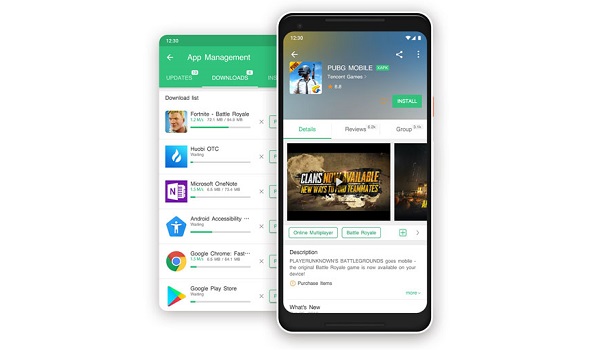
APKPure does not have a collection of apps anywhere close to what you will find on Play Store, but it is decent and easily one of the best 3rd party Android app stores you will find.
Download APKPure app .
APKMirror

This is one of the most trusted sources of 3rd party Android apps around. You will find the latest versions of apps, but also previous versions, should you need to roll back your app version.
Visit the APKMirror website .
Aptoide App Store
Aptoide is one of the most popular Android app stores around and offers an extensive catalogue for you to download from.
Download Aptoide .
GetJar
Getjar started out a long time ago in 2004 as an app store for feature phones that run Java apps. WIth the arrival of smartphones, its catalogue was expanded to include apps for Symbian OS and other platforms. Today, you will find Android apps as well on GetJar.
Download GetJar .
F-Droid App Store
If you are looking for not just the regular apps that everyone else uses but for apps for adavcned and power users, F-Droid is a definitely one of the best 3rd party Android app stores to turn to. Plus it is also one of the most trusted.
Download F-Droid app store .
Opera Mobile Store / Bemobi Mobile Store
Opera Store is one of the earliest app stores, too. It was announced in 2011 as a Web-based app store and first provided access to Java, BlackBerry OS, Symbian, Windows Phone, and Windows Mobile apps. Today, it has a sizable collection of Android apps available for download, too. It has since been re-branded as Benobi Mobile Store.
Visit Bemobi Mobile Store .
There are quite a number of other sources of Android apps available for you to explore. As a matter of fact, new ones pop up every other day. If there is any really solid one that you know which is not mentioned in our list, please contribute the name in the comment section below, so we can take a look. It just might be good enough to be on this list of the best 3rd party Android app stores.
- Don’t miss our reviews .
- Follow us on Instagram , Facebook , Twitter , and YouTube .
Author:Mister Mobility
Digital Skills and Communication Coach | Mobile Phone Connoisseur since 2001 | Tech Blogging since 2004
Add MobilityArena as a preferred source on Google
We are all so accustomed to using multiple Google services on a daily basis that it is taken for granted. Well, I got wondering if it would be possible to use a smartphone without Google Services and apps, and set out on an experiment to try to pull it off. Android OS without Google Mobile Services is also called de-Googled Android. The phone would also be said to be a de-Googled smartphone.
Whether it is Gmail, Search, Maps, or the apps store, Google services are right in our faces every day, especially if we use an Android smartphone. Granted that there are people in the world who have never used a smartphone or owned a Google account. But those are outliers. Those who live in the thick of the modern digital world seem unable to escape the clutches of Google. Or can they?
For the first part of this experiment, I am using an Android smartphone. In the second part, I will be using a non-Google smartphone, i.e., one that does not run Android OS at all. And please, don’t mention iOS, either.
My smartphone of choice for this first experiment is the Xiaomi Go. In this first part of the experiment, the phone runs Android OS, but the intention is to use Android without logging into any Google service. Technical people will tell you that Android OS itself still communicates with Google’s servers, whether you are logged in to your Google account or not. I understand that. Which is why there will be a second part of this experiment without Android OS in the picture at all.
So come with me, let’s see how easy it is to use a de-Googled Android smartphone – one without Google services in today’s world.
De-Googled Email, Contacts, Calendar, Drive
Email is a basic service that every digital native or migrant must use on a smartphone. In this case, I use mail for /e/. It reads something like bla-bla-bla@e.email., and it works. But it must be able to sync my contacts and calendar across devices, or else it is useless to me. Thankfully, /e/ does that. That was easy.
Getting an /e/ account is free and gives you access to a suite of services that include email, drive, calendar, notes and tasks. You can create yours HERE .
An Alternative App Store
Who uses a smartphone without being able to download and install third party apps? Maybe some people do. But not me. Seeing as I am not willing to login to my Gogle account, that means I cannot use Play Store. I turn to Aptoide . It is my favourite of the 3rd party Android app stores. It also notifies me of apps installed on the phone that have updates waiting for them. Nice.
But I quickly found that it doesn’t have all the apps that I need. Bummer.
A Google Maps Alternative
For example, I needed an alternative maps app to Google Maps. Downloading Bing Maps from Aptoide was easy, but Bing Maps turned out to be a disappointment, so I looked for HERE We Go (former Nokia Maps). Nokia Maps got me anywhere I wanted to go back in the day. But it wasn’t available in Aptoide.
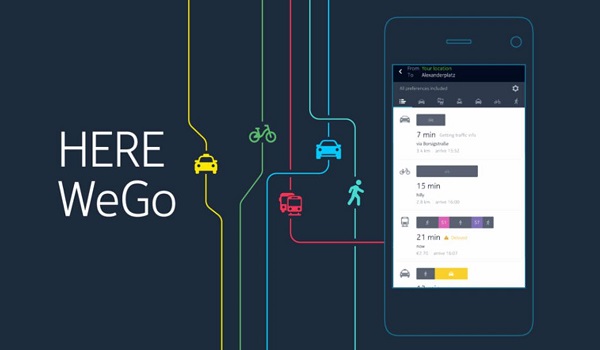
So, I turned to APK MIrror and was able to download it from there. HERE Maps works like a dream. I won’t be missing Google Maps.
Email App
Since I do not want to use any of Google’s apps at all, I couldn’t log into my non-Google email account with the Gmail app, so I had to hunt for an alternative email app. AquaMail came to my rescue. I tried Outlook but ran into some snags, so AquaMail it was.
What of Search?
I have had an alternative to Google Search for years, and it goes by the name DuckDuckGo. DuckDuckGo does not store your personal info, follow you around with ads, or track you. I have been setting it as my default search engine on all my smartphone for years. You can find it at DuckDuckGo.com.
I can tell you for free that DuckDuckGo works better than Bing and Yahoo.
So, it turns out it isn’t exactly difficult to use a smartphone without Google services and free of the clutches of their empire, as I have demonstrated. It was quite easy to pull off that I wondered why not many more people do it. Perhaps it is the natural human nature to go with what everyone else does.
For example, if you opt out of using smartphones entirely, you could easily live a digital life outside of Google’s empire without hitches.
It is the smartphone part that is the real problem. Android OS itself is a part of Google’s empire. You could argue that iOS is available, but that is like leaving someone for their twin. Not much difference. For the second part of my experiment, I would need a smartphone without Google services entirely – a smartphone that runs an operating system that is not in cahoots with Google.
Part Two Loading: The Rough Patches
I encountered some rough patches in the course of this experiment, and it will be unfair not to highlight them. Some of those patches have to do with running the experiment on an Android phone, as above, while some have to do with using non-Android phones like a Windows Mobile phone, an Ubuntu phone, and a BlackBerry phone. So expect the second part soon.
Part Three: A de-Googled smartphone – one without Google services
In the third, and hopefully final, part of this experiment to use a smartphone without Google services, a de-Googled smartphone, I will be using a smartphone running Lineage OS or /e/OS. I am not sure yet. Or both. It depends on how fast I can get my hands on either of them.
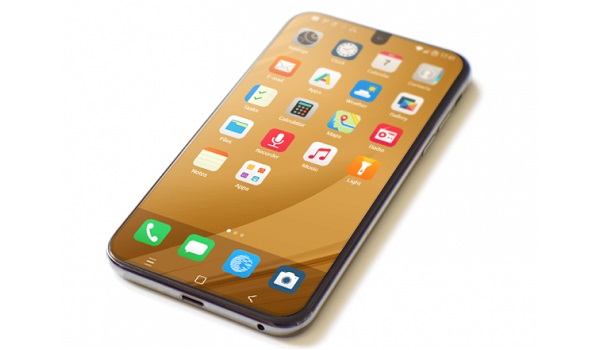
e-phone running /e/OS, a smartphone without Google services
You are familiar with Lineage OS, the successor to the popular CyanogenMod, which was shut down by its developers in 2016. /e/OS is a more recent open source mobile operating system (OS) designed from the ground up with a privacy-enabled internal environment for mobile phones. You can read up about it HERE .
If you have any questions, or ideas you would like for me to try, please share and I will do my best to follow through.
Author:Mister Mobility
Digital Skills and Communication Coach | Mobile Phone Connoisseur since 2001 | Tech Blogging since 2004
