Add MobilityArena as a preferred source on Google
As technology continues to evolve, having a reliable and feature-packed laptop is crucial for staying connected, productive, and entertained. Samsung Galaxy Chromebooks are popular for their stylish designs, impressive performance, and cutting-edge features. With their stunning displays, powerful processors, ample storage, long-lasting battery life, and versatility.
In this article, I’ll explore different options to help you find the best Samsung Galaxy Chromebook in 2023. Whether you’re a student, professional, or tech enthusiast, this guide will help you make an informed decision on which Samsung Galaxy Chromebook will suit your specific needs.
What Are the Best Samsung Galaxy Chromebook in 2023?
Samsung is renowned for creating top-notch laptops that span across different operating systems like Windows and Chrome OS. When it comes to Chromebooks, Samsung continues to expand its lineup, offering a wider range of options for individuals in search of lightweight and versatile devices.
These laptops even seamlessly integrate with your Android phone through the Phone Hub feature, making them an excellent choice for those invested in the Android ecosystem. So, to simplify things for you, here are a few of the best Samsung Galaxy Chromebooks in 2023.
Samsung Galaxy Chromebook 2
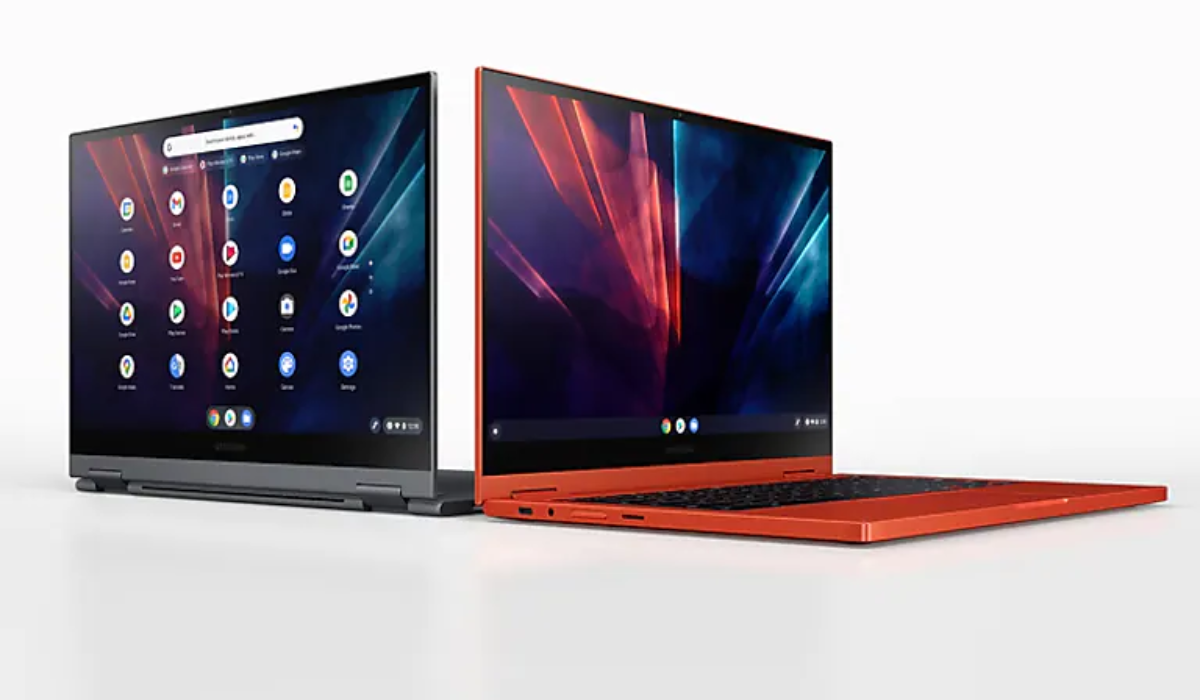
The Galaxy Chromebook 2 is a top-notch Samsung laptop that many people adore because of its fantastic QLED display, speedy performance, and stylish design. It features a vibrant touch screen that showcases sharp and vivid visuals, making it perfect for watching videos and editing photos.
This laptop can transform into a tablet by rotating the lid 360 degrees, making it a versatile 2-in-1 Chromebook. It even supports USI inking for taking notes or creating graphs. With a starting price of $550, the Galaxy Chromebook 2 is more affordable compared to its predecessor. It’s the first Chromebook to sport a QLED panel, providing a dazzling 1920×1080 resolution. You can also utilize a stylus for note-taking or drawing graphs.
The Galaxy Chromebook 2 also comes with two processor options: the Intel Celeron 5205U or the Core i3-1011U. Both are capable enough for work and web browsing, but if you desire the best performance, opt for the Core i3. It offers 8GB of RAM and 128GB of storage, while the Celeron option has 4GB of RAM and 64GB of storage.
The laptop also boasts a sleek and stylish design, available in Mercury Gray or Fiesta Red colors, adding a touch of sophistication. It’s lightweight, weighing just 2.71 pounds, so you can easily carry it with you wherever you go. Whether you’re a student, professional, or creative individual, the Galaxy Chromebook 2 is an excellent choice.
Samsung Galaxy Chromebook 2 360
The Samsung Galaxy Chromebook 2 360 is a budget-friendly convertible Chromebook with its QHD+ touch display, sleek design, and Intel Celeron performance. It’s smaller at 12.4 inches compared to the Galaxy Chromebook 2, but it’s also more affordable. You can rotate the display 360 degrees to use it in tent, stand, or tablet modes, making it versatile and great for watching TV or movies. The touch display is 12.4 inches with a sharp 2560×1600 resolution and LED panel.
This Chromebook also has a 45.5Wh battery that can power it and its Intel Celeron N4500 processor for hours. It also has 4GB of RAM and up to 128GB of storage. Despite its slim build, it has a good port selection with two USB-C ports, one USB-A 3.2 port, a microSD card reader, and a 3.5mm audio jack. It’s a great choice that is affordable for students, even the recommended 128GB model.
Samsung Galaxy Chromebook Go
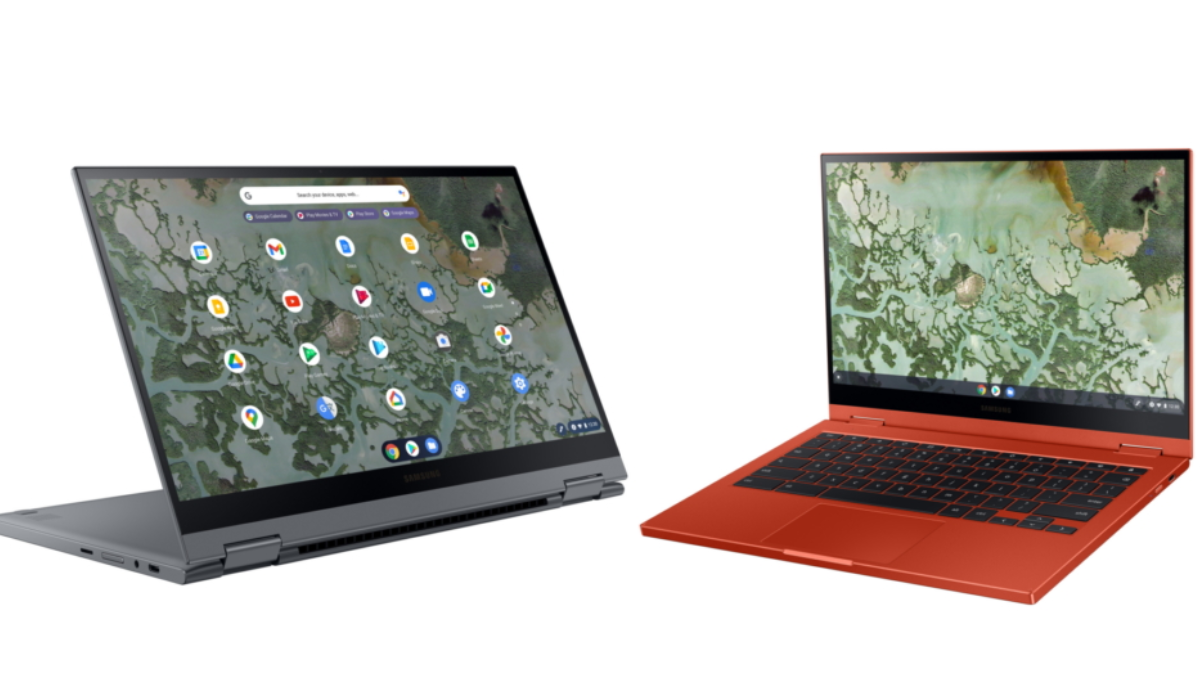
The Samsung Galaxy Chromebook Go is a super portable laptop that offers great performance and optional LTE connectivity. Its small size, impressive performance, and variety of ports make it perfect for frequent travelers or those who like to keep their bags light. The laptop features a 14-inch HD display with an anti-glare finish, LED backlight, 16:9 aspect ratio, and 220 nits of brightness. It weighs just 3.2 pounds and is only 0.63 inches thin, making it incredibly easy to carry around. It also has two USB-C ports, one USB-A 3.2, a microSD card reader, and a 3.5mm audio jack.
The Intel Celeron N4500 processor, 4GB of LPDDR4x RAM, and 32GB of eMMC storage provide enough power for web browsing and productivity tasks. The laptop’s battery life is impressive, lasting up to 12 hours on a single charge. And the best part? It’s one of the most affordable Chromebooks on the market.
Samsung Galaxy Chromebook
The Samsung Galaxy Chromebook is a high-end laptop with a powerful Intel Core i5 CPU, fast hardware, and a 4K AMOLED touch display. It features a built-in S Pen for drawing and a fingerprint reader, making it a popular choice for those who have a larger budget and are seeking options that offer impressive performance. The laptop is a convertible device that can be rotated 360 degrees for tent, stand and tablet modes. The side of the laptop has a silo for holding the S-Pen, dual USB-C ports, a microSD card reader, and a 3.5mm audio jack.
The Intel Core i5-10210U processor in the Galaxy Chromebook is perfect for multitasking and productivity tasks. With 8GB of RAM and a 256GB SSD, it’s speedy and efficient. The laptop also has a dual-camera setup and a fingerprint reader for added security. Although it’s a bit pricier than the other options, it’s worth it for all the features you get.
Samsung Chromebook 4 and 4+
The Samsung Chromebook 4 and 4+ are highly favored by schools for their 1:1 programs. These devices are affordable, reliable, and built to withstand tough conditions. They meet eight military-grade standards for temperature, dust, and shock resistance. You can choose from 16GB, 32GB, or 64GB storage options, with the 64GB version offering 6GB of RAM for faster performance. The standard model has an 11.6-inch HD screen, while the 4+ boasts a larger 15.6-inch screen and an extra USB-C port for simultaneous charging and file transfer.
The battery life for the 4 is 12.5 hours, while the 4+ has a slightly shorter 10.5-hour rating due to its larger screen. Both models support Gigabit Wi-Fi, enabling quick video streaming and large file downloads. Additionally, they feature stereo speakers and a 720p webcam for exceptional multimedia and videoconferencing experiences.
To sum up, the array of Samsung Chromebooks currently available in 2023 are impressive laptops with diverse features and performance levels, available at various price points. Whether you’re looking for high-end devices or budget-friendly options, the best Samsung Galaxy Chromebook for you is definitely among the options I’ve described above definitely. There are also other useful Samsung recommendations you can benefit from; check out this category to find out.
Author:Joan Agie
Add MobilityArena as a preferred source on Google
Selling your phone can be a great way to upgrade to a newer model, make some extra cash, or simply declutter your tech collection. Whatever your reason may be, this guide is here to help you navigate the process smoothly and maximize your selling potential. So, whether you’re a seasoned seller or new to the game, this guide will equip you with the knowledge and strategies to sell your phone like a pro.
In this article, I’ll provide you with the best tips for selling your phone, ensuring that you get the best value for your device. From preparing your phone for sale to finding the right platform and attracting potential buyers, I’ve got you covered every step of the way.

- What Are the Best Tips For Selling Your Phone? Clean and Reset Research the Market Value Take High-Quality Photos Be Honest in Your Listing Choose the Right Platform Be Responsive and Courteous Meet in a Safe Location Secure Payment Methods and Shipping
What Are the Best Tips For Selling Your Phone?
Selling your phone can be an exciting endeavor, but navigating the process can sometimes feel overwhelming, especially if you’re new to the world of selling smartphones. That’s why below I’ve compiled a list of the best tips to help you successfully sell your phone and make the most out of your transaction.
Clean and Reset
Before selling your phone, it’s essential to give it a thorough clean and perform a factory reset. Cleaning the phone helps to remove any dirt, or smudges, making it look more appealing to potential buyers. Additionally, your phone holds several bits of sensitive information, so it’s crucial to remove any personal data from your phone. Also back up any important files, contacts, or media to another device or cloud storage.
Then, perform a factory reset to erase all personal data, wipe the settings clean, and restore the phone to its original state. This not only protects your privacy but also gives buyers the confidence that they are purchasing a device that functions like new.
Research the Market Value
Researching the market before setting a price for your phone is crucial. By checking out what similar phones are selling for, you can get a good idea of the fair and competitive price range. This will help you attract potential buyers and increase your chances of a successful sale.
Take some time to compare prices, considering factors like the phone’s condition and specifications. You can then set a price that aligns with the market value. Doing your research ensures that you’re offering a price that is reasonable and appealing to potential buyers. Be realistic and open to negotiation. It’s also important to keep in mind that as new phone models are released, the price of older models tends to decrease significantly.
Take High-Quality Photos
Capture clear and attractive photos of your phone to grab potential buyers’ attention. Make sure your photos are clear and attractive, and showcase the phone’s best features. This allows potential buyers to get a better sense of the phone’s condition and highlights any unique features it may have.
High-quality photos are more likely to grab attention and generate interest. Good lighting, cleanliness, multiple angles, and a neutral background can all help make your photos stand out. These factors will help showcase your phone in the best possible way and increase your chances of making a successful sale.
Be Honest in Your Listing
When writing your listing, it’s important to provide potential buyers with accurate and detailed information about your phone. Start by including the specifications of your phone, such as the model, storage capacity, and any unique features it may have. Be honest about the condition of the phone, mentioning any scratches, dents, or other signs of wear.
If there are any included accessories, like chargers or cases, be sure to mention those as well. The more information you provide, the better-equipped buyers will be to make an informed decision. Remember to be clear, concise, and transparent in your listing.
Choose the Right Platform
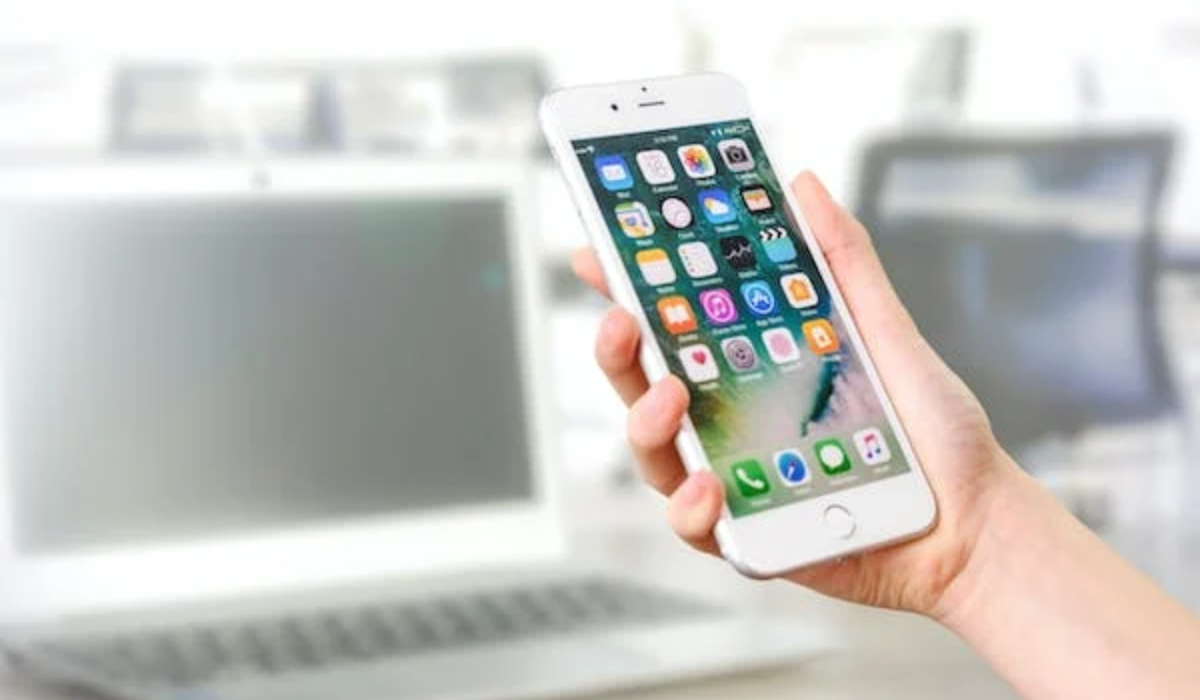
On the other hand, local classifieds such as Craigslist or Gumtree can be great for selling to buyers in your immediate area. Consider factors like convenience, shipping options, fees, and the target audience of each platform. By selecting the right platform, you’ll maximize your chances of finding the right buyer for your phone.
Be Responsive and Courteous
When selling your phone, it’s vital to be responsive to inquiries from potential buyers. Promptly reply to messages and be friendly and professional in your communication. Answer any questions they may have about the phone’s specifications, condition, or accessories.
Being prompt and courteous shows that you are a reliable seller and can help build trust with potential buyers. Remember to maintain a professional tone and provide accurate information to ensure a positive selling experience.
Meet in a Safe Location
When arranging an in-person meeting to complete the transaction, it’s important to prioritize safety. Choose a public and well-lit location for the meeting, such as a coffee shop or a shopping mall. This helps ensure there are other people around and reduces the risk of any potential issues. Additionally, it’s always a good idea to bring a friend along for added security and peace of mind. Remember, safety should be the top priority when meeting with strangers for transactions.
Secure Payment Methods and Shipping
When conducting a transaction, it’s also crucial to prioritize secure payment methods to protect yourself. It’s best to avoid accepting checks or money orders, as they can be susceptible to scams. Instead, opt for safer payment options like PayPal or trusted mobile payment apps, which offer buyer and seller protection.
These platforms provide an extra layer of security by safeguarding your financial information and ensuring a smooth and secure transaction. Always prioritize the safety of your payment. Additionally, use a trustworthy shipping method with tracking to ensure safety for both you and the buyer throughout the transaction.
To sum up, by implementing the above tips for selling your phone properly, your old phone will be off your hands in no time. These best tips for selling your phone will help ensure a successful and hassle-free selling process. So go ahead and put these tips into action, and get ready to say goodbye to your old phone while maximizing its value. If you need more useful smartphone tips, there’s a wealth of resources here to help you.
