Add MobilityArena as a preferred source on Google
Smart devices are the future, they are gradually taking over our homes and introducing cutting edge technology to every room in our homes. It wasn’t long ago that the notion of a voice-controlled lighting system seemed like pure science fiction. Now however, such a setup is trivially easy to install. Not only this, but now that smartphones are ubiquitous, with even the most basic devices offering capabilities that were unthinkable not long ago, and the potential for us to control our surroundings from our armchairs has increased exponentially.
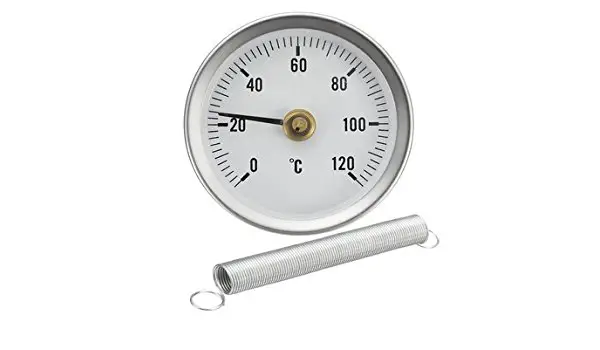
Maintaining the perfect temperature in your home used to be a case of manually adjusting a thermostat throughout the day. Using timers allows you to have the thermostat automatically adjust itself at different times of day, but it is still not a fully dynamic solution. By using a smart temperature monitor, you can receive real-time alerts when the temperature or humidity in your home changes and then make temperature adjustments accordingly.
Here we take a look at three of the very best smartphone-enabled temperature monitors available. All of these devices will connect with your smartphone or tablet, allowing you to monitor your home’s temperature in real time.
- Temp Stick
- SensorPush
- iGrill3
Temp Stick
The Temp Stick, from Ideal Sciences, is an easy to use wireless sensor which monitors both temperature (between -40 F to 125 F) and humidity (0 – 100%). By connecting the device to a Wi-Fi network, either in your home or your place of business. You can set the Temp Stick to automatically send alerts to your tablet or phone when conditions in your home change.
The accompanying app is free to install on both Android and iOS devices. From within the app you can see more detailed information as well as a graph showing how the temperature and humidity has changed throughout the day. In addition to the app, there is also a web browser interface, allowing the user to access the device remotely from anywhere with an internet connection.
The Temp Stick is fantastic for monitoring the temperature in your home, but it also has a wide range of potential uses. It can be used to monitor the temperature in rooms where sensitive items, such as instruments, are stored. It can also be used in greenhouses, or anywhere where temperature must be carefully controlled.
SensorPush
The SensorPush is another versatile temperature monitoring device. It boasts an impressive broadcast range and, because it is battery powered, it can be placed inside refrigerators, guitar cases, attics, basements, or anywhere else where temperature control is important to the user. The compact design of SensorPush gives it the edge in situations where portability is an important consideration.
iGrill3
Weber’s iGrill3 is a more specialized device, designed specifically for use with barbecues. By using the accompanying probe, iGrill can monitor the temperature of different meats on the grill. The app can track up to four different probes and users can then monitor the progress of their meat cooking from their smartphone or tablet. The professional grade probes that are used are resilient to heat and wear and tear, giving the product a very long lifespan.
All of these temperature monitors serve their respective purposes fantastically. Both Temp Stick and SensorPush can be used in a variety of situations and are highly portable. iGrill, on the other hand, is designed for a more specific purpose, but it is unbeatable as a barbecuing gadget. You can also see more options here if none of these devices are right for you.
Author:Content Partner
Add MobilityArena as a preferred source on Google
If you are interested in getting on Bitcoin, nothing beats mobile convenience – the ability to access and manage your bitcoin on your mobile phone. I tried my hands on a few and have compiled a list of some of the popular mobile Bitcoin apps you should try out.
If you are completely new to Bitcoin, I recommend that you read our quick guide to understanding Bitcoin first, then you can decide which of the available Bitcoin mobile apps listed below you prefer to use. But if you are ready to jump in right away, let’s roll.
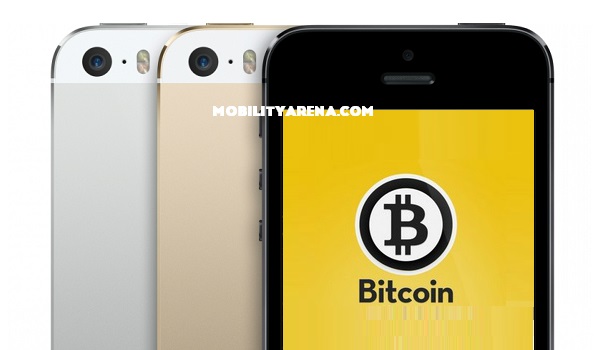
Understanding Mobile Bitcoin Apps
Bitcoin mobile apps allow you to access and manage your Bitcoins. This means that you can access any Bitcoin wallet you already own by adding it using the wallet’s unique Backup phrase.
BlockChain.info
If you have an existing Bitcoin wallet, select ‘recover Funds” from the login page and enter your Backup phrase in the text field. The app will then attempt to create a Blockchain account for you. Once you are done with the procedure, the app is ready to use for sending and receiving Bitcoin.
BlockChain.info mobile app supports Ethereum (aka Ether). Ethereum is another cryptocurrency like Bitcoin. The app also provides a Bitcoin price chart and lets you exchange bitcoin for ether and vice versa.
Download for Android HERE . Download for iOS HERE .
Electrum Bitcoin Wallet
I have found hearty recommendations of Electrum from a few quarters, but each time I try to import my existing wallet, whether by QR code or by typing my backup phrase, Electrum wouldn’t accept my entries. I tried creating a standard wallet and also importing Bitcoin addresses or private keys. Neither worked.
Download for Android HERE . This Bitcoin app is not available for iOS.
Bitcoin.com Wallet
In my opinion, Bitcoin.com is the simplest and easiest to use of the lot and perhaps the most suitable for beginners. It supports both standard Bitcoins and Bitcoin Cash (an improved version of Bitcoin that has lower transaction fees).
Download for Android HERE . Download for iOS HERE .
Coinbase Bitcoin Wallet
Coinbase Bitcoin Wallet is a more comprehensive cryptocurrency app, with support for not only Bitcoin but also Ethereum and Litecoin. From the app’s main page, it displays price charts for all three currencies. Some intelligent, location-based script is at work here because the app displays the prices in Nigerian Naira to me. Nice.
You will need a Coinbase account to use the app beyond that point, so you either login if you are an existing user or create a new account. After creating an account and logging in though, I did not find an option to import my existing wallets. Coinbase simply created Bitcoin, Bitcoin Cash, Ethereum and Litecoin wallets for me.
So, I checked Coinbase’s support pages and there I found this: “ Coinbase wallets currently do not support a wallet import feature “. Bummer. I like the comprehensive nature of Coinbase but I want the freedom to use any wallet of my choice per time to manage my Bitcoin transactions, so Coinbase is a No for me. Still, it might be just what you want.
Download Coinbase for Android HERE . Download for iOS HERE .
Eidoo
The Eidoo mobile app is a simple, well-designed one that works for both Bitcoin and Ethereum. When you launch Eidoo for the first time, you either restore an existing wallet or create a new one. The main page is the one labelled “Your Assets”, but I did not find my Bitcoin wallet in there after the import exercise. There is an Etheruem wallet in there though.
Eidoo is marketed as providing the ability to sell, buy, spend, and convert your cryptocurrencies and your tokens from one single app. My experience with it is that it can be confusing to beginners.
Download for Android HERE . Download for iOS HERE .
My Recommendations
From my time using the above apps, I recommend Bitcoin.com Wallet and BlockChain.info apps for non-technical beginners who want simplicity and flexibility. The former is simple to the bare bones, while the latter offers more features without sacrificing simplicity.
Other Mobile Bitcoin Apps
The above Bitcoin applications are those that I have personally had some experience with. As mentioned earlier, there are many available. Other available Bitcoin apps include BreadWallet, Jaxx, Bitgo, Mycelium, Mobi, BTC.com, Coinomi, Green Address, Schildbach, Airbitz, Copay, and Bither. If any of the apps reviewed on this page do not meet your needs, feel free to search out these others and give them a try.
As always, do your research and pick which works best for you.
Author:Mister Mobility
Digital Skills and Communication Coach | Mobile Phone Connoisseur since 2001 | Tech Blogging since 2004
