Add MobilityArena as a preferred source on Google
This is a tutorial for BlackBerry 10 users in the house. If you’re an app junkie, or have a couple of Android apps you would like to try on your phone, installing Play Store on your device is a way you can do that.
It is possible to install Google Play Store on your BlackBerry 10
With Google Play Store installed, you can browse and download your favourite apps, games etc. Heavy files with extra obb/data files are moved automatically without having to copy them manually. You can also buy stuff with this app installed, and it also supports your preferred payment method, be it credit card, prepaid card or PayPal.
Get BlackBerry Play Store
That’s not all. App update notifications also appear on Blackberry Hub, and there’s multi language support (all languages supported by Google). Follow the 3 steps below to get this working on your Blackberry 10 phone:
Download the 3 files listed below to your Blackberry device by clicking on the download links.
STEP 1
- Download and install Google Account Manager HERE .
- Run the app and login with your Google credentials. After this is done, the app minimizes.
STEP 2
- Download and Install Google Play Store ID HERE . This app registers your device with Google Play.
- Use the app to register your device, then close when the process is successful.
STEP 3
Install Google Play Store HERE . Run the apk and enjoy.
PS : These 3 apps MUST remain installed on your phone, otherwise the Google Play Store will not work.
January 2022 update : On the 4th of January 2022, BlackBerry shut down support for Blackberry 10 and BlackBerry OS. Part of the consequences of this is that these classic BlackBerry phones may stop working – network connectivity for phone calls, SMS, and data may cease.
- Don’t miss our reviews .
- Join our WhatsApp Group , to be notified of the most important articles and deals,
- Follow us on Instagram , Facebook , Twitter , and YouTube .
Author:InfoDesk
Add MobilityArena as a preferred source on Google
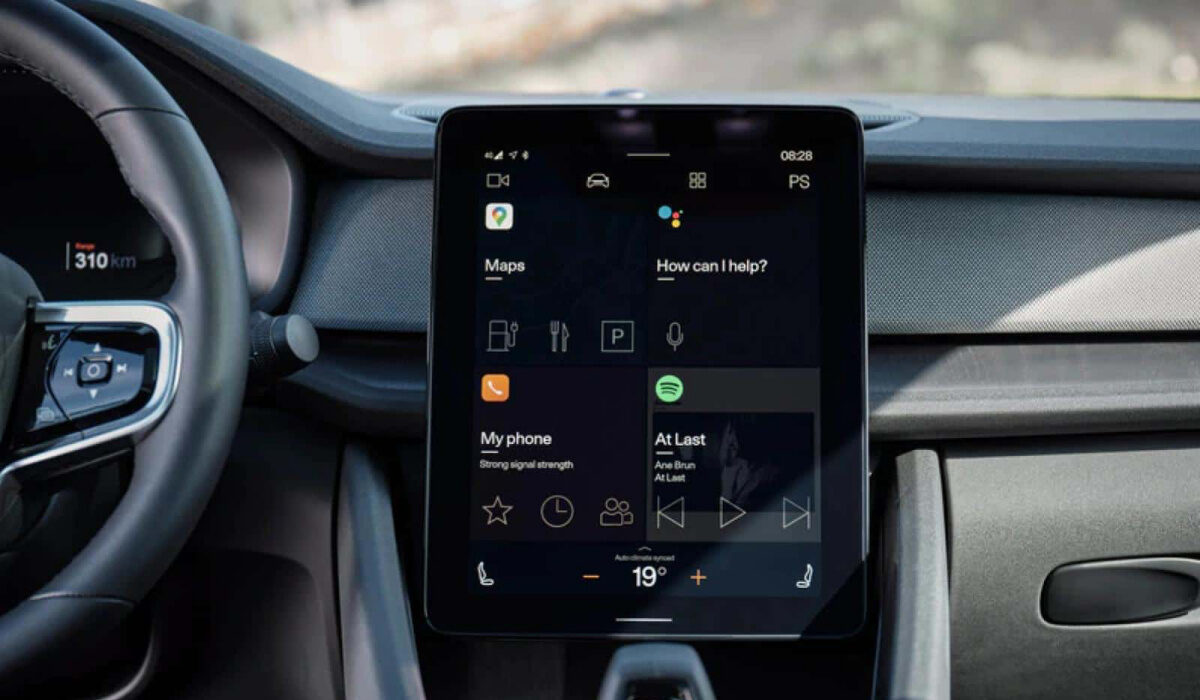
Android Auto is Google’s solution that extends the functionality of an Android smartphone to an automobile by giving the driver access to maps, music, information, telephone, and messaging via the vehicle’s infotainment/dashboard system. The idea is to minimize distraction so you can stay focused on the road while driving.
How it works is that the app connects your phone to your car’s entertainment system, sharing key services with it, so you can access them from the vehicle’s dashboard.
- Android Auto In 7 Points
- What is Android Automotive?
- Android Auto Versions and Release Dates
Android Auto In 7 Points
Here are a few things you should know about it:
- Everything on Android Auto is tied to your smartphone. You need an app installed on your phone to use it. All your information and files stay on your phone. All information is presented via a car-specific user interface on your vehicle’s dashboard.
- You can’t use your phone while it is plugged in. The idea is to keep you from distractions. Once your phone is plugged in it becomes unusable. Only tasks available via Android Auto can be accessed through your car system.
- It relies heavily on voice commands. Yes; so you can keep your hands on the steering wheel and your eyes on the road, all you have to do is speak.
- You need a phone running Android 5.0 or newer.
- Many cars already have systems that are compatible with it via the car entertainment system, so ask your car dealer. Brands like Pioneer and JVC/Kenwood support Auto. If you drive a car with a system by those brands or other supported brands installed, you can get the system updated right away and start enjoying Android Auto.
- The first car to have Android Auto integrated directly is the 2015 Hyundai Sonata.
- Other manufacturers with compatible cars in production include Honda, Volkswagen, Skoda, and Chevrolet.
What is Android Automotive?
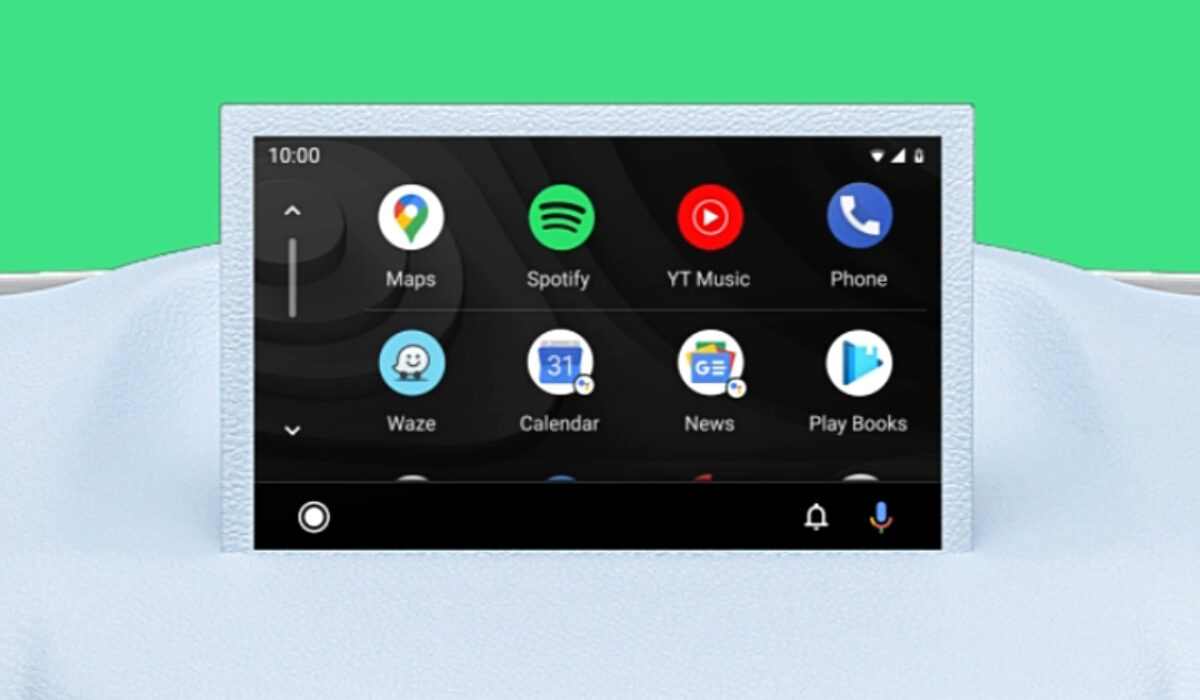
Is Android Auto the same thing as Android Automotive? Are they two phrases for the same thing? Not at all. Android Auto is an app-based service that lets you use your phone with your car. Android Automotive is different. Instead of being an app that links your phone with your car, it is a complete operating system on its own and is built into cars.
It is a tweaked version of Android OS that was developed by Google in collaboration with Intel, specifically for cars. Think of how iOS is for phones and iPad OS is for tablets. Same operating system, same underlying code base, but different terminal. Automotive is an operating system for cars and so also provides deeper integration with Google services like Google Contacts, Google Calendar, Google Maps, Google Assistant, and Google Play. In-car navigation will be truly in-car.
The goal is that Automotive will replace Android Auto in cars. What will you be needing an app on your phone to make use of some services with your car for when the operating system is built into the car itself? Like regular Android OS, it will support customisation and 3rd party apps.
To use Android Auto you need an Android-based phone and a compatible automobile or vehicle. Not so for Automotive. You do not need a smartphone to use it. It is an operating system that powers the car and so is self-sufficient. You get in your Automative-powered vehicle, and can use all the Google services and 3rd party services you want directly in the car without the need of a smartphone, tablet, or smart watch.
Automotive lets you control vehicle functions, including heating or air conditioning, audio, seating adjustments, and more. The same way you have voice control on your Android smartphone, there will be voice control for your car in Automotive. You can control the functions such as heating, air conditioning, music, navigation through voice. And you will be able to update your car over-the-air (OTA) as well.
Which car brands are using Android Automotive at this time? Quite a handful of brands have embraced it. They include: Fiat, Audi, Lincoln, Renault, Volvo, and Cadillac. The list of automobile brands will grow, and one day, we will have hundreds of millions of cars around the world powered by Android.
Android Auto Versions and Release Dates
- Version 1: Released March 2014
- Version 4.0: Released February 2019
- Version 5.0: Released January 2020
- Version 7.0: Released October 2021
- Version 8.0: Released August 2022
- Version 9.0: Released February 2023
- Version 10.0: Released July 2023
Author:Mister Mobility
Digital Skills and Communication Coach | Mobile Phone Connoisseur since 2001 | Tech Blogging since 2004
