Add MobilityArena as a preferred source on Google
You are a middle income earner and have a budget of ₦70,000 and want to buy a smartphone that looks and feels fantastic and that also has some flagship features without you spending on a flagship. Here are your options if you are hunting for the best cell phones under $200.
You have a good job and would be classified as a middle income earner. Or you run your own business, and it is doing well enough for you to enjoy some finer things of life without scrounging. You have got taste and want a mid-range smartphone – a good balance between performance, utility and good looks.
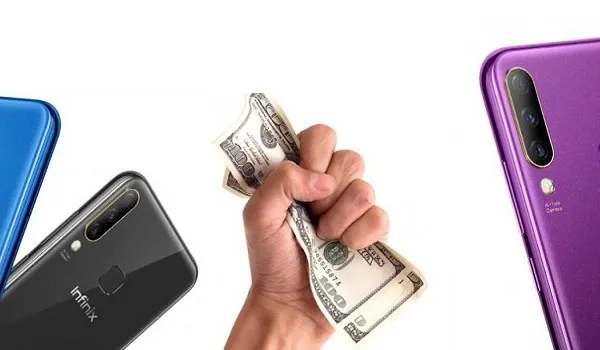
The Best Cell Phones Under $200
In other words, you want the best value for money without having to buy the most expensive smartphones in the market. And honestly, most people do not need a flagship phone. Most of the phones listed below will deliver solid performance even for the most demanding tasks. Those in the lower half of the spectrum will buck a bit if you push them hard, but for everyday usage, all of them will run fine without hiccups.
The Best Cell Phones Under $200
So, if you have a budget of ₦70,000 or $200, here are the best options for you to spend your hard-earned money.
Lenovo Z6 Youth (aka Lenovo Z6 Lite) 4GB/64GB
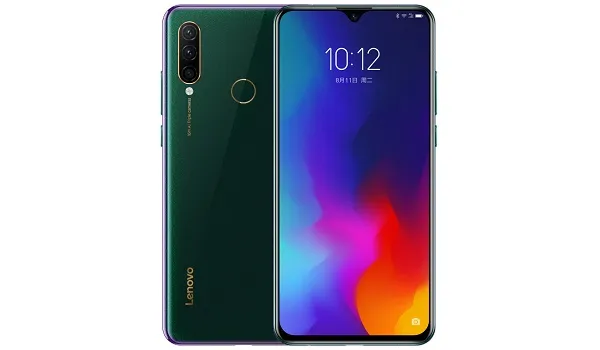
Lenovo Youth Edition aka Lenovo Z6 Lite is number one on the list of the best cell phones under $200.
Lenovo makes some really solid phones , and it is a shame that they are not active here. For ₦64,000 or $180, you can cop yourself the 4 GB RAM and 64 GB storage variant of Lenovo Z6 Youth Edition. And it is the sweetest deal ever. Qualcomm Snapdragon 710: check. 4 GB RAM: check. 64 GB storage: check. 4050mAh battery with 15W quick charging: check.
And if you aren’t impressed already, it has a rear triple camera, a 6.3″ display, and a ceramic textured back. The catch is that it isn’t officially available in the country, so you have to order from an online store like Gearbest, AliExpress and the like and have it shipped to you. Lenovo Z6 Youth Edition specifications .
Redmi Note 7 4GB/64GB
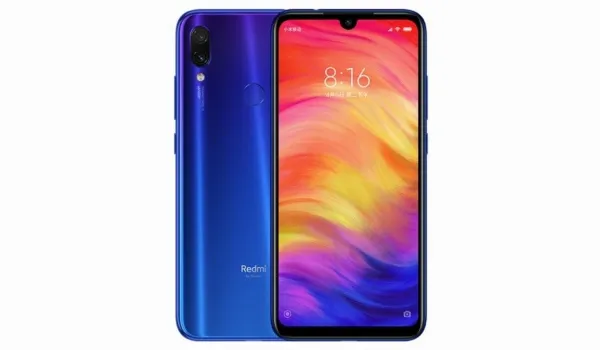
If you are not given to the idea of ordering online and having your phone shipped in, your next best option among the best cell phones under $200 is the 4GB/64GB variant of Xiaomi’s Redmi Note 7, and it will set you back by ₦66,900.00 (about $188). You will return home with some change (N3,000) and a lovely smartphone that is hard to break or scratch.
The 4000mAh battery will take you through a full day – unless you spend all of your day on the phone Instagraming, Facebooking and Tweeting. There is 18W fast charging on the specs sheet, so if you somehow manage to drain the battery, you can top it up really quickly if a compatible fast charger is available.
Because it has a Snapdragon 660 processor inside, you will have no trouble playing games and using it for more demanding tasks. (14 nm). Screen size? A nice 6.3 inches. The user interface is Xiaomi’s custom software, MIUI, which has many useful features but also bloatware. And expect to be annoyed by ads occasionally. Yes; you can disable the ads – run a Google search for a tutorial. Xiaomi Redmi Note 7 specifications .
Huawei Y9 2019 4GB/64GB
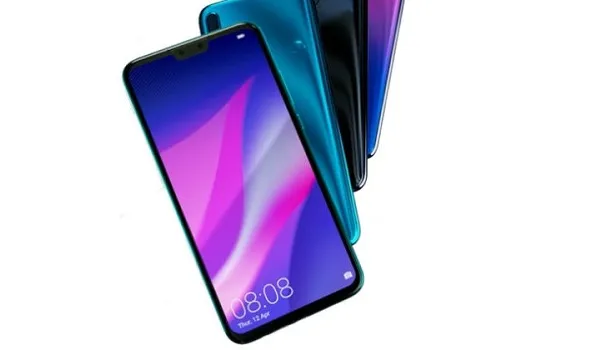
It is powered by a Hisilicon Kirin 710 processor, which is quite capable for mid-range phones, though we wish it was a Kirin 970 chip in there instead. But the 710 is a respectable contender to the Snapdragon 660 and is close enough in performance. You shouldn’t have any issues with gaming and other intensive activities on the Y9 2019.
Nokia 5.1 Plus 6GB/64GB
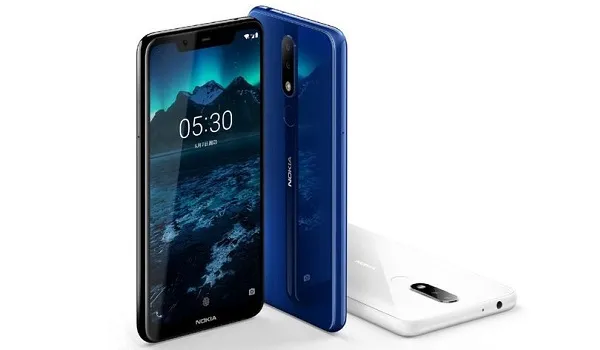
Nokia 5.1 Plus is powered by MediaTek’s MT6771 aka Helio P60 processor. It is about the closest chip to a Snapdragon 660 from MediaTek in terms of performance, and will ensure that heavier tasks and gaming aren’t frustrating experiences. Pair that with 6 GB of RAM and stock Android OS, and you can expect smooth handling.
The battery is of 3060mAh capacity, but there is no fast charging, which is a shame, really. But with a compact 5.86″ display and pure Android OS running, it won’t run out of power in a hurry. You also get 64 GB internal storage, and a microSD card slot.
This phone has also got the classiest design and build on this list. This is premium material fit for the boardrooms of Broad Street and Victoria Island. The Nokia 5.1 Plus will set you back by ₦66,000 only. That is about $185.
Samsung Galaxy A30
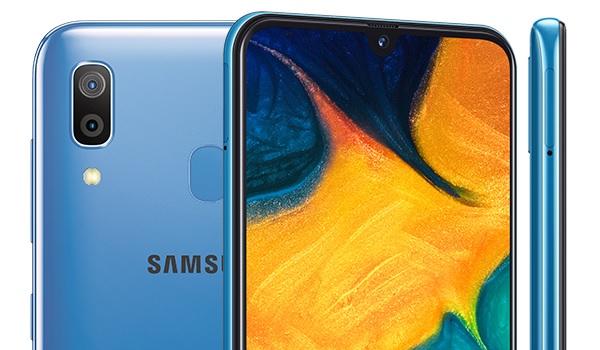
Samsung’s gladiator on our list of the best cell phones under $200 is the A30, one of the company’s new models taking on the mid-range market. You will find it in the market for ₦68,000 (about $191). What do you get in return? A 6.4″ Super AMOLED display. It isn’t every day that you get to see a Super AMOLED display at this price point, so that is a huge plus.
Under the hood is an Exynos 7904 processor. It isn’t quite up to par with a Snapdragon 660 power house, but it is a valid contender. As such, heavy tasks and gameplay on the A30 shouldn’t be a pain. To keep the lights on is a 4000mAh paired with15W quick charge technology. Not bad at all.
The Best Cell Phones Under $200: The Reserve List
If you select from any of the above smartphones, you would have got for yourself one of the best cell phones under $200. However, there are a number of other smartphones under $200, though they are not as capable or as feature-packed as those already itemized above.
TECNO Camon 11 Pro
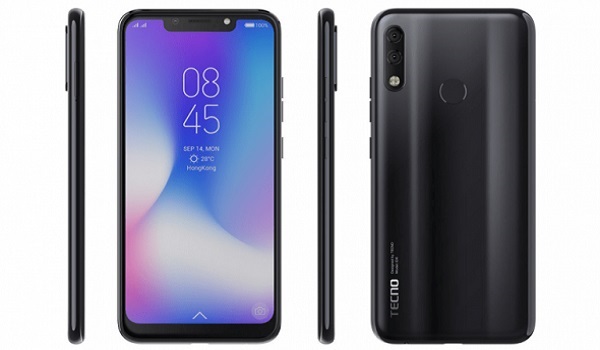
For ₦67,000 ($188), the CAMON 11 Pro from TECNO Mobile offers you a fairly beefy 3750mAh battery, MediaTek MT6762 Helio P22 processor, 6 GB of RAM, and 64 GB internal storage. There is no fast charging though. The long notched display is 6.2 inches in size and there is a rear dual camera.
OPPO A5s 4GB/64GB
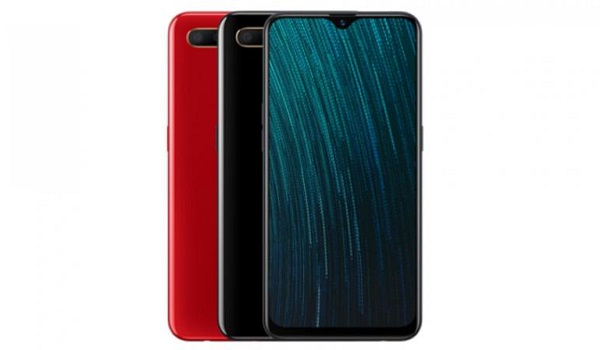
OPPO Mobile wants you to return home with ₦4,000 change and offers you the A5s. It has a beefy 4230mAh battery too, which you will find hard to drain. It is unfortunate though that there is no fast charging technology built in, so quick top-ups can be painful. Still, it has a respectable 6.2″ display and underneath that is a MediaTek MT6765 Helio P35 processor. The A5s costs ₦65,000 (about $183). OPPO A5s specifications .
Infinix Note 6
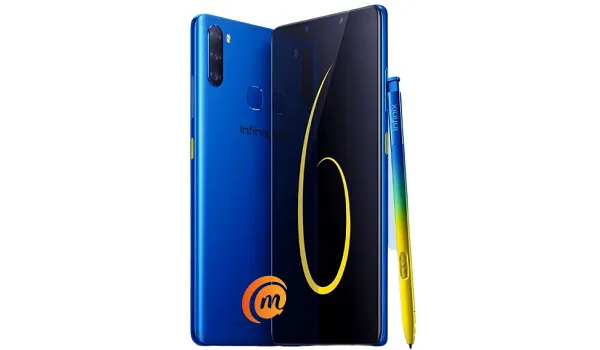
For the same ₦65,000 ($183), Infinix Note 6 offers you a stylus experience – something that will draw creative people like flies to a nightlight. It has a triple camera at the back, a fingerprint scanner, and a 4000mAh battery. Again, there is no fast charging in the picture here. The display is 6.01″ in size. Internal storage is 64 GB, and there is 4 GB RAM for app switching. Infinix Note 6 specifications .
Infinix S4
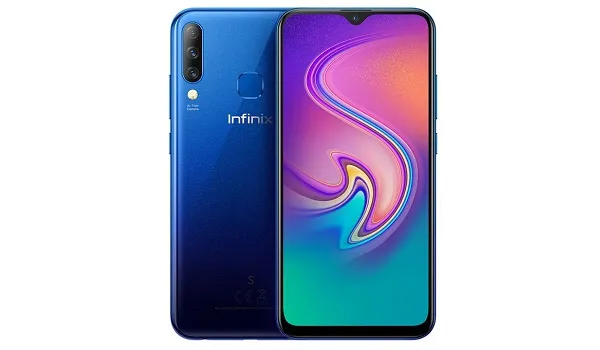
Wrapping up this list of the best cell phones under $200 (or ₦70,000) is the 4 GB/64 GB variant of the Infinix S4. It is powered by a MediaTek MT6762 Helio P22 processor, has a triple camera setup at the back, and has a 4000mAh battery. There is no fast charging. The S4 package goes for ₦64,500, or $181, only. Infinix S4 specifications .
The Best Cell Phones Under $200: Wrap up
All the smartphones listed on this page have 64GB internal storage. All of them have a fingerprint reader. And all of them have a minimum of 4GB of RAM.
The great advantage of buying a smartphone that costs $200 or less is that you can put some of the cash you would have spent on a premium smartphone away in mutal funds or stocks or some other investments. If you are a young person, you might think that you need spending money now. What you don’t want to find out in your old age is how much more you need money then.
- Don’t miss our reviews .
- Follow our news on Google News .
- Join our WhatsApp Group , to be notified of the most important articles and deals,
- Follow us on Instagram , Facebook , Twitter , and YouTube .
Author:Mister Mobility
Digital Skills and Communication Coach | Mobile Phone Connoisseur since 2001 | Tech Blogging since 2004
Add MobilityArena as a preferred source on Google
Computer technology has come a long way from its initial form of the abacus, Analytical Engine to advanced palmtops. And with every advancement comes tools and apps to make our computer operation more useful and friendly. Microsoft Word is another word processing software in Microsoft Office set-up, which helps us in personal as well as professional life.
It is a lot more than just software to produce the bulk of the content. It diverse usability has made it the happening word processing application, which is used worldwide by millions of people. Due to its wide demand, many people are creating helpful tools like word document recovery software to make its usage more friendly and easy. If you are also one of the people who know Microsoft Word as merely a content producing platform, then here are some of its illuminating uses to change your perception.
Efficient Office Operations:
Technological evolution has created a playground for the business operation, and undoubtedly, Microsoft World also has its own significant contribution. Previously, office documentation was always an issue to create, maintain, and save. But now Microsoft enables the production of all management related tasks.
Moreover, you can download online templates of letterheads, receipts, memos, and formats of other important office related files without spending hours on their creation. The flexible usage of Word in the office makes the work more productive, effective, and easier.
Educational Purpose:
Microsoft Word has changed the educational landscape as well. Students don’t have to burn their midnight oil while neatly writing hand-written assignments. They just have to type in their work, choose various formatting options to trim and glorify their work and submit it. On top of that, they don’t have to worry about the fine formatting as Word does it seamlessly.
Similarly, lecturers can also take advantage of Microsoft Word in bringing betterment in their teaching in a number of ways. They can create effective lectures by using features of shapes, images, colors, word art and text. Creative and colorful lectures created through images and shapes always get more attraction of students than boring lectures.
Home-Based Use:
Microsoft Office is not confined to just offices, schools, and other professional purposes. It can also be a handy tool to make your daily life much easier and fun. A lavishing birthday bash or party is incomplete without a beautiful invitation card. But why spend so much on buying an invitation card from outside when you can produce a one on your own. Yes, Microsoft Word can help you to create an invitation card for whatever purpose.
Moreover, you don’t need to struggle every day to remember your daily tasks, your list of monthly grocery and shopping items. You can compile a list on the Word of your daily activities and take out print.
Help for Job Seekers:
You know the resume is essential besides your academic degrees when you apply for the job. It gives a glimpse of your skills, experience, and tells how you fit for the job. And no word processor can beat the significance of creating a resume through Microsoft Word. It has many templates and features which make the resume creation easier, effective and fun. The best thing is that you can find many online samples which can be downloaded in Microsoft Word format, which you can easily edit out without much effort.
Skill to Win a Job:
Microsoft Word has become an essential office tool, and many companies prefer employees who are proficient in using this office buddy. Even if you don’t have any other skills or much experience, an adequate knowledge of Microsoft Office can help you to win your desired job. So, don’t consider your Word’s knowledge as useless or part-time kick as it can become your major skills while applying for an office-based job.
Friend of Writers:
Gone are the days when authors and writers had to write a hand-written manuscript of their books and other work. Now, they just have to come up with ideas and amazing lines, and start typing it. The features of Microsoft Word has made book writing even easier as you can edit your work without any hassle. You don’t need to make your work a mess by crossing out previously written work and writing over it. Erasing out wrong work and writing a new one is not a problem in Word.
Some people feel reluctant to depend on Microsoft Word to create important documents, and their biggest fear is what if they end up losing their important word document? Would they be able to recover word document ? Well, you don’t need to worry about it because even if you somehow lose your document, you can recover it through software. So, don’t worry about anything because there is a solution to everything. Just get ready to use this helpful tool to make your daily and office life easier and fun without any fear.
- Don’t miss our reviews .
- Join our WhatsApp Group , to be notified of the most important articles and deals,
- Follow us on Instagram , Facebook , Twitter , and YouTube .
