Add MobilityArena as a preferred source on Google
Not too long ago, while using my iPhone, I got a sudden “Cannot verify server identity” error message for imap.gmail.com, and another for mail.mobilityarena.com. It was my first time of seeing something like this and I wondered what was behind it. I could close the error pop-up, but they showed up again after a while. What exactly was wrong that the identity of google.com cannot be verified?
My experience immediately gave me the impression that the “Cannot verify server identity” error is not limited to google.com only. I got a similar error for mail.mobilityarena.com, after all. That is the mail server for my work email here at MobilityArena . Looking up the error, I found that there were other users who had gotten a similar error pop up for Hotmail.com.
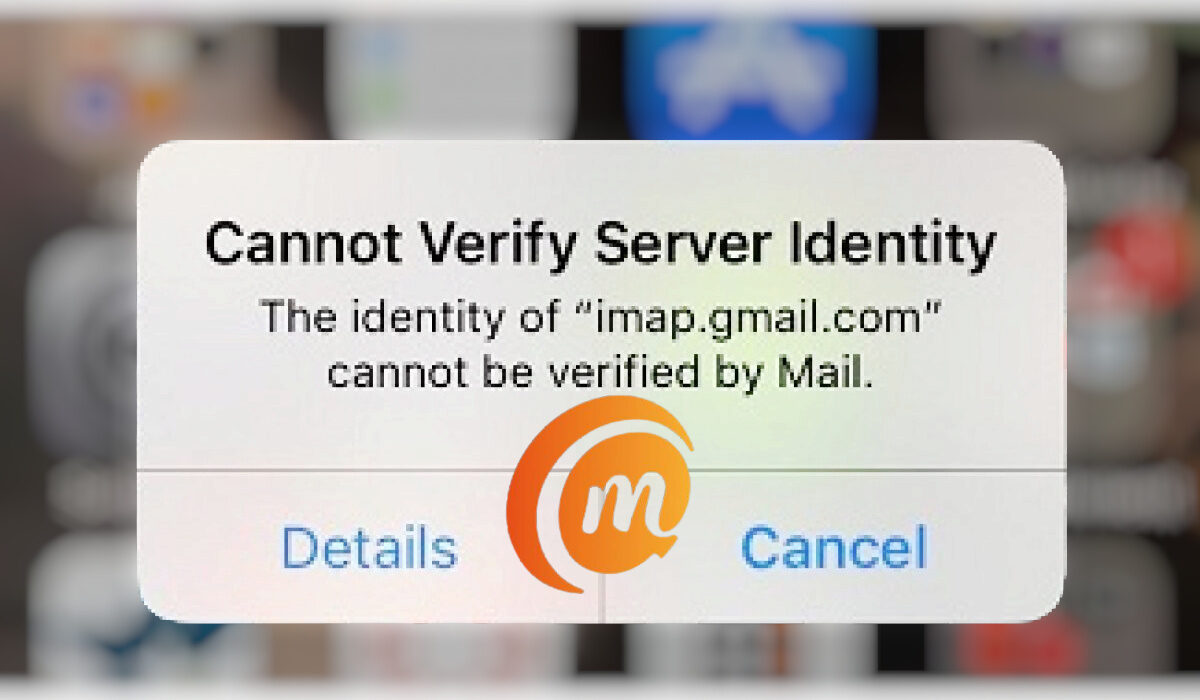
What is the solution when the identity of google.com cannot be verified?
- Why does your iPhone say the identity of Google com Cannot be verified?
- 5 best solutions when the identity of google.com cannot be verified error on iPhone, iPad, and iPod
Why does your iPhone say the identity of Google com Cannot be verified?
“Cannot Verify Server Identity” is a common error in iPhone and other iOS devices like iPad and iPod. This issue is related to the status of the SSL certificate on the mail server in question. From my findings, the certificate is not matching the mail server settings in my iPhone. Let’s look at how to fix this problem.
5 best solutionswhenthe identity of google.com cannot be verified error on iPhone, iPad, and iPod
Here are a few fixes for the problem. One of the following will help fix it.
- Close and restart the Mail app . To close the Mail app, double-click the Home button, which will open up the App Switcher. Find the Mail app and swipe up on it to make it go away. You have now shut it down and can launch it again in a few moments.
- Restart your iPhone . Restarting a cell phone is one of the most basic things you can do to solve many problems, and that applies in this case too. In some cases, a user restarts the phone and the problem goes away. This didn’t work for me, though, in my case. But it just might work for you.
- Reset your iPhone settings . Resetting your iPhone’s settings can help fix the “Cannot verify server identity” error. To do this, open the Settings app, then tap General > Reset > Reset All Settings . If you have a passcode or a Restrictions passcode, you will need to type it in to proceed with this. Once you have done that, tap Reset All Settings when you are asked to confirm the action.
- Delete your email account and add it again . Removing the affected email account from your iPhone can force the phone to update its connection to the mail server and so get rid of the “Cannot verify server identity” error. To delete an email account on your iPhone, open the Settings app and tap Mail > Accounts. Under that, find the email account you want to delete and tap on it. Next, tap the red Delete Account button at the bottom of the screen, then tap Delete Account again to confirm the action. This was the solution that worked in my case.
- Factory Reset your iPhone . This is the most extreme action to take to fix the “Cannot verify server identity” error on your iPhone. You should do this only if every other option has failed to work and you absolutely cannot live with the problem. Note that it will wipe out everything you have on your phone – photos, settings, and files. Everything. So, be sure to backup your iPhone before going ahead with a factory reset. To reset, go to Settings > General > Transfer or Reset iPhone. Select, “Erase All Content and Settings”, and complete the procedure.
I am happy I was able to sort out the problem and use my iPhone again without being nagged by the pop up saying, “Cannot verify server identity”. Let me know if you were able to sort the situation out on your iDevice too.
Author:MobileChic
That motivated, gadget-loving geeky chic who tries to stay on top of things. Unapologetic iFan.
Add MobilityArena as a preferred source on Google
I have always been an advocate of smartphone purist software for Android; all other things being equal, I very much prefer stock Android to the numerous custom Android skins cooked by different smartphone brands. And I have embraced iOS too, which means iPhones, as Apple is the only brand that uses iOS. That means that my top preferences when it comes to smartphones are Apple iPhones and Google Pixels. HMD Global’s Android-powered Nokia phones run pure Android too, and so qualify. But for reasons I will state, they are not so attractive right now, especially the higher you go.
I have used Samsung Galaxy phones and their One UI interface, Xiaomi smartphones with MIUI, Huawei with EMUI, TECNO with HiOS, Infinix with XOS, OnePlus with OxygenOS, among others. Some of these custom user interfaces are good, and some annoy the heck out of me. But none of them matches the simplicity and beauty of stock Android, in my opinion. Android 12 is especially groundbreaking and beautiful to use.
By definition, I use the phrase smartphone purist software to refer to stock or pure mobile operating systems without a second layer of customisation imposed and without bloatware. Stock Android belongs in this group, and iOS belongs as well. Because there is no second layer of customisations for the device to push, cellphones with purist software tend to be able to squeeze out good performance without requiring cutting edge specs.
This is partly why an iPhone 13 Pro Max, for example, has only 6 GB of RAM, yet delivers better performance than a Samsung Galaxy S22 Ultra with twice that amount of RAM. Of course, the processor is a factor in this too, as are the operating systems in use, too. But you get the picture. As a rule, iOS requires less system resources to run smoothly than Android OS does. But back to the subject of smartphone purist software, the lack of bloatware and of a custom layer are the key attractions for me. Speedy software updates is another. I am an advocate of timely software updates.
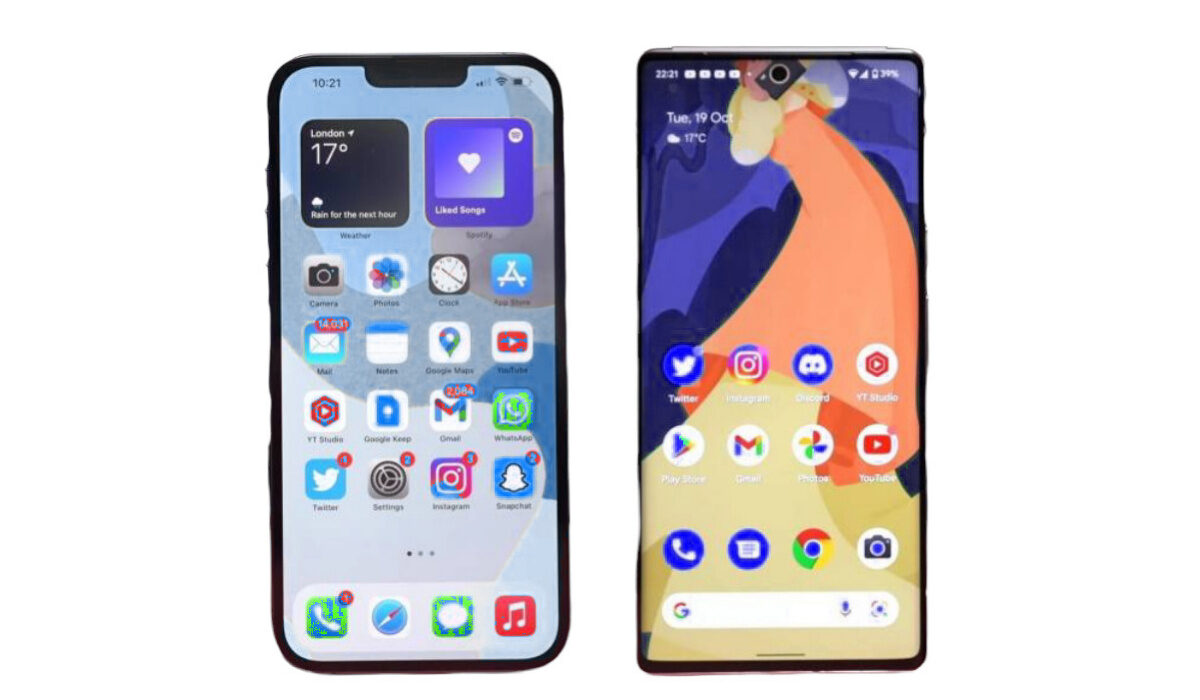
iPhone 13 Pro Max and Pixel 6 Pro run smartphone purist software
Smartphone purist software and Nokia
I did say that Pixels and iPhones are the most attractive smartphones for me right now. Nokia smartphones used to be too. They run stock Android software, after all. That’s purist software. But certain developments from HMD’s product team has left someone like me out in the cold. First, software updates to Nokia smartphones have not been as fast as it should be, and a brand like Samsung is doing it much faster, despite their One UI custom interface. As a matter of fact, Samsung has been impressive in that area. Not only have the updates been fast, the Korean company is rolling them out for more years than any other Android brand is.
Second, HMD Global has been rolling out mid-range Nokia smartphones with chipsets and processors that are not competitive when you look at other brands. Google has been guilty of this too with a few models, but Nokia has taken it to new heights. An underpowered smartphone is just not attractive. Sadly, but understandably, HMD Global has said they are not interested in producing a premium flagship till further notice. I’m cool with that. TECNO, Infinix, and itel phones are selling like hot cakes without premium flagships (yes; TECNO is exploring the premium flagship territory now with the Phantom brand).
But HMD Global is missing that without a premium flagship on offer, they need to offer a compelling model in the upper mid-range. Not a smartphone with a Snapdragon 480 5G chipset. Put in at least a 750G chip and provide at least 33W fast charging instead of the uninspiring 18W charging we see. Come on, guys! Give us exciting phones .
Anyway, the above disappointments with Nokia’s upper mid-range smartphones is why the brand is no longer on my list of go-to brands for smartphone purist software. Till further notice, all other things being equal (and sometimes they are not), I will choose an Apple iPhone or a Google Pixel over any other smartphone out there. Google needs to work on that overheating issue that plagues many of their Pixel models though.
Nokia moves away from purist software to Pure UI
In March 2023, HMD Global announced a new custom user interface for Nokia products (including their smartphones). Called Pure UI , it was a shift away from pure Android for the Finnish brand. As it is, the only big brands left standing with purist software are Apple iPhone and Google Pixel.
Author:Mister Mobility
Digital Skills and Communication Coach | Mobile Phone Connoisseur since 2001 | Tech Blogging since 2004
