Add MobilityArena as a preferred source on Google
You depend on cellular/mobile data on your Android phone for a thousand and one things, including messaging, social networking, navigation, music and video streaming. As such, having cellular data suddenly stop working can be a nightmare. Why is your cellular data not working ?
Your 5G or 4G LTE cellular data not working may be due to a few reasons. It may be a wrong setting on your device, a physical problem with your smartphone, a network fault from your carrier, or even a hardware fault in your smartphone.
- How to fix Cellular Data not working on Android phones 1. Check to make sure Airplane Mode isn’t enabled 2. Check Cellular Data Settings 3. Restart Your Phone 4. Factory Reset Your Android smartphone 5. Contact Your Wireless Carrier 6. Contact Your Phone Maker’s Support
How to fix Cellular Data not working on Android phones
Outlined below are the steps you need to take to fix the issue. Try one after the other, till the issue goes away.
1. Check to make sure Airplane Mode isn’t enabled
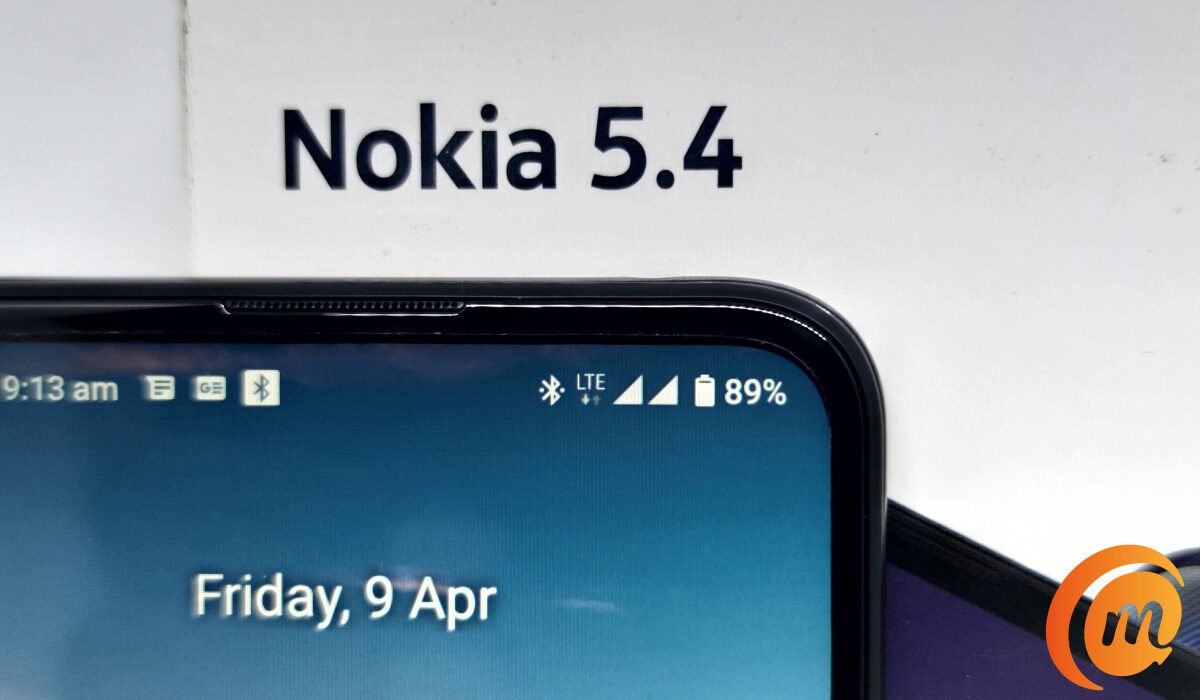
If you mistakenly toggled Flight Mode or Airplane Mode, then your Android phone cannot connect to the mobile network at all and cellular data cannot work. To check, look at your phone’s notification bar at the top of the screen: if Airplane mode is active, you will see an airplane icon in place of your network icon. To toggle it off, swipe down and disable it in the drop-down menu.
2. Check Cellular Data Settings
Another possibility is that you inadvertently turned off cellular data on your device. To check if this is the case, again look at the notification bar: if you are not seeing a 3G, 4G, LTE, or 5G icon there, your mobile data is turned off. To turn it back on, swipe down from the top right to bring up the drop-down menu, look for the menu item that says “Mobile data”, and tap on it to enable it. Your cellular data should start working now.
3. Restart Your Phone
Sometimes, a restart serves as a refresher of electronic systems and fixes issues. It has been known to fix cellular data problems. So, let’s restart your Android smartphone at this point. Hold down the power button, then on your screen, select the Restart option. When your device powers back on, check to see if cellular data now works. If it does, congratulations.
4. Factory Reset Your Android smartphone
A factory reset will erase everything on your device – photos, contacts, settings, videos, and other files. You should make sure that you have a backup of the data on your phone, so you don’t lose any important information. Then, go to Settings > System > Reset phone , and tap Erase All Data . Your phone should restart as good as new.
5. Contact Your Wireless Carrier
If none of the above fixes have helped, there is a chance that the issue is from your wireless carrier – perhaps a network fault, or a maintenance issue. Call your carrier’s customer support to lay a complaint and see if they can fix the cellular data not working issue at their end.
6. Contact Your Phone Maker’s Support
Finally, if you have gone through all the above steps and your Android phone’s cellular data is still not working, perhaps your device has a hardware fault. In which case, it is time to contact your phone brand e.g. Samsung, Xiaomi, OnePlus, Motorola, Nokia, TECNO, etc, for them to have a look at it. All the best.
Author:InfoDesk
Add MobilityArena as a preferred source on Google
BLU View 3 in brief
- OS: Android 11
- Release Date: September 2021
- Network Type: 2G/3G/4G
- Display: 6.0-inch, 720 x 1440 pixels resolution
- Processor: MediaTek Helio P22
- Selfie Camera: 8 MP
- Rear camera: 13 MP
- RAM: 3 GB
- ROM: 32 GB
- Battery: 3400 mAh
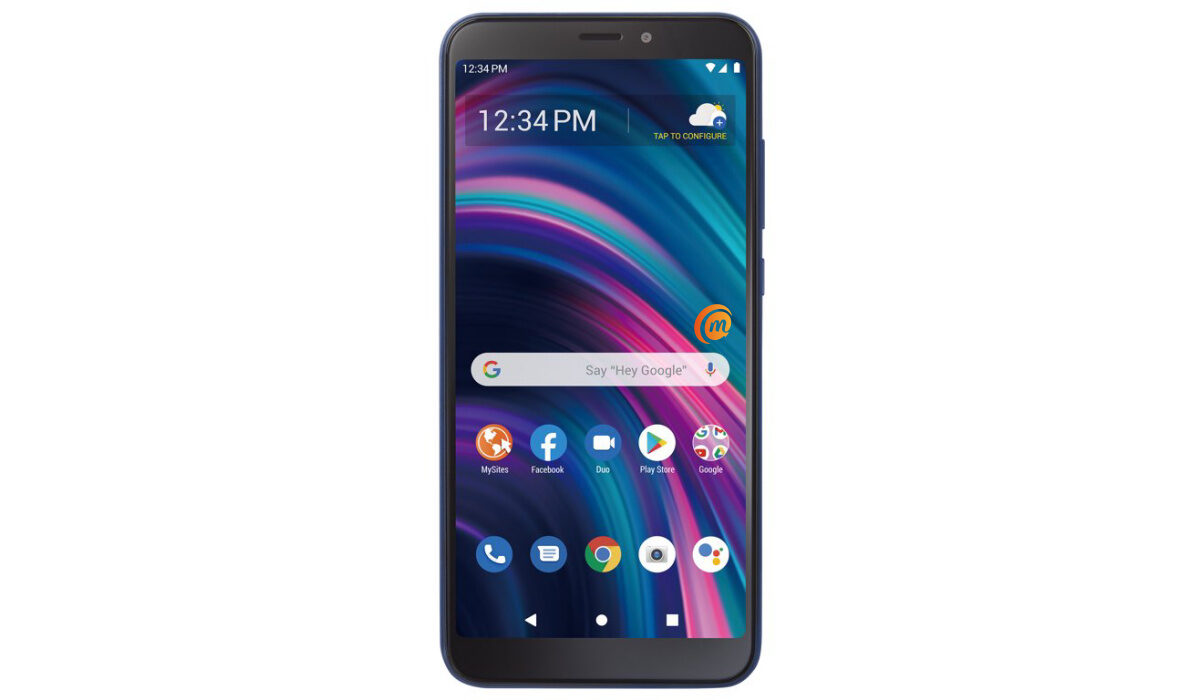
BLU View 3 specifications
Mobile Wireless Network and Software
- 2G mobile network bands : GSM, GPRS, EDGE 850 / 900 / 1800 / 1900 MHz.
- 3G mobile network bands : UMTS, WCDMA, HSDPA 850 / 900 / 2100 MHz
- 4G mobile network bands : LTE.
- 5G mobile network bands : No.
- SIM Type : Nano-SIM
- Software / OS : Android 11
Design, Form Factor, Appearance
- Dimensions : 160.2 x 76.7 x 9 mm
- Weight : 178g
- Display : 6.0 inches, 720 x 1440 pixels, 60 Hz refresh rate, 18:9 aspect ratio, IPS LCD screen
- Colours : Blue. Black.
- Physical Build : Plastic
Internal Hardware Specs
- Processor Type : 64-bit, 2.0 GHz Octa-core
- Processor Name : MediaTek MT6762 Helio P22 (12nm)
- Graphics Processor : PowerVR GE8320
- RAM : 3 GB
- Extended/Virtual RAM : No.
- Internal Storage : 32 GB
- External Storage : microSD, up to 256 GB (dedicated slot)
Photography, Video Recording
- Main Camera : 13 MP main sensor, autofocus, LED flash, 1080p@30fps video recording
- Front Camera : 8 MP, fixed focus, Face Recognition, 720p@30fps video capture
Audio, Video Playback
- Music Support : PCM, AAC / AAC + / eAAC + / MP3 / AMR – NB / WB / APE
- Audio : 3.5 mm audio jack
- Loudspeaker : Mono speaker
- Video Support : H.264/MP4/MPEG4 player
- FM Radio : Yes.
Phone Sensors
- Digital Compass : Yes.
- Accelerometer : Yes.
- Proximity Sensor : Yes.
- Ambient Light Sensor : No.
- Barometer: No.
- Pedometer: No.
- Heart Rate Monitor: No.
- Gyroscope (G-Sensor): No.
- Fingerprint Scanner : No.
- Face Unlock : Yes.
- Iris Scanner : No.
- Motion Sensing / Gesture Control : No.
- Voice Control : No.
- Intelligent Digital Assistant : Yes; Google Assistant.
- Infra-red Blaster : No.
Connectivity Options
- Bluetooth Version : 5.1
- Bluetooth Profiles : A2DP
- WiFi : Wi-Fi 802.11 b/g/n, hotspot
- GPS: Yes, A-GPS
- USB: microUSB v2.0.
- NFC : No.
Miscellaneous Specs and Features
- Battery Type and Capacity : Non-Removable Lithium-Polymer 3400 mAh
- Battery Charging : 5W charging
- Wireless Charging : No.
- Reverse Charging : No.
- Model Version/Number :
Launch/Release Dates and Information
- Announced : September 2021
- Release Date : September 2021
BLU View 3 Prices by Country
- United States : $69, available prepaid on TracFone. It is also available on StraightTalk, Walmart Mobile, and Amazon
- European Union :
- Nigeria : ₦
- Egypt : Egyptian Pound
- UAE : AED
- India : Indian Rupee
- Iraq : Iraqi Dinar
- Kenya : Ksh.
- Ghana :
The above prices may change with time from country to country, as market forces and economic policies influence product price movements.
Is BLU View 3 a 4G phone?
This smartphone supports 2G, 3G, and 4G wireless networks.
Is BLU View 3 battery removable?
The 3400mAh battery is not removable.
Is BLU View 3 good for gaming?
It uses an entry-level processor and will be suitable mostly for casual gaming.
Does BLU View 3 support OTG?
It does not
How much is BLU View 3?
Does BLU View 3 have Google Play Store?
It supports Google Services and software applications, including Play Store and Maps, Gmail, YouTube, and others.
Will BLU View 3 work in the USA?
This is a GSM phone and is supported on US GSM carriers like AT&T and T-Mobile and other networks riding on their networks. It does not support CDMA networks. Do make enquiries from your carrier to know what bands/frequencies are supported on their service.
MobilityArena Buyer’s Guide Verdict
Not available.
Our Buyer’s Guide Verdict is a recommendation based on the specificationss of the device and a general guide to help you understand how much value a device offers for its price. It is not an endorsement of the device. Ask questions and use your judgement when buying any device; MobilityArena takes no responsibility for your buying decisions .
BLU View 3 Phone Review Rating
Not available.
- Don’t miss our reviews .
- Follow our news on Google News .
- Join our WhatsApp Group , to be notified of the most important articles and deals,
- Follow us on Instagram , Facebook , Twitter , and YouTube .
