Add MobilityArena as a preferred source on Google
I am not an avid gamer. I rarely play games of any kind on my PC or smartphone. To make matters worse, the older I get, the less gaming I do, so you can imagine how bad it keeps getting. But a recent interaction with my son triggered a curiosity about cloud gaming on Android . One day, he shared with me how he games online and was a part of a team of players who participate in tournaments involving players from all around the world.
While what he is involved in was not cloud gaming, it was enough to get me snooping around and to trigger me writing this article explaining the subject, for the benefit of those who do not know.
Cloud gaming is a new method of playing games on smartphones and tablets. Because mobile devices often have limited resources, cloud gaming – also called gaming on demand – takes the load off the device, handling the storage and processing on a remote server. That means you are ale to play games on your smartphone without downloading the game. You stream the game, similar to how you stream audio and video.
This form of gaming is a type of online gaming and is suitable for multi-player games. Multiple individuals can connect and play together. Cloud Gaming on Android is possible on smartphones by Samsung, Xiaomi, OnePlus, Google, and others.
- Benefits of Cloud Gaming on Android Smartphones
- Disadvantages of Cloud Gaming
- Cloud Gaming Mobile Apps
- How Cloud Gaming on Android Works
Benefits of Cloud Gaming on Android Smartphones
The first benefit of cloud games is that your Android smartphone becomes a console. You do not need a PS4, PS5 or XBOX console anymore. But that is true for many other types of games.
As already alluded to, a key benefit of cloud gaming on Android is that you do not need large storage on your device, since you will not be downloading the game. Some mobile games are as large as 2 GB and above. If you are a prolific gamer, that means you have to download multiple large game apps. With gaming on demand, you do not have to download those large files.
Disadvantages of Cloud Gaming
One major requirement of cloud gaming is that you need a very strong and reliable Internet connection to stream your games. The games are stored on a server, so playing them is highly dependent on your Internet speed. Again, think of how using YouTube depends on a good Internet connection.
What kind of Internet speeds should you have in order to enjoy cloud games? Many cloud gaming services require 5G or fast Wi-Fi speeds, sometimes specifying an Internet connection speed of at least 0.1mbps for smooth gameplay.
This requirement is one key disadvantage or con of cloud gaming: if your Internet connection is not fast and robust, you will not be able to enjoy streaming games from remote servers.
Cloud Gaming Mobile Apps
Listed below are some cloud gaming mobile apps that you can install on your Android smartphones.
- Google Stadia – This is Google’s cloud gaming platform and has over 100 game titles. These include some of the most popular games in the market. Names like the Assassin’s Creed series, Attack on Titan 2: Final Battle, Chronos: Before The Ashes, Doom, Dragon Quest XI S: Echoes of an Elusive Age, FIFA 21, Hitman series, Star Wars Jedi: Fallen Order, Marvel’s Avengers, Mortal Kombat 11, MotoGP 20, PUBG: Pioneer Edition, Resident Evil 7 biohazard Gold Edition, among others. Download Google Stadia HERE .
- Cloud Games Pro – Titles on this platform include: GTA V, Red Dead Redemption II, Cyberpunk 2077, Assassin and Devil May Cry, WWE2k, and NBA, among others. Download Cloud Games Pro HERE .
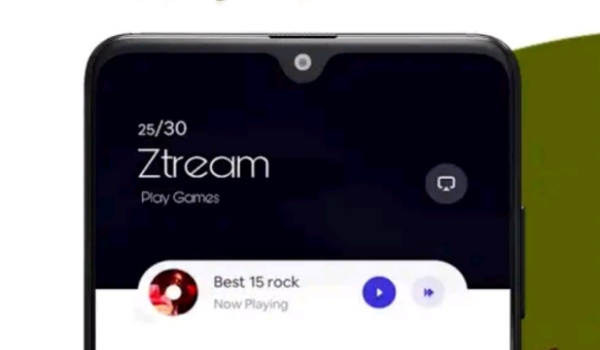
- Ztream – allows you to stream games on your Android phone. The platform has a catalogue of over 30 hyper casual games and supports multiplayer games. Users are able to challenge, chat with, and mingle with each other. Download Ztream HERE .
- Xbox – this is a well-known name by Microsoft in the gaming industry. The mobile app is still in beta at this time, but the platform has a huge catalogue of titles. Download XBOX beta HERE .
How Cloud Gaming on Android Works
While you do not need to download and install the games themselves, you do need to install the cloud gaming platform app, from which you can then stream available titles.
That is it on this easy introduction to cloud gaming, AKA gaming on demand or gaming as a service. No longer do you have to worry about storing large and heavy games on your smartphone. You can merely stream them from a remote server. Do not forget that you will need a fast and stable Internet connection.
Happy cloud gaming on your Android smartphone.
Copyright Notice : Reproduction of this article on any website, e-book, book, newspaper, magazine or other media without express written permission from MobilityArena is a violation of copyright rules and will result in appropriate action being taken against violators.
Author:Mister Mobility
Digital Skills and Communication Coach | Mobile Phone Connoisseur since 2001 | Tech Blogging since 2004
Add MobilityArena as a preferred source on Google
Samsung’s Galaxy A series is a range of smartphones targeting the mid-range market. The goal is to take on the army of value budget phones from the competition. In 2021, Samsung A72 sits almost at the top of the ladder with decent hardware and software.
A quick summary of Samsung A72 shows a 6.7-inch Super AMOLED display with 90Hz refresh rate, IP67 water/dust protection, a quad camera with a telephoto lens, Snapdragon 720G chipset, 8 GB of RAM, 5000mAh battery, and 25W fast charging. If we were to point out a top mid-range smartphone that is close to perfection, Samsung A72 easily makes the list.
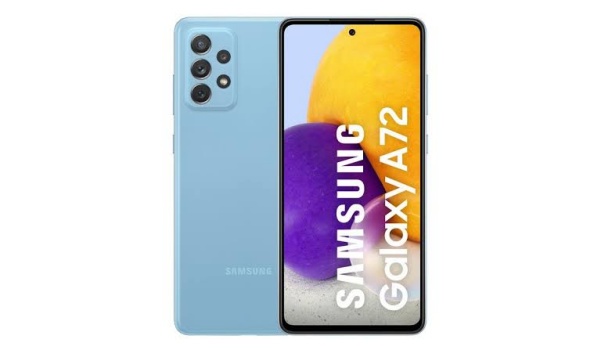
Samsung A72 specs in summary
- Operating System/Software: One UI 3.1, based on Android 11.
- Supported Networks: 2G/3G/4G
- Dimensions: 165 x 77.4 x 8.4 mm
- Weight: 203g
- Materials: Glass front, plastic back; IP67 dust/water resistant (can be submerged for up to 1m for 30 mins).
- Display: 6.7-inch, 1080x2400px resolution, 20:9 aspect ratio, 394ppi, 90Hz refresh rate, 800 nits, Super AMOLED.
- Chipset: Qualcomm SM7125 Snapdragon 720G (8 nm): Octa-core (2×2.3 GHz Kryo 465 Gold & 6×1.8 GHz Kryo 465 Silver);
- GPU: Adreno 618.
- Memory Options: 6 GB RAM + 128GB ROM, 8 GB RAM + 128GB ROM, 8 GB RAM + 256GB ROM; microSDXC (shared SIM slot).
- Rear camera: Wide (main) : 64 MP, f/1.8, 26mm, PDAF, OIS; Telephoto : 8 MP, f/2.4, PDAF, OIS, 3x optical zoom; Ultra wide angle : 12 MP, f/2.2, 123-degree; Macro : 5 MP, f/2.4. 4K@30fps, 1080p@30/60fps; gyro-EIS video recording.
- Front camera: (wide) 32 MP, f/2.2, 26mm in punch hole. 4K@30fps, 1080p@30fps video recording.
- Battery Capacity: 5000mAh.
- Battery Charging: 25W Fast charging (55% in 30 minutes).
- Miscellaneous Features: Under-display fingerprint scanner; 3.5 mm jack.
The 8/128 GB trim costs $425 (or ₦195,000), while the 8/256 GB variant sells for $500 (or ₦210,000). There is little to scoff at about the A72. The challenge is that t here are other phones from competitors that offer similar (and even more) features at a lower price.
Take the 8/128 GB trim of Redmi Note 10 Pro , for example. It costs $330 (or ₦136,000), but offers a bit more than the A72. The Redmi has a higher display refresh rate (120Hz) with HDR10 support and Gorilla Glass 5 protection, more powerful processor (Snapdragon 732G), and a better main camera with 108MP (it isn’t about the megapixels, but the Redmi camera is better even despite the presence of a telephoto lens in Samsung A72).
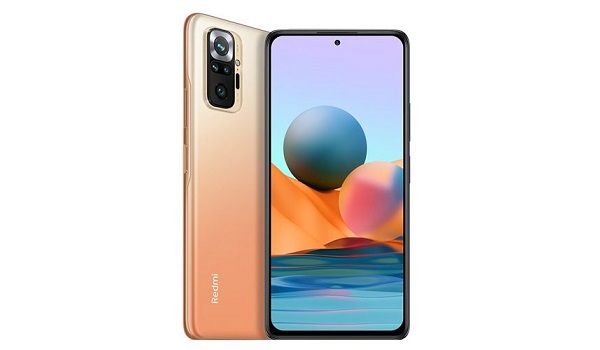
Redmi Note 10 Pro
Lastly, the Redmi has a much more premium build compared to Samsung A72, though it also has a lower water/dust protection rating (IP53). In everything else, the two are evenly matched. Yet, the Redmi Note 10 Pro costs $95 less than the Samsung A72. If only Samsung A72 cost less, it would be perfect, or at least closer to perfection.
Xiaomi seems dogged on chasing Samsung around, because the other two other phones that are compelling alternatives to the Samsung A72 are from the same manufacturer – Poco F3 and Xiaomi Mi 11 Lite. The catch is that these two phones are not as widely available as the Redmi Note 10 Pro.
It is also interesting to see that another mid-range Samsung phone, the A32, also has lower variants of the Redmi Note 10 Pro to contend with. See our Samsung Galaxy A32 vs Xiaomi Redmi Note 10 Pro comparison.
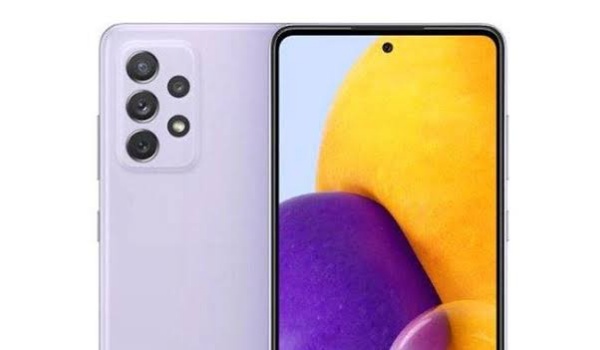
Samsung A72
If you want the best value for money, the Redmi Note 10 Pro is much better value for money: you get a more powerful, more capable smartphone, and at a lower price.
But you can hardly go wrong buying Samsung A72. You get features that are almost flagship grade at a more pocket-friendly price. If you are looking for a mid-range smartphone that fits that description, and it has to be a Samsung, this is it.
Copyright Notice : Reproduction of this article on any website, e-book, book, newspaper, magazine or other media without express written permission from MobilityArena is a violation of copyright rules and will result in appropriate action being taken against violators.
Author:Mister Mobility
Digital Skills and Communication Coach | Mobile Phone Connoisseur since 2001 | Tech Blogging since 2004
