Add MobilityArena as a preferred source on Google
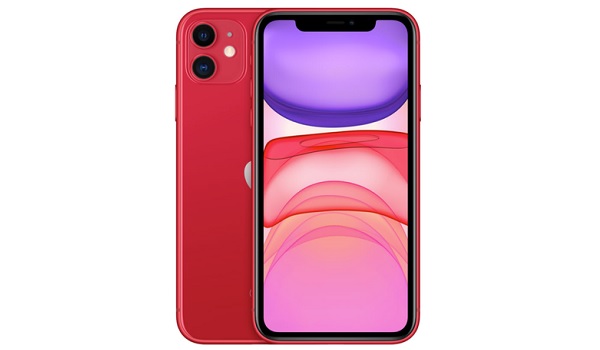
This quick guide looks at some of the most common iPhone 11 problems and their solutions .
The iPhone 11 has gone on to become one of the more popular iPhone models since its launch in 2019. As with every electronic device, this smartphone comes with its peculiarities, with a number of users noticing certain unusual tendencies with this device.
However, it is not particularly unusual for devices to have certain glitches. The good news is, these glitches can be fixed or effectively managed to let users enjoy a better smartphone performance.
In this piece, we will show you some of the common iPhone 11 problems and how to take care of them without getting a technician to take a look at your device.
The Most Common iPhone 11 Problems and their Solutions
- Wireless charging: Quite a number of iPhone 11 users noticed that their devices began to heat up when placed on certain wireless chargers. However, these devices did not charge, in spite of the fact the phones recognized the charger. This complaint was fairly common among users with Qi wireless chargers.
To solve this problem, you could either restart the phone and it will return to charging normally with a wireless charger, or opt to use a wired connection to charge it. Also, certain users reported that this problem was solved by updating their devices to the stable iOS 14, meaning that it may just be down to a software glitch.
- Volume or sound issues: For users whose devices have experienced audio issues of any sort, they can:
- Take out the SIM card and replace it to be sure the problem does not stem from a poorly positioned card.
- Make sure the microphone is clean, clear and unobstructed.
- Switch off the Bluetooth to compare audio quality without it. If the audio quality improves, always switch off your Bluetooth during your calls.
- If none of these steps are effective, you can clear your phone’s cache memory.
- Finally, you can try a hard factory reset if none of the tips above work. All you need to do is go to Settings , then General and hit Reset . Ensure you back up your data before you start this process.
- Activation issues: These issues are fairly popular with new devices and should not be too difficult to circumvent. If you are experiencing such with your iPhone 11, all you need to do is make sure all systems are up and running by checking out the Apple’s System Status page. Make sure everything is toggled on green in this section, if everything is on green and it’s still not working, ensure there’s a SIM card in your phone.
If you still get a No SIM or Invalid SIM message, then Apple suggests you follow these steps:
- Ensure your wireless plan is operational.
- Update your device to the newest iOS version and restart it.
- Remove your SIM card from the tray and then reinsert it. Also ensure to use the tray that comes with the device.
- Try replacing your current SIM card with a new SIM and see if it works.
- Overheating: Overheating is very common with a number of devices, with different factors responsible for this occurrence. Sometimes, it could be due to the use of a wrong charger, this anomaly may affect the long-term life of the battery and the smartphone in general.
Units of the iPhone 11 were not left out, with certain users complaining that these devices occasionally became too hot to hold. The good thing is, there are a number of general tips to mitigate this problem when next it happens. All you need to do is:
- Remove the phone case.
- Avoid leaving your device exposed to hot weather for long periods.
- Tone down on the games, especially AR games, as they are known to cause this problem.
- Put the device on airplane mode for some moments. You can do this by going to the Control Center , clicking on the Airplane icon. This will effectively shut off all Bluetooth, Wi-Fi and cellular signals.
- Turn the iPhone off and try a hard restart.
If none of the tips above are effective, contact the Apple Support as soon as possible.
Have you tried out any of the tips above for your iPhone 11 problems? Did they work for you? Reach out to us in the comment’s section and let us know.
Author:Alfa Baye
Staff Writer
Add MobilityArena as a preferred source on Google
Samsung Galaxy S21 and Samsung Galaxy S21+ specifications have surfaced online ahead of their official release. Both smartphones are expected to offer dual-SIM (Nano) support and run on the Android 11 with One UI 3.1 on top.
These leaks, courtesy WinFuture.de also suggest that both devices will have the Exynos 2100 chipset under the hood, although certain reports suggest that we may see a different chipset (the Qualcomm Snapdragon 888) in devices launched in the US.
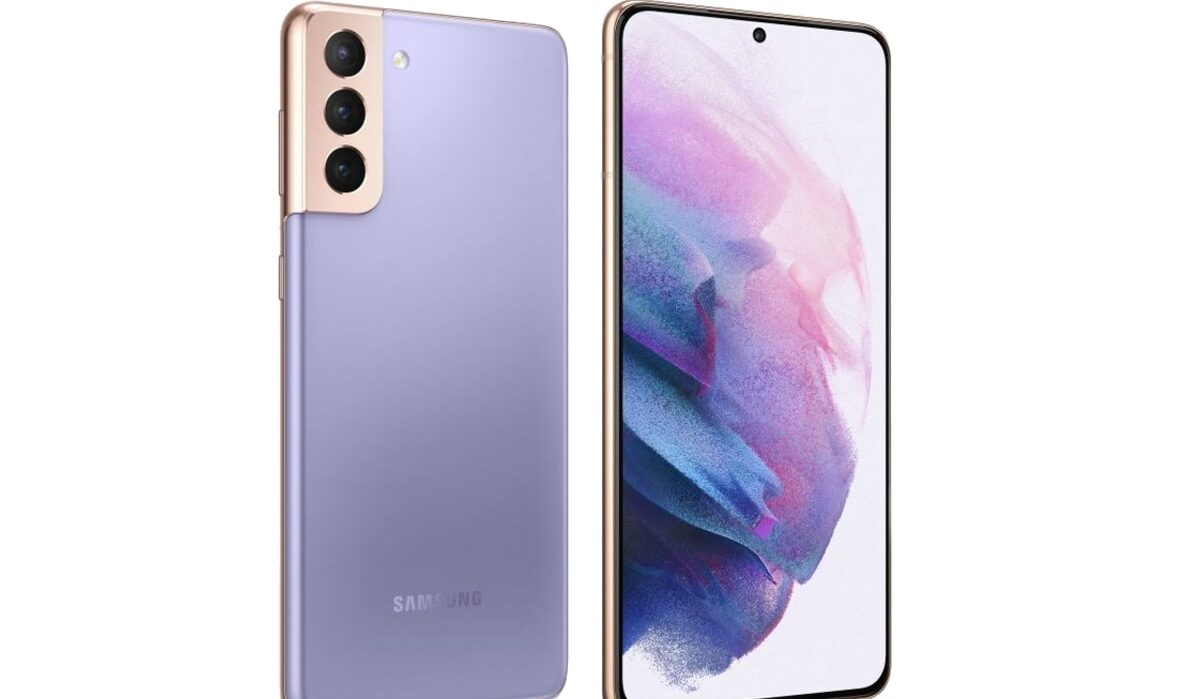
Samsung Galaxy S21 and Galaxy S21+ may feature three rear cameras, photos courtesy:Voice
Both smartphones are expected to offer 8GB of RAM and 128/256GB of onboard storage. When it comes to display, the Galaxy S21+ could offer an expansive 6.7-inch full-HD+ (1,080×2,400 pixels) Infinity-O Display with Dynamic AMOLED 2× screen. The Galaxy S21, on the other hand, may feature a smaller 6.2-inch full-HD+ (1,080×2,400 pixels) Infinity-O Display. Refresh rates for both devices are expected to range between 60-120Hz, while a Gorilla Glass 7 will offer maximum screen protection.
In the camera department, the tips suggest that both devices will offer triple rear cameras, with a 64MP sensor headlining the setup. Two 12MP sensors are expected to flank the main sensor and they could offer optical image support (OIS) and offer 3× optical zoom.
The Samsung Galaxy S21 and S21+ are expected to support 5G technology and offer Qi wireless charging compatibility. On the power front, the Samsung Galaxy S21 is tipped to launch with a 4,000mAh battery while its sibling may have a stronger 4,800mAh battery pack.
Both devices are tipped to launch on the 14 th of January, alongside the Samsung Galaxy S21 Ultra.
References
- Source ;
- Source ;
- Source .
Author:Alfa Baye
Staff Writer
