Add MobilityArena as a preferred source on Google
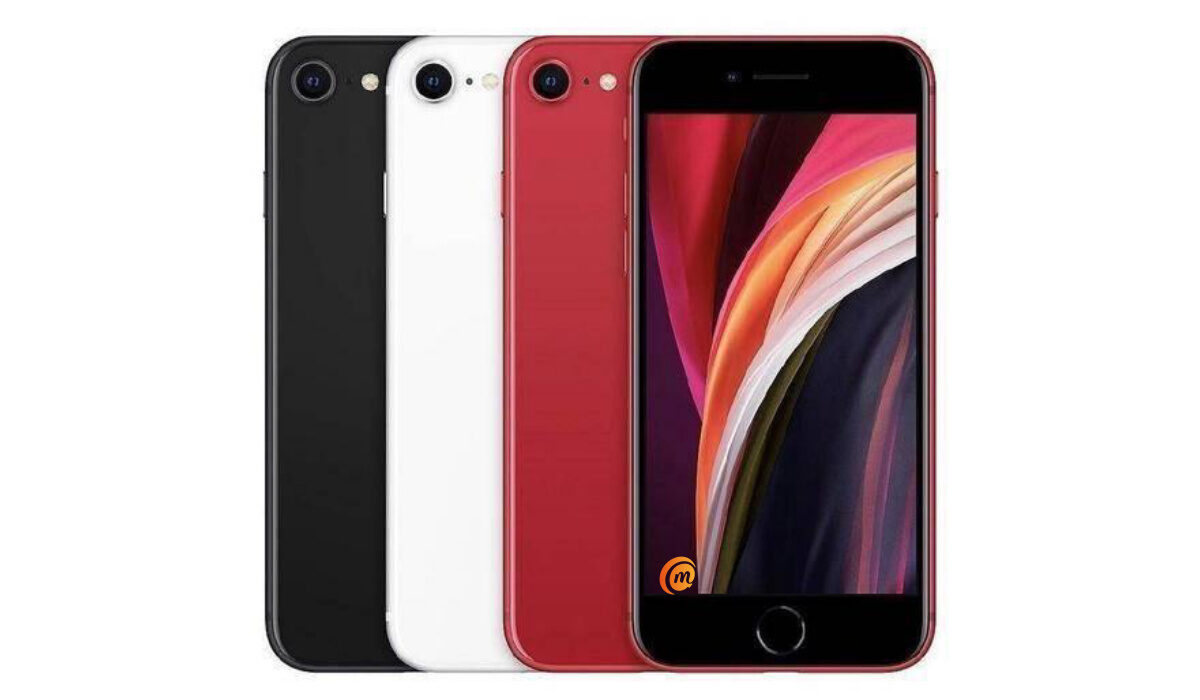
The 2022 version of the iPhone SE was released on the 15th of March 2022. It is a small, beautiful device that gives users of the old button-era iPhones a great nostalgic feeling. Small as it may be, it packs lots of cutting-edge features, e.g. A15 Bionic, which powers advanced camera capabilities and makes almost every experience better, 5G, longer battery life, and improved durability. We all know how fragile the iPhone used to be once upon a time. And all of these for a very reasonable price, when compared to its more expensive siblings.
As lovely as this device may sound, users have been complaining about various problems, especially after the release of iOS 15. In this article, we are going to be looking at some of the most common iPhone SE (2022) problems, as well as their solutions.
- iPhone SE (2022) problem: Battery life
- iPhone SE (2022) problem: Wi-Fi issues
- iPhone SE (2022) problem: Random Restarts
- iPhone SE (2022) problem: Issues with Applications
- Screen won’t come on and your iPhone is unresponsive
iPhone SE (2022) problem:Battery life
There have been reports that the battery life of the iPhone SE 2022 drains faster than it normally does, after the iOS 15 update. Some of these battery issues may be hardware related but many others are probably related to Apple’s latest iOS 15 software update. Most times, the problem may originate from one app. If you are experiencing this problem here are a few things you can do to fix it.
• Restart your device: Restarting your iPhone SE is a possible fix for improving the battery life of your device. Simply power your device down and wait for about a minute plus. Turn it back on and observe, over time, if there has been any improvement.
• Check your apps: Third-party apps are known to display problems after the release of new iOS software. So, go to your settings and check if one or more apps are the cause of the battery drain problem. To do this, go to your settings, tap on battery, select “Battery usage” and run through your apps to find the app(s) causing the problem. So if you see something out of the ordinary, like an app you rarely use draining the battery, for instance, you’ll want to investigate further.
If you see one or more of your applications eating up an abnormal amount of battery, try deleting the app from your device and see if that improves your iPhone’s performance. If the app is an essential one, we recommend downloading the latest updates. If that doesn’t help, and you need the app to get through your day, you might need to downgrade back to an older version of iOS if the option is available.
• Update your iPhone: Apple releases new iOS software frequently. Apple might not specifically name improvements to the battery life as part of the update but new software always has the potential to help fix your device’s problems.
• Reset all settings: if none of the options above work, you can consider resetting the settings on your iPhone SE. You can do this by heading into your settings, and select “general” scrolling, and tapping on “Transfer or Reset iPhone. Tap Reset and then ” Reset All Settings” and enter your passcode if you have one set.
iPhone SE (2022) problem:Wi-Fi issues
If you are experiencing your Wi-Fi connections continually dropping and your Wi-Fi speed slowing, here are some steps you can take to possibly fix this issue. You need to investigate the Wi-Fi connection giving you problems. If you’re on your home Wi-Fi network, try unplugging the router and/or modem for a minute before plugging it back in.
If you can’t access the router and/or modem you’re connected to, go to your iPhone’s Settings app. You need to forget the Wi-Fi network that you are having problems with. Here’s how to do that:
• In your Settings, tap Wi-Fi.
• Select your connection by tapping the “i” in the circle.
• Tap Forget this Network at the top of the screen. This process will cause your iPhone SE to forget the Wi-Fi password so you’ll want to have that handy
• If this doesn’t work, try resetting your phone’s Network Settings by going to your Settings app, and tapping “General”. Tap Reset and tap on Reset Network Settings.
iPhone SE (2022) problem:Random Restarts
If you are experiencing random restarts on your iPhone SE, here are some things you can do to possibly fix this issue. Try rebooting your device. If you haven’t turned your device off in a while, this could solve the issue. If you’re still seeing random restarts, update all of your applications and see if that solves the issue. If after that you see no improvements, you can now take your phone to your nearest Apple Service store to be properly checked and fixed or replaced.
iPhone SE (2022) problem:Issues with Applications
If after the iOS 15 update on your iPhone SE, you start to encounter problems with your apps that you haven’t before, there are a few things you can do to fix it. Restart your iPhone. If there is no significant change or improvement, you need to check the App Store for an update. Developers are pushing support updates and downloading the latest version of the app usually helps. You can also try deleting the app and downloading it again.
Screen won’t come on and your iPhone is unresponsive
If your iPhone SE 2022’s display goes off and does not respond to touch, and buttons do not respond either, what you need to do is force restart your iPhone .
If after implementing these fixes, you still have problems that hinder the functionality of your precious iPhone SE (2022), you can then contact Apple or take it to your nearest Apple Store for further evaluation or a replacement.
Author:Flamez
Flamez loves basketball, art, gadgets and cars.
Add MobilityArena as a preferred source on Google
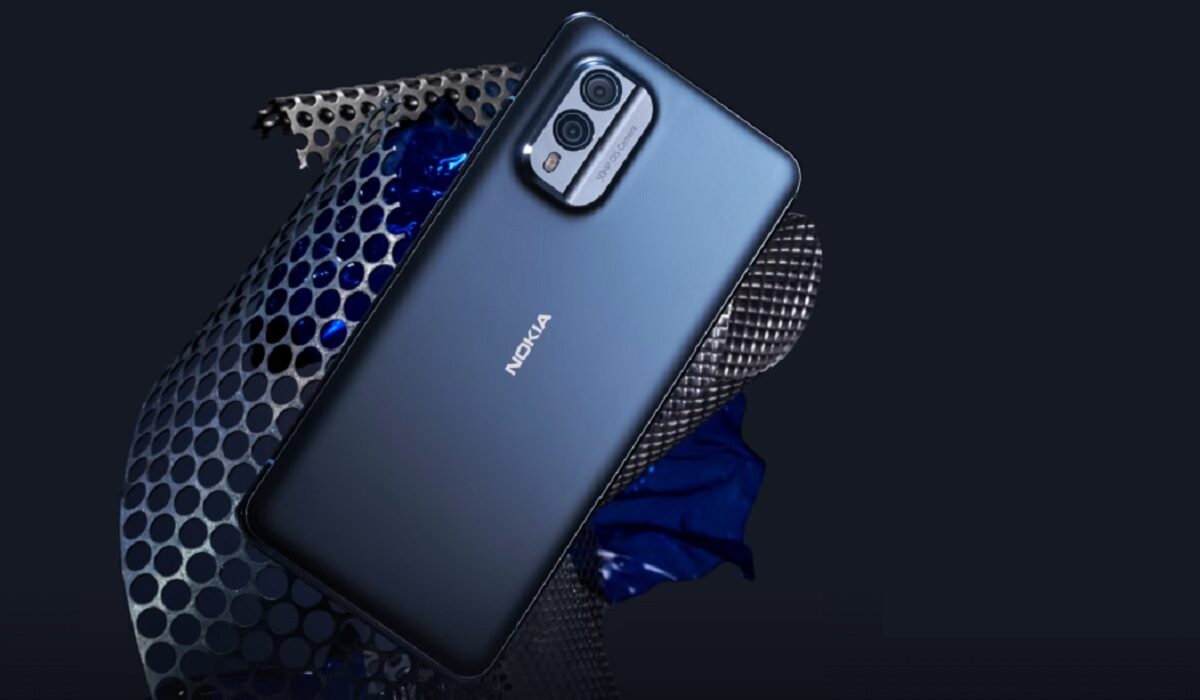
The Nokia X30 5G is official, and it is the first exciting Nokia smartphone in years. I got the email from HMD Global yesterday, the subject line said, Introducing our newest Nokia devices – and more . To be honest, I was tired of Nokia phone after Nokia phone being released with underwhelming specs over the last one year, and didn’t feel any excitement seeing this one. In my head, “Oh, another set of overpriced Snapdragon 480+ phones” flashed. I did open the mail and checked out the new Nokia X30 5G, Nokia G60 5G , Nokia C31, and T21 tablet. And I must say that for the first time in about a year, I am seeing an interesting Nokia phone
The Nokia X30 5G does not have cutting edge specifications and features. It is still a mid-range Android smartphone. HMD Global had said that premium phones were not in their product map for now, a decision that I firmly understand and can live with. But the Nokia X30 5G is a shift from the uninspiring line-up that we have seen in recent times.
- What makes the Nokia X30 5G interesting?
- Does Nokia X30 5G have wireless charging?
- Nokia X30 5G Specs
What makes the Nokia X30 5G interesting?
For one, it has an AMOLED screen. When was the last time we saw an OLED display on a Nokia? That was in 2019 – on the Nokia 9 PureView. Three long years ago. The Nokia X30 5G has a relatively compact 6.43″, 1080 x 2400 pixels, AMOLED panel with 90Hz refresh rate. And there is Gorilla Glass Victus protecting that beautiful screen. It would have been better to have 120Hz refresh rate, though, but we will take the 90Hz.
Let’s get to the processor. Nokia’s unfortunate romance with the Snapdragon 480 series chipsets in its phones left everyone looking for performance with a sour taste in the mouth. It also meant that the brand’s higher models were overpriced when compared to competing models. This has been fixed. The Nokia X30 5G is powered by the Snapdragon 695 chipset. It isn’t the most powerful mid-range processor out there, but it is close. Thank God I never have to deal with a Snapdragon 480 Nokia again.
Next, when was the last time you saw a regular Nokia smartphone with official water/dust proof rating? Yes; the XR20 has one, but it isn’t a regular phone; it is built like a tank. The Nokia X30 5G has an IP67 rating. That is good for keeping the phone safe in up to 1 metre depth of water for 30 minutes.
Lastly, and a big Hallelujah, we have 33W fast charging in a Nokia. Before now, HMD Global treated Nokia buyers to 18W fast charging. Yes; Google did it, too, and we hated that they did. I so hated that if I wanted a Nokia, there was none that charged faster than 18W. See, 18W charging is the slowest fast charging speed, and it is too slow to put in an upper mid-range phone. Thank the gods for 33W fast charging.
Does Nokia X30 5G have wireless charging?
Unfortunately, I do not have good news for those who are interested in being able to charge their phone wirelessly. Nokia X30 does not have wireless charging . The presence of this feature would have been a nice touch.
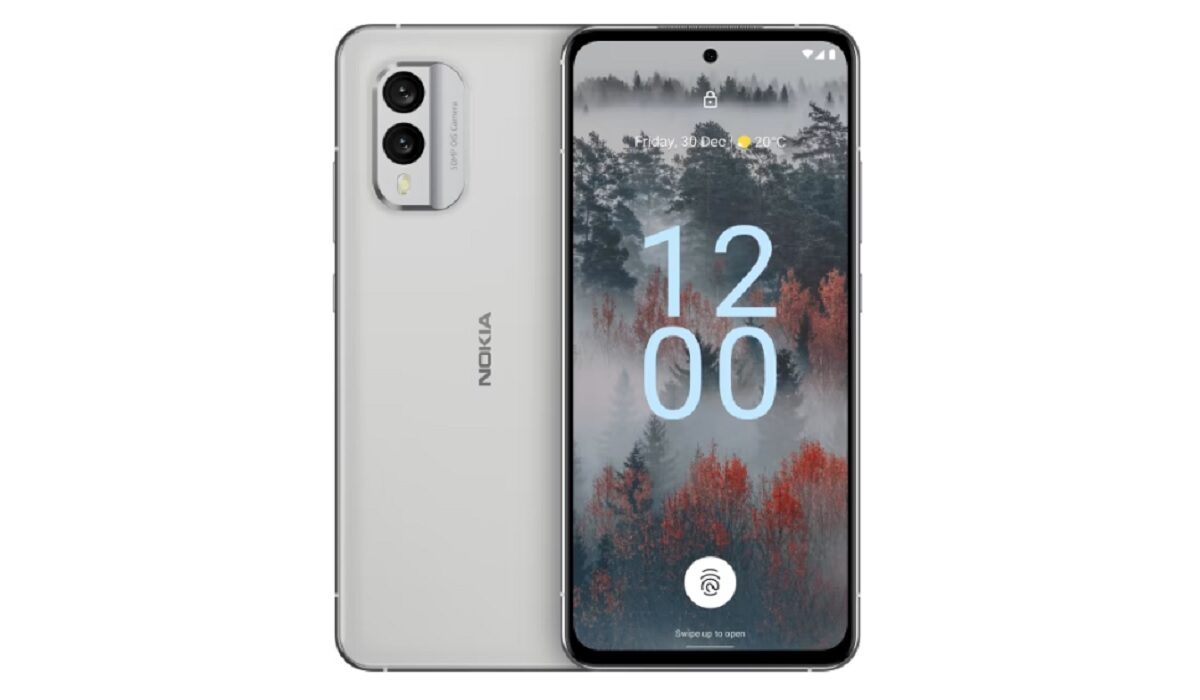
If you love eco-friendly products, the Nokia X30 5G has a 100% recycled aluminium frame and a 65% recycled plastic back cover. And it looks and feels great, too. This is not one of those drab, eco-friendly items that you put up with in the interest of the environment.
Nokia X30 5G also has an infra-red blaster . What?! Yes; an IR blaster. There are not many phone brands that still include this feature in their products. Xiaomi is one. And here is Nokia joining the team. Did I not say that the X30 5G is an interesting phone? There is also an under-display fingerprint scanner, a 50-megapixel dual camera at the back, and the promise of 3 years of security updates, 3 years of Android updates, and 3 years warranty. That means this beauty will get Android 15.
Simply put, the Nokia X30 5G is HMD Global hitting the ball out of the park. A solid home run. It puts the Nokia brand back in the smartphone game. As far as I am concerned, they went to sleep for a while . Welcome back. Don’t drop the ball again, guys. Have a look at the full specifications of the Nokia X30 5G below.
Nokia X30 5G Specs
Mobile Wireless Network and Software
- 2G mobile network bands : GSM, GPRS, EDGE 850 / 900 / 1800 / 1900 MHz.
- 3G mobile network bands : UMTS, WCDMA, HSDPA 850 / 900 / 1700(AWS) / 1900 / 2100 MHz
- 4G mobile network bands : LTE 1, 2, 3, 4, 5, 7, 8, 12, 17, 20, 28, 32, 38, 39, 40, 41
- 5G mobile network bands : 1, 3, 5, 7, 8, 28, 38, 40, 41, 77, 78 SA/NSA/Sub6.
- SIM Type : Nano-SIM, Dual SIM
- Software / OS : Stock Android 12 (upgradeable all the way to Android 15)
Design, Form Factor, Appearance
- Dimensions : 158.9 x 73.9 x 8 mm
- Weight : 185g
- Display : 6.43 inches, 1080 x 2400 pixels, 19.5:9 aspect ratio, 700 nits brightness, 90Hz refresh rate, AMOLED, Gorilla Glass Victus.
- Colours : Cloudy Blue. Ice White.
- Physical Build : 100% recycled aluminium frame and a 65% recycled plastic back cover. IP67 water and dust protection.
Internal Hardware Specs
- Processor Type : 64-bit Octa-core 2.2 GHz Kryo 660 Gold
- Processor Name : Qualcomm Snapdragon 695 5G (6 nm)
- Graphics Processor : Adreno 619
- RAM : 6 GB / 8 GB
- Internal Storage : 128 GB (UFS 2.2) / 256 Gb (UFS 3.0)
- External Storage : microSD, up to 512 GB (hybrid slot)
Photography, Video Recording
- Main Camera : 50 MP main lens + 13 MP ultra-wide lens, LED flash, 1080p@30fps video recording, OZO audio.
- Front Camera : 16 MP fixed focus, Face Recognition, 1080p@30fps video capture
Audio, Video Playback
- Music Support : PCM, AAC / AAC + / eAAC + / MP3 / AMR – NB / WB / APE
- Audio : No 3.5 mm audio jack
- Loudspeaker : Mono speaker
- Video Support : H.264/MP4/MPEG4 player
- FM Radio : Yes.
Phone Sensors
- Digital Compass : Yes.
- Accelerometer : Yes.
- Proximity Sensor : Yes.
- Ambient Light Sensor : Yes.
- Barometer : No.
- Pedometer : No.
- Heart Rate Monitor : No.
- Gyroscope (G-Sensor) : Yes; in-display.
- Fingerprint Scanner : Yes.
- Face Unlock : Yes.
- Iris Scanner : No.
- Motion Sensing / Gesture Control : No.
- Voice Control : No.
- Intelligent Digital Assistant : Yes; Google Assistant.
- Infra-red Sensor : Yes.
Connectivity Options
- Bluetooth : v5.1, A2DP, aptX HD
- WiFi : Wi-Fi 802.11 a/b/g/n/ac/6, hotspot
- GPS : Yes, A-GPS, GLONASS, GALILEO, BDS
- USB : microUSB v2.0. Type-C USB 2.0
- NFC : Yes.
Miscellaneous Specs and Features
- Battery Type and Capacity : Non-Removable Lithium-Polymer 4200 mAh
- Battery Charging : 33W fast charging. USB Power Delivery 3.0 , QuickCharge3.0, PPS
- Wireless Charging : No.
- Reverse Charging : No.
- Model Version/Number :
Nokia X30 5G Price and Launch Date
- Announced : September 1, 2022
- Release Date : September 1, 2022
- United States of America : from $530
- United Kingdom (UK) : from £399.
- Germany : from €519
- Italy : from €549
- European Union : from €530
- Australia : from $899
- India : from ₹42,000.
- South Africa :
- Nigeria : ₦305,000.
Author:Mister Mobility
Digital Skills and Communication Coach | Mobile Phone Connoisseur since 2001 | Tech Blogging since 2004
