Add MobilityArena as a preferred source on Google
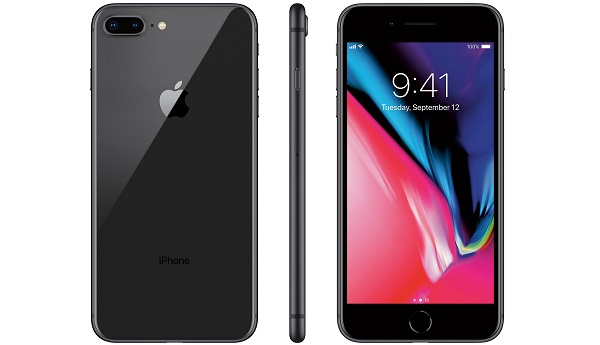
The iPhone 8 launched in September of 2017, alongside its close counterpart, the iPhone 8 Plus. Both smartphones generated relatively low fanfare compared to other models of iPhones, but both devices brought impressive specs with great functionality and an all-round effective operation, making the iPhone 8 and 8 Plus popular among iPhone lovers.
However, in spite of their top qualities, a number of users have noticed some rather bothersome glitches with the iPhone 8, prompting the hunt for solutions to these glitches.
In this piece, we will take a close look at some of the common problems with the iPhone 8 and how to fix these issues.
- Battery Swelling issue: One of the very common problems with the iPhone 8, this issue has got a lot of buzz from iPhone 8 users, with quite a number complaining that their device batteries tend to swell up, eventually disfiguring the device, as the screen detaches from the back.
While Apple has not issued any fixes for this yet, the company advises you to visit an Apple support center with the affected handset .
- Bluetooth connectivity issue: Another in the list of common problems with the iPhone 8, this issue does seem to rear its ugly head in quite a number of smartphones and the iPhone 8 was not left out. As with most iPhones from the iPhone 7, the iPhone 8 has no headphone jack, making Bluetooth issues more pressing as owners can not listen to music.
If you have ever experienced this issue, you can try out these tips:
- Turn the Bluetooth off, reboot the device and then turn the Bluetooth on again.
- Check out your device and ensure the issue is not with a certain device you want to pair with, if you try pairing with other devices and it works, then the issue may just be with that device. What you need to do now is to forget the said device and try pairing again, to do this follow these steps: go to Settings > Bluetooth > click on the i icon next to the device > forget this device . You can now try pairing this device again.
- Try resetting your device’s network settings.
- Wi-Fi connection problems: A number of users have reported that their iPhone 8 devices occasionally refuse to connect to Wi-Fi, effectively cutting them off of the internet if that is their main source of connection. Some other users have noticed their devices keep displaying an “ incorrect password ” error message even when the password is correct.
If you currently battle this issue, these tips below may prove helpful:
- Install the latest iOS update on your device.
- Try to restart your device and the router, then reconnect them.
- You can also forget the network in question. To do this, go to Settings > Wi-Fi > Forget This Network , then confirm. Once this is done, find this network and try connecting afresh.
- As a last resort, you can try resetting network settings . To do this, go to Settings > General > Reset > Reset Network Settings . After this, enter your passcode and confirm.
- Now, you can try connecting to the Wi-Fi network from scratch.
While some of these common problems with the iPhone 8 can be fixed by a straightforward software update, some of the other more complicated issues (like battery swelling) may require a replacement device from an Apple center.
Author:Alfa Baye
Staff Writer
Add MobilityArena as a preferred source on Google
The Android 10 OS was officially released in September of 2019, letting Android users upgrade to a better software on their android devices. This update brought a number of fixes to certain bugs users experienced with the Android 9 OS.
However, a number of other glitches have surfaced, leading us to write this piece showing some of the top android 10 bugs and how to fix them on your smartphone.
- Google Assistant Hints icon popping up in the corners of device: While Google Assistant Hints is not necessarily a bad thing, it sometimes interrupts certain users’ operations, as some users prefer their Android displays without these icons. If you recently upgraded your OS and face this issue but want the icons gone, you can try turning off hints icon in Google Assistant. If this does not work, you may also try changing your device’s launcher.
- Difficulty in answering phone calls: Another of the top Android 10 bugs Android and Pixel users have faced worldwide, this issue can be rather bothersome, as certain users reported that their devices took as many as two minutes to connect on phone calls no matter the signal strength. Some also reported facing this challenge when answering calls.
To fix this issue, you can try clearing your device’s cache as this may help the situation, if it does not, try updating your device to a more recent Android update.
- Inability to switch between an eSIM and physical SIM: While this issue is more common among users of the Pixel 2 who upgraded their smartphones, it has the capacity to cut off certain users from the internet. If you own a Pixel 2 and your physical SIM refuses to show up on your device, you can try dialing this code on your phone app to manually switch SIMs and get your physical SIM working again ##794824746## .
Android OS is the most popular mobile operating system with over 2.5 billion users worldwide
- Mobile data not working properly: One of the top Android 10 bugs, this Android bug can be rather frustrating for users especially when they are trying to connect to the internet for certain important purposes. The good thing is, this bug can be fixed by taking the right steps.
To do this, go to Settings > Network & Internet > Mobile Network > Advanced > Access Point Names . From here, you can change the APNs and perhaps get a fix to this issue. If not, you can try updating your device to a more recent OS.
- Pop-up notifications not working as they should: Pop-up notifications have become really popular and accepted by billions worldwide, as it helps smartphone users switch between apps with relative ease while keeping an eye on things or important messages they may need to attend to. However, a number of users have complained that their devices stopped showing these notifications shortly after updating to the Android 10. If this has ever happened to you, you can try toggling off the adaptive notification settings. Go to Settings > App & Notifications > Advanced > Special app access > Adaptive Notifications > None . You can also try clearing your cache to see if this helps.
Author:Alfa Baye
Staff Writer
