Add MobilityArena as a preferred source on Google
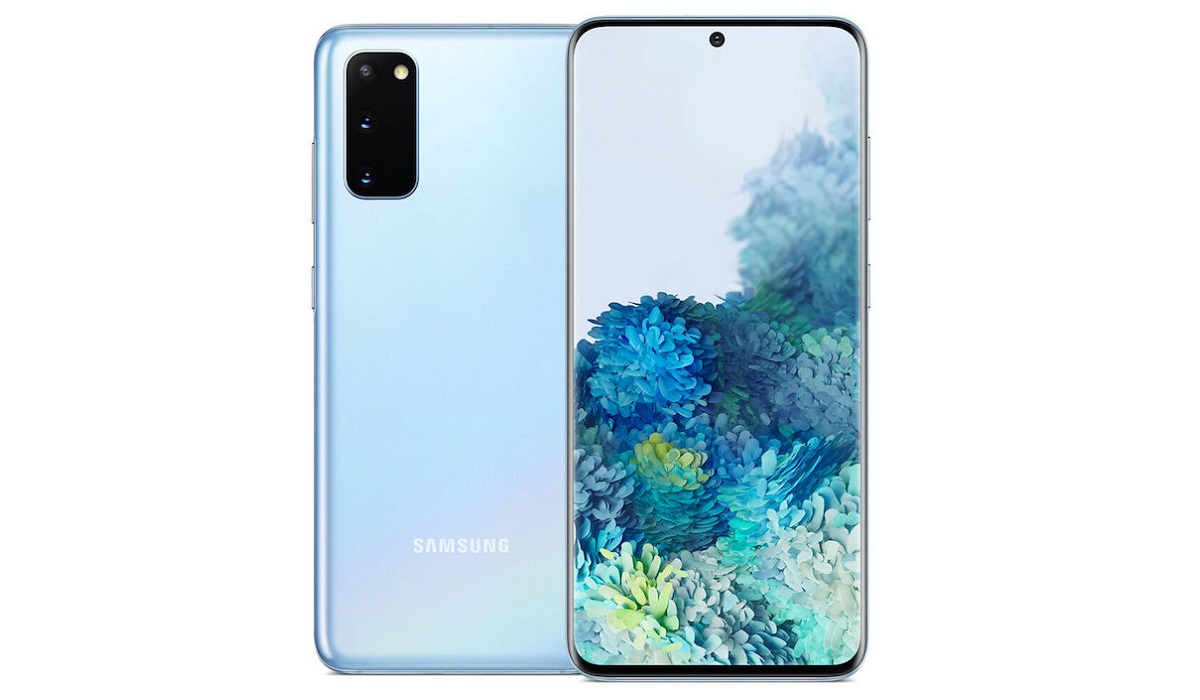
The Samsung Galaxy S20 is one of Samsung’s more popular devices of recent. In spite of this popularity, the Samsung Galaxy S20 experienced a number of glitches, with owners of this device letting us in on some common Samsung Galaxy S20 bugs. In this piece, we look at some of these bugs and how to fix them.
The Samsung Galaxy S20 launched last year, alongside the S20 Ultra and S20+ , going on to become one of the most popular Android phones of 2020. This device boasts an impressive display, great cameras, a functional OS and a number of other amazing specs. However, in spite of its pros, this device still experiences a number of glitches from time to time, eventually frustrating its owners.
In this piece, we will take a look at some of the more common Samsung Galaxy S20 bugs and how to fix them.
- Always-on display constantly waking device: The Samsung Galaxy S20 has a screen that automatically wakes when lifted, meaning that this smartphone’s display may turn on when you don’t want it to, eventually draining the battery. You can disable this feature if your smartphone’s display wakes up in places you do not want it to, all you need to do is:
- Open Settings on your smartphone.
- Navigate to Advanced Features .
- Click on Motion and Gestures .
- Then select what you want to do (Enable or disable) with the Lift to Wake Function.
- Camera refusing to autofocus: Quite a number of Samsung Galaxy S20 users encountered this challenge, with their rear cameras refusing to autofocus properly. However, the company released an update to take care of this issue, as users can now enjoy a device that can autofocus properly. All you need do is follow these steps:
- Navigate to Settings .
- Look for Software update .
- Select Download and install .
- If there’s a new update, your device should be able to acquire it.
- Fingerprint scanner not recognizing fingerprints: Another one of the Samsung Galaxy S20 bugs, this issue can be well managed by taking the right steps. When you encounter this challenge, try taking out the screen protector as it can get in the way and make the device not recognize fingerprints. When you do this, clean the glass on your display, then try re-registering your fingerprint by following these simple instructions:
- Open Settings on your device.
- Navigate to Biometrics and security .
- Select Fingerprints .
- Enter your security code.
- Delete any old fingerprint.
- Now, re-register your fingerprint under the Add fingerprint section.
- Bluetooth device not connecting properly: At a time where many people prefer listening to their music over wireless earphones, a good Bluetooth connection has become important, as no one wants his music or movie interrupted halfway because of a dodgy connection. If you’ve experienced this rather common Samsung Galaxy S20 bug, then try turning it off and on again, if it does not work, follow these steps to reset your Bluetooth cache:
- Go to Settings on your device.
- Scroll down to Apps .
- Go to Bluetooth app.
- Tap Clear cache .
- Battery draining too quickly: A problem encountered by many Samsung devices, the Samsung Galaxy S20 also suffered this fate, in spite of the fact it has a relatively stronger battery than older Samsung models. This problem can be due to some of the newer features it possesses or its higher refresh rate. If your battery is currently running down too quickly, then try out these tips to reduce the display’s refresh rate.
- Go to Settings .
- Navigate to Display .
- Select Motion Smoothness .
- Select 60Hz refresh rate .
- Click Apply .
These are some of the more common Samsung Galaxy S20 bugs, but if you’re currently experiencing a number of other Samsung-related issues that were not covered above, you can check out this article here to find a solution to this problem.
Author:Alfa Baye
Staff Writer
Add MobilityArena as a preferred source on Google
| Meeysoo M40 Pro In Summary |
|---|
| Android 9. 2G/3G/4G 7.3-inch, 1344×2772 pixels display Mediatek MTK6889 chipset 50 MP triple camera 3 GB RAM 32 GB internal storage unknown battery Related: MeeySoo RT7 . |
Meeysoo M40 Pro Specs
Network, Software
- 2G bands : GSM, GPRS, EDGE .
- 3G bands : UMTS, WCDMA, HSDPA
- 4G bands : LTE 1(2100) / 3(1800) / 5(850) / 8(900) / 38(2600) / 40(2300) / 41(2500)
- 5G bands : No.
- SIM Type : Nano-SIM, Dual SIM
- Software / OS : Android 9 Pie
Design
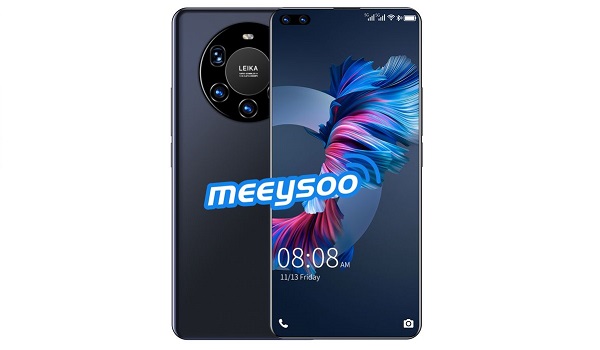
- Dimensions : 170.6 x 77.1 x 9.1 mm
- Weight : 203g
- Display : 7.3 inches, 1344×2772 pixels, 19.5:9 aspect ratio, IPS LCD screen
- Colours : Black.
- Physical Build : 3D glass plated back cover.
Internal
- CPU : Deca-core,
- Chipset : Mediatek MTK6889
- GPU : ARM
- RAM : 3 GB
- Storage : 32 GB
- Card Slot : microSD, up to 256 GB (dedicated slot)
Cameras
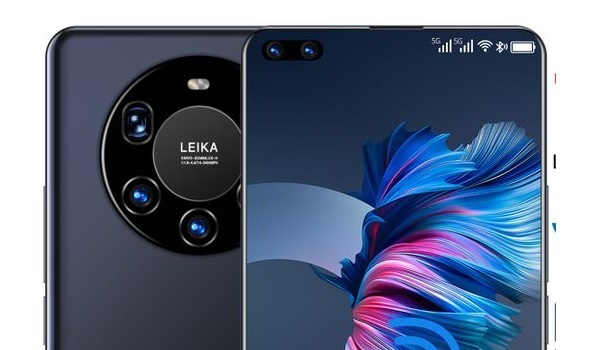
- Main Triple Camera : 50 MP main sensor, LED flash, 1080p@30fps video recording
- Front Camera : 24 MP, Face Recognition, 1080p@30fps video capture
Audio, Video Playback
- Music Support : PCM, AAC / AAC + / eAAC + / MP3 / AMR – NB / WB / APE
- Audio : 3.5 mm audio jack
- Loudspeaker : Mono speaker
- Video Support : H.264/MP4/MPEG4 player
- FM Radio : Yes.
Sensors
- Digital Compass : No.
- Accelerometer : Yes.
- Proximity Sensor : No.
- Ambient Light Sensor : No.
- Barometer : No.
- Pedometer : No.
- Heart Rate Monitor : No.
- Gyroscope (G-Sensor) : No.
- Fingerprint Scanner : Yes.
- Face Unlock : Yes.
- Iris Scanner : No.
- Motion Sensing / Gesture Control : No.
- Voice Control : No.
- Intelligent Digital Assistant : .
- Infra-red Sensor : No.
Connectivity
- Bluetooth : v4.2, A2DP
- WLAN : Wi-Fi 802.11 a/b/g/n/ac, hotspot
- GPS : Yes, with A-GPS, BDS
- USB : microUSB v2.0.
- NFC : No.
Miscellaneous
- Battery : Non-Removable Lithium-Polymer 4800 mAh (or 6000 mAh)
- Charging : 5W standard charging
- Wireless Charging : No.
- Reverse Charging : No.
- Model Version/Number : N/A.
Launch
- Announced : Unknown.
- Released : Unknown.
- Price in Nigeria : ₦49,000 .
Questions and Answers about Meeysoo M40 Pro
Here are answers to some of the most commonly asked questions about Meeysoo M40 Pro.
Is Meeysoo M40 Pro a 4G phone?
Available information says that it is.
Does Meeysoo M40 Pro have a fingerprint scanner?
Yes; Meeysoo M40 Pro has a fingerprint reader located at the back of the phone.
Does Meeysoo M40 Pro have Gorilla Glass?
There is no mention of Gorilla Glass protection on the M40 Pro.
Does Meeysoo M40 Pro have quick charging?
The M40 Pro does not have fast charging technology.
Will Meeysoo M40 Pro work in the United States of America?
There is no information about the phone’s network capabilities available to base an answer on. It is best to assume that it is not supported by US carriers until such information is available.
MobilityArena Buyer’s Guide Verdict
The Meeysoo smartphone brand is still an unknown one. There are no details aviable about the manufacturer or the quality of their products.
In addition, a lot of the available information about the Meeysoo M40 Pro is conflicting. For example, some sources say the battery has 4800 mAh capacity, wile others say it is 6000 mAh capacity.
We do know that this device is made in China . It is also not clear whether it has Google Mobile Services pre-installed, so you are not sure whether Meeysoo M40 Pro has Google Play Store and other Google apps or will support them if you install them manually from other sources.
It is difficult for us here at Mobility Arena to recommend a phone like this with many dodgy details. Our verdict is the same as we gave to the Meeysoo P45 Pro : buy it at your own risk.
Our Buyer’s Guide Verdict is recommendation that we make based on our evaluation the specs of the phone or device. It is a general guide designed to help you understand how much value a smartphone offers for its price. It is not a stamp of quality assessment or an endorsement of either the device or of its manufacturers. Be sure to ask questions and use your judgement when buying any device, as MobilityArena may not be held responsible for your buying decisions .
Meeysoo M40 Pro Phone Review Rating
We are yet to review the Meeysoo M40 Pro and so do not have a review rating for it yet. This section will be updated with our review rating and a link to the review page, as soon as we have a review ready.
