Add MobilityArena as a preferred source on Google
Smartphones have grown in leaps and bounds, going from the simpler Java and Symbian devices to more complex Android devices of today. With this advancement in technology came more developed software (with more bugs and glitches).
In this piece, we will take a look at some rather common software issues with Android devices and what to do when your smartphone ever develops such issues.
- Unresponsive screen owing to software issues: While screen issues may also surface from hardware problems or accidents, certain software problems may also mean you’ll see a blank screen when trying to turn on your Android. If you ever encounter this problem, which is one of the more common software issues with Android devices, a simple restart (manually for smartphones with removable batteries) can help you get your device back on track. If this does not work, then a factory reset will help you take care of the bug and get your smartphone up and running again.
Battery draining rather quickly: This issue is one that can be caused by a myriad of bugs, from brightness settings to apps running in the smartphone’s background. However, aside the usual fixes (taking down your device’s screen brightness and turning on power saver mode), you can also consider using Wi-Fi to connect to the internet rather than mobile data. This is because cellular networks are always operational even when signal strength is low, unlike Wi-Fi (which automatically goes to sleep when signal strength is poor, conserving the device’s battery).
Slow or freezing interface: One of the rather common software issues with Android devices, this problem could be due to a number of glitches ranging from memory issues to an outdated software version. Your device interface may also be slowing down if you’ve got a corrupt microSD card. If you encounter this problem with your device, try getting rid of unnecessary apps or media files (you can transfer to an online storage or a microSD card that’s not corrupted). You could also clear app cache and reduce the use of live wallpapers (if you use one).
- Apps not downloading on Android through download manager: This issue may be due to a corrupt cache on your device. You can solve this issue effectively by clearing Google Play Store’s cache and search history. To clear its cache, follow these tips Google Play Store > Storage > Clear Cache . You also clear Play Store’s local search history by going through this channel, in the Play Store app go to Menu > Settings > Clear local search history .
While these tips above can help you when your smartphone develops any of the common issues with Android devices, you can also try preventing some of these issues with these tips below:
- Avoid rooting your Android device (unless you are a geek and know your way really well around it).
- Restart your smartphone every once in a while, it does not have to develop a bug or start freezing before you do this.
- Once you get a new device, go to settings > about , document everything you see there somewhere safe, as it may come in handy sometime in the future.
- Always keep an eye on your available storage to ensure it does not get filled up without you noticing.
- Avoid using chargers or accessories that are not recommended with your device’s model.
Author:Alfa Baye
Staff Writer
Add MobilityArena as a preferred source on Google
We begin another week with an interesting upper mid-range smartphone comparison, as today, we have the Samsung Galaxy Note 20 vs Samsung Galaxy S20 match-up. Both mid-range devices launched in 2020 and offer a number of mouthwatering specs for us today.
The S20 launched in March of 2020. The Note 20, on the other hand, launched in August of 2020 and shares the spotlight with its Samsung counterpart.
We’ll be taking a closer look at the specs on both smartphones in a side-by-side manner.
Samsung Galaxy Note 20 vs Samsung Galaxy S20 Comparison Table
Come with me and let’s take a deeper look at the specs both smartphones have on show for us.
| Samsung Galaxy Note 20 | Samsung Galaxy S20 |
|---|---|
| 2G, 3G, 4G,5G | 2G, 3G, 4G |
| 6.70 inches, 2400 × 1080 pixels, 20:9 aspect ratio, 60Hz refresh rate, Super AMOLED display | 6.20 inches, 3200 × 1440 pixels, 20:9 aspect ratio, 120Hz refresh rate, Dynamic AMOLED display |
| Android 10 with One UI | Android 10 with One UI 2.0 |
| Octa-core Exynos 990 or Qualcomm Snapdragon 865+, 2.0GHz | Octa-core Qualcomm SM8250 Snapdragon 865 or Exynos 990, 2.8GHz |
| 10MP selfie camera | 10MP selfie camera |
| 12MP + 64MP + 12MP triple rear cameras with LED flash | 12MP + 64MP + 12MP + 0.3MP quad rear cameras with LED flash |
| 256GB internal storage | 128GB internal storage + dedicated microSD card slot up to 1TB |
| 8GB RAM | 8GB RAM |
| 4,300mAh battery with 25W fast charge | 4,000mAh battery with 25W Fast Charging |
| ₦380,000 | ₦400,000 |
Samsung Galaxy Note 20 vs Samsung Galaxy S20: Where the Note 20 Has the Edge
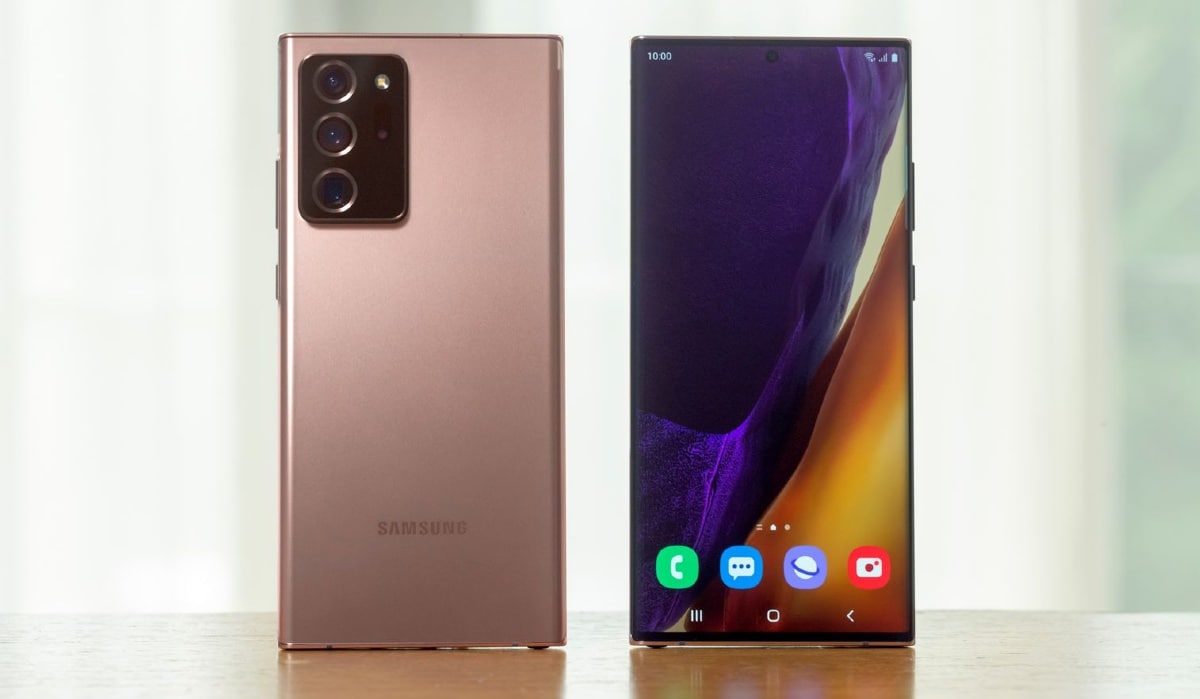
The Note 20 comes with a larger AMOLED display than its rival, making it a solid pick for mobile gamers or users who enjoy catching their favourite movies or sports event on their mobile devices.
It is also slightly cheaper than its rival and offers more onboard storage than the S20. In terms of RAM, it brings the same 8GB of RAM featured in the Galaxy S20 and also has a decent chipset which offers 5G support under the hood.
The Note 20 has a bigger battery that keeps this device powered through the day and also offers S Pen support for users who rely heavily on its services.
Samsung Galaxy Note 20 vs Samsung Galaxy S20: Where the S20 Has the Edge
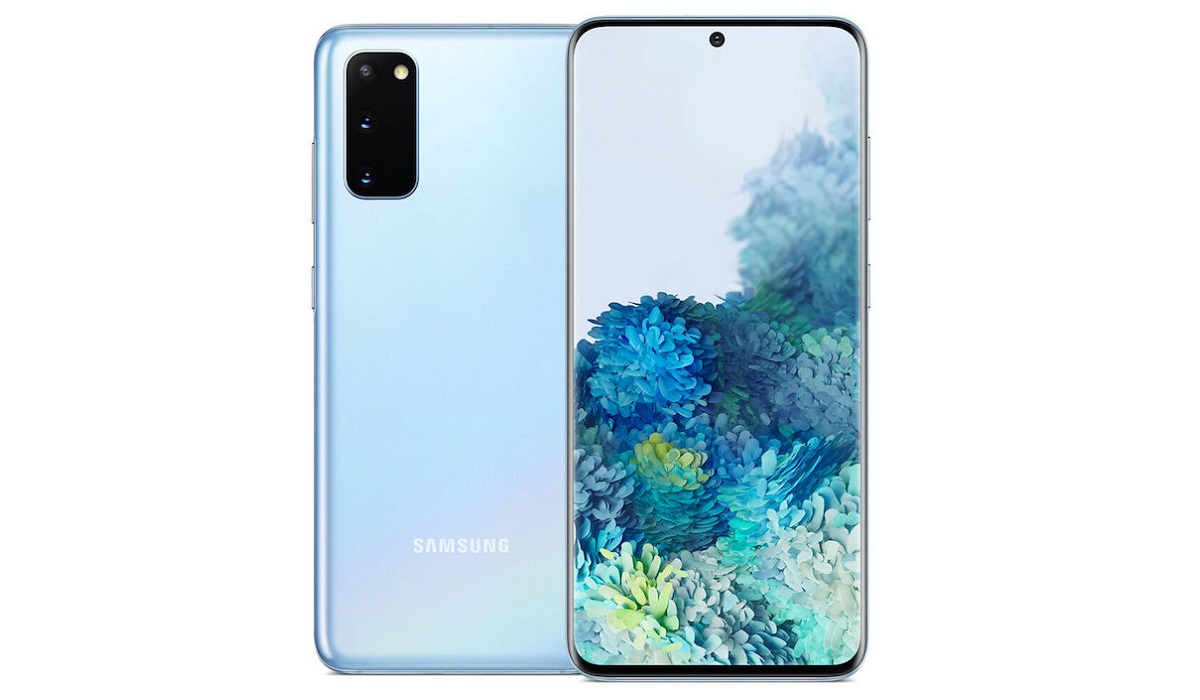
The S20 is a smaller smartphone with a handy build and a more daring design, while it also features a display with a better screen resolution and a higher refresh rate.
It has a processor with amazing speeds, toppling its rival in this regard, and it offers the same Android OS as its rival. In the photography department, it offers quad cameras with very similar specs as the Note 20 save for an extra 0.3MP sensor. It brings a 10MP sensor up top that takes care of selfies and video calls.
The S20 offers up to 1TB of external memory and has a decent 4,000mAh battery that charges at 25W.
Samsung Galaxy Note 20 vs Samsung Galaxy S20: Who Comes Out Tops In This Battle?
Both devices have great processors, boast good (and similar) camera specs and offer durable batteries. But when it comes to the final decision, which of these Samsung devices should you go for?
The Note 20 is an interesting option and should be your pick if you are looking for a device that offers faster internet speeds (due to its ability to support 5G connectivity). It shares a number of specs with its rival, also bringing ample onboard storage and RAM to the party
The S20 on the other hand brings a RAM with faster operating speeds than its rival, making this device an interesting option for users who want a smartphone that can multitask with ease it brings more cameras to the party and also provides users with ample external memory to store as much information as they want.
At the end of the day, the final purchase decision lies in your hands, as you’ll have to choose the smartphone that will suit your needs and budget.
Author:Alfa Baye
Staff Writer
