Add MobilityArena as a preferred source on Google
If you’ve stumbled on this article, then it’s safe to assume that you’ve already done some troubleshooting, and you’ve confirmed that your hard drive is failing for sure.
Seeing as hard drive failure will inevitably result in data loss, it’s necessary to do something about it, but what exactly is to be done?
In this guide, we’ll teach you all the right things to do to protect your data, and ensure that hard drive loss doesn’t ultimately mean data loss.
Getting your Data Off a Failing Drive
When dealing with a dead or dying hard drive, looking for a fix doesn’t necessarily mean you’re trying to fix the hard drive itself.
What is most important is the data on the hard drive, and this is what you need to protect. As such, you should remove any crucial data you haven’t yet backed up from your drive right away if it is failing but hasn’t totally done so yet.
You might need to try booting to a live Linux or Windows installer DVD and attempting to move only the crucial files off your drive.
- Simply boot up your PC using the Windows installer disc or Linux live CD. The hardware of the computer is still functional if it launches from the disc and takes you to a Linux desktop or a Windows installation environment.
- You can connect an external hard drive or a USB stick and copy important files to the removable media device if all you want to do is recover the files. The files on the failing hard drive will thus be saved.
Even if your computer is unable to boot up and run its operating system from the disk without crashing, you might be able to retrieve some files thanks to this method.
Another option is to remove the hard drive and connect it to a different computer. You could copy a few crucial files off the drive if it has partially failed. A program like Piriform’s Recuva, which promises “recovery from damaged disks,” might also be useful to you in this situation. However, if the drive is genuinely irreparably damaged, this will most likely not work.
Keep in mind that if the drive is failing, keeping it powered on could lead it to fail more quickly or sustain more harm. The best course of action is generally to cease using the drive and take it to a reputable data recovery agency. This is if you have truly important data that you are prepared to pay a significant sum of money to restore.
Fix Hard Drive FailureUsing Professional Data Recovery Services
In all likelihood, you won’t ever require a data recovery service because an easy solution can be found for a dead hard drive if you have reliable, recent backups. Simply purchase a new hard drive for your computer, reinstall Windows, and then restore your data from the backup. In a few hours, you’ll be operational.
However, things get much more difficult if you don’t have current backups. The drive will need to be opened in a clean room environment by a professional data recovery provider, who will then try to recover your data using the new head by replacing the one within the drive.
As you might expect, these services are quite expensive, and there is no assurance that your data will be returned. However, they are your only choice if you have critical business data or something irreplaceable that you can’t remove from your drive. Additionally, you can use these services to recover deleted data.
Alternative Fixesfor Hard Drive Failure
As stated earlier, simply contact a reputable data recovery provider if you need to retrieve important data.
Note that there are some things you can do if you’ve given up on the disk entirely and need your data back but don’t want to pay for expert data recovery. Some people claim that freezing the drive—physically freezing it in the freezer—helps.
If this does work, solid-state drives won’t be affected; only mechanical drives would be. According to some reports, letting the drive cool down can temporarily stabilize it. This might make sense given the mechanical processes taking place inside the drive.
To avoid condensation building up within the hard drive if you choose to freeze your hard drive, be sure to wrap the drive in two top-notch freezer bags.
Alternatively, you may just turn off the computer and return to it later. If the drive is unstable, it might work sometimes and not work other times, and it might work long enough for you to recover some crucial files. However, if the drive is genuinely failing, the more damage it can sustain if you continue to use it.
In conclusion , It is impossible to stop hard drives from failing. The best you can do is regularly create backups, which will enable you to restore your crucial data from another location in the event that a drive ever fails.
You can simply take a cue from all our suggestions to recover your files from a failed/failing hard drive. If you’ve found this article helpful, don’t forget to recommend it to your friends and loved ones.
- Don’t miss our mobile phone reviews .
- Follow our news on Google News .
- Join our WhatsApp Group , to be notified of the most important articles and deals,
- Follow us on Instagram , Facebook , Twitter , and YouTube .
Author:Joan Agie
Add MobilityArena as a preferred source on Google
The Motorola Edge 30 is a top-notch smartphone that will barely present you with frustrating problems. Most of the problems you have and might have while using this device are problems that are quite common to almost every smartphone if not all. I am going to run some of these problems and their solutions by you today.
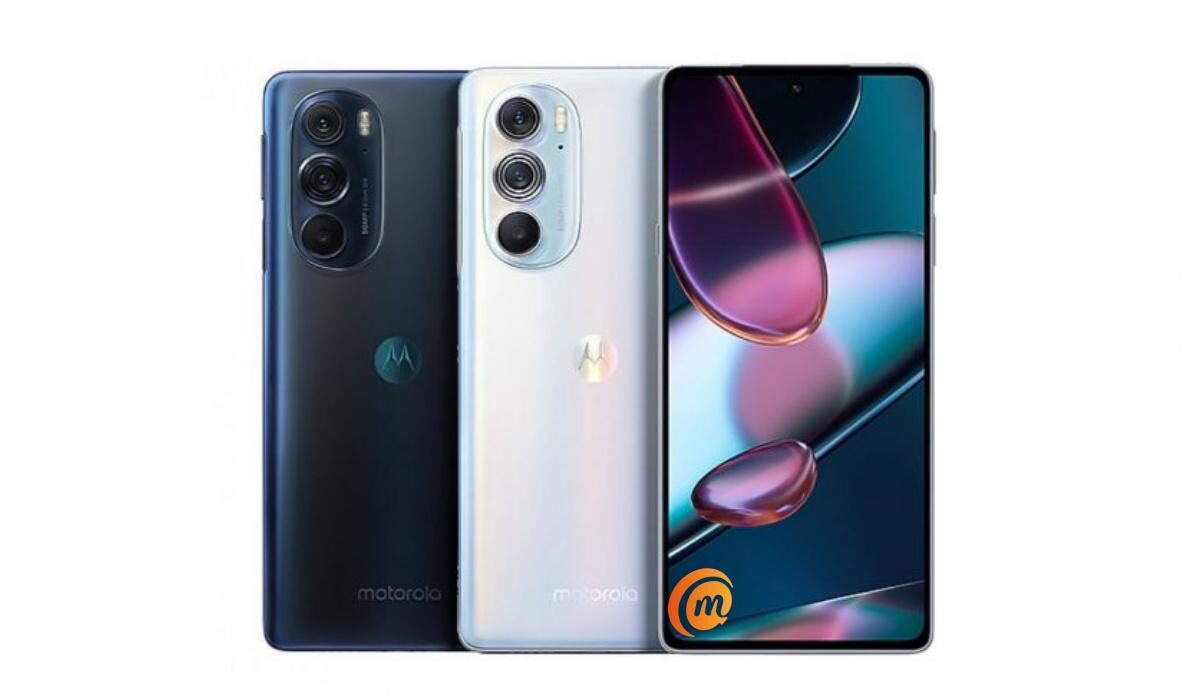
Motorola Moto Edge 30 problem: Poor Battery Life
Poor battery life usually stems from a bunch of factors. This means factors are causing your Motorola Edge 30’s battery to drain fast. Let’s take a look at them.
•Installing apps like a cleaner or an antivirus, that run in the background, and eat up your battery is a very common reason. Those apps need to be deleted.
•Playing mobile games for prolonged periods will drain your battery so fast that it will leave you shocked. Especially heavy games like Call of Duty Mobile, e.t.c. They engage the processors of your device at a rate that will cause so much battery power to be used.
•Turn off features like GPS, Wi-Fi, Bluetooth, e.t.c. when you are not using them.
•Using power-saver mode for a long time will run your battery down fast. Turn it off. Most times devices tend to last longer without a power-saver than when it is enabled.
Motorola Moto Edge 30 problem: Overheating
Overheating is another common problem that can be taken care of easily. Here are some ways to solve this problem.
•Using your device while charging will lead to overheating. You have to wait for your device to charge fully before using it for whatever activity.
•When your device is fully charged you need to unplug it, leaving it to continue charging will lead to overheating.
•Another major reason why your device is overheating Is the amount of time you spend playing mobile games, the powerful ones to be specific. If you play large games that require a network connection and demand a lot from your phone’s processor while playing for hours, it’s easy to see why your phone is overheating. Playing games like these for a few minutes alone will warm your phone up, imagine playing for hours.
Motorola Moto Edge 30 problem: Lagging issue
There are a great many things that can cause lagging on your Motorola Edge 30. There are not a lot of problems that can be as frustrating as lagging. Here are some ways to get rid of it on your device.
•Using a cleaner or/and an antivirus app on your device will make it lag terribly. These apps also cause overheating. Delete these apps and your device might return to its former state if it was these apps causing the problem
•Insufficient storage might be the big bad in terms of causing lag on your Motorola Edge 30. If you have used up most of your phone’s storage then your phone will start to lag. Clear up some space and delete what you don’t need to make room for the phone to run smoothly.
Some bugs need fixing, and Motorola is looking into them.
•Some users complained about Google Assistant not working when they have their screen locked.
•Wired headphones not working for some apps on the Motorola Edge 30 have been the complaint for some users.
•4K 60FOS camera mode selection bug
•60FPS mode video flickering issue.
Motorola is currently working overtime to get these fixed. So you might see them fixed after downloading software updates coming in the future. So be on the lookout for updates. Comment down below any other problems or bugs that you might have.
- Don’t miss our mobile phone reviews .
- Follow our news on Google News .
- Join our WhatsApp Group , to be notified of the most important articles and deals,
- Follow us on Instagram , Facebook , Twitter , and YouTube .
Author:Flamez
Flamez loves basketball, art, gadgets and cars.
