Add MobilityArena as a preferred source on Google
“Does the Galaxy S24 FE have IR blaster?” is a question that is on the mind of a number of cellphone users. Infra-red ports are no longer the rave they used to be years ago on mobile phones, but some manufacturers still use them. And some Samsung fans are displeased about the situation.
Back in the day, the most advanced mobile phones would have an infra-red port. It was used for data transfer, including internet sharing. Yes; those were the days before Wi-Fi became a thing. To share your phone’s internet, you used an old-school data cable or infra-red.
With the presence of Wi-Fi, the need and demand for infra-red blasters diminished. In recent years, Xiaomi has put an IR blaster in many of its phones. This time, these ports enable the phones to be used as TV controllers. Yes; mobile phones have taken over the roles of everything else; why not add TV controller to it?
It also enables the ability to control the DVD player, air conditioner, and some other household appliances. But a more accurate version of Face ID uses infra-red and, so, we are seeing an upsurge of IR ports in smartphones. So, perhaps, a new IR revolution may yet happen based on this.
I have owned or reviewed a number of phones with an infra-red blaster and enjoyed using the feature. However, I cannot say that I have missed it in all the other phones I have used that did not have it. It has never felt like an essential to me.
- Does Samsung S24 FE Have IR Blaster?
- Does Samsung Galaxy S24, S24+, and S24 Ultra Have IR Blaster?
- The Last Samsung Phones With IR Blaster
- Your Best Options For Phones With IR Blaster
- Deal-breaker?
- Specifications
- Pricing
Does Samsung S24 FE Have IR Blaster?
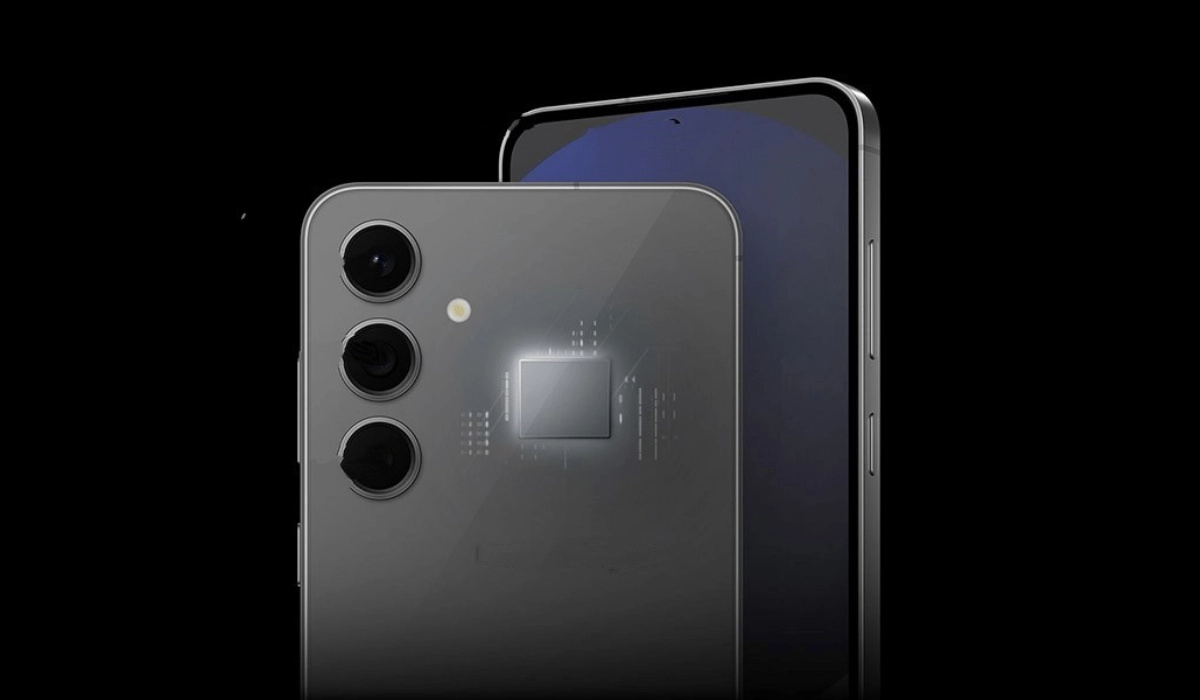
The Samsung Galaxy S24 FE is a 2024 smartphone, and it does not have the feature. Some people think that the phone would be even better if it has one. Unfortunately, it does not. Fans were disappointed that recent Galaxy flagship phones like the S23 and S24 series did not have an IR blaster, either.
Does Samsung Galaxy S24, S24+, and S24 Ultra Have IR Blaster?
Samsung S24 , S24+ , and S24 Ultra do not have an IR blaster, as well.
And some Samsung fans are bitter about this omission. Some have based their phone buying decision on this factor and moved on to other smartphone brands. Here is an example of one of such conversations on Samsung’s own community website.
There are scores of other online platforms where fans are griping about the matter. But I doubt that the answer to the simple question, “Does S24 FE have IR blaster” will have any impact on Samsung’s sales in any way. Maybe all of 150 people will refuse to buy it for that reason.
The Last Samsung Phones With IR Blaster
The last Samsung models that had an IR blaster were the Galaxy S6 and the Galaxy Note 4. Since then, Samsung has ignored infra-red. And it does not look like the S10 range of phones will have this feature.
Your Best Options For Phones With IR Blaster
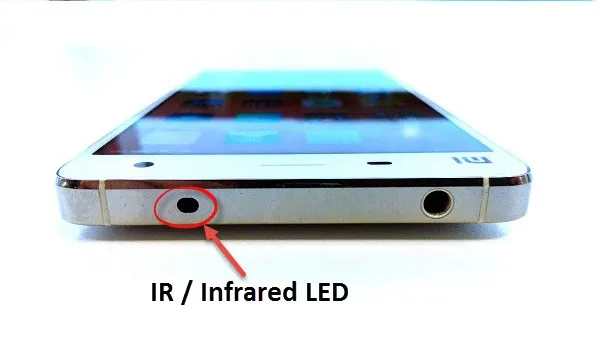
If you want a smartphone with an infra-red blaster, your best options are in the direction of Xiaomi and Huawei. The Xiaomi Redmi Note 13 Pro+ and other models in the Note 13 range are extremely popular with young people and both have IR blaster built in. Others include Xiaomi 14 series. Huawei has a number of models with an IR blaster. These include P20 Pro, Mate 10 Pro, and Honor View 10, among others.
Gionee produced a few smartphone models with infra-red blaster. It is unfortunate that the company has declared bankruptcy. Some of their phones are still available in the market though. I have reviewed a few LG smartphones and enjoyed using their IR blaster to control the TV. But it looks like LG might be dropping the feature too.
Deal-breaker?
There is a vocal enough community of smartphone enthusiasts who are put off by the S24 FE not having an Infra-red blaster. I am not sure that it is a large enough community to make a big dent in the fortunes of these products. But then, I have not conducted any scientific survey to arrive at that conclusion. Still, including an infra-red port cannot cost much if Xiaomi is putting it in their budget phones.
Who knows, part of why Xiaomi and Huawei devices are selling so well (besides pricing) might be that those brands are now on the heels of Samsung? What are the chances that having an IR blaster in key models could be a factor? After all, so many people around the world watch TV, play videos and play music on infra-red controlled home systems.
Specifications
Here are the key specifications of the Galaxy S24 FE.
- OS: Android 14
- Release Date: 2024
- Network Type: 2G/3G/4G/5G
- eSIM: Yes
- Display: 6.7-inch, 1080 x 2340 pixels resolution
- Chipset: Exynos 2400e
- Selfie Camera: 10 MP
- Rear camera: 50 MP
- RAM: up to 8 GB
- ROM: up to 256 GB
- Fingerprint Sensor: Yes; in-display.
- Headphone Jack: Yes
- Infrared/IR Blaster: No.
- Battery: 4700 mAh
- Fast Charging: 25W
- Wireless Charging: 15W.
Pricing
Samsung Galaxy S24 FE is available in the following Western markets at the corresponding prices:
United States/US : $650 (128GB), $710 (256GB).
United Kingdom/UK : £650 (128GB), £700 (256GB).
EU : €750 (128GB), €810 (256GB)
Australia : A$1,100 (128GB), A$1,200 (256GB).
Don’t miss our reviews .
Follow us on Instagram , Facebook , Twitter , and YouTube .
Author:Mister Mobility
Digital Skills and Communication Coach | Mobile Phone Connoisseur since 2001 | Tech Blogging since 2004
Add MobilityArena as a preferred source on Google
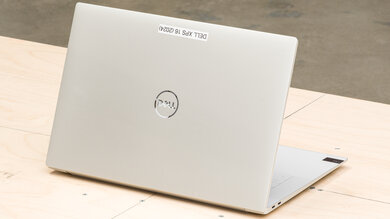
The Dell XPS 16 (2024) has quickly become a favorite among tech enthusiasts and professionals alike, all thanks to its stunning design and powerful performance , featuring Intel Core Ultra processors and Nvidia GeForce RTX graphics. No doubt, it’s a rugged PC. However, like any and most cutting-edge devices, it comes with its share of challenges. In this article, let’s explore some common issues users have reported and how the practical solutions I have put together will help you make the most of your Dell XPS 16 experience.
- Common Issues with the Dell XPS 16 Keyboard Comfort and Design Limited Ports Battery Life Concerns Display Quality Concerns Touchpad Responsiveness
- Conclusion
Common Issues with the Dell XPS 16
Keyboard Comfort and Design
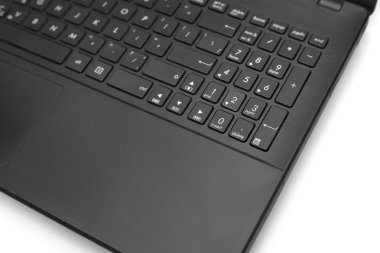
One of the most frequently mentioned complaints about the Dell XPS 16 (2024) is its keyboard design. Users have noted that the low-profile keys and capacitive function row can be uncomfortable and less responsive than traditional keys. The close spacing between keys can lead to typing errors, especially for those with larger hands. Perhaps, you’re dealing with this kind of issue with your device, I recommend the following:
- External Keyboard: Consider using an external keyboard that suits your typing style better. This can significantly enhance your typing comfort.
- Practice: Spend some time getting used to the keyboard layout. With practice, you may find yourself adapting to the new design.
Limited Ports
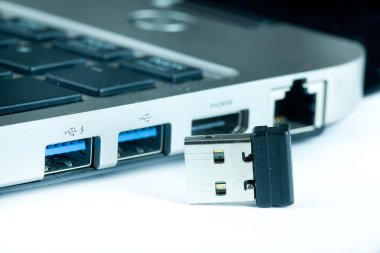
Unlike the traditional PCs with many ports around it, the Dell XPS 16 features only a few ports, which can be limiting for users who rely on multiple peripherals. With only three USB-C ports, an audio jack, and an SD card reader, users may find themselves needing more connectivity options. You can maximize your device by doing the following:
- USB-C Hub: Invest in a quality USB-C hub or docking station that provides additional USB-A ports, HDMI output, and other necessary connections. This will expand your connectivity options without compromising portability.
- Wireless Solutions: Explore wireless alternatives for peripherals where possible, such as Bluetooth mice and keyboards.
Battery Life Concerns
One of the components that makes a PC personal is its capacity to be able to work extensively without having to connect it to an external power source, but in the case of Dell XPS 16 (2024), some users have reported issues with battery life draining faster than expected, even with optimal settings. This can be frustrating, especially for those who rely on their laptops for extended periods without access to a charger. To better enhance and enjoy your device, simply do the following:
- Power Settings: Adjust your power settings by going to Settings > System > Power & sleep. Enable battery saver mode when you’re on the go.
- Background Apps: Limit background app activity by checking which applications are consuming power under Settings > Privacy > Background apps.
- Updates: Ensure your laptop’s software is up to date, as manufacturers often release updates that improve battery performance.
Display Quality Concerns
While the XPS 16 boasts a beautiful 4K display, some users have noticed graininess or smudging due to the touch screen coating. This can detract from the overall viewing experience. You can do some adjusting:
- Display Settings: Adjust display scaling settings in Windows to find a balance that minimizes graininess while maintaining clarity.
- Screen Protector: Consider applying a high-quality screen protector designed to reduce glare and improve touch sensitivity.
Touchpad Responsiveness

Users have expressed mixed feelings about the touchpad’s responsiveness and lack of haptic feedback. Some find it less intuitive compared to traditional touchpads. Sometimes, a little tweak could help:
- Adjust Settings: Go to Settings > Devices > Touchpad and adjust sensitivity settings to find what works best for you.
- External Mouse: If you prefer more tactile feedback, consider using an external mouse for improved navigation.
Conclusion
This is my conclusion, despite some common challenges, the Dell XPS 16 (2024) remains a powerful, rugged and stylish laptop that excels in many areas. By implementing these practical solutions, you can enhance your experience and maximize the potential of this remarkable device. Remember, every new technology comes with a learning curve, and with patience and adaptation, you can overcome these hurdles. Embrace the innovation of the Dell XPS 16 and enjoy all it has to offer!
