Add MobilityArena as a preferred source on Google
Football lovers in the house, I present to you, the official Premier League app. This app will help you follow the world’s most popular league, bumper-to-bumper. All the news, fixtures, results, live scores, and even videos are all inside this app.
The Premier League app features
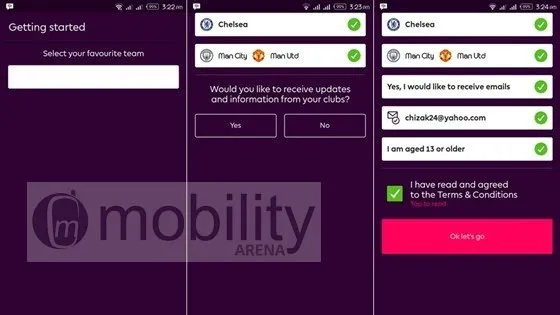
The app has a very clean and beautiful user interface. Best of all, it’s quite easy to use. On first time launch, you will be asked to pick your favourite club(s). Next, you enter your email address and confirm your age.
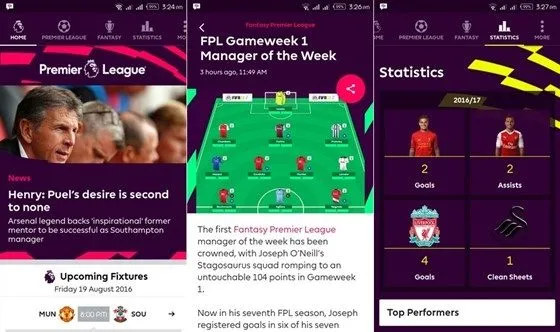
You can easily swipe from right-to-left to access all the features of this app. The first tab is Home»Premier League»Fantasy»Statistics»More. It is easy to view live match commentaries of every Premier League fixture. You can also watch the latest video highlights. The most exciting part is the statistics for every team, and every Premier League player, stretching through its 25-year history.
This app is available for free. It also offers push notifications for any information you wish to be alerted to. Download the Premier League app for Android HERE .
- Don’t miss our reviews .
- Follow our news on Google News .
- Join our WhatsApp Group , to be notified of the most important articles and deals,
- Follow us on Instagram , Facebook , Twitter , and YouTube .
Author:Etoniru Chibueze
Chibueze is an award-winning gadget reviewer and geek. He loves research, while living and breathing tech. You can reach him on Facebook, Twitter ,OR LinkedIn
Add MobilityArena as a preferred source on Google
Did you know? There’s a way to install and run Windows PC apps on your Android device? Well, that’s technology for you. Recall, about a year ago, I wrote about an app in the works that would enable us run Windows apps on our Android device . Here it is, say hello to CrossOver.
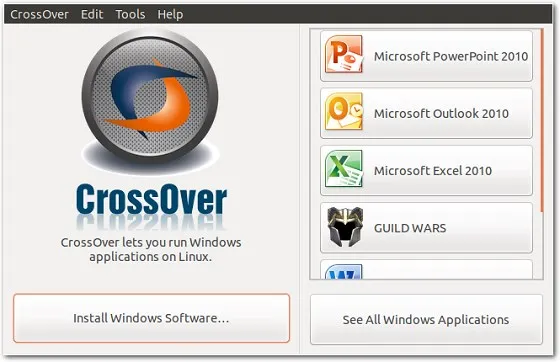
After almost three years of development, CodeWeavers (the company responsible) is finally sharing a working preview on Google Play. It will disappoint you to know that it works on Android devices with an Intel chip. Tablets and Chromebooks are better preferred. Below is a short video of an Acer Chromebook in action.
Interested testers should, send an e-mail to android@codeweavers.com. You’ll be part of the very first group of people to test the software.
Source
- Don’t miss our reviews .
- Follow our news on Google News .
- Join our WhatsApp Group , to be notified of the most important articles and deals,
- Follow us on Instagram , Facebook , Twitter , and YouTube .
Author:Etoniru Chibueze
Chibueze is an award-winning gadget reviewer and geek. He loves research, while living and breathing tech. You can reach him on Facebook, Twitter ,OR LinkedIn
