Add MobilityArena as a preferred source on Google
PicsArt Photo Studio, also known as Picsart Photo Editor & Video, is an image and photo editing app. What it does is self-explanatory: you use it to edit images and videos on your smartphone. It is one of the best photo editing apps available on smartphones.
It is available for both Android and iPhone. But it also made its way to desktop PC when a Windows 10. version was launched for both mobiles and PC’s. The app has a clean layout and minimalist design. It features hundreds of photo editing tools, funny GIFs, emojis, filters and effects, borders, collage makers, Text, sticker, and image overlays etc.
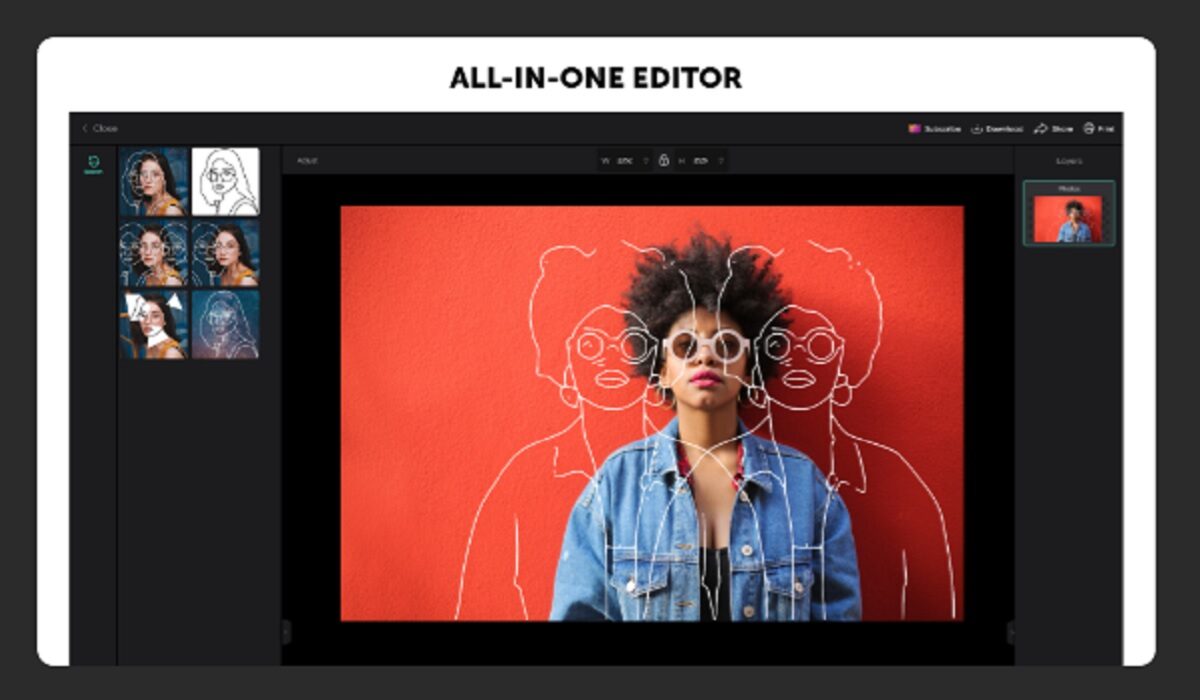
Picsart Photo Editor & Video for Windows 10
Is PicsArt Good?
PicsArt is suitable for use by non-professional image and video editing. That means anyone without formal training in graphics can use this app to enhance their images and videos for social media use and other non-complex editing. If what you are looking for is a tool that is as detailed and as comprehensive as PhotoShop Express or LightRoom, PicsArt is not that tool. And that is why it is used and loved by millions of everyday people. It is a simple, easy-to-use editor for the average Joe.
Is PicsArt Photo Studio Free?
Picsart Photo Editor & Video is a free app, though you may have sold in-app purchases. That means it is free to download and basic functionality is free, but it includes some premium features that you have the option to purchase should you want access to them.
Who Is The Developer Behind PicsArt Photo Studio?
This photo and video editor is developed by Picsart , a technology company based in a Miami, Florida, in the United States of America.
How To Download PicsArt Photo Studio
- For Android phones and tablets, download Picsart Photo Editor & Video from Google Playstore by clicking here.
- For iOS devices (iPhone and iPad), download Picsart Photo Editor & Video from the Apple APp Store by clicking here.
- Download PicsArt Photo Studio for Windows 10 HERE .
The app is available for free, though you may have sold in-app purchases. It has been tested to work smoothly both on mobile and PC.
- Don’t miss our reviews .
- Join our WhatsApp Group , to be notified of the most important articles and deals,
- Follow us on Instagram , Facebook , Twitter , and YouTube .
Author:InfoDesk
Add MobilityArena as a preferred source on Google
The first time I got poked by a Facebook contact, I didn’t know what to think or do. Eventually, I responded with a poke and waited. But that was where the movie ended. No return poke. No message. Nothing.
The next time someone poked me, I responded with a message to say hi and to ask how he was doing. Again, I waited. But the movie ended there too. He didn’t poke back or respond to my message. Was I doing it wrong?

What does a poke mean on Facebook?
I have been poked twice this week alone. One has poked me twice in a row despite my responding with a message. In the other case, I poked back. Again, no further responses from him. I don’t know what to think.
When someone of the opposite gender pokes you, what does it mean? Does it mean he/she likes you or thinks you’re a knucklehead? I’ve had a few women poke me. I poked them back (and that just sounds so wrong). Nada. Am I supposed to toast them next? You know, tell them they’ve got beautiful eyes and the like?
How to Poke Someone on Facebook
To see and send pokes, visit your pokes page . You will find a list of friends that you can poke. If you don’t want someone to poke you, you can block them. When you poke someone, they get a notification; and when you are poked, you get a notification, likewise.
What is your poke story?
I hear lots of others tell similar poke tales. Like me, they don’t get it either. I’m glad that it isn’t just me. One thing is for sure: there’s a lot of poking going on, for a feature that nobody seems to understand what it is for. Can someone please answer this simple question for me: What does a poke mean on Facebook?
- Don’t miss our mobile phone reviews .
- Follow our news on Google News .
- Join our WhatsApp Group , to be notified of the most important articles and deals,
- Follow us on Instagram , Facebook , Twitter , and YouTube .
Author:Mister Mobility
Digital Skills and Communication Coach | Mobile Phone Connoisseur since 2001 | Tech Blogging since 2004
