Add MobilityArena as a preferred source on Google
What is the “Application Not Installed” Error on Android and why are you getting it on your smartphone? It is an error that sometimes pops up on the screen of Android smartphones when you try to install an app.
I have experienced this error a few times and know how frustrating it can be when you so desperately want to install an app you need or want for work or fun. Below, I list some of the reasons why this error shows up and then walk you through a number of easy, non-technical fixes for it.
- Reasons for “Application Not Installed” Error”
- Quick Fixes for “Application Not Installed” Error Solution 1: Install the app to the phone’s internal memory Solution 2: Choose the correct app file or download from another source Solution 3: Check Storage Space Solution 4: Reboot Your Device Solution 5: Update the Operating System
Reasons for “Application Not Installed” Error”
- Corrupted APK file: A damaged or incomplete APK file may trigger the “Application Not Installed” error.
- Insufficient storage space: Your device may not have enough free space to accommodate the new app.
- SD card issues: If the app is being installed on an SD card, problems with the card could cause the error.
- Incorrect app installation location: Some apps require installation on the device’s internal storage rather than an SD card.
- Incompatible app version: The app you are trying to install may not be compatible with your device’s Android version.
- App signature conflict: If a version of the app with a different signature is already installed, this error may occur.
Quick Fixes for “Application Not Installed” Error
Having seen why this error happens on your smartphone, here is a step-by-step guide to help you solve the problem and install your app without issues.
Solution 1: Install the app to the phone’s internal memory
Some apps require installation on the device’s internal storage rather than an SD card. As a rule, even when you have an SD card, install apps on the phone. Use your memory card for media files and downloads.
Solution 2: Choose the correct app file or download from another source
If the “Application Not Installed” error is triggered by a corrupted APK file, you have two options: go back to where you downloaded it from to see if another version of the app exists and download that, or change your source.
I recommend that you use Google Play Store as your first port of call for getting Android apps. where you are unable or unwilling to use Play Store, you should give APKPure.com a try; it is one of the trusted sources for Android files. Feel free to try other 3rd party Android app stores , as well.
Solution 3: Check Storage Space
To find out if insufficient storage space is the reason why you are getting the error, go to your phone Settings > Storage, to see what it says. If you have run out of storage space, you need to delete unnecessary files and apps to free up space. Media files are usually the biggest culprits when it comes to space. By media files, I mean video and images.
To delete some of those, open your phone’s gallery, locate the ones you no longer need to have on the phone and delete them. I recommend that you have Google Photos backup active to store your media files in the Cloud. That way, even after deleting them from your smartphone, you can still access them in Google Photos should you need to use them later.
To delete apps, go to your phone Settings > Apps > tap on the app you want to delete and tap on the Delete or Uninstall button. Not that the names and paths to do this sometimes differ from one phone brand to another, due to customisations done by each brand.
Solution 4: Reboot Your Device
A simple and quick reboot of your smartphone often clears the device’s cache and is sometimes a fix for a myriad of issues, including this one. Power down your smartphone and then restart it, then try to install the problematic app again. If a reboot fixes the issue, you will not get the “Application Not Installed” error any more.
Solution 5: Update the Operating System
One last thing you can do to fix the “Application Not Installed” error on an android smartphone is to check if there is a software update available for the phone. Why? Some apps require a certain version of Android OS to be able to run. Dive into your smartphone settings > System > Software update, and your phone should run a check to see if there is a software update available for it.
Note that the names and paths to this differ from one phone brand to another, so don’t get worried if you don’t see the exact phrases I have used. Where you can’t find it, type “Software update” in the search bar at the top of your phone Settings and it should appear in the results. Run your update and if the “Application Not Installed” error is because of a version incompatibility, it should go away.
Author:Mister Mobility
Digital Skills and Communication Coach | Mobile Phone Connoisseur since 2001 | Tech Blogging since 2004
Add MobilityArena as a preferred source on Google
As technology continues to advance, Android tablets have become increasingly popular because they’re versatile and convenient. With so many options available on the market, it can be difficult to know which Android tablet is the best fit for your needs.
In this article, I’ll explore some of the best Android tablets in 2023 based on factors such as performance, battery life, display quality, and overall value for your money. Whether you’re looking for a tablet for work, entertainment, or both, I’ll help you find the right device for your needs.
What Are the Best Android Tablets in 2023?
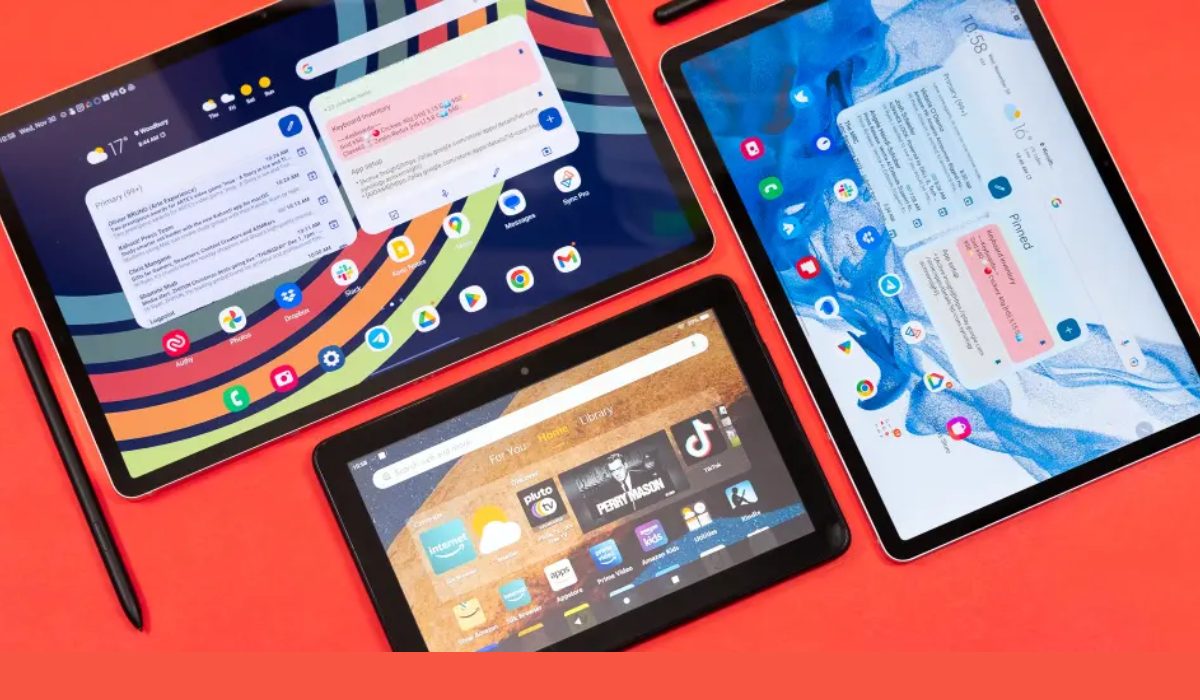
Android tablets vary in size and quality, but some provide remarkable value and can serve as excellent iPad alternatives for people on a tighter budget. To make things easier, I’ve compiled a list of possibilities worth considering. Below are some of the best inexpensive Android tablets in 2023.
Samsung Galaxy Tab S8 (Best Buy)
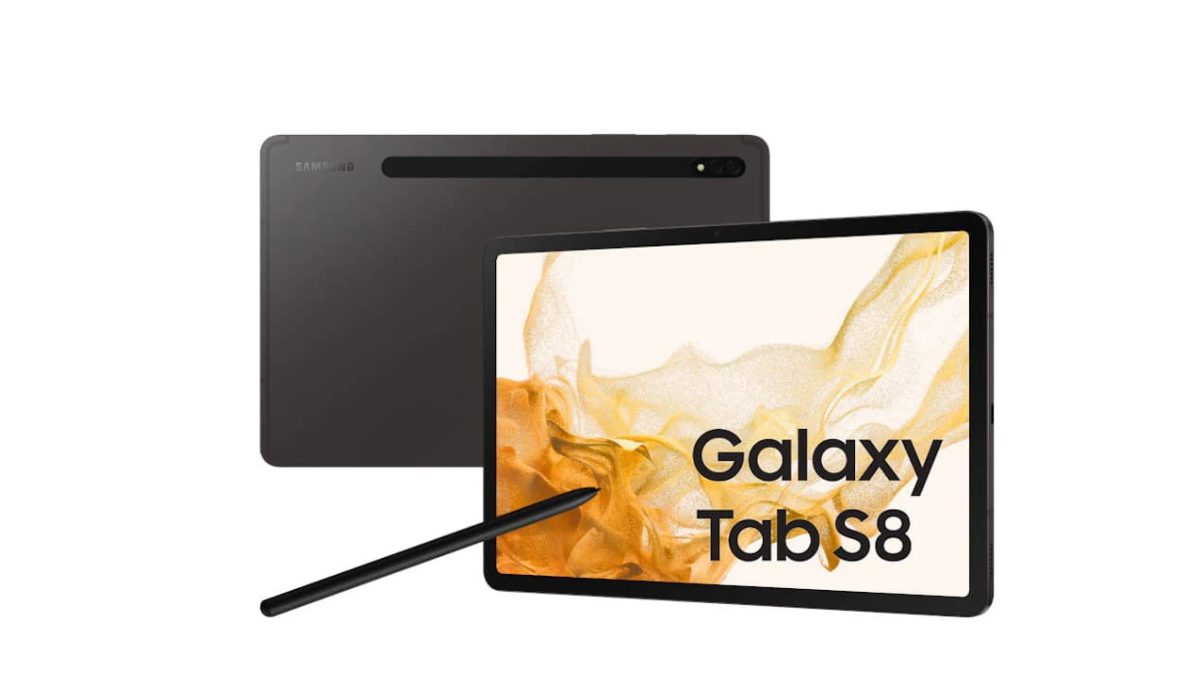
If you can afford it, the normal Galaxy Tab S8 is the best premium Android tablet available, albeit the Tab S8+ and Tab S8 Ultra are more expensive. This model offers the best value for money in terms of price, performance, design, and features. For starters, you get a Snapdragon 8 Gen 1 processor with plenty of memory and storage. It’s also an unusual case where a stylus is supplied in the box.
Besides the sleek and high-end design you’d expect from Samsung, the company provides an exceptional four years of OS updates, ensuring that the Tab S8 will keep you going for a long time. At this price, it’s a shame the screen is LCD rather than AMOLED, and there’s no charger included. The 5G inclusion is also iffy because it is not available in the United States and is expensive in the United Kingdom.
Nonetheless, if you’re on the lookout for one of the best Android tablets in 2023, don’t miss out on the Samsung Galaxy Tab S8.
The Xiaomi Pad 5
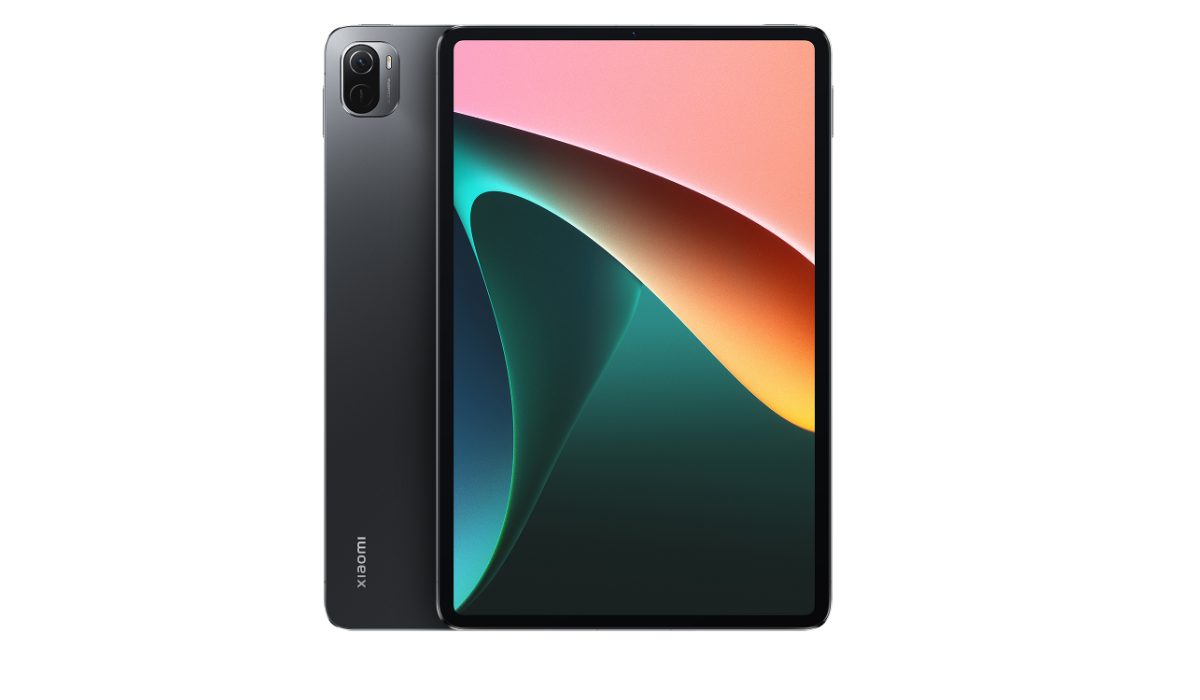
Xiaomi hasn’t released a slate on the world stage in quite some time, but the Xiaomi Pad 5 is a welcome comeback to the tablet market. The tablet has a slim design with a magnificent 2.5K 120Hz display in front, as well as amazing stereo speakers and solid performance.
Similar to what it does with phones, Xiaomi’s tablet-optimized MIUI user experience won’t be to everyone’s taste, but it is entirely functional. Despite the fact that the added connectivity found on Chinese models doesn’t reach most international markets, there isn’t much else on the Android side of the fence that I’d suggest at the Pad 5’s price point. So yes, it’s second on my list for the best Android tablets in 2023.
Lenovo Tab P11 Pro
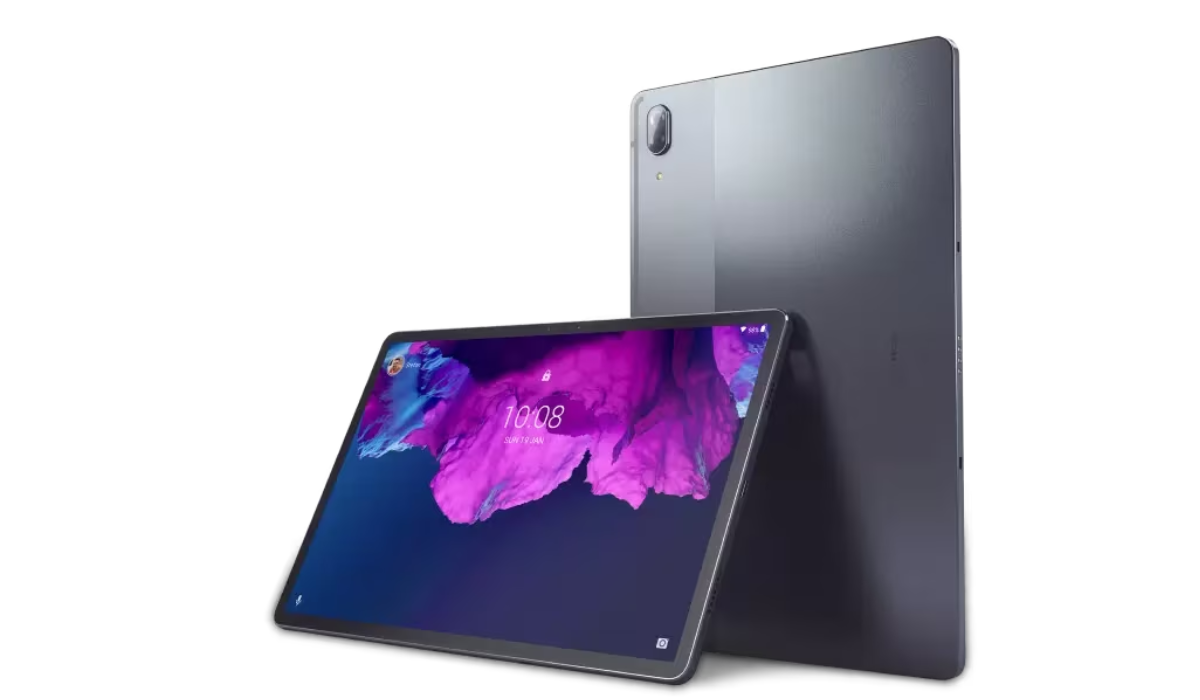
This Lenovo tablet is large, sharp, and packed with powerful OLED technology thanks to its 11.5-inch 1600 x 2560 OLED screen. With the exception of its traditional 60Hz refresh rate, expert testers have found it to be a delight to watch video on as it also supports HDR10. The Lenovo Tab P11 Pro is a capable media device with powerful quad speakers and a large 8,600mAh battery, making it a fantastic travel companion.
You’ll also love the Lenovo Tab P11 Pro’s stylish metal design. It supports a keyboard and a stylus, and can be used as a productive tool, but unfortunately, it still can’t compete with a standard laptop.
Also, its performance is somewhat mediocre and its cameras aren’t so great, but I’d say you can live with these shortcomings given this device’s shockingly reasonable price. So don’t write it off the list of best Android tablets in 2023 just yet.
Samsung Galaxy Tab A8
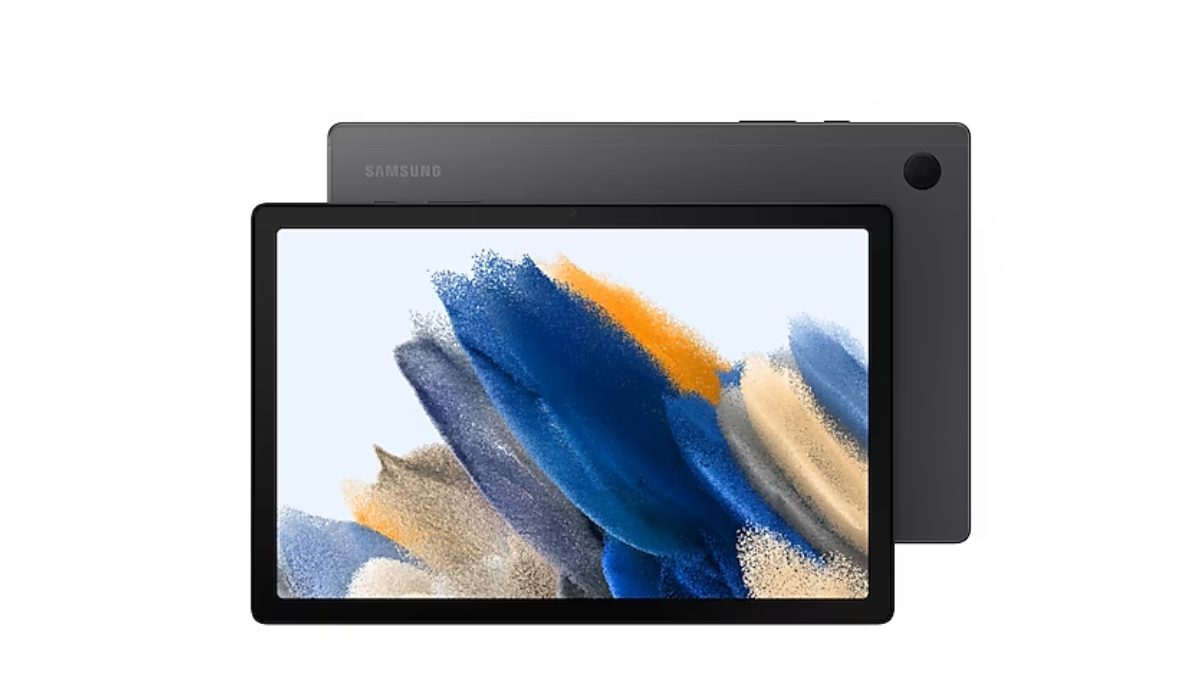
The Galaxy Tab A8 is a pleasant addition to Samsung’s tablet lineup, with its stylish design and other noteworthy features like strong audio performance.
Its two major flaws prevent it from being an instant recommendation for a budget media player, but despite these, it still has a good battery life and provides an overall balanced experience, especially given the price.
So while my applause for it is not the loudest, I’d still call it fair enough to include it among the best Android tablets in 2023.
Oppo Pad Air
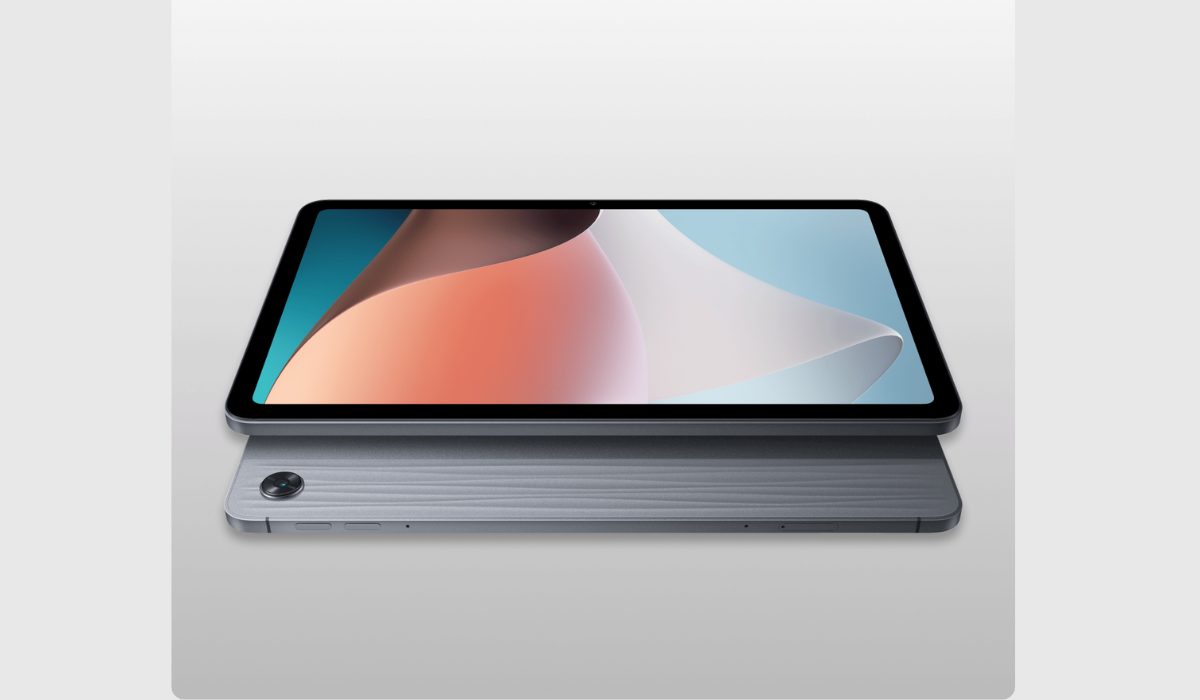
With its first Western tablet, Oppo has done a fantastic job of providing something that is definitely worth consideration. Excellent affordable tablets are difficult to come by.
In addition to having quad speakers and an all-metal body, the Pad Air features a superior IPS display than the Samsung Galaxy Tab A8. It is a trustworthy device for a variety of purposes thanks to its long battery life.
It’s noteworthy, though, that the Pad Air’s performance falls short of that of its major competitors, and it could also benefit from features like a fingerprint scanner to make it more appealing. But considering the features it does have, I don’t think I’m wrong to include it among the best Android tablets in 2023.
To sum up , there are many great Android tablets available on the market in 2023, each with its own unique strengths and features. I hope the suggestions here make it simpler to choose the best Android tablet in 2023.
Don’t forget that this depends on your specific needs and preferences, such as performance, battery life, display quality, and overall value for your money. Need great Android suggestions? Check out this category .
