Add MobilityArena as a preferred source on Google
It’s quite convenient to rotate the iPhone’s screen, especially when watching videos, playing games, or reading. However, occasionally your iPhone’s screen may refuse to rotate to landscape mode. There are a number of causes for this, but how to fix the issue is more important.
In this article, I’ll describe several ways to fix iPhone not rotating to landscape mode. So, if you’re turning your iPhone but it’s not rotating to landscape mode, try one or more of these fixes.
- How Can You Fix iPhone Not Rotating to Landscape Mode? Examine the Portrait Orientation Lock Disable Display Zoom Restart Your iPhone Use Assistive Touch to Force Landscape Mode
How Can You Fix iPhone Not Rotating to Landscape Mode?
Depending on how you’re holding the iPhone, the screen rotation to landscape mode should be flawless. But here are some troubleshooting suggestions that can fix iPhone not rotating to Landscape mode. If you’re experiencing issues with auto-rotate on Android, check out this guide .
Examine the Portrait Orientation Lock
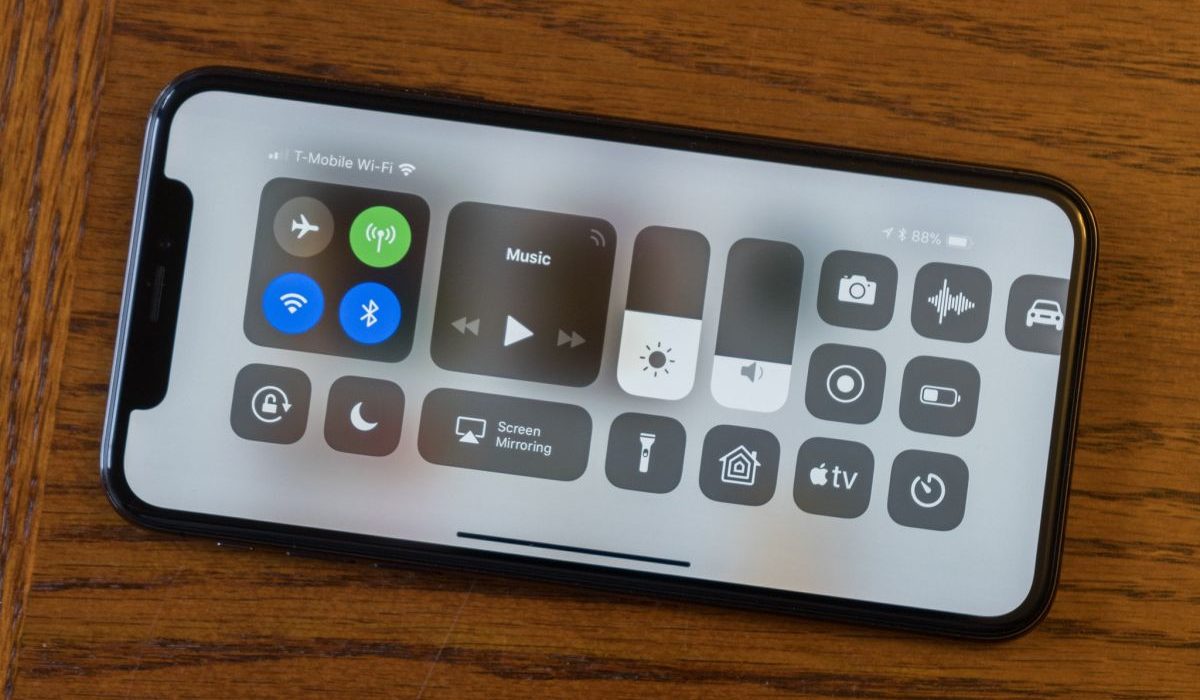
Check that you haven’t mistakenly turned on the Portrait Orientation Lock. This toggle is in the Control Center , and many iPhone owners enable it by accident only to find that it has caused landscape mode to stop working.
To access it on an iPhone with a Home button, swipe up from the screen’s bottom. Swipe down from the top-right corner of the screen if you own an iPhone without a Home button.
Here, toggle the Portrait Orientation Lock on or off (it’s represented by a circular arrow) to fix iPhone not rotating to Landscape mode.
Disable Display Zoom
The ability to rotate the Home Screen is available to users of the iPhone 6 Plus, 6S Plus, 7 Plus, or 8 Plus. Consider investigating the Display Zoom feature if you have one of these models and it doesn’t rotate to Landscape mode. Follow these instructions to turn off Display Zoom and fix iPhone not rotating to Landscape mode:
- Access the Settings app.
- Navigate to Display and Brightness .
- Scroll down to Display Zoom .
- Navigate to View > Default .
Restart Your iPhone
Restarting your iPhone is one of the most popular and effective ways to resolve common software issues. This usually clears any issues and quits all apps, giving your iPhone a clean slate.
Follow these restart instructions (specific to your device) to fix iPhone not rotating to Landscape mode:
- To display the Slide to Power Off option and restart an iPhone X or later device, press and hold the Side button and one of the Volume keys simultaneously.
- For the power off slider to appear on older devices, press and hold the Sleep/Wake button. Slide the slider from left to right to turn off the iPhone.
Allow your device to totally shut down. Then, press and hold the Sleep/Wake button until the Apple logo shows on the screen.
Use Assistive Touch to Force Landscape Mode
Even when your iPhone is in portrait mode, you can force the screen to rotate into landscape mode by using Assistive Touch. This is an iOS feature that is useful if your iPhone Home button isn’t functioning. You can use this built-in feature to rotate your iPhone screen by force.
Before using AssistiveTouch in this manner to fix an iPhone not rotating to Landscape mode, you must enable it in your iPhone’s settings:
- Launch the Settings app.
- Navigate to Accessibility > Touch > AssistiveTouch .
- Ensure that the toggle at the top of the screen is set to “ On .”
- Set it to Open Menu by tapping one of the four options ( Single Tap, Double Tap, Long Press, or 3D Touch ).
- Go back to the Home Screen on your iPhone.
- On the screen, you will now notice a new floating home button. Go to Device > Rotate Screen after performing whichever action you set to Open Menu in the steps above.
Don’t worry about the new onscreen icon being distracting. When not in use, it will fade, and you may tap and drag it to move it around the screen.
Unfortunately, the landscape setting gets overridden if you move your device after forcing it into landscape mode with the instructions above. So, each time it resets, you have to force it into landscape mode again.
It’s important to remember that apps that don’t support landscape view will also not support the force rotation capability. The iOS Home Screen can only be rotated on the iPhone 6 Plus, 6S Plus, 7 Plus, and 8 Plus models. As a result, the iPhone X and later models cannot have a landscape home screen, most likely because of the position of the Face ID camera.
To conclude, you can quickly fix iPhone not rotating to Landscape mode through the steps I’ve outlined in this guide. However if you’ve tried all of the suggestions above and nothing works, your iPhone’s accelerometer may be faulty.
In this case, schedule an appointment at an Apple Store or take your device to an Apple Authorized Service Provider. You’ll be able to fix the accelerometer and therefore fix iPhone not rotating to Landscape mode.
Author:Joan Agie
Add MobilityArena as a preferred source on Google
Electric bikes (electric bicycles) have gained tremendous popularity in recent years, offering an eco-friendly and convenient mode of transportation. As their popularity continues to rise, many people are curious about their functionality. One common question that arises is whether you can ride an electric bike without pedaling.
There are different types of ebikes , and some allow you to ride without pedaling, while others require that you pedal. Let’s look at the mechanics of electric bikes to understand how they operate and explore the possibilities and limitations of moving without pedaling.
Can you ride an electric bike without pedaling?
- Understanding Electric Bikes
- How Electric Bikes Work
- Can you ride an electric bike without pedaling?
- When you ride an electric bike without pedaling: Benefits and Drawbacks
- Safety and Practical Considerations
- Last words
Understanding Electric Bikes
To grasp the concept of an electric bike, it’s important to understand its components. Electric bikes, also known as e-bikes, are equipped with an electric motor and a battery system. These components distinguish them from traditional bicycles. The electric bike motor provides additional power to aid the rider, making pedaling easier and more efficient. The battery system supplies the necessary energy to run the motor.
How Electric Bikes Work
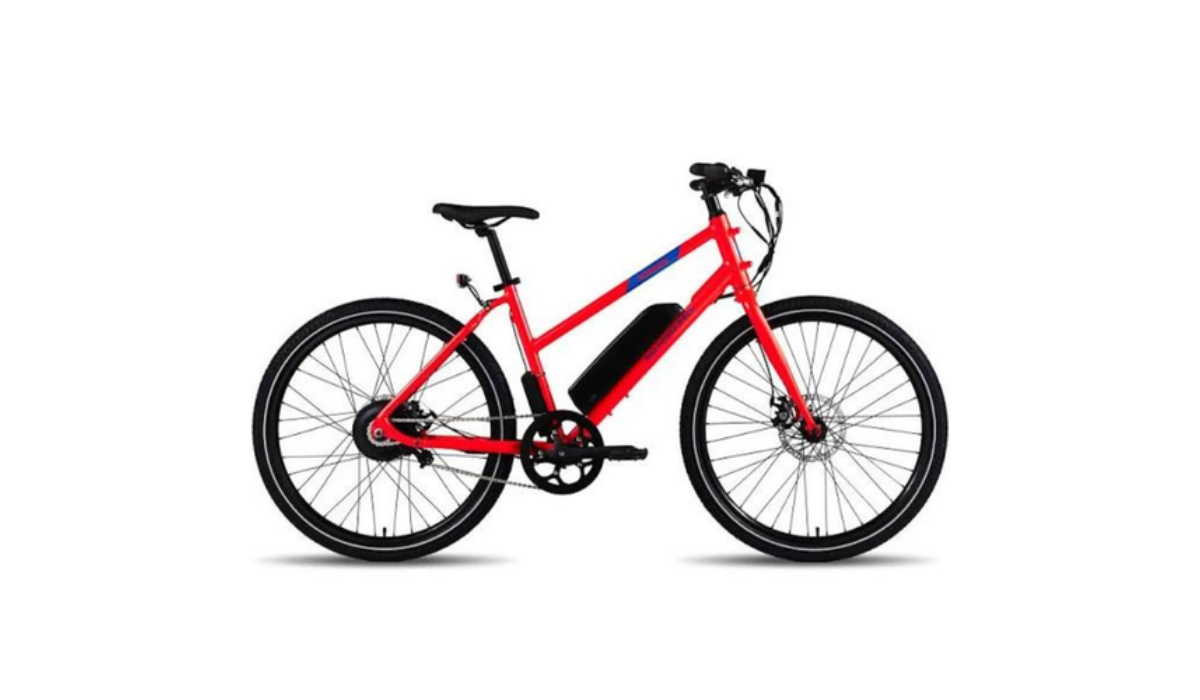
There are two primary modes of operation for electric bikes: pedal-assist and throttle mode. In pedal-assist mode, the motor provides assistance while the rider is pedaling. It amplifies the pedaling effort, making it easier to tackle inclines or ride at higher speeds. On the other hand, throttle mode allows riders to engage the motor without pedaling. By using a handlebar-mounted throttle, the rider can control the speed and power of the electric bike solely through the motor.
Can you ride an electric bike without pedaling?
The short answer is yes, an electric bike can move without pedaling, thanks to the throttle mode. However, it is important to consider the limitations and factors that come into play. The functionality of an electric bike’s motor allows it to propel forward even without pedaling. However, the speed and distance covered solely by the motor’s power are influenced by various factors. These include the capacity and charge level of the battery, the power output of the motor, and the weight of the rider and the bike itself.
It is worth noting that legal regulations and restrictions regarding electric bikes might differ depending on the region. Some jurisdictions only permit electric bikes to move with motor assistance when the rider is actively pedaling. Therefore, riders should familiarize themselves with the specific laws governing electric bikes in their area to ensure compliance.
When you ride an electric bike without pedaling: Benefits and Drawbacks
Moving without pedaling can be advantageous in certain situations. For instance, riders who have physical limitations or fatigue may rely on throttle mode to continue their journey. It can also be beneficial when maneuvering through congested areas or for a quick burst of speed when needed. However, relying solely on the motor’s power has its drawbacks. It can drain the battery quickly, reducing the overall range of the electric bike. Additionally, continuous motor use may lead to increased wear and tear on the motor and battery system.
Safety and Practical Considerations
While moving without pedaling is possible, riders should exercise caution and be aware of safety considerations. Attentiveness and control are essential, especially when relying on motor power. It’s important to maintain situational awareness and adjust the throttle settings accordingly to maintain a safe and comfortable speed. Regular maintenance of the battery system is crucial to ensure optimal performance and prevent unexpected power loss during rides.
Last words
An electric bike can indeed move without pedaling, thanks to the throttle mode available in many models. However, the extent and limitations of pedal-free operation are influenced by various factors such as battery capacity, motor power, and regional regulations. While the ability to move without pedaling provides convenience in certain situations, it’s crucial to strike a balance between relying on motor power and utilizing pedal-assist to optimize battery life and overall riding experience.
As the popularity of electric bikes continues to soar, understanding their functionalities and limitations will empower riders to make informed choices and fully enjoy the benefits of this sustainable mode of transportation.
Author:MobileChic
That motivated, gadget-loving geeky chic who tries to stay on top of things. Unapologetic iFan.
