Add MobilityArena as a preferred source on Google
Foldable displays are the bedrock of foldable phones and devices. In other words, foldable smartphones are possible only to the extent that technology is able to make foldable displays possible. Mister Mobility initially wrote this article in 2014. He has now updated it to reflect developments between that time and 2021 and beyond.
The very earliest attempts at making foldable phones flopped. Samsung was an early innovator in this regard, but kept pushing a release back. Some of the earliest experiments applying foldable displays included awkward looking curved displays, like the one seen on the LG G Flex in 2013. It folded…but more like it curved or bent.
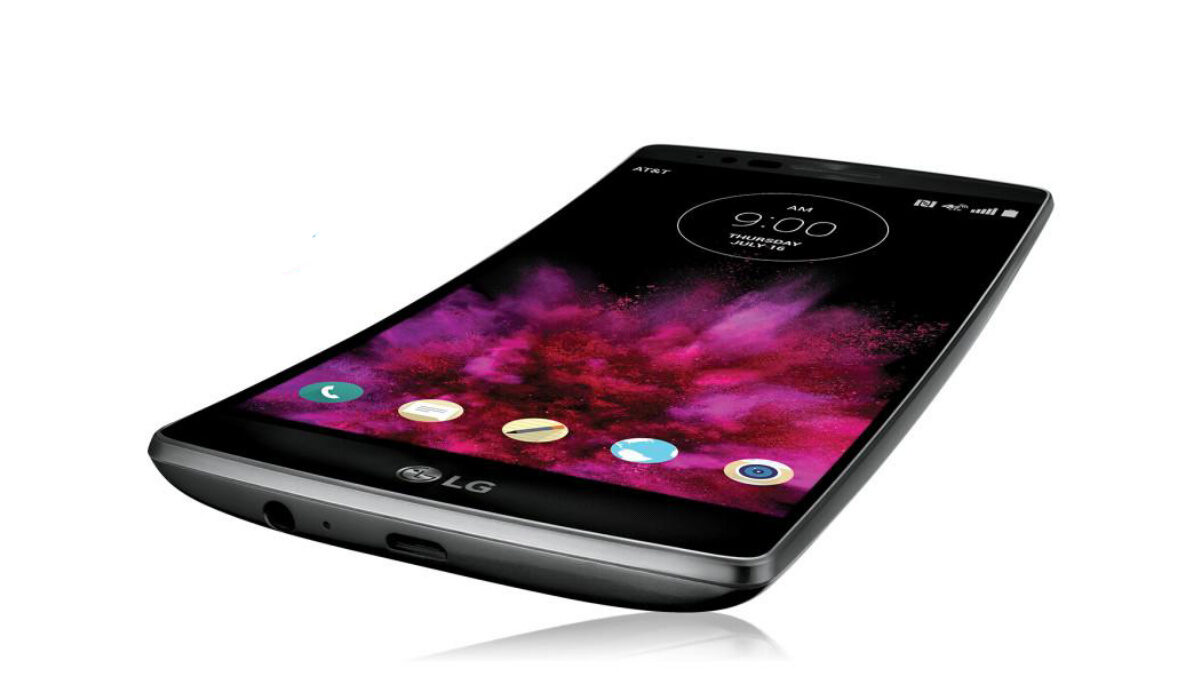
LG G Flex foldable display was a flop
Back then, I had no idea what the benefit of a curved smartphone was or would be. I spent some time thinking about it, and I wasn’t able to figure it out. The phone simply looked and felt like a banana in the hand. Apart from that…
I did imagine that if manufacturers could make the rest of the components foldable so that a tablet could be rolled up like a newspaper, that would be something. I could think of some possible merits in that concept.
Samsung did eventually announce a foldable device, and even that was riddled with problems. But as with all new technological endeavours, things get better and better. And they did with foldable displays.
Hybrid Devices With Foldable Displays Are Here
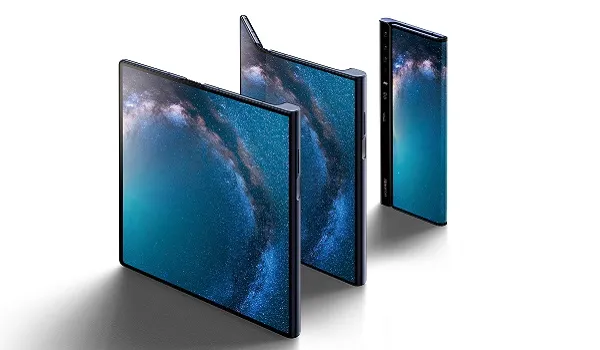
But foldable display technology has since progressed and made things happen. Fast forward to 2021, and there are varying shades of hybrid devices with a foldable display. A hybrid device is one that is a mix of two things.
Consider the Samsung Galaxy Fold , for example. When opened up, it is a full fledged tablet. When folded, however, it is the size of a smartphone. The age of Transformer phones beckons.
Most manufacturers who have dabbled with foldable displays have gone the route of Tablet-phone devices in their implementation. For example, we have: Huawei Mate Xs and Xiaomi Foldable Phone: first look (video & renders) .
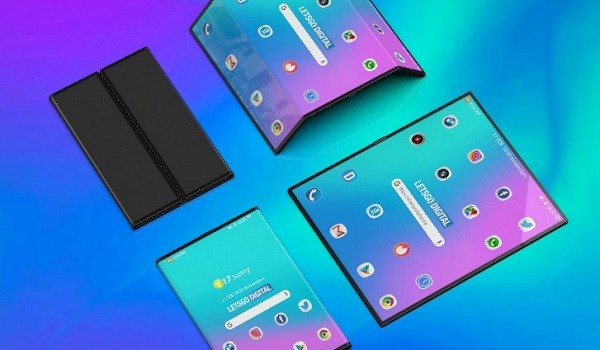
Xiaomi’s hybrid device with a foldable display
However, we have another class of foldable phones that do not morph into a tablet – the new foldable flip phones. These are standard-sized phones when opened up, and closed clams/flips when folded. Foldable phones in this category include Samsung Galaxy Z Flip , and Motorola RAZR 2019 foldable phone .
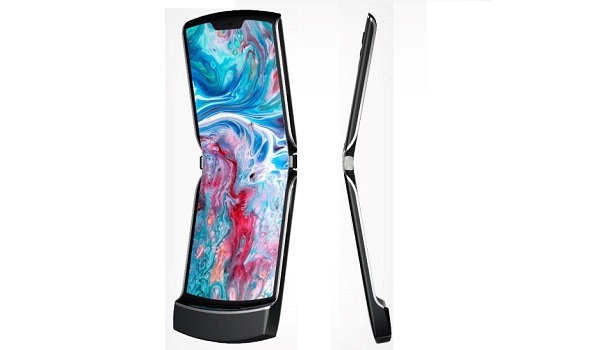
Motorola RAZR 2019 foldable flip phone opened up
The Future of Foldable Displays
One thing is clear: devices with foldable displays are here to stay. The first two generations have done well and things can only get better from here. As foldable display technology improves, we might even see more interesting and complex form factors evolve.
For the foreseeable future though, we will see refinements in the present form factors – stronger hinges, better screen protection, better battery life, and the like. For example, the Samsung Galaxy Z Flip3 is rumoured to be coming with an ultra thin glass display.
Initially, foldable displays were strictly a plastic affair. Plastic bends; glass not so much. But technology is improving to deliver foldable glass. We should see foldable glass protection soon too, so these $1500-$2000 get some measure of safety should they unilaterally decide on an appointment with the hard floor.
One other thing that has to happen in the next few years is a price drop in the cost of foldable smartphones. Right now, they are not for the faint-hearted, or for the trim purse.
- Don’t miss our mobile phone reviews .
- Follow our news on Google News .
- Join our WhatsApp Group , to be notified of the most important articles and deals,
- Follow us on Instagram , Facebook , Twitter , and YouTube .
Author:Mister Mobility
Digital Skills and Communication Coach | Mobile Phone Connoisseur since 2001 | Tech Blogging since 2004
Add MobilityArena as a preferred source on Google
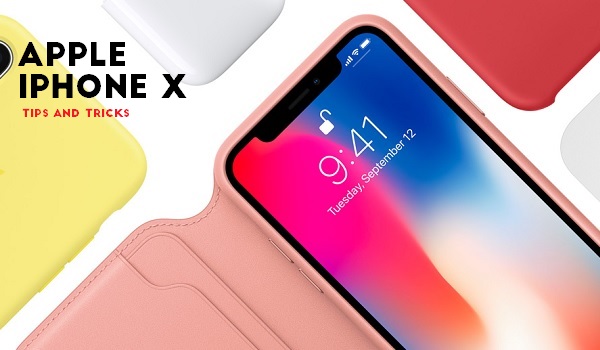
The iPhone X launched in 2017, going on to become the first Apple iPhone to offer an OLED display, as well as removing the popular home button. However, like most smartphones, the iPhone X occasionally suffers certain glitches and this is what we will take a good look at today.
In this piece, we will look at some of the more common issues with the iPhone X and how to take care of them yourself.
- Slow Performance Speeds: It is not uncommon for smartphones (Apple, Android) to slow down after a while. The issue is, this bug can become rather troublesome, going on to make your device slower and more difficult to operate. If this is your device, you can try out the following steps to take care of this issue:
- You can turn on Peak Performance Capability to optimize power consumption and help your device operate faster. What you need to do is go to Settings > Battery > Battery Health > Peak Performance Capability > Disable .
- If the tip above does not help out, you may need to get a new battery altogether. This can see your device’s performance improve and become faster.
- Device not charging properly: A number of owners of the iPhone X have complained about their smartphones not charging properly, with some stating that the devices took to long to charge or the wireless charging properly. To fix this, you can try:
- Changing the cables of your charger or trying a different charger entirely to see if it works better.
- Removing the case on your iPhone X to ensure it is not interfering with the wireless charging.
- Restarting your device to see if this fixes the problem.
- Contacting a technician or Apple Support.
- GPS Not Functioning Properly: The GPS on the iPhone X has been noted to occasionally drift around or just stop working totally. If this has ever happened to your device, you can try out the following fixes:
- Check Settings > Privacy > Location Services and ensure it is turned on.
- Open up the App Store and check the Update Section to ensure all your apps are up-to-date.
- Also, check for the latest iOS updates by clicking Settings > General > Software Update .
- Go to Settings > General > Reset , then select Reset Location and Privacy .
- Face ID Not Working Properly: Smartphone users nowadays have a plethora of options to unlock their devices, with some relying on the Face ID sensors to unlock their devices. However, with the iPhone X, there are times when this feature does not work properly, prompting users to find another means to access their smartphone. If this is you, you can try the following tips:
- Do not wear shades or any face accessories.
- Try turning off this feature in Settings > Face ID & Passcode . This means that you will no longer need a Face ID process, but your device may become less secure with this move.
- Go to Settings > Face ID & Passcode and click on Reset Face ID . This can help you fix the bug.
- Check your smartphone for the latest software updates. Go to Settings > General > Software Update to check for it.
- Screen Freezes: This bug is rather common with iPhones, making easy processes rather cumbersome on this device. If your smartphone has ever experienced this, you can follow these steps to fix the issue:
- Try a phone restart. Press and release the Volume Up button, then swiftly press and release the Volume Down button. After this, press and hold the Sleep button till you see the Apple logo. Your device’s display should return to normal once the smartphone turns on.
- You can attempt a factory reset, but ensure you back up your data before starting this process.
- If the issue started after physical impact on the display, then you may need to see a technician to fix the problem.
Updated August 2021 : Apple iPhones That Support Wireless Charging .
You are reading Mobility Arena .
- Don’t miss our reviews .
- Follow us on Instagram , Facebook , Twitter , and YouTube .
Author:Alfa Baye
Staff Writer
