Add MobilityArena as a preferred source on Google
Around the world, there is a huge interest in smartphones that are not made in China. A year ago, this was not the case. Yes; there was some interest in the subject, but it was nothing as hyped up as what we are seeing now since 2020.
Why is there a sudden increased interest in mobile phones, smartphones and tablets that are not made in China? We can start from the age-long suspicion with which Chinese products have been known for – the fear of espionage. In the last one year, this has become an even greater concern, for obvious reasons.
- Policy Concerns
- The Major Attraction For Made-in-China Smartphones
- Some Smartphones That Are Not Made In China
- Not Made In China: The Alternatives and Competitors
Policy Concerns
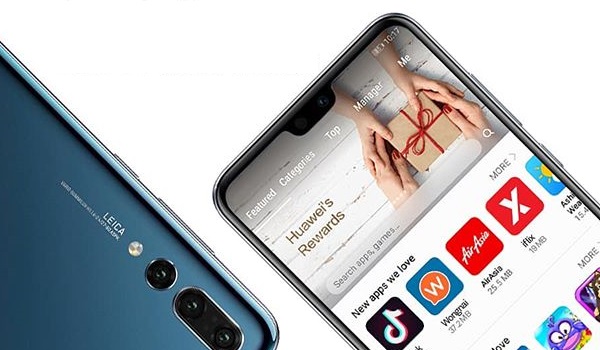
For starters, the United States government has been on a hard crusade against Chinese manufacturers, with Chinese conglomerate, Huawei, taking a huge brunt of the blow. The US placed a ban on Huawei networks equipment and also restricted the company from being able to do business with American companies.
Now, Huawei is as big as it gets. It was easily the global champion of China. Huawei networks equipment is in use on every continent, including Europe. And Huawei smartphones were selling like hot cake everywhere too. As of 2019, Huawei Mobile was on track to overtaking Samsung as the world’s largest smartphone manufacturer.
The US ban on Huawei has meant that its smartphones do not have access to Google’s Mobile Services and apps, and so are less desirable to most people who rely on Google services. That effectively put a clog in the wheel of Huawei’s plans to conquer the world.
Another factor that is fuelling the fresh interest in smartphones that are not made in China is the outbreak of the COVID-19 Coronavirus. The pandemic is reported to have started in China in late 2019, and there have been accusations that the Chinese government held back some critical information that would have triggered a quicker global response to the virus.
As such, there is some rage against China everywhere you turn and some mobile users are hunting for ways to boycott made-in-China products. Note that the concerns are user-driven or policy-related, not inherently about the products themselves. Since most of the world’s smartphones are now made in China, that is a tough act to pull off.
The Major Attraction For Made-in-China Smartphones
Price-to-value ratio. That is it, in one phrase. In plain English, made-in-China smartphones are cheaper or more affordable than the competition. Why is this so? Economies of scale . China has a huge population, huge landmass, and a huge mass of skilled hands for product manufacturing.
This combination of factors is why most brands in the world today have factories located in China. This includes fashion brands, electronics brands, food, pharmaceuticals, phones, cars, and more.
If it can be made, it is mostly being produced in China. Some manufacturers are trying to change that now, of course. But we will see how it goes.
Some Smartphones That Are Not Made In China
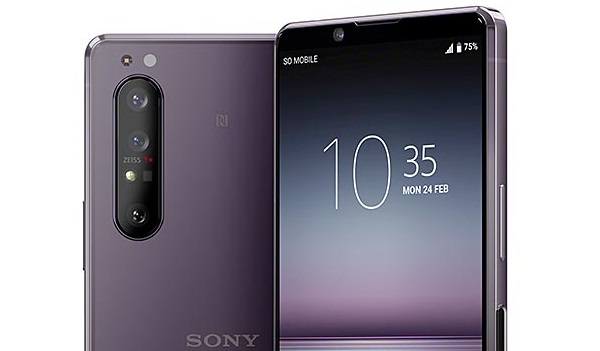
Sony Xperia 1 II is not made in China
Sony Xperia 1 II, for example is not made in China. It is manufactured in neighboring Japan. Japan does not have the economies of scale for manufacturing that China has.
As such, it is only natural that Sony Xperia smartphones cost more than their equivalent Huawei or Xiaomi phones. If you have been wondering why Sony phones have cost more than others, you have a clearer picture now.
Of course, because Sony Mobile itself is a small company on the global scene, that further makes it difficult to match the prices of competing products from China. See The Best Sony Phones Of 2020 and 2021 and Sony Compact Smartphones: If you want your phone powerful and handy .
Most Samsung phones are produced in Korea, so they belong to the class of mobile devices that are not made in China. Do you understand now why the average Samsung smartphone costs more than its counterparts from Xiaomi and others?
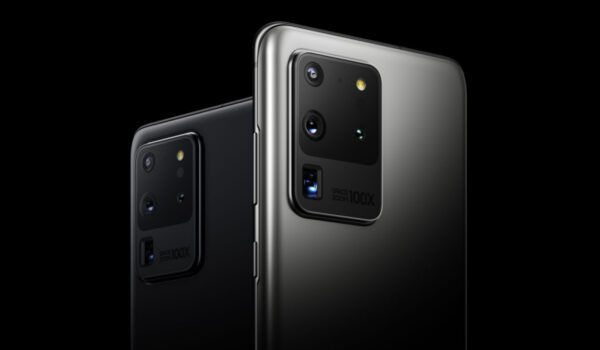
Most LG phones also cost more than the comparative competition from China. One of the reasons is that LG phones are not manufactured in China. Most are produced in South Korea, the same country where Samsung phones are made. PS: In 2021, LG quit making smartphones, having struggled to be profitable for years.
Somebody is going to ask, Since Apple iPhones are manufactured in China, why do they cost so much? Apple is a different player by itself. iPhones are deliberately expensive by Apple’s choice. That is a different topic from this.
The summary is that smartphones that are not produced in China cost more to produce than their competition from the world’s most populous country. If you are serious about buying a mobile device that is manufactured elsewhere, you have to be ready to pay more for the same set of features and specs.
Not Made In China: The Alternatives and Competitors
There are a few countries that have served as alternatives to China. Some manufacturers have turned to these countries in cases where they do not want to locate their manufacturing in China. One of them is India, another country with similar conditions. India has a large population, as well as skilled and cheap labour.
Besides the rise in the number of made in India mobile phones , Vietnam is another country where brands are locating their smartphone manufacturing facilities. As you have read up to this point, you will be interested in reading, recommending a non-Chinese smartphone .
Author:Mister Mobility
Digital Skills and Communication Coach | Mobile Phone Connoisseur since 2001 | Tech Blogging since 2004
Add MobilityArena as a preferred source on Google
Whether you are switching from one Android phone to another, or from Android to iOS or vice versa, there is no reason why you should be losing your contacts when you switch phones. This is the 21st century and technology solved this problem years ago.
Modern smartphones have full Gmail or Outlook support and can synchronise your Contacts. Once you setup your Gmail or Outlook to synchronise your cell phone contacts, every time you switch to a new phone, all you have to do is setup your Gmail/Outlook on the new phone and all your Contacts are wirelessly copied to the new device. Easy. Also, any changes you make to your contacts in Gmail desktop are synchronised to your device, and vice versa.

How to stop losing your contacts when you switch to a new phone
Here are the steps to take to make sure your Contacts synchronise across devices:
You need a Gmail or Outlook account Every Gmail or Outlook account has the Contacts service attached to it, so if you have one, you’re good to go. If you don’t have one, create one. You can create one on your phone by going to Gmail.com or Outlook.com. If you already have one, you don’t need to create another. You can use your existing account.
Setup On Mobile On the phone where you have your Contacts right now, launch the Gmail or Outlook app and setup your Gmail account on that phone for email. Then go to the Settings menu and check any options to enable synchronisation of Contacts and Calendar. If you had your account setup before now, you are good to go.
Import Your SIM/Phone Contacts If you have your contacts on your SIM or phone contacts, open your Contacts app -> Menu -> Import/Export -> Select to export from SIM/Phone and import to your Gmail/Outlook account.
Once done, you are good to go. All your contacts on your SIM or phone have been added to your Gmail/Outlook Contacts. From now on, to add your cell phone contacts to any new device, just setup your Gmail or Outlook account on the device in question and watch the magic happen.

You can stop losing your Contacts when you switch from one smartphone to another by using Google or Outlook to keep them synchronized.
Note When adding new contacts to your device, always select the option to “Save as Google/Outlook contact”. Some devices will insert your email address in place of Google or Outlook account.
The above steps apply to all modern smartphones, whether it is an Apple iPhone or an Android smartphone. The exact terminologies and menus may differ slightly, depending on how each manufacturer has implemented their software, but the process is the same.
So you remember, here are the steps again: create a Google/Gmail or Outlook account, login to it on your phone, export your phone or SIM contacts and save them under the new Google/Outlook account. And lastly, any time you have to save a new Contact, be sure to save it under your Google or Outlook account. Do not save to SIM or phone.
Now, you do not have to lose your contacts any more when you lose your phone or buy a new smartphone or tablet. Your contacts are stored in the cloud and can be synced to any mobile device just by logging into your Gmail or Outlook account. Bliss.
Did I miss out anything in this tutorial? Do chip in with a comment below, so I can keep refining the guide for you. Got more questions about this? You’re welcome to ask, and I will try my best to answer them.
- Don’t miss our reviews .
- Join our WhatsApp Group , to be notified of the most important articles and deals,
- Follow us on Instagram , Facebook , Twitter , and YouTube .
Author:Mister Mobility
Digital Skills and Communication Coach | Mobile Phone Connoisseur since 2001 | Tech Blogging since 2004
