Add MobilityArena as a preferred source on Google
There are multiple ways to charge your phone, even when a wall charger is not available. Even though it can be a bother, keeping our phones fully charged is a requirement of modern living. Missing a call or crucial message can be detrimental, whether for work or communicating with family members.
Despite this, it seems like so many of us experience battery issues with our phones that they frequently stop working without our knowledge. If this is the case, it may become necessary in some situations to try charging a phone without a charger, regardless of whether you lost the wall charger or simply forgot to take it out with you.
In this guide, we have provided instructions for some of the easiest ways to charge your mobile device if you ever find yourself without your wall charger.
- Use Wireless Charging
- Use a Solar Charger
- Use a Laptop or Computer’s USB Ports
- Use a Power bank or Portable Battery
- Use a Backpack with Integrated Charger
Use Wireless Charging
This is one of the easiest options available if you’re unsure of how to charge your phone without a mains charger. Modern smartphones have almost solely been made to work with wireless chargers. This means that a lot of users won’t need to carry a bulky mains charger around with them when they’re on the go.
Wireless charging is now a standard feature on iPhone 8 models and beyond, as well as many different brands of Android smartphones. Since they work with any charging pad or station, we don’t need to search for a charging cable that will fit their ports. As a result, it can be used with phones that have a hard time attaching to the charging cord.
There are numerous varieties of wireless chargers available on the market. They typically feature pads on which you can set your phone to charge through touch. Some can even keep your phone upright while charging.
Use a Solar Charger
We’re suggesting this as a different option that uses renewable energy to go one step further and charge the mobile device without a cable charger. Solar phone chargers use the sun’s energy, making them extremely sustainable and perfect for people living in warm climates.
If it’s a hot day outside, you should consider employing this strategy. To charge it in the sun’s rays, you will only need to horizontally extend the charger cells. The sun’s energy is subsequently transformed by the solar charger into electricity, which can run your phone.
Use a Laptop or Computer’s USB Ports
Mobile phone charging is also possible through this method without needing a wall outlet. You only need a laptop with a battery and a USB connection that connects to the charging port on your specific phone. If you find yourself on the street or if there is a power outage, this alternative is quite helpful. This is so that it can operate without a power source by drawing power from the laptop’s battery.
You can charge the mobile device while the laptop’s battery is still full by attaching it to the USB port. The speed at which this charging process operates is a major downside. This method of charging a smartphone takes much longer because laptop USB ports are not designed to enable high-speed charges.
Use a Power bank or Portable Battery
Due to the fact that they can be used to charge a variety of electrical gadgets, portable batteries are particularly practical. So, if you find yourself in a place where there is a power outage or no mains access, charging a mobile device using this method is an excellent option.
Even if you don’t use it, it is advisable to charge a portable battery every six months. Power banks gradually lose their stored energy because they cannot retain it indefinitely. Simply connect the USB cord to the output port of the portable battery to use this approach to charge your smartphone. Typically, the power bank itself will include this cable.
You might need to charge your power bank more frequently if the battery on your phone doesn’t last a day. This is because you might use the power bank more often than you anticipate when you’re on the move, especially considering your phone’s weak battery.
Use a Backpack with Integrated Charger
There are backpacks with integrated batteries that can be used to charge smartphones without a plug or wall charger. You won’t need to bring your charger with you if you choose to charge your mobile device this way or, to be more accurate, your backpack is already acting as your charger. Thanks to this battery replacement, you can conveniently charge your phone anywhere.
On the market, you’ll find that a variety of backpacks with built-in batteries are available. To determine which one best suits the qualities of your cell phone, speak with a technical or mobile professional.
Summarily , not having your wall charger with you doesn’t have to mean the end of the world or a completely ruined day. You can try any of these convenient methods to charge your mobile device and get it functioning without interruptions.
We’re sure you’ll find this article really helpful, so it’s a good idea to recommend it to your loved ones so they can also get the best out of it.
- Don’t miss our mobile phone reviews .
Author:Joan Agie
Add MobilityArena as a preferred source on Google
Smartphones with a QWERTY keyboard are a rare sight in 2022. Once upon a time, thanks to Nokia and BlackBerry, they were the toast of the world. That time is past. But a small, dedicated set of mobile phone users still swear by hardware QWERTY keyboards. This Unihertz Titan Slim review will appeal to this set of users.
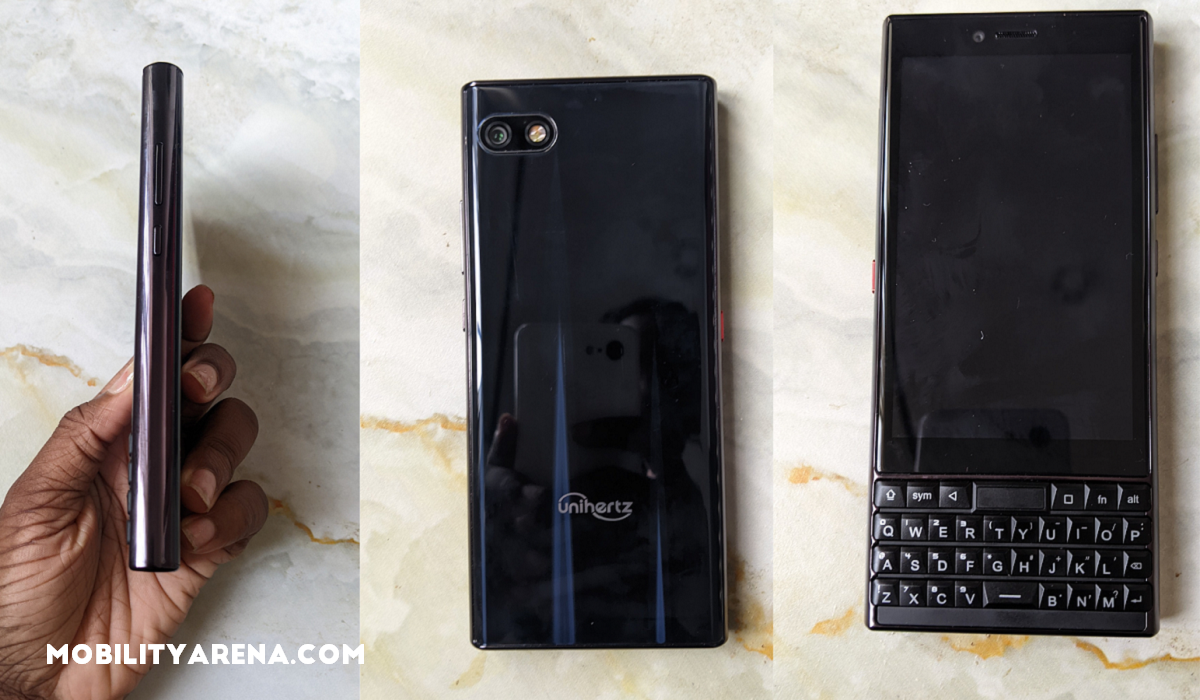
Unihertz Titan Slim has a candy bar QWERTY form factor, like the BlackBerry Keyone and KEY2 range. That is to say, it is a touchscreen-based Android smartphone with a portrait-oriented, fixed hardware keyboard. It is a slim version of the older Unihertz Titan .
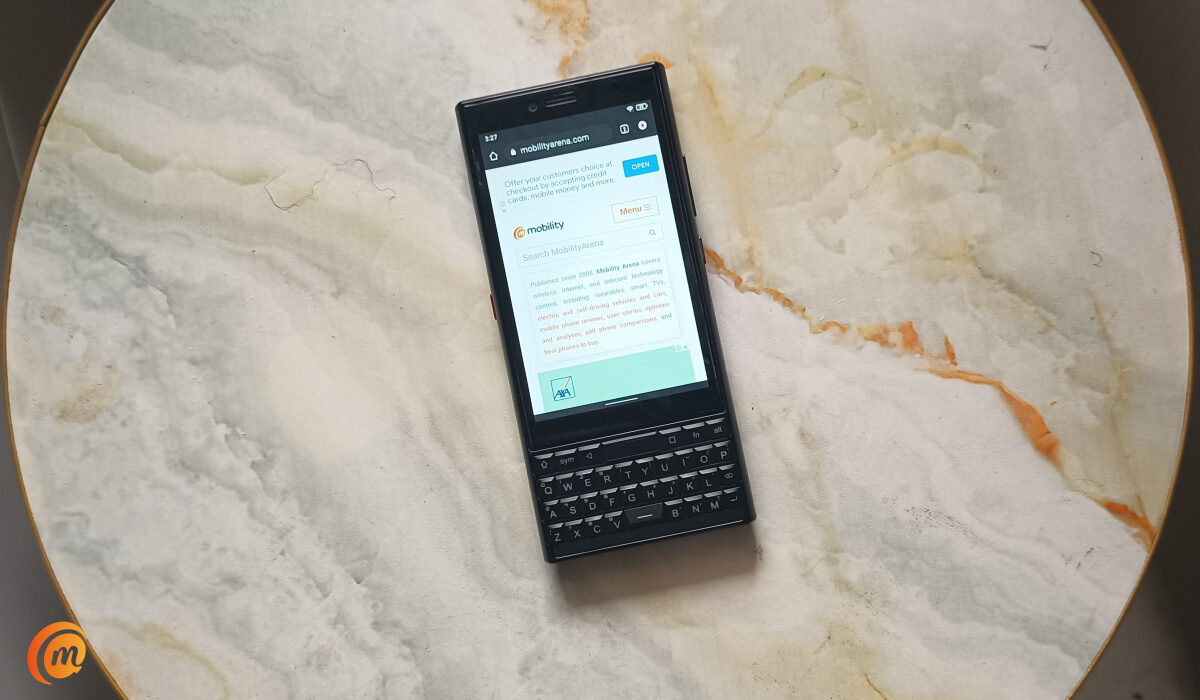
One very important question, though, is: Does anyone still want this form factor in 2022? Apparently. Unihertz ran a Kickstarter campaign to raise HK$ 392,476 for the Titan Slim and raised a whopping HK$ 4,598,276 instead from backers. It looks like quite a number of people are interested.
- Specs
- Unboxing
- Design
- Software
- Network
- Multimedia
- Camera, photography, and video recording
- Performance
- Battery
- Our Verdict
Specs
The Titan Slim has a 4.2-inch touchscreen display with a 768×1280 pixel resolution, below which is located the hardware QWERTY keyboard. This is a 4G LTE, dual SIM phone running Android 11. It is powered by a fairly dated entry-level Helio P70 chipset. Things get better with the 6 GB RAM and 128 GB built-in storage. There is no external memory option.
For photography and video capture, we have an 8 MP front camera and a 48 MP rear camera. The fingerprint scanner is built into a touchpad at the top of the hardware keyboard. The touchpad doubles as a Home key. Push it while anywhere, and the phone returns to the home screen.
The last major specifications include the 4100 mAh battery. The specs make it clear that this is not a power-horse. The entry-level processor paints a good picture of what to expect. It makes the Titan Slim slightly less powerful than the BlackBerry Key2 from 2018.
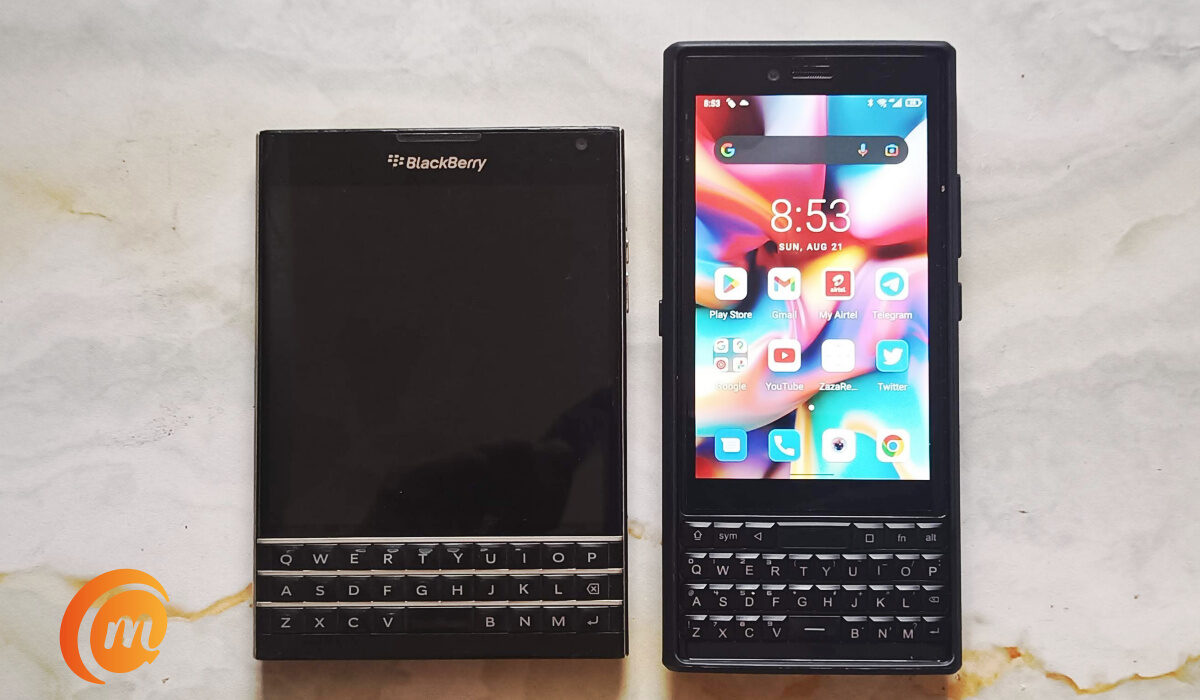
Blackberry Passport beside Unihertz Titan Slim
Unboxing
As soon as our review unit arrived from Unihertz, we pried it open like excited kids with a new toy. In the box, we found a screen protector and a SIM card ejector. Then the phone itself which already had a phone case and thin film screen protector on. Also in the box were a 10W charging block, a USB-C charging cable, an earphone jack adapter, and lastly, a warranty card.
Design
We have had the Titan Slim for over two weeks now, and if you were ever a Blackberry lover, you can’t help that nostalgic feeling when looking at the Titan Slim. The phone reels you in at the first glance, thanks to the comeback of the QWERTY physical keyboard.
The Titan Slim is narrow and tall (which is where the name “Slim” is derived). But it is also thick, and many people will find that an irony, considering the name. Everyone of us who handled it out of the box were not expecting the thickness. But some thought appears to have gone into the design, because the chunkiness does not make it feel uncomfortable in use. On the contrary, the phone provides a smooth, even, and light grip which makes it enjoyable to hold. We imagine that the thin and tall aspect ratio is where the magic is.
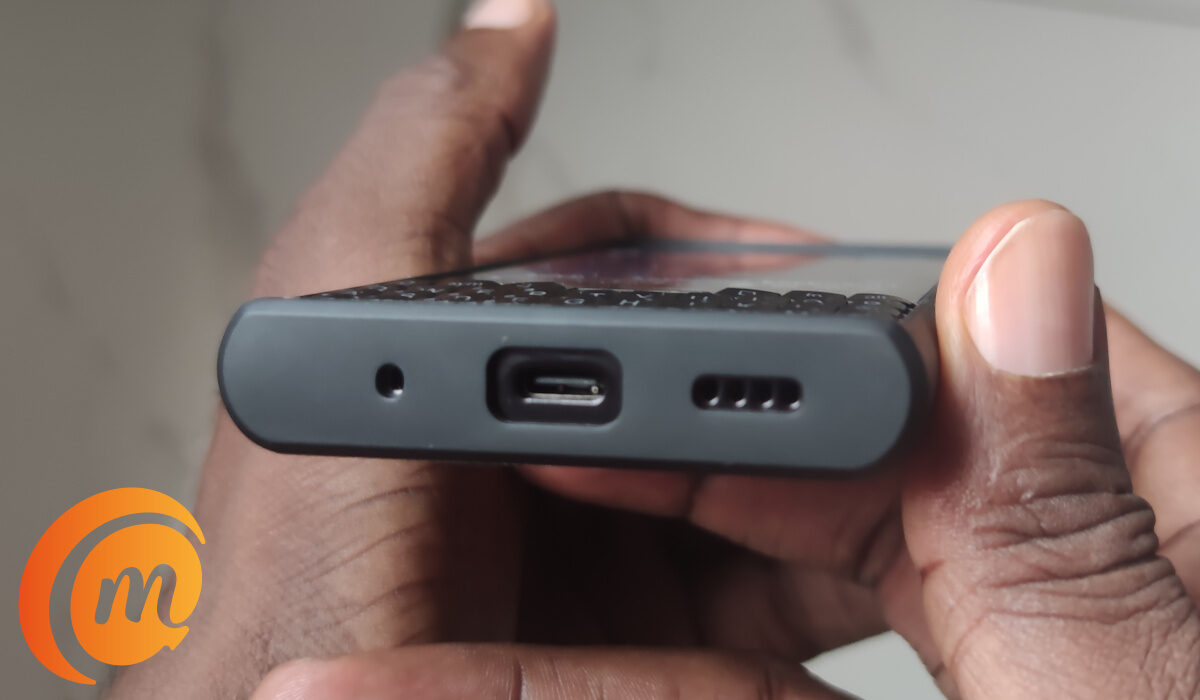
The back panel of the has a glossy, plastic finish. The plastic finish is quite solid. The front of the phone is glass and the sides have a plastic frame. There is also The QWERTY physical keyboard that is almost an exact replica of a Blackberry. The display is 4.2 inches in size and uses IPS LCD technology. The phone has only 60Hz refresh rate, but that doesn’t take away from how good the display is. Once we took off the pre-applied screen protector film, gosh! Beautiful.
The Titan Slim has an infrared blaster located at the top of the phone, a good location for pointing it at your TV, a/c, or other device you wish to control with it. There is a built-in remote controller app. I am familiar with using these. Setting it up to control the LG DVD player in my study wasn’t difficult.
This is a dual-SIM smartphone. Contrary to what we see mostly, there are two separate SIM card slots and trays, instead of one slot and tray that houses both SIMs. There must be a practical reason why this was done. Below the SIM slots, which are located on the left side of the phone, is a red button that serves to turn on and off the LED light at the back of the phone for use as a flashlight in the dark. On the right side of the Titan Slim are the volume and power buttons.
Unihertz have gone with Apple and Samsung, and not included a 3.5mm audio port here. You can use the adaptor in the box to connect an audio headset, though. At the top right section of the phone is an LED notification light. It has been a while we saw one last on a phone.
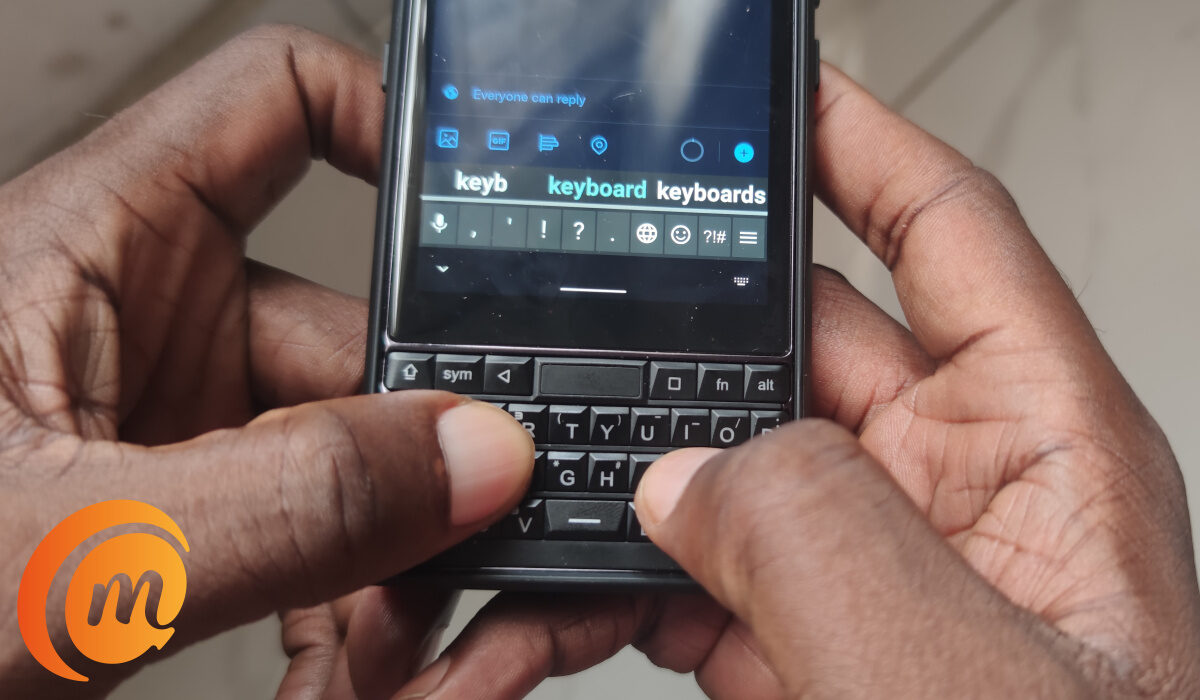
Now, let’s talk about the hardware QWERTY keyboard, which is the main selling point of this device. The keys are small and take some getting used to. You enter special characters by tapping a bar at the bottom of the screen, right above the keyboard, to select the character you need. The keys are backlit.
Above the keyboard is a touch navigation bar. That is where the fingerprint scanner is located too. Tap/press it to return to the home screen. Press and hold to activate Google Assistant. It is a functional feature that you will use a lot.
Software
The TItan Slim runs stock Android OS which looks good. It came with version 11 out of the box. We checked and there was no Android 12 update waiting for it. So, we asked Unihertz whether it was in the works, and they replied that it will be updated in the future. Sorry; we have no timeline.
Network
This is a dual SIM 4G phone. It supports the nano SIM card standard. Using mobile data on it is without issues. It holds on to a signal well. Connecting to Wifi networks have been without issues.
Multimedia
In-call audio is solid – one of the better ones out there. Voices are clear at both ends. Music playback over the built-in loudspeaker is just fine; It is nothing fantastic, and nothing that will have you tearing your hair out. The speaker audio is noticeably hollow. Watching video on the display is a pleasant experience. And, yes; you can watch in landscape mode, which is the better way.
Camera, photography, and video recording
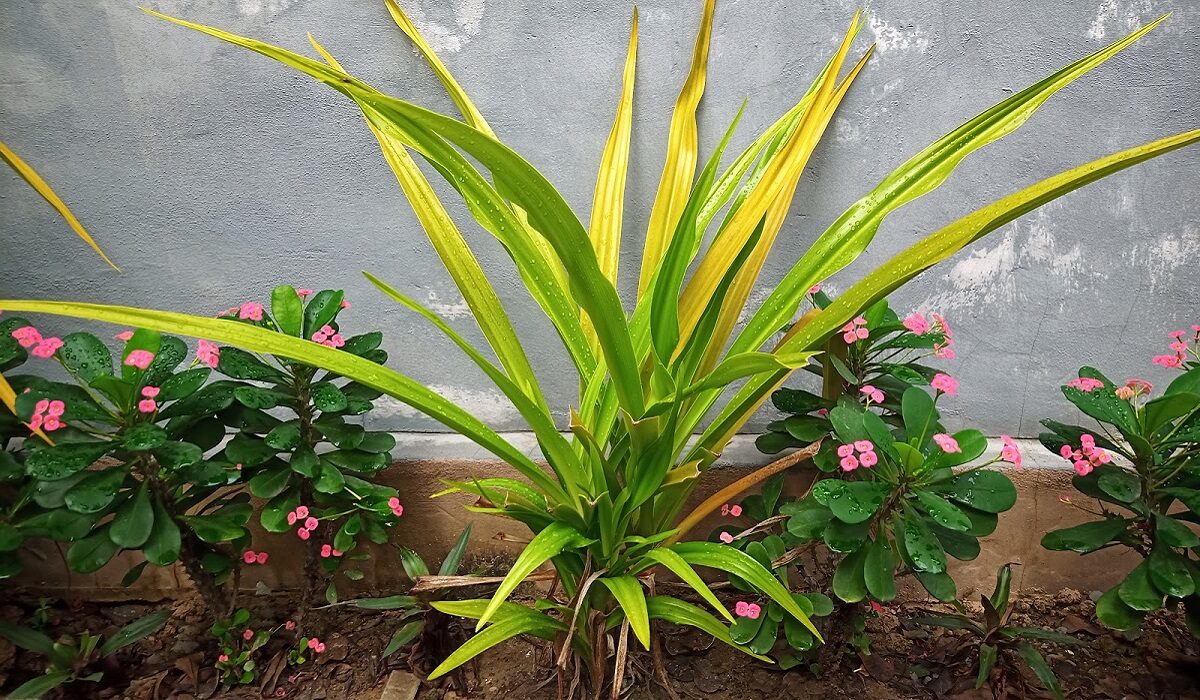
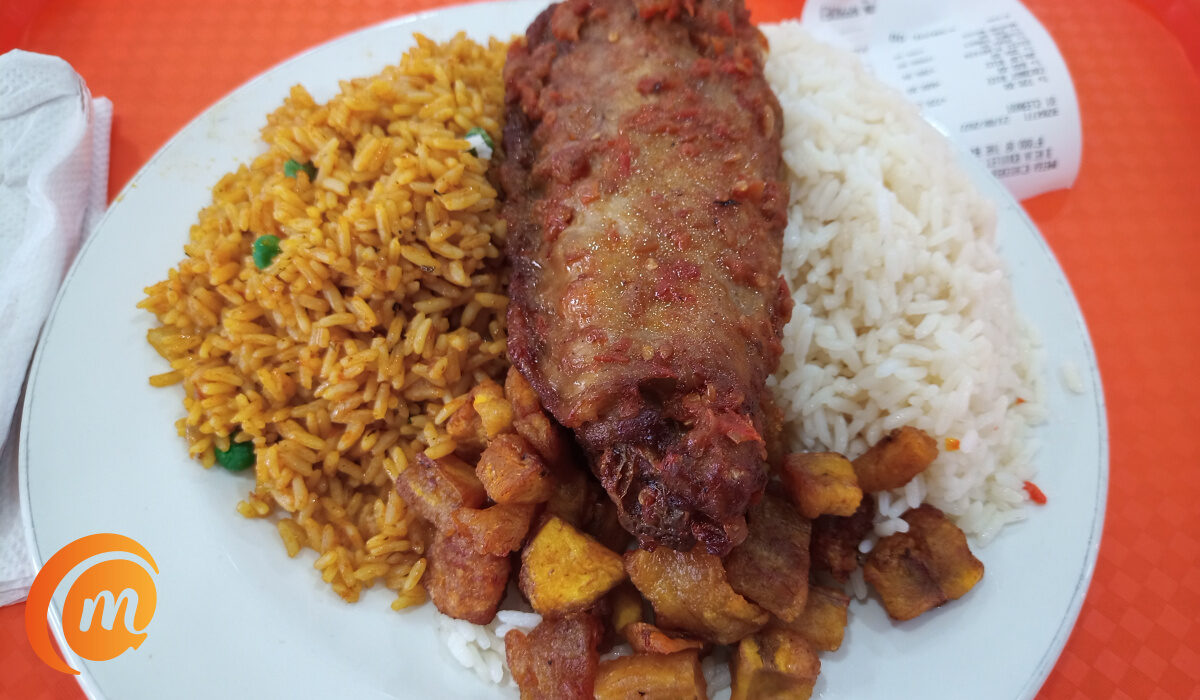
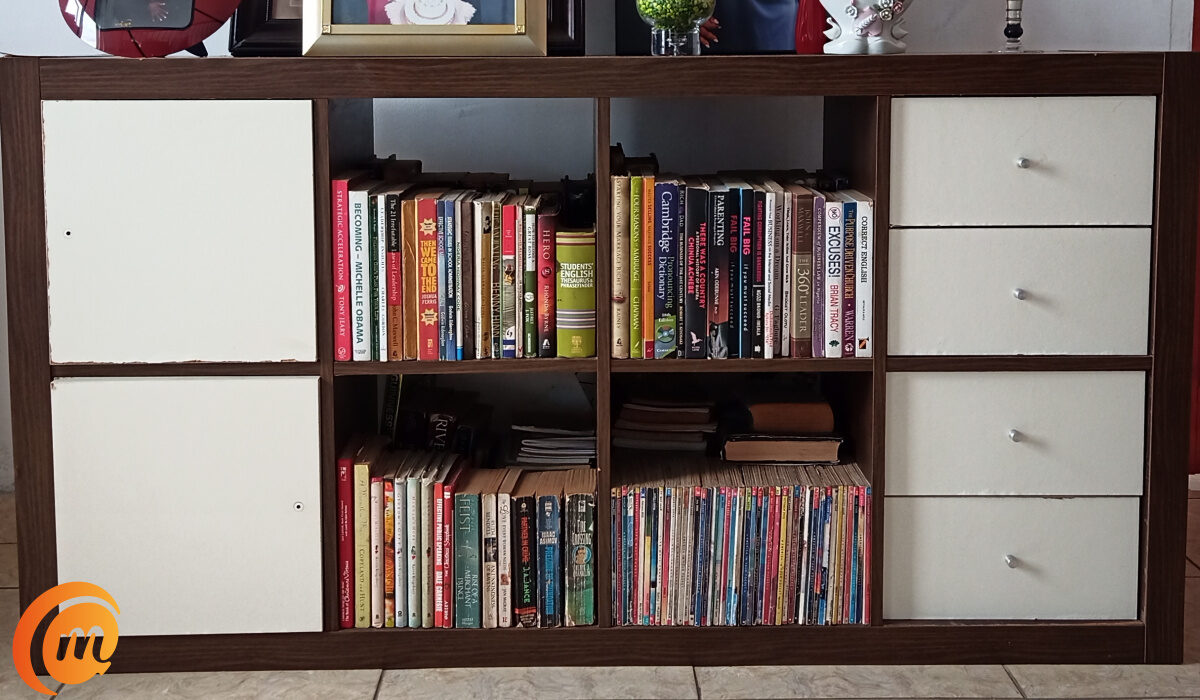
The single camera on the back of the Titan Slim is a 48 MP sensor, while there is an 8 MP unit in the front. The camera is neither spectacular nor terrible. You be the judge by taking a look at some sample photographs taken with the Titan Slim.

Taken with the selfie camera of the Titan Slim
Sometimes, the pictures are not very sharp, especially the front camera but it does a decent job. This is for both the front and back cameras. But, again this is normal behaviour for cameras at this price point, so don’t take it too personally. The video recording supports 1080p@30fps.
Performance
We were apprehensive about the Helio P70 chipset powering the Titan Slim. Why? It is a few years old and not exactly a powerhorse. But after using the Titan Slim for days, it occurred to us that we hadn’t experienced a hiccup yet. The phone has gone on working without us getting frustrated with its performance. Interesting. Did Unihertz do some optimization work to make this happen, or is it only due to the fact that the 4.2-inch display puts little strain on the processor? Whatever it is, performance has been smooth, and we love it.
Battery
Battery life is one of the areas that the Titan Slim shines brightly. Pairing a 4.2-inch display with a Helio P70 chipset and a 4100mAh battery is the perfect recipe for long battery life. And that is exactly what we got, in our use. The included charger is a 10W piece, so you get slightly faster charging than regular.
Our Verdict
The Unihertz Titan Slim is a decent smartphone that gets the job done. It offers some uncommon features, like an IR blaster, hardware flashlight key, and a versatile QWERTY keyboard. At the end of the day, that keyboard is its defining feature.
This phone is clearly targeted at those who must use a physical QWERTY keyboard – which is mostly people who are sad that BlackBerry phones are no more and still long for that keyboard experience. It is a small niche of the smartphone market, but it exists, and it is good to see a manufacturer cater to them.
If you belong in that niche, this phone will appeal to you. If you don’t, nothing we say about it will. If you want a candy bar Android smartphone with a physical QWERTY keyboard, Unihertz Titan Slim is as good as it gets today. It has everything you need and does what you need it to do. You can get a 10% discount on your order by using this link .
- Don’t miss our mobile phone reviews .
- Follow our news on Google News .
- Follow us on Instagram , Facebook , Twitter , and YouTube .
Author:Dun
Dun enjoys reading and writing, and is always on her smartphone. She currently uses a Google Pixel 3.
