Add MobilityArena as a preferred source on Google
Apple Phone Support is one of the range of options to assist you with any Apple-related issues you might encounter. Whether you’re troubleshooting a technical glitch, seeking guidance on device setup, or even exploring warranty options, Apple provides various ways to reach out to their support team.
In this article, I’ll explore the different methods available to contact Apple Support. By the end of this guide, you’ll discover the convenience and efficiency of Apple Phone Support and other options, ensuring that you can get the assistance you need in the most convenient way possible. So, let’s dive in and discover the many ways you can connect with Apple Support to ensure a smooth and enjoyable Apple experience.
- What Are The Ways To Get Apple Support? Apple Phone Support Contact Apple Support Online Using the Apple Support website Contact Apple Support using the Apple Support App Contact Apple Support Through an Apple Store Through the Apple Support Community
What Are The Ways To Get Apple Support?
When it comes to getting assistance with your Apple devices, Apple Support offers a lot of help. Apple provides a range of options for contacting their customer support team. Here are the most effective ways to reach out to Apple Support and receive assistance with any of your devices:
Apple Phone Support
To contact Apple Support by phone, you have different phone numbers available based on the type of assistance you need. Calling is the most direct and efficient way to contact Apple Support. When you make a call, a dedicated agent will provide you with step-by-step instructions to resolve your issues. It’s the perfect solution if you have a phone available.
To get Apple Phone Support, follow these steps:
- For general help with any issue, dial their main phone number at 1-800-275-2273 . It’s the go-to number for most situations.
- If you’re looking for support with Apple’s accessibility tools, give them a call at 1-877-204-3930 .
- Education customers, like representatives from school districts using loaned iPads, can reach out to 1-800-800-2775 for dedicated assistance.
- Enterprise customers, on the other hand, should contact 1-866-752-7753 for tailored support.
- And if you’re encountering problems with Apple Cash or person-to-person payments in iMessage, don’t hesitate to reach out to them at 1-877-233-8552 .
With these numbers at your fingertips, you’ll have a direct line to the help you need through Apple Phone Support, and get your queries resolved in no time. However, if you find yourself in a situation where you’re facing iPhone problems without access to another phone, don’t worry; Apple offers alternative options to assist you.
Contact Apple Support Online Using theApple Support website
To contact Apple Support through the Apple Support website, you can follow these steps:
- To begin, open your preferred web browser and navigate to apple.com/support . This is the official Apple Support website, where you can access a wealth of resources and contact options.
- Once on the Apple Support website, take a moment to familiarize yourself with the available support options. You’ll find a wide range of topics to choose from, covering everything from hardware issues to software troubleshooting.
- Identify the topic that best matches your specific issue or question. Apple Support has organized its resources in a user-friendly manner, making it easier for you to find the assistance you need.
- After selecting the appropriate topic, you’ll be presented with various contact methods. Apple Support offers options such as live chat, scheduling a call, or requesting a callback. Choose the method that suits you best.
- If you opt for live chat, click on the “ Chat ” option and follow the prompts to initiate the chat session. If you prefer to schedule a call or request a callback, select the respective option and provide the necessary details. Apple Support will work with you to find a convenient time for the call or callback.
- Once you have completed the previous steps, you will be connected with a knowledgeable Apple Support representative. They are trained to assist you with your specific issue and provide the guidance you need.
Contact Apple Support using the Apple Support App
The Apple Support app is a streamlined website version, designed specifically for iPhone and iPad users. It provides convenient options for troubleshooting and support. Here’s how to contact Apple Support through the Apple Support app:
If the Apple Support app isn’t already on your device, you can download it from the App Store. After installing, open the app.
If it’s your first time using it, you’ll be greeted with a welcome screen. Simply press “ Continue ” to proceed.
Once you’re in the app, it will automatically recognize the device you’re using. If you require support for a different device, just tap on “ Products ” located in the upper-left corner.
Next, select the specific Apple product or service you need assistance with. The app will then present you with a menu of the most common problems related to that product or service.
Take your time to review the options and choose the one that aligns best with the issue you’re facing.
The app will provide repair instructions, pre-written support articles, and the best contact option at the bottom.
Tap on the contact option, such as “ Chat ” or “ Call ,” to contact an Apple representative.
Contact Apple Support Through an Apple Store
If your device needs repair or a physical inspection, it’s best to schedule an appointment at the Apple Store or an authorized service center. You can set up the appointment through the web or the Apple Support app.
- Go to the Apple Store website or open the Apple Store app on your device.
- Enter your city or zip code to find the nearest Apple Store location.
- From the list of available options, select the Apple Store you want to visit.
- Choose a date and time that are convenient for you to schedule an appointment.
- Provide your contact information, including your name and phone number.
- If there are any additional details about your issue, you can include them in the provided space.
- After filling in the necessary information, confirm your appointment.
- Wait for a confirmation email or text message with your appointment details.
- On the day of your appointment, make sure to arrive at the Apple Store at the scheduled time.
- Check-in with an Apple Store employee by providing your name and appointment details.
- Alternatively, you can use the Apple Store app to check in digitally if it is available at your location.
- Once checked in, a specialist will assist you with your issue and provide the necessary support.
Through the Apple Support Community
The Apple Support Community is a great place to seek assistance from fellow Apple users. To get help through the Apple Support Community, you can follow these steps:
- Visit the Apple Support Community website ( https://discussions.apple.com ).
- Sign in with your Apple ID or create a new account if you don’t have one.
- Browse through the different categories or use the search bar to find relevant discussions.
- If you can’t find an answer to your question, click on “ Start a Discussion ” to post your question.
- Provide a clear and detailed description of your issue in the discussion post.
- Wait for community members to respond with helpful suggestions or solutions.
To sum up, contacting Apple Support for assistance is made easy through the various channels described above. Whether you prefer Apple Phone Support, (scheduling a call), chatting with a representative, or visiting an Apple Store, there are different options available to cater to your needs. Apple is dedicated to providing excellent support to its customers. If you’d like more useful Apple tips make sure to check out this category .
Author:Joan Agie
Add MobilityArena as a preferred source on Google
Samsung Galaxy A25 in brief:
- OS: Android 14
- Release Date: 2023
- Network Type: 2G/3G/4G/5G
- eSIM: No
- Display: 6.5-inch, 1080 x 2400 pixels resolution
- Processor: Exynos 1280 (5 nm)
- Selfie Camera: 13 MP
- Rear camera: 50 MP
- RAM: 8 GB
- ROM: 128 GB / 256 GB
- Fingerprint: Yes
- Headphone Jack: Yes
- Infrared/IR Blaster: No.
- Battery: 5000 mAh
- Fast Charging: 25W
- Wireless Charging: No.
Samsung Galaxy A25 5G
- Introduction
- Samsung Galaxy A25 Specs
- Prices in the USA, UK, and EU
- Dust and Waterproof IP Rating
- eSIM Support
- Dual SIM Support
- Wireless Charging
- Glass Back/Rear Cover
- Fingerprint Scanner
- Gorilla Glass Protection
- Fast Charging
- 3.5mm Headphone Jack
- Android 15 Update
- aptX Bluetooth codecs, Wireless Charging, IP Rating, and IR blaster
- Factory Unlocked Availability
- Google Play Store Support
- USA Carrier Support
Introduction
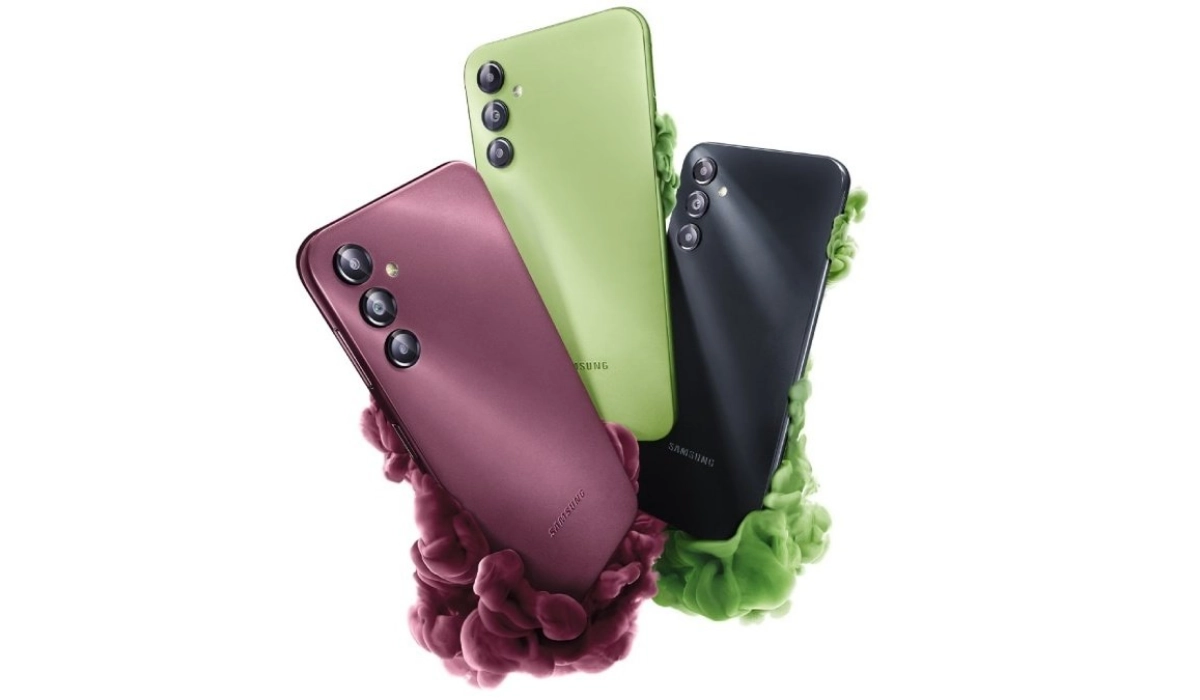
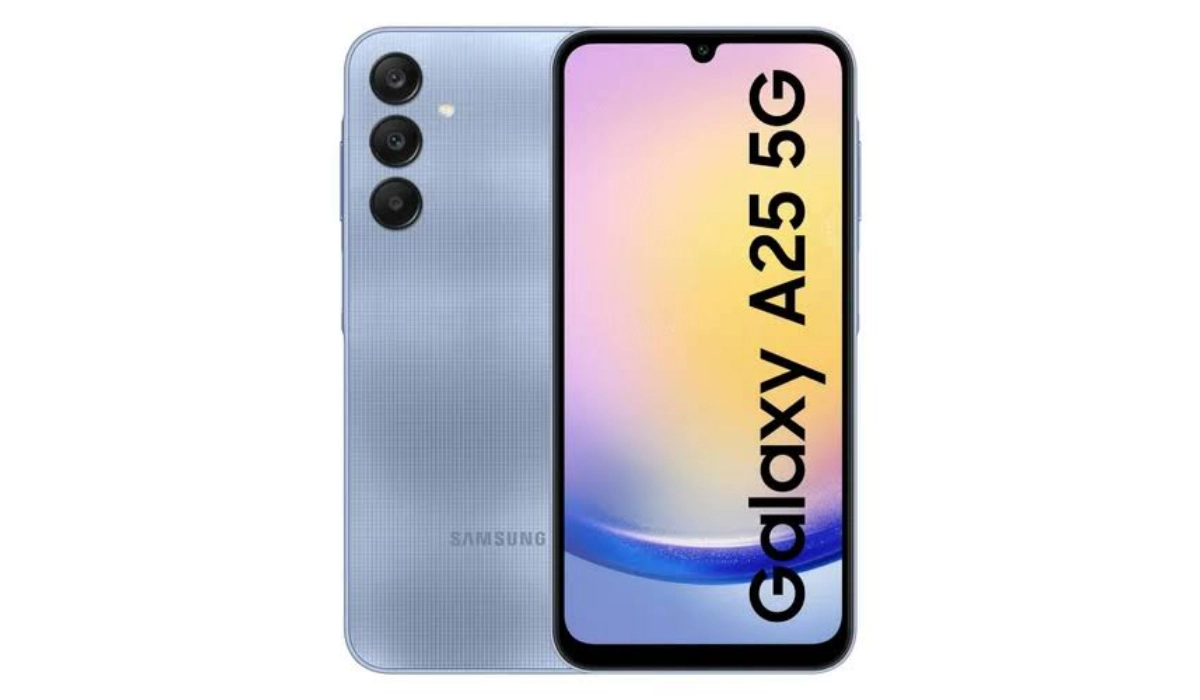
Samsung Galaxy A25 is a mid-range Android phone sporting a 6.5-inch Super AMOLED display and powered by an Exynos 1280 chipset. It supports 3.5mm audio headphone jack, but not eSIM or wireless charging. It is the successor to the Galaxy A24.
Samsung Galaxy A25 Specs
Mobile Wireless Network and Software
- 2G mobile network bands : GSM, GPRS, EDGE 850 / 900 / 1800 / 1900 MHz.
- 3G mobile network bands : UMTS, WCDMA, HSDPA 850 / 900 / 2100 MHz
- 4G mobile network bands : LTE.
- 5G mobile network bands : NSA/SA
- SIM Type : Nano-SIM, Dual SIM
- Software / OS : One UI 16 based on Android 14
Design, Form Factor, Appearance
- Dimensions : 161 x 76.5 x 8.3 mm
- Weight : 197g
- Display : 6.5 inches, 1080 x 2400 pixels, 120 Hz refresh rate, 20:9 aspect ratio, Super AMOLED screen
- Colours : Brave Black, Personality Yellow, Fantasy Blue, Optimistic Blue.
- Physical Build : Glass front, plastic frame, plastic back
Internal Hardware Specs
- CPU/ Processor : 64-bit, 2.3 GHz Octa-core
- Chipset : Exynos 1280 (5 nm)
- GPU/ Graphics Processing Unit : ARM Mali-G68
- RAM : 6GB / 8GB
- Extended/Virtual RAM :
- Internal Storage : 128 GB / 256 GB
- External Storage : microSD
Photography, Video Recording
- Main Camera : 50 MP main sensor + 8MP ultra-wide lens + 2 MP macro lens, autofocus, LED flash, 4k video@30fps, 1080p@30fps video recording
- Front Camera : 13 MP, fixed focus, Face Recognition, 1080p@30fps video capture
Audio, Video Playback
- Music Support : PCM, AAC / AAC + / eAAC + / MP3 / AMR – NB / WB / APE
- Audio : 3.5 mm audio headphone jack
- Loudspeaker : Stereo speakers
- Video Support : H.264/MP4/MPEG4 player
- FM Radio : Market-dependent.
Phone Sensors
- Digital Compass : Yes.
- Accelerometer : Yes.
- Proximity Sensor : Yes.
- Ambient Light Sensor : Yes.
- Barometer : No.
- Pedometer : No.
- Heart Rate Monitor : No.
- Gyroscope (G-Sensor) : Yes.
- Fingerprint Scanner : Yes; side-mounted.
- Face Unlock : Yes.
- Iris Scanner : No.
- Motion Sensing / Gesture Control : No.
- Voice Control : No.
- Intelligent Digital Assistant : Yes; Google Assistant, Bixby.
- Infra-red/IR Blaster : No.
Connectivity Options
- Bluetooth Version : 5.3
- Bluetooth Profiles : A2DP, LE
- WiFi : Wi-Fi 802.11 a/b/g/n/ac, hotspot
- GPS : Yes, A-GPS, GLONASS, GALILEO, BDS, QZSS
- USB : microUSB v2.0. Type-C.
- NFC : Market dependent.
Miscellaneous Specs and Features
- Battery Type and Capacity : Non-Removable Lithium-Polymer 5000 mAh
- Battery Charging : 25W fast charging
- Wireless Charging : No.
- Reverse Charging : No.
- Model Version/Number :
Launch/Release Dates and Information
- Announced : December 2023
- Release Date : December 2023
Prices in the USA, UK, and EU
- USA : from $247
- United Kingdom (UK) : from £229
- European Union (EU) : from €290
The above prices may change with time from country to country, as market forces and economic policies influence product price movements.
Dust and Waterproof IP Rating
Samsung Galaxy A25 has no ingress protection. It is not water proof or dust proof.
eSIM Support
The Samsung Galaxy A25 does not support eSIM, so you cannot use an eSIM with it.
Dual SIM Support
The Samsung Galaxy A25 has both single SIM and dual SIM versions..
Wireless Charging
Unfortunately, Samsung Galaxy A25 does not have any form of wireless charging. You can only charge it via a cable.
Glass Back/Rear Cover
The Samsung Galaxy A25 has a plastic back panel.
Fingerprint Scanner
The Samsung Galaxy A25 has a side-mounted fingerprint sensor located in the power button.
Gorilla Glass Protection
Samsung Galaxy A25 has a 6.5-inch Super AMOLED display with a 1080×2340-pixel resolution and it does not have Gorilla Glass protection.
Fast Charging
The Samsung Galaxy A25 is equipped with a 5000mAh battery and 25W fast charging.
3.5mm Headphone Jack
The Samsung Galaxy A25 does not have a headphone jack. As such, you can only use a Bluetooth wireless earphone or a USB-C earphone.
Android 15 Update
Samsung says it will get four years of Android updates, so it is certain that the Galaxy A25 will get updated to Android 15.
aptX Bluetooth codecs, Wireless Charging, IP Rating, and IR blaster
- It supports Bluetooth 5.3 with A2DP and LE profiles, but it does not have aptX Bluetooth codecs.
- It has a 5000 mAh battery with 25W fast charging, but it does not have wireless charging.
- It does not have an IP rating for water and dust resistance.
- It has a fingerprint sensor on the side, but it does not have an IR blaster.
Factory Unlocked Availability
In the United States, the Samsung Galaxy A25 is available in both unlocked and locked forms, depending on what carrier or retailer you buy it from. Ask your carrier or store attendant for details.
Google Play Store Support
It supports Google Services and software applications, including Play Store and Maps, Gmail, YouTube, and others.
USA Carrier Support
This is a GSM phone and is supported on US GSM carriers like AT&T and T-Mobile and other networks riding on their networks. It does not support CDMA networks. Do make inquiries from your carrier to know what bands/frequencies are supported on their service.
