Add MobilityArena as a preferred source on Google
Ghost touch occurs when your iPhone performs functions or actions on its own and opens apps without any contact or action from your end. Unsurprisingly, such strange behaviors can be quite irritating. Ghost touch can affect any iPhone, and if it happens to your device, you may notice that the screen responds to itself even without any contact with the screen.
Nonetheless, what’s the best way to fix ghost touch on your iPhone? Luckily, we’re here with the right answers. This article will show you different ways to fix ghost touch on an iPhone.
- What Causes iPhone Ghost Touch?
- How Can I Fix Ghost Touch on an iPhone?
What Causes iPhone Ghost Touch?
The following are some of the most common causes of a ghost touch on an iPhone:
- Replacing or taking off the touch screen during a repair: Screen sensitivity and ghost touch is typically found in new Apple devices where the touch screen is replaced/removed during the repair
- Manufacturing flaws: Sometimes ghost touch is caused by a flaw in the digitized manufacturing process
- Hardware issues: It could also be the cause of a hardware problem, since mobile device hardware can sometimes cause such problems and issues
- Software flaws: Another common cause of ghost touch is a software error, such as the iOS 16 update. If there is a bug in the update, it may affect screen sensitivity and cause a very annoying ghost touch.
How Can I Fix Ghost Touch on an iPhone?
Fortunately, most ghost touch issues are simple to resolve. You can try some of the options we’ve described below to fix ghost touch on your iPhone.
Remove Dust From Your Screen
One of the most common causes of ghost touch is the presence of dust particles on your device, which causes your iPhone to perform tasks automatically.
As such, to fix ghost touch on an iPhone, try using soft microfiber cloths on a regular basis to keep your device dust-free and free of other particles. Make sure not to get moisture into any openings while wiping.
Remove the Screen Protector from Your Phone
This is another option to fix ghost touch on an iPhone. Sometimes your iPhone screen protector causes ghost touching because it is incompatible with your iPhone device and automatically touches some parts of the device. If this is the cause of ghost touch on your iPhone, removing the screen protector will solve your problem.
You should carefully and slowly remove the screen protector from your iPhone. If the protector is cracked or damaged in any way, it may be safer to take your phone to a properly qualified repair shop (or to Apple) to avoid cutting yourself on the cracked glass.
Take Your iPhone Case Off
Hard phone cases, especially if dropped, can cause the screen to warp slightly and result in ghost touch issues.
Therefore, to fix ghost touch on your iPhone, try taking off its case. If the case appears twisted, carefully remove it to avoid further damage to your iPhone. Afterwards, check to see if the problem persists without the case.
Update Your iPhone’s iOS Version
Another solution that might fix ghost touch on an iPhone is to update the operating system. It’s always important to ensure that your iPhone device is running the most recent iOS version.
The iPhone needs to be updated in order to address bugs and other problems that might have existed in earlier versions. So, by regularly updating, you can successfully fix ghost touch on your iPhone.
Navigate to Settings > General > Software Update > Download and Install (or click Install if you’ve already downloaded the update).
Reset All of Your iPhone’s Settings
Your iPhone settings determine how your device will function. Simply reset all of your iPhone’s settings if you’ve ever changed them, and it just might work to fix ghost touch on your iPhone.
To do this, navigate to Settings > General > Transfer or Reset > Reset and select Reset All Settings on iOS.
Reset Your Device to Factory Settings
If your device is still not working as it should, your only option to fix ghost touch on your iPhone is to factory reset it. You should back up your iPhone before performing a factory reset because this will erase all of your device’s data and settings.
Go to Settings > General > Transfer or Reset iPad and select Erase All Content and Settings . After that, tap Continue and enter your iPhone passcode. Following these instructions may be just what you need to fix ghost touch on your iPhone.
In conclusion , the ghost touch issue is mostly caused by a number of external factors that can be resolved through simple troubleshooting steps like the above described. However, note that there may be times when a trip to the service center is required. This is especially if a hardware issue is the problem. So, make sure you only use Apple or an Apple-authorized service provider to help fix ghost touch on your iPhone.
Author:Joan Agie
Add MobilityArena as a preferred source on Google
In the past, we have seen feature phones and smartphones from all sorts of brands, including Bic, Garmin, Kodak, Red, Puma, and Pepsi, among others. It looks like we are getting a Coca-Cola Phone soon.
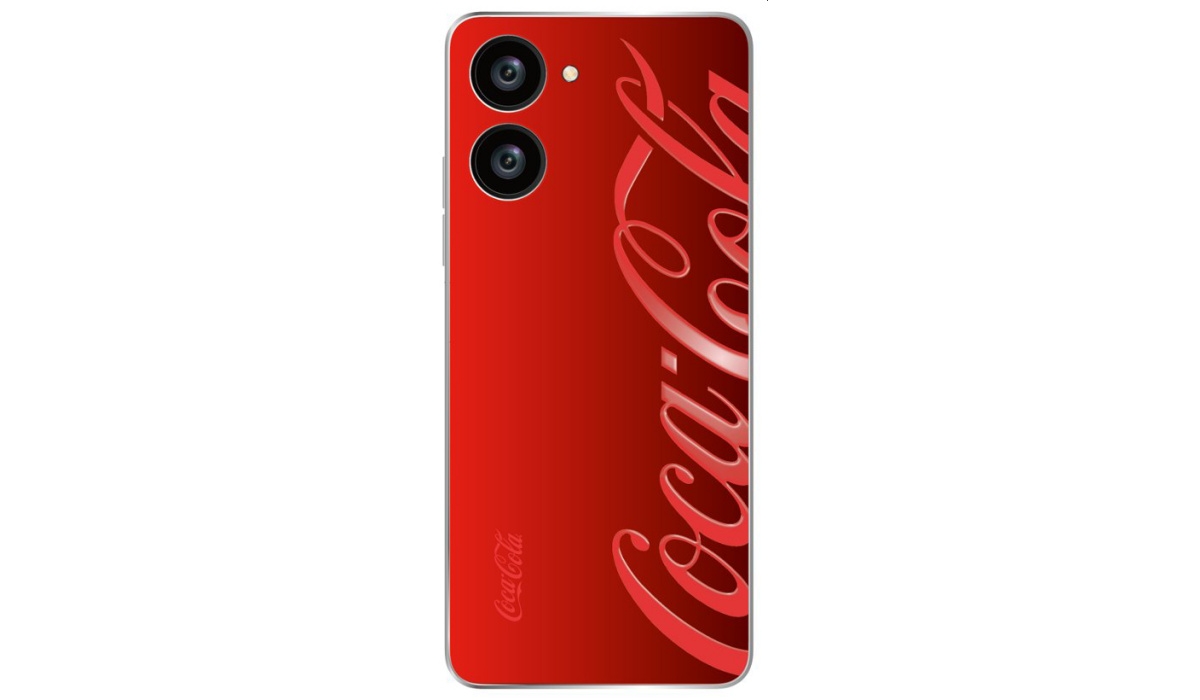
Leakster, Ice Universe, has tweeted a render of what could be the Coca-Cola Phone, along with a few other details to support that [1]. One interesting revelation is a new twitter handle for the rumoured Cola Phone. And that handle is following every name in the industry – Apple, Samsung, Nothing, Xiaomi, OPPO, OnePlus, Huawei, and Realme.
Okay, I exaggerated a little; those are not everybody in the industry. But it is close enough. All the big names are there. The new handle has not tweeted anything, either.
The Coca-Cola Phone
Apart from the render that shows us a red back panel, rear cameras, and the Coca-Cola branding, pretty much nothing. We have no information on the screen, processor, release date, or even which manufacturer Coca-Cola is partnering with to make it happen.
We also have to ask: what will this smartphone bring to the table? Will there be any unique selling point besides the Coca-Cola branding? Time will tell. I will keep updating this article as more information about the device is revealed.
What do we know about the Coca-Cola Phone?
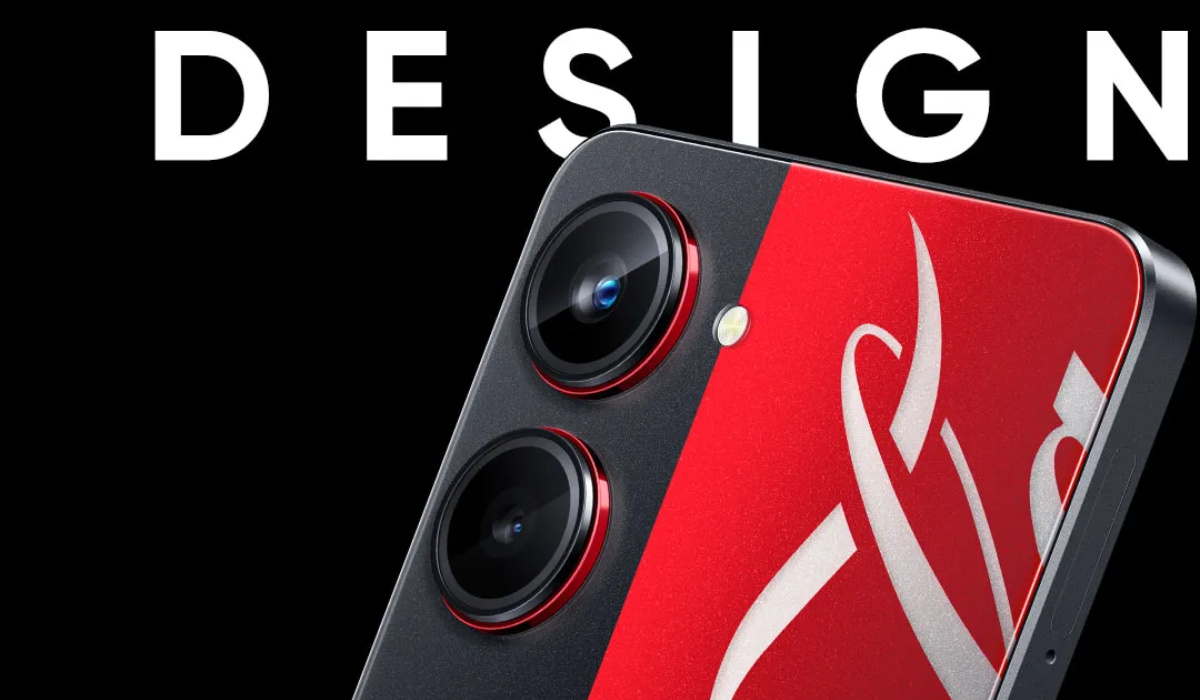
Update : Realme has tweeted a teaser that suggests and indicates that they are the phone maker that Coca-Cola is working with to produce the Cola Phone. Here is the tweet:
Something is fizzing at #realme . Watch this space for more: https://t.co/Dcxkz0SBa1 #StayTuned pic.twitter.com/wQkfjgOY1R — realme (@realmeIndia) January 27, 2023
The Coca-Cola Phone is a limited Edition of the Realme 10 Pro with Coca-Cola branding. This is the Coca-Cola phone and it will be officially announced on the 10th of February 2023.
The specs of the Coca-Cola Phone are not expected to be different from that of the original Realme 10 Pro 5G: a 6.7-inch FHD+ 120Hz LCD screen, 2MP selfie camera, Android 13, Snapdragon 695 SoC, Adreno 619 GPU, 108MP rear camera, stereo speakers, 5000mAh battery, and 33W fast charging.
References
- Ice Universe on Twitter ( source )
- Realme teaser tweet (source)
- Don’t miss our mobile phone reviews .
- Join our WhatsApp Group , to be notified of the most important articles and deals,
- Follow us on Instagram , Facebook , Twitter , and YouTube .
Author:Mister Mobility
Digital Skills and Communication Coach | Mobile Phone Connoisseur since 2001 | Tech Blogging since 2004
