Add MobilityArena as a preferred source on Google
| Gigaset GS5 specs in brief |
|---|
| OS: Android 11 Release Date: October 2021 Network Type: 2G/3G/4G Display: 6.3-inch Processor: MediaTek Helio G85 Selfie Camera: 16 MP Rear camera: 48 MP dual RAM: 4 GB ROM: 128 GB Battery: 4500 mAh Related: Smartphones that are not made in China . |
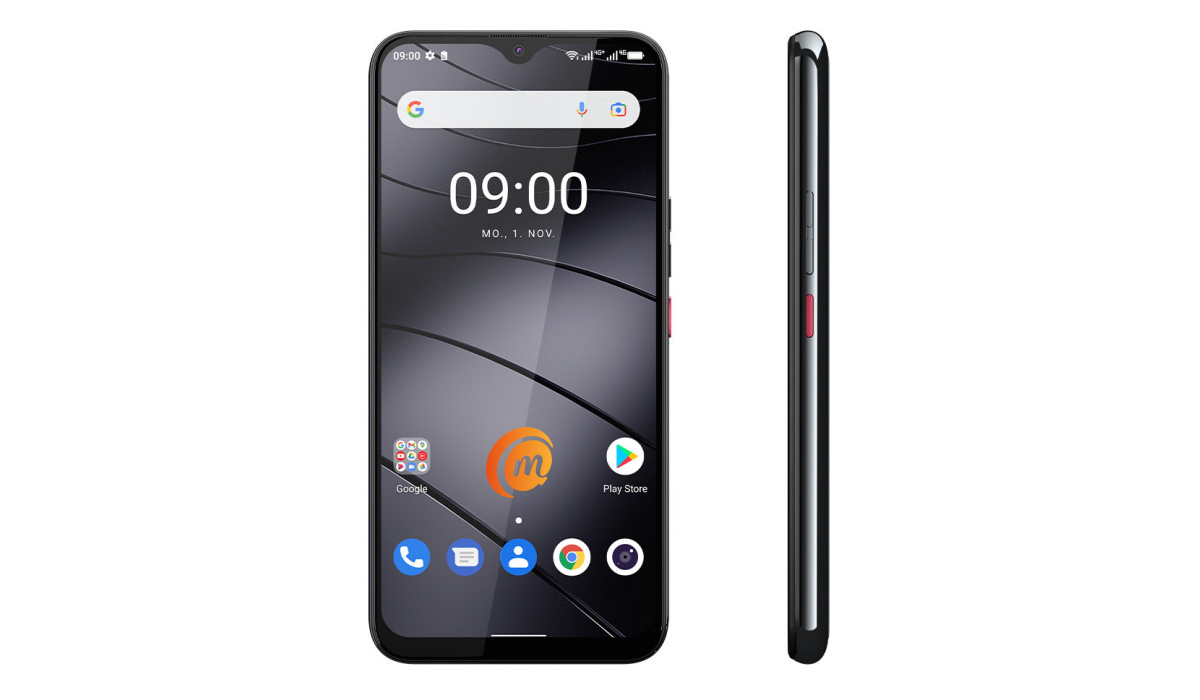
Gigaset GS5 specs & features
Mobile Wireless Network and Software
- 2G mobile network bands : GSM, GPRS, EDGE 850 / 900 / 1800 / 1900 MHz.
- 3G mobile network bands : UMTS, WCDMA, HSDPA 900 / 2100 MHz
- 4G mobile network bands : LTE 700 / 800 / 850 / 900 / 1800 / 2100 / 2300 / 2600.
- 5G mobile network bands : No.
- SIM Type : Nano-SIM, Dual SIM
- Software / OS : Android 11 (guaranteed upgrade to Android 12)
Design, Form Factor, Appearance
- Dimensions : 157.5 x 75 x 10.4 mm
- Weight : 210g
- Display : 6.3 inches, 1080 x 2340 pixels, 18:9 aspect ratio, IPS LCD screen, Material 2.5D glass with a scratch-resistant and anti-smudge surface
- Colours : Dark titanium grey, Light purple.
- Physical Build : Tempered glass back
Internal Hardware Specs
- Processor Type : 64-bit, 2.0 GHz Octa-core, Cortex A75
- Processor Name : MediaTek Helio G85
- Graphics Processor : ARM Mali-G52
- RAM : 4 GB
- Internal Storage : 128 GB
- External Storage : microSD, up to 512 GB (dedicated slot)
Photography, Video Recording
- Main Camera : 48 MP sensor + 8 MP ultra-wide angle & macro lens, autofocus, LED flash, 1080p@30fps video recording
- Front Camera : 16 MP, fixed focus, Face Recognition, 1080p@30fps video capture
Audio, Video Playback
- Music Support : PCM, AAC / AAC + / eAAC + / MP3 / AMR – NB / WB / APE
- Audio : 3.5 mm audio jack
- Loudspeaker : Mono speaker
- Video Support : H.264/MP4/MPEG4 player
- FM Radio : .
Phone Sensors
- Digital Compass : Yes.
- Accelerometer : Yes.
- Proximity Sensor : Yes.
- Ambient Light Sensor : Yes.
- Barometer : No.
- Pedometer : No.
- Heart Rate Monitor : No.
- Gyroscope (G-Sensor) : Yes.
- Fingerprint Scanner : Yes; rear-mounted.
- Face Unlock : Yes.
- Iris Scanner : No.
- Motion Sensing / Gesture Control : No.
- Voice Control : No.
- Intelligent Digital Assistant : Yes; Google Assistant.
- Infra-red Sensor : No.
Connectivity Options
- Bluetooth Version : 5.0
- Bluetooth Profiles : A2DP
- WiFi : Wi-Fi 802.11 a/b/g/n/ac, hotspot
- GPS : Yes, A-GPS, Galileo, GPS, Glonass, Beidou
- USB : microUSB v2.0. Type-C. OTG (USB on the go)
- NFC : Yes.
Miscellaneous Specs and Features
- Battery Type and Capacity : Removable Lithium-Polymer 4500 mAh
- Battery Charging : up to 18W Quick charge.
- Wireless Charging : 15W.
- Reverse Charging : Yes.
- Model Version/Number :
Launch/Release Dates and Information
- Announced : October 29, 2021
- Release Date : October 2021
Gigaset GS5 Prices by Country
- International/Global :
- European Union : €299 euros
- Nigeria : ₦
- Egypt : Egyptian Pound
- UAE : AED
- India : Indian Rupee
- Iraq : Iraqi Dinar
- Kenya : Ksh.
- Ghana :
The above prices may change with time from country to country, as market forces and economic policies influence product price movements.
Does Gigaset GS5 have Google Play Store?
It supports Google Services and software applications, including Play Store and Maps, Gmail, YouTube, and others.
Will Gigaset GS5 work in the USA?
This is a GSM phone and is supported on US GSM carriers like AT&T and T-Mobile and other networks riding on their networks. It does not support CDMA networks. Do make enquiries from your carrier to know what bands/frequencies are supported on their service.
MobilityArena Buyer’s Guide Verdict
The GS5 has a removable battery – something that is a rarity today. It also offers decent specs and value for the price. However, Gigaset smartphones are not commonly found outside of Germany, its country of production. Which is kind of sad, because a lot of people are looking to buy a smartphone that is not made in China. And there are not many of those around any more.
Our Buyer’s Guide Verdict is a recommendation based on the specs of the device and a general guide to help you understand how much value a device offers for its price. It is not an endorsement of the device. Ask questions and use your judgement when buying any device; MobilityArena takes no responsibility for your buying decisions .
Gigaset GS5 Phone Review Rating
Not available.
- Don’t miss our reviews .
- Follow us on Instagram , Facebook , Twitter , and YouTube .
Author:InfoDesk
Add MobilityArena as a preferred source on Google
I got my hands on two graphics drawing tablets from Huion yesterday, and it triggers memories from my past as a student who excelled at drawing and painting. I am certainly excited about the possibilities.
Drawing is one of my natural inclinations. As a child in school (primary and secondary), I excelled at Fine Art and Technical Drawing, and I eventually went on to university to study Architecture. As you can imagine, I spent a huge chunk of my childhood life drawing.
As a matter of fact, I also went on to script, draw, and publish a number of comic book titles with my own characters. All of these happened in the days when I had access to only pencils, pens, and brushes. I did not have the advantage of access to digital creation tools back in the 80s and 90s.
After school, as an adult, I put drawing aside and pivoted to tech. As such, I have not done anything serious in the direction of art in two decades. Sometimes I wonder if I can still draw actually. I guess I am going to find out the hard way now.
Anyway, yesterday, some new creative tools arrived here at MobilityArena – two graphics drawing tablets by Huion, a Chinese brand. Despite the name, a graphics drawing tablets is not like the regular tablet you know. This is an electronic drawing pad that lets you draw on your non-touchscreen desktop, laptop, or smartphone.
- How a graphics drawing tablet works
- First impressions using a graphics drawing tablet
How a graphics drawing tablet works
You connect the tablet to a desktop, laptop, or smartphone and then use an electronic pen to draw on it. Your strokes are transferred to the screen. You can draw, paint, erase, and do anything you ordinarily do with a pencil, own, and brush.
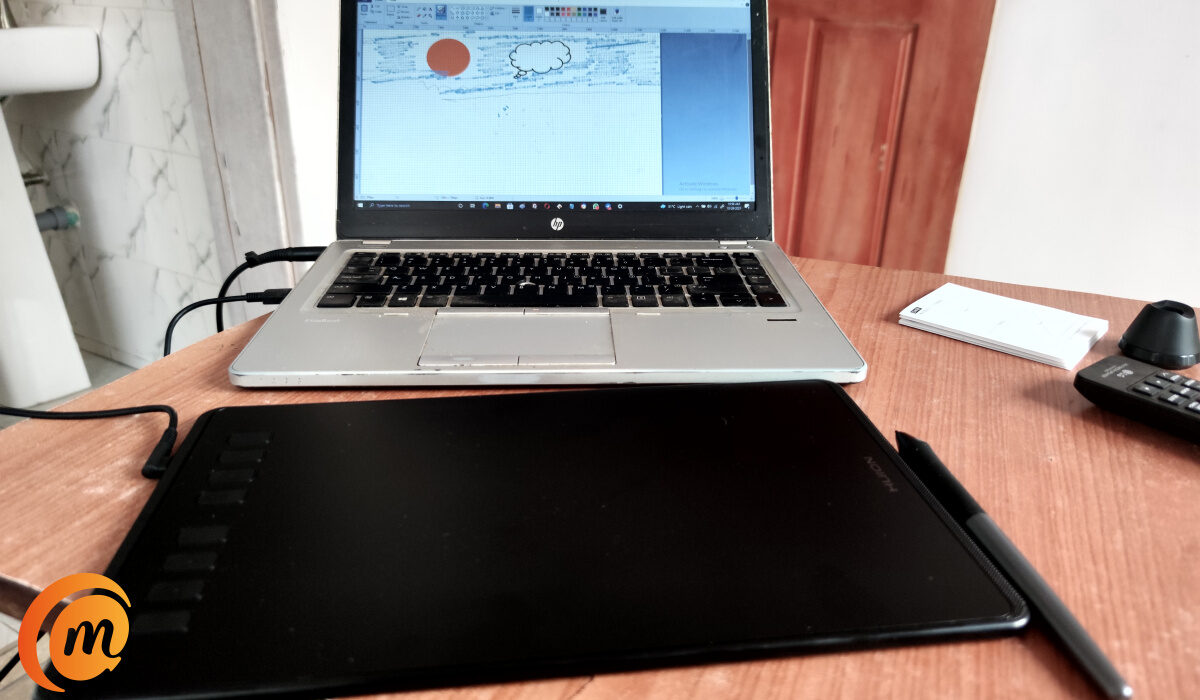
Using the Huion Inspiroy H950P graphics drawing tablet with pen with my laptop
The drawing tablet has no battery and so draws its charge (minimal) from the device it is connected to. I tested it with my smartphone and it works. Your phone must support OTG (USB on the go) though, for it to work.
It is compatible with Windows, MacOS, and Android OS devices.
First impressions using a graphics drawing tablet
At first connection with my Windows 10 laptop, the system searched for the driver and automatically installed it within moments. It was quite seamless, and I was ready to start using it immediately.
Using a graphics drawing tablet and pen takes some getting used to, if you are new to it, like I am. You have to learn the limits of the drawing area on the tablet. You have to get used to pointing and clicking on icons and menus on your laptop with the electronic pen, instead of with a mouse.
The learning curve isn’t steep, but it feels strange initially and mistakes happen. The drawing pad and pen themselves do exactly what they are supposed to do, which is good. So far, I have had no issues with using them.
Huion sent in two models – Inspiroy H950P and Inspiroy H610PRO v2. The latter is much bigger and has more functionality. I haven’t used it yet. I figure I will get used to working with the more basic model first before graduating to the more advanced one.
If I get this right, expect to see some interesting works of digital art from yours truly in a while. And you just might see the rebirth of my AquaLord comic books too. Quite a number of people from way back have asked me about them.
Visit the Huion official store on Jumia HERE to pick from a range of available models.
Author:Mister Mobility
Digital Skills and Communication Coach | Mobile Phone Connoisseur since 2001 | Tech Blogging since 2004
