Add MobilityArena as a preferred source on Google
Google has recently introduced a number of changes to some of its apps, with the Google Lens feature now able to scan, copy and paste handwritten notes to your computer.
This new feature on the Lens app is currently available for the latest versions of the Google Lens, App or Chrome. To use this feature, open the app or tap the Lens button on Google App, direct your phone’s camera lens towards the handwritten copy, take a quick photo, select the text you want, then click on ‘copy to computer’.
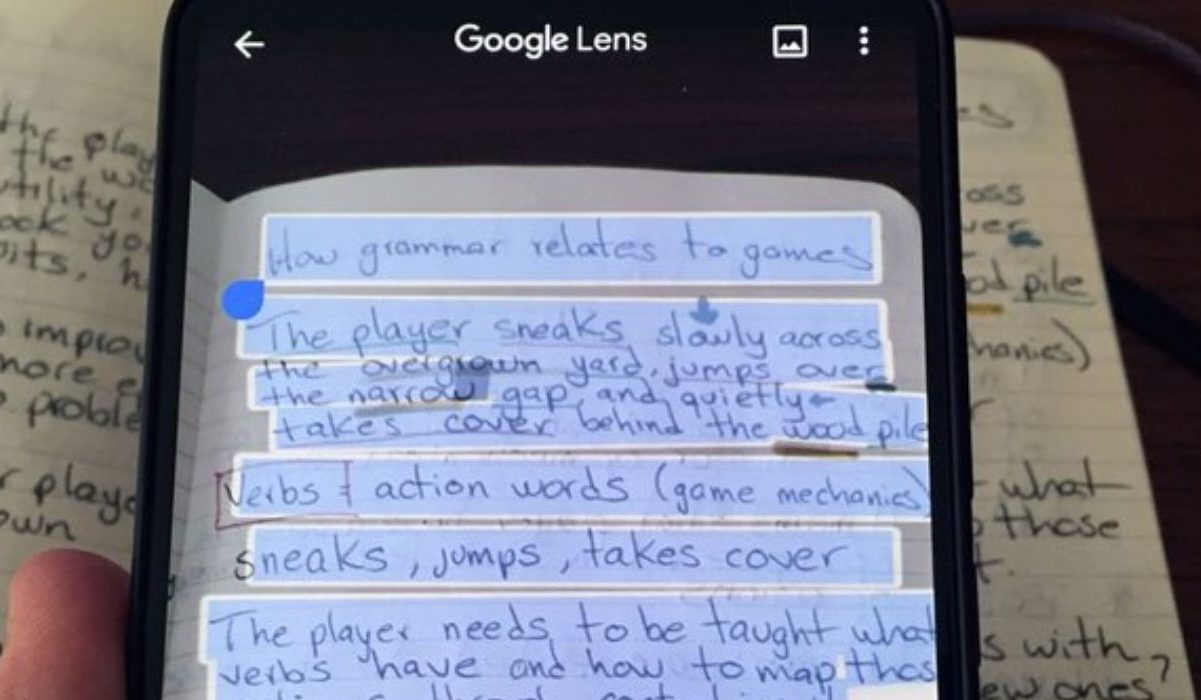
You can also decide to listen to this text read out loud after taking the photo by tapping on the Listen button. This feature can be particularly helpful for individuals who take online classes often and may not be able to keep up with the pace of typing assignments and notes every now and them.
This new feature however requires the user to have fairly good and legible handwriting to make sure that the app can scan, copy and paste the text on the computer with little or no error. When using this feature, the same Google account has to be logged in on all apps.
This is a welcome development to the ever-improving world of software development and will come in handy for students and freelancers. For individuals who do not have the Google Lens app, they can get it on Play Store (for Android) or App Store (for iOS) devices.
References
- Source ;
- Source .
Author:Alfa Baye
Staff Writer
Add MobilityArena as a preferred source on Google
Google has confirmed that it will be adding new features to the Google Duo app as part of some updates to a number of its apps. The tech company will introduce the ability to make group calls on the web, with this feature starting as a preview in Chrome.
This Web version will also let users call anyone with a Google account. This feature will be rolled out in coming weeks, with a preview set to be made available first on Chrome.
The new Duo on Web group call will allow users call anyone with a Google account by sharing a unique link with them. This comes just after reports suggested that the tech company is working on a method that lets people contact other users via their email addresses.
The video calling app has also received a new Family Mode which can let users try out fun masks and other effects during video calls. To enjoy this feature, go to the menu icon and then click on Family to get started. This brings the masks and other effects for everyone to see, some of these masks include a cat mask and an astronaut mask.
Google says that the new Family mode is available when signed into Duo through your account.
The updates are expected to rollout to Android and iOS devices starting this week. These updates surface just after Google increased the number limit for single group calls on the app to 12 participants.
References
- Source ;
- Source .
Author:Alfa Baye
Staff Writer
