Add MobilityArena as a preferred source on Google
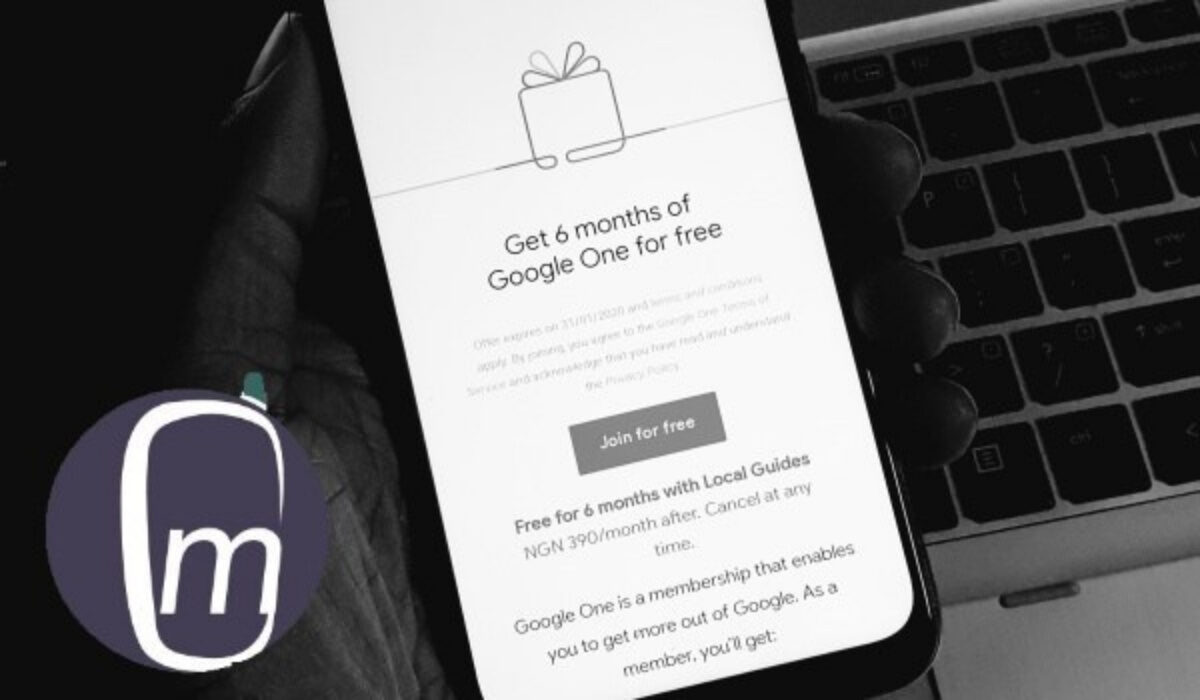
Yesterday, I received an email from Google offering me a 6-month free trial subscription to Google One. If you are hearing of Google One for the first time, here is a breakdown that explains what it is, how it works, and how much it costs.
Google One is a subscription service that replaces the old Google Drive subscription with extended cloud storage that is shared across Google Drive, Gmail, and Google Photos, as well as access to premium Google support.
PS : If you already have a Gmail account, you have a Google account already and your Gmail login is what you need to access any Google service.
The first tier is 100 GB of storage, which is what I am being offered now. It includes access to Google expert support, exclusive member benefits, as well as the ability to share my subscription with 5 additional family members. Each extra person I share with gets their own private space. This 100 GB package costs $1.99 or ₦390 per month. If I accept the offer, I do not pay anything for the first 6 months.
By the way, I looked up what the exclusive member benefits are. Google says they are from other Google products, such as special hotel pricing. They also added that benefits are not guaranteed.
Google One was later updated to include automatic backups for Android phones and iPhones. This allows members to automatically backup photos, contacts, messages, and more, so that if they lose, break, or upgrade their device, they can restore everything to a new device.
Another update to the app, in July 2020, made automatic phone backups free for anyone with a Google account. This includes iOS users. This means that automatic backups are now included in the basic 15 GB free storage that all Google users have. Great news!
How much is Google One membership?
Here are the available Google One subscription plans and their fees:
- 100 GB for $1.99 or ₦390/month (alternatively, $19.99 or ₦3900 /year)
- 200 GB for $2.99 or ₦780/month (alternatively $29.99 or ₦7,800/year)
- 2 TB for $9.99 or N1,990/month (alternatively $99.99 or ₦1,990/year)
- 10 TB for $99.99 or ₦19,990/month
- 20 TB for $199.99 or ₦39,990/month
- 30 TB for $299.99 or ₦59,990/month
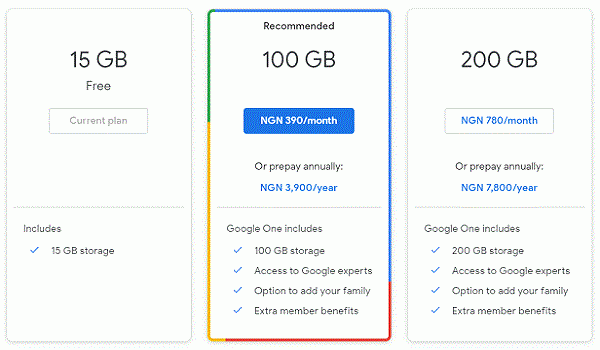
You can cancel at any time. Do note that if you cancel, your files above the free 15 GB storage will remain online, but you will be unable to sync them or add/create any new files over the free limit. If you are over the storage limit, you will be unable to send or receive emails.
History
Local Guides can try Google One for free
From the offer email, I qualified for this based on me being a Google Local Guide. Well, I travel by road quite a bit and use Google Maps regularly to keep track of traffic, as well as confirm my routes. As such, I tend to update Maps from time to time. I am guessing that’s what got me qualified for this.
Local Guides are individuals like you and I who write reviews, share photos, answer questions, add or edit places, and check facts on Google Maps. If you move around a lot and use Google Maps, it isn’t a bad idea to contribute useful info to help make it better and more accurate. You can do this right inside the Maps app.
If you are already a local guide, hopefully, you will get an offer like I did.
How do you get Google One?
To signup, click on this link . You will need a means of payment, which by default is your credit or debit card. If you are qualified for a free trial, don’t worry; you won’t get charged till your trial is over.
- Don’t miss our reviews .
- Join our WhatsApp Group , to be notified of the most important articles and deals,
- Follow us on Instagram , Facebook , Twitter , and YouTube .
Author:Mister Mobility
Digital Skills and Communication Coach | Mobile Phone Connoisseur since 2001 | Tech Blogging since 2004
Add MobilityArena as a preferred source on Google
Google’s Play Store is the de facto place to source apps for use on your Android smartphone and tablet. But there are times that having an alternative mobile app store available comes in handy. Below are the best 3rd party Android app stores you can download and install Android apps from in those times.
But before we proceed, let’s explore why you would ever need a 3rd party Android app store at all. Do note that there is no way to guarantee the safety of the apps you download from other sources outside of Play Store. You use third party app stores entirely at your own risk.
- Why a 3rd party Android app store can be useful to you
- 5 best third party app stores for Android APKPure APKMirror Aptoide App Store GetJar F-Droid App Store Opera Mobile Store / Bemobi Mobile Store
Why a 3rd party Android app store can be useful to you
You would find an alternative Android app store useful if you ever get your hands on one of those Android forks that branch away from Google. You do know that Android OS is open source and anyone can use it as it is without requiring Google certification. It is completely legitimate.
Several smaller manufacturers use it that way. Most of them are Chinese. Using Android Open Source without Google certification means that the phones do not have Google apps pre-installed. That includes Play Store. So, you will require a 3rd party app store in order to install apps on such a phone.
But why would you ever need to buy such a phone? For one, nthey are cheaper. Google certification adds an extra layer of cost to Androlid phones. So if you are wondering how many of the small brand Chinese smartphones are dirt cheap, that is one of the reasons for that.
That aside, why would you need a 3rd party Android app store? You might purchase an Android phone but not want to sign in to your Google account on it for privacy reasons. But you still need apps on the phone. One way to get those apps is to install or use a 3rd party Android app store.
Lastly, not every legitimate Android app is available via Play Store. You will find such to download on the developer’s website or on a third party store.
5 best third party app stores for Android
Here are 5 of the best 3rd party Android app stores you can use when in a situation in which Play STore is not available or preferred for other reasons.
APKPure
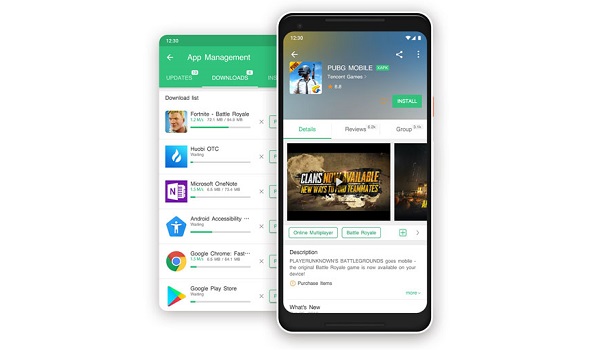
APKPure does not have a collection of apps anywhere close to what you will find on Play Store, but it is decent and easily one of the best 3rd party Android app stores you will find.
Download APKPure app .
APKMirror
This is one of the most trusted sources of 3rd party Android apps around. You will find the latest versions of apps, but also previous versions, should you need to roll back your app version.
Visit the APKMirror website .
Aptoide App Store
Aptoide is one of the most popular Android app stores around and offers an extensive catalogue for you to download from.
Download Aptoide .
GetJar
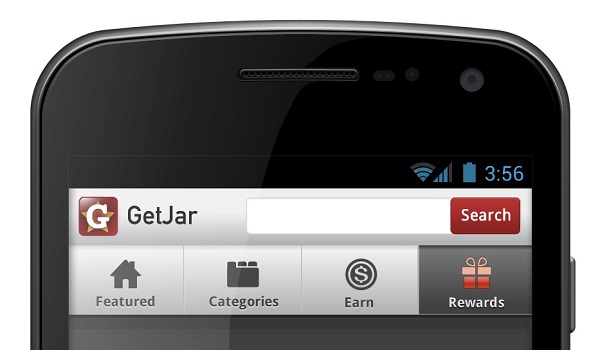
Getjar started out a long time ago in 2004 as an app store for feature phones that run Java apps. WIth the arrival of smartphones, its catalogue was expanded to include apps for Symbian OS and other platforms. Today, you will find Android apps as well on GetJar.
Download GetJar .
F-Droid App Store
If you are looking for not just the regular apps that everyone else uses but for apps for adavcned and power users, F-Droid is a definitely one of the best 3rd party Android app stores to turn to. Plus it is also one of the most trusted.
Download F-Droid app store .
Opera Mobile Store / Bemobi Mobile Store
Opera Store is one of the earliest app stores, too. It was announced in 2011 as a Web-based app store and first provided access to Java, BlackBerry OS, Symbian, Windows Phone, and Windows Mobile apps. Today, it has a sizable collection of Android apps available for download, too. It has since been re-branded as Benobi Mobile Store.
Visit Bemobi Mobile Store .
There are quite a number of other sources of Android apps available for you to explore. As a matter of fact, new ones pop up every other day. If there is any really solid one that you know which is not mentioned in our list, please contribute the name in the comment section below, so we can take a look. It just might be good enough to be on this list of the best 3rd party Android app stores.
- Don’t miss our reviews .
- Follow us on Instagram , Facebook , Twitter , and YouTube .
Author:Mister Mobility
Digital Skills and Communication Coach | Mobile Phone Connoisseur since 2001 | Tech Blogging since 2004
