Add MobilityArena as a preferred source on Google
In this Google Pixel 5a 5G review, I share the good, the bad, and the ugly about this compact 5G smartphone. It is mostly good though. This is a solid phone that is marred by just one flaw that might be a deal breaker for you.
The Pixel 5a 5G was released in August 2021, almost a full year after the Pixel 5 hit the market. While the Pixel a devices tend to be more affordable, mild downgrades to the main models, it looks like Google had other plans this time.
The “a” series of Google Pixels traditionally ship with plastic bodies, no ingress protection, and a less powerful processor. The 5a 5G arrived with a bigger display, same aluminium body with water and dust protection, and same processor. The 5a 5G looks like a different class of Pixel “a” device.
- What is the Google Pixel 5A with 5G?
- Does the Pixel 5A have a headphone port?
- Is the Pixel 5a 5G worth buying?
What is the Google Pixel 5A with 5G?
It is the last Pixel smartphone announced before the Pixel 6 series. It features a 6.34-inch OLED display and is powered by a Qualcomm Snapdragon 765G processor.
Does the Pixel 5A have a headphone port?
Yes; it has a 3.5mm headphone jack port.
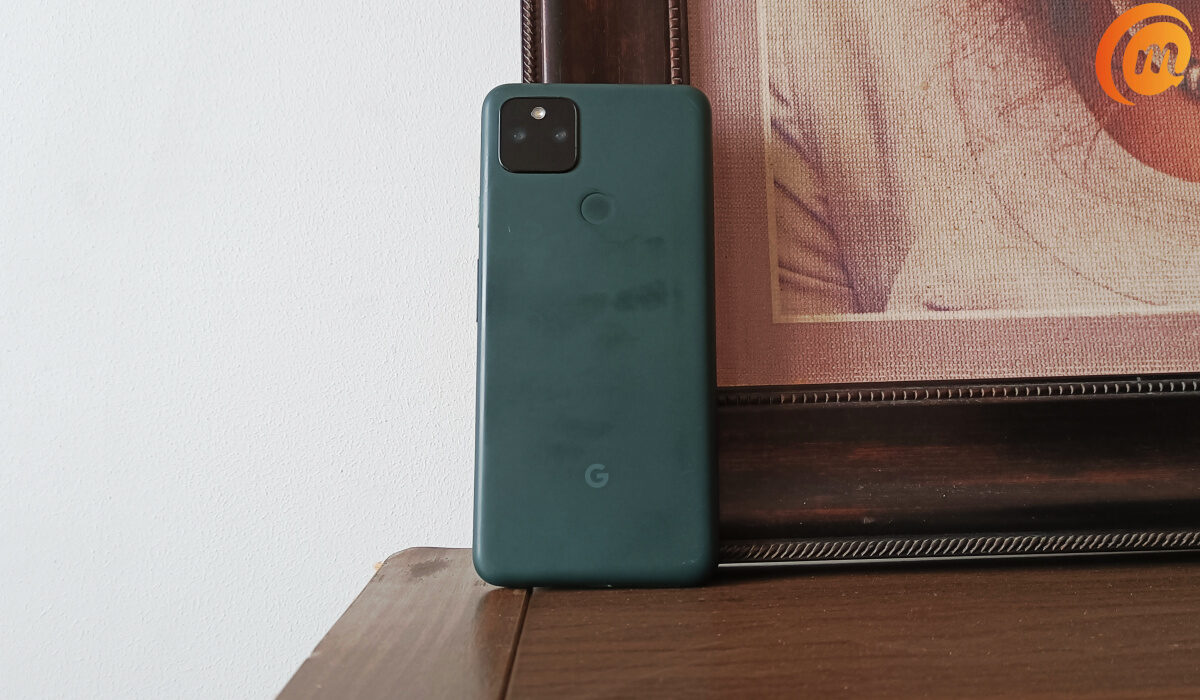
Google Pixel 5a 5G review
Let’s have a look at the core specs, followed by the pros and cons, of the Google Pixel 5a 5G .
Specs at a glance
- OS: Android 11
- Release Date: August 2021
- Network Type: 2G/3G/4G/5G
- Display: 6.34-inch, OLED
- Processor: Snapdragon 765G
- Selfie Camera: 8 MP
- Rear camera: 12 MP dual
- RAM: 6 GB
- ROM: 128 GB
- Battery: 4680 mAh with 18W fast charge and USB Power Delivery 2.0
Pros
- Handy size and weight
- Superb battery life
- Timely Android software updates
- Good camera
Cons
- It heats up too easily
- 18W quick charge isn’t good enough
In the box
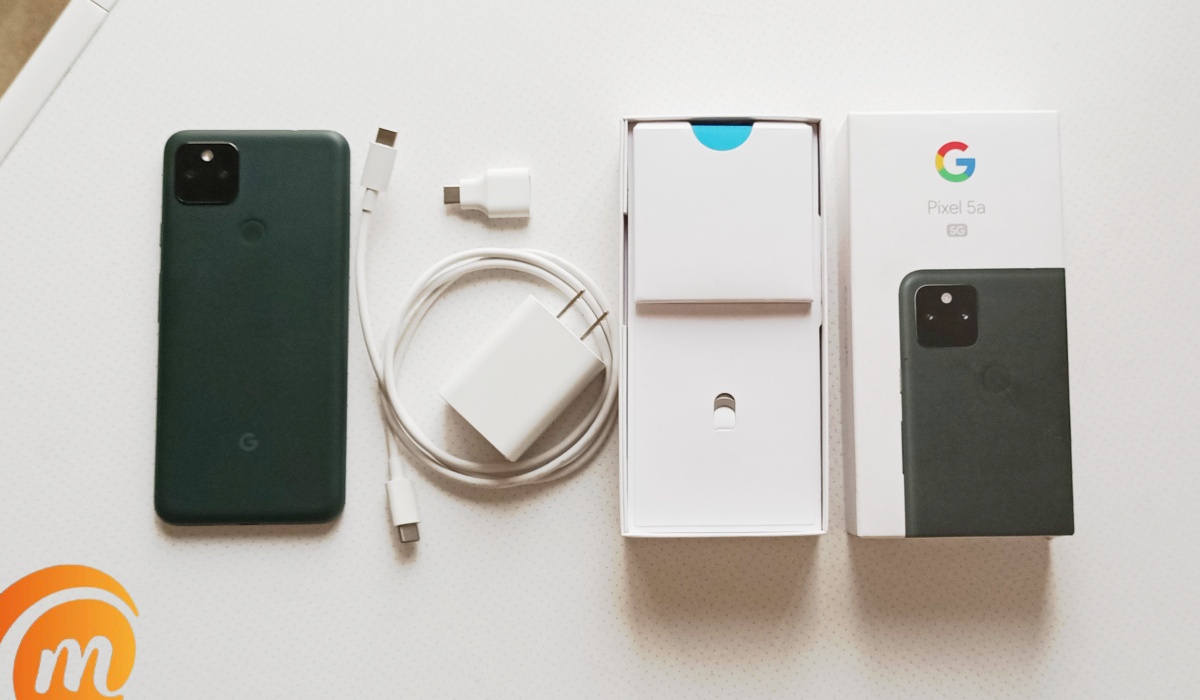
The Pixel 5a ships in a very compact white box. It is one of the most compact smartphone boxes you will find and it is true to Google’s pattern over the years. Inside the box is the phone itself at the top of the pile. Below it are the SIM card ejector tool and pamphlets.
When you lift those out, there are two compartments housing the 18W charger on one side, and the USB C to C cable and USB adaptor on the other. And that’s it about the box and its contents.
While the Pixel 5a has a 3.5mm audio port, Google does not include a compatible headset in the box.
The detailed review
I am not a fan of the Mostly Black colour scheme of the phone. I very much prefer the Almost White colour and feel of, say, the Pixel 3, for example. The phone has a good heft to it in the hand. It isn’t heavy; it doesn’t feel nonexistent either.
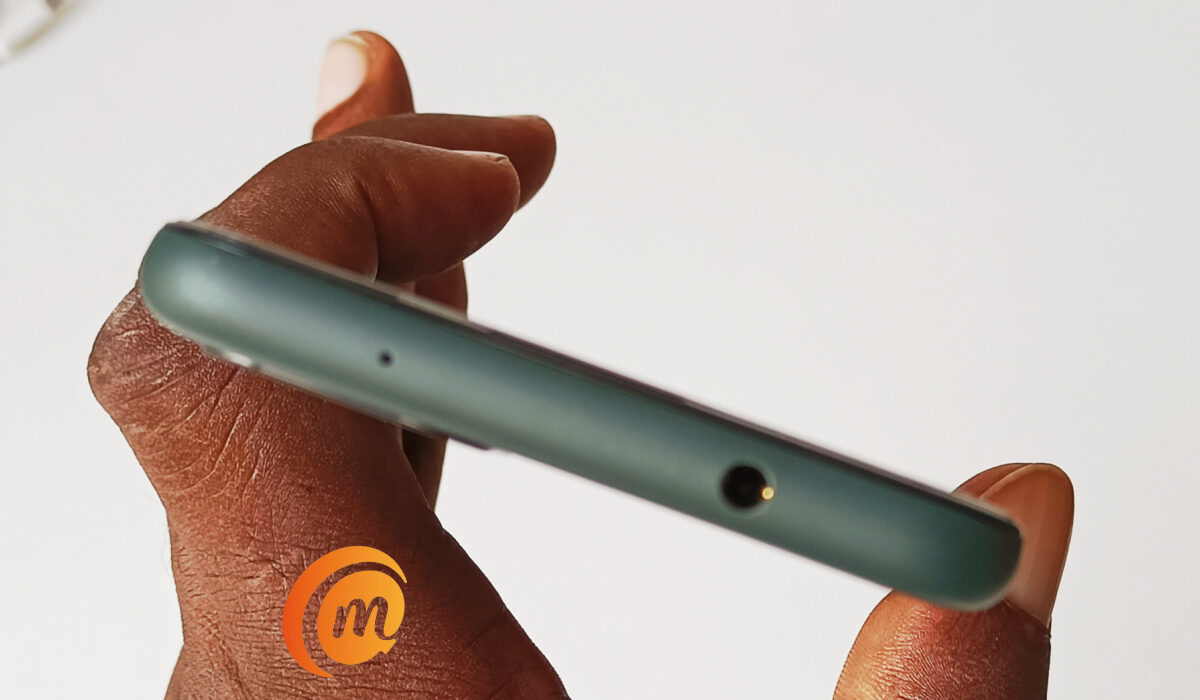
There is a 3.5mm audio port at the top end of the Pixel 5a. It also has stereo speakers – one in the earpiece at the top and the other at the bottom end. The fingerprint scanner is at the rear side of the phone, adjacent the camera.
The phone ships with Android 11 OS, but thanks to Google’s timely updates system, Android 12 was waiting for it once we took it out of the box, powered it on, and set it up.
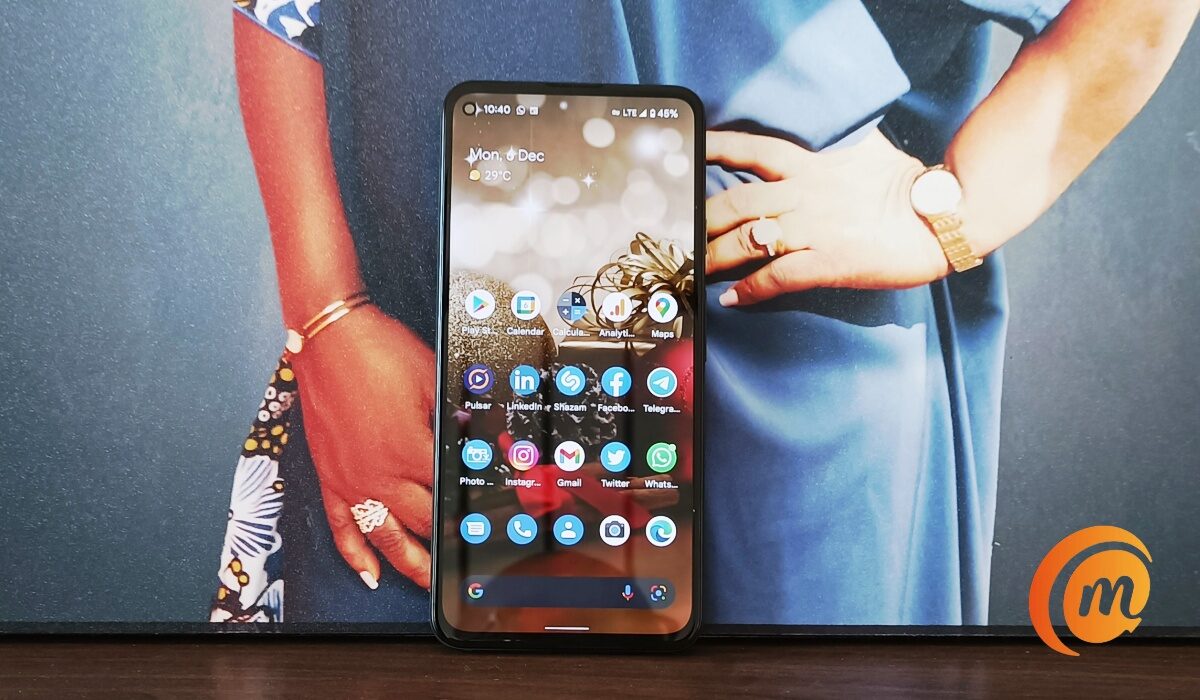
Google Pixel 5a 5G review – Android 12 homescreen
Stock Android 12 is beautiful. We have already reviewed it and shared our thoughts in our Android 12 review .
The Pixel 5a 5G has a SIM card slot, supported by an eSIM. So, it is effectively a dual-SIM device – just not the usual kind. And as the name suggests, it is a 5G device too.
It is an unusual thing to speak of a Pixel phone and great battery life, but you are going to hear it here. The Pixel 5a’s 4680mAh battery, coupled with the Snapdragon 765G and 6.34-inch OLED display, delivers excellent battery life. It is so good it matches and exceeds my Xiaomi Mi Note 10 Pro, which has really good battery life.
I imagine that if used on a 5G network, the battery life numbers will drop a bit, but I doubt that it will go from the excellent record we are seeing here to horrible. It helps that the display is not a high refresh rate unit. What is here is good old 60 Hz refresh rate.
Battery charging is pegged at a maximum speed of 18W. It is much better than 10W or 15W, but it is also such a huge downgrade from 33W quick charge that it almost feels painful. I guess I have been spoilt by my now aging Mi Note 10 Pro and also recently, TECNO Camon 18 Premier.
I have no doubt that most people will find 18W charging good enough. Just not Mister Mobility. To be honest, I have been dreaming of 65W fast charging and higher.
In use, Pixel 5a 5G does not lag or feel sluggish. Snapdragon 765G is quite a capable mid-range chipset. Even with 6GB RAM, app launching and switching have remained smooth. This is stock android anyway: there is no bloat or a custom UI to slow the system down.
However, this phone heats up rather fast while in use. I don’t think it is a problem with the Snapdragon 765G chipset. For example, the Pixel 3 heats up too under use. Whether you are just scrolling through social media, typing an email, or taking photographs, the Pixel 3 and 5a heat up. Perhaps the other Pixel models do too.
And what is worse, Google’s built-in protection will go into panic mode when the phone heats up and switch off your data connection, or completely power off the phone, right in the middle of whatever you are doing. Blistering barnacles. This is the one true sore spot of using a Pixel 5a 5G.
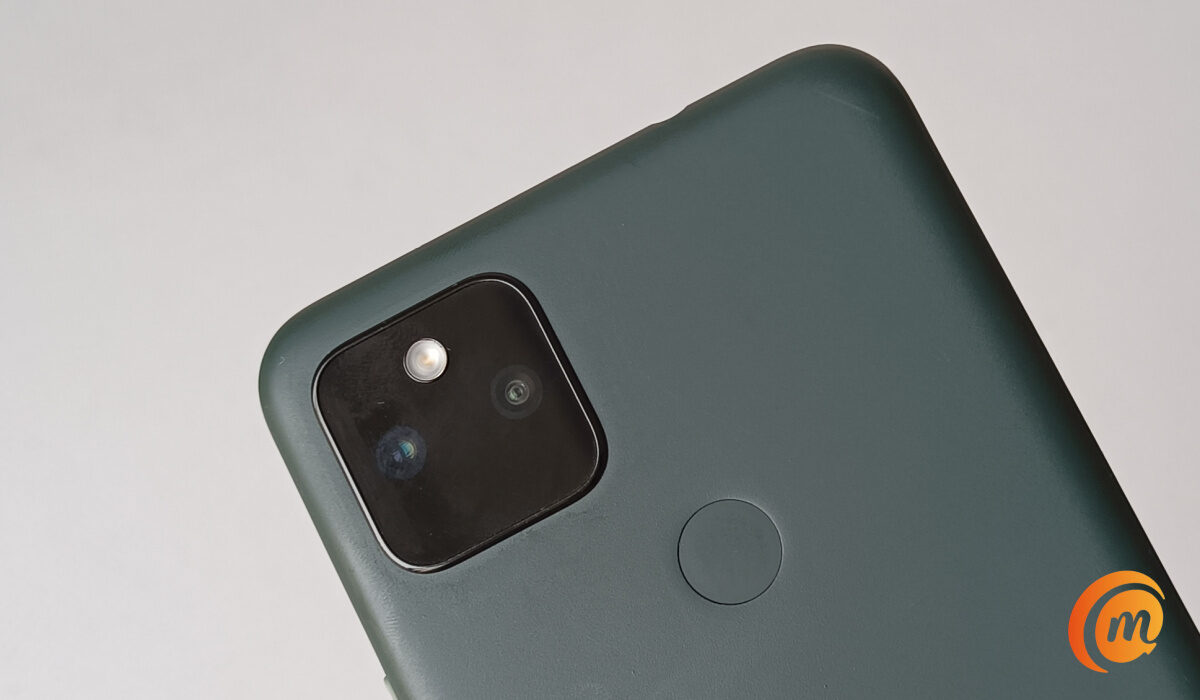
Google Pixel 5a 5G review: back panel
Photography on the Pixel 5a 5G is good. It is on the better side of good. But as it uses the same hardware from a few years ago, it isn’t in the same class as the cream of the crop any more. Google has attempted to rectify the situation with the arrival of the Pixel 6 and Pixel 6 Pro. The Pixel 6a should deliver more cutting edge photography features.
Conclusion
I like the Pixel 5a 5G. It is not large and chunky in the hand. It is highly pocketable. It has good cameras, great battery life and decent performance. And it gives you the fastest access to Android updates. It will receive Android 13 and 14 updates.
If you need super-fast 5G connectivity, it has got you covered too. The IP67 dust and water protection is a lovely addition. It really is a compelling smartphone to buy in 2021.
Its one big bad spot is the heating up during use , and how the phone takes care of the situation regardless of what you are doing. Perhaps you can live with that; perhaps not.
Is the Pixel 5a 5G worth buying?
This is a lovely phone, but the overheating issue myself and many others are experiencing is a big problem. It happens too frequently and degrades the phone’s performance, sometimes disabling WiFi and network, or shutting down the camera. If you are willing to take the risk, go ahead and buy the Pixel 5a 5G.
Author:Mister Mobility
Digital Skills and Communication Coach | Mobile Phone Connoisseur since 2001 | Tech Blogging since 2004
Add MobilityArena as a preferred source on Google

Is there a Netflix Original film or series that you want to see with a friend but distance hinders you? If your answer is yes, then Netflix Party has got you covered.
The pandemic made a lot of activities and events go virtual. People worked from home, schooled from home, even attended their graduation ceremony from the comfort of their homes. The film industry was not left out in all of this.
Since people could not go to the cinemas to see movies, a lot of people substituted for streaming services such as Netflix . In this article, we will show you an easy way you can watch your favourite Netflix movies and series with your friends even while you are miles apart.
What Is Netflix Party (Teleparty) and How To Use It
Netflix Party (now called Teleparty) is a Chrome extension that enables you to watch original Netflix content with friends and loved ones and engage in conversations while the film plays. So in a way, it gives the feeling that you are all watching together.
Teleparty synchronizes video playback and adds group chat to not just Netflix, but also Disney, Hulu and HBO. So you can use it with those other video streaming services too.
Using the Netflix Party application is easy. Simply follow the guidelines listed below, and you will be on your way to “Netflix and chilling” with your best buddies.
- To use Netflix Party, first ensure that you have an active Netflix account and subscription.
- Now install the Chrome extension on your web browser.
- Open the Netflix web app and select the film you wish to watch.
- Click on the extension icon and start the party.
- Copy the Netflix Party link and share it with your friends.
There are no limits to the number of people that can join the party, so you can share the link with a lot of people. You can also chat during the film by using the chat feature on the extension. As a host, you can only create a Netflix party from your web browser, not the mobile application, and whoever joins does so from the web.
So, grab yourself some popcorn, pick a film, share a link and have a great time with your family and friends.
PS : Netflix Party is now called Teleparty , and is available on Microsoft Edge and Google Chrome for desktop or laptop computers.
- Don’t miss our reviews .
- Join our WhatsApp Group , to be notified of the most important articles and deals,
- Follow us on Instagram , Facebook , Twitter , and YouTube .
Author:KittysTech
Tech analyst, Collins Eshiet, writes about technology. Follow me on Twitter @KittysTech.
