Add MobilityArena as a preferred source on Google
| Google Pixel 6a 5G specs in brief |
|---|
| OS: Android 12 Release Date: July 2022 Network Type: 2G/3G/4G/5G Display: 6.1-inch, 1080 x 2400 pixels resolution Processor: Google Tensor (5 nm) Selfie Camera: 8 MP Rear camera: 12 MP dual RAM: 6 GB ROM: 128 GB Battery: 4410 mAh Related: Google Pixel 6 Pro . Google Pixel 5a 5G . |
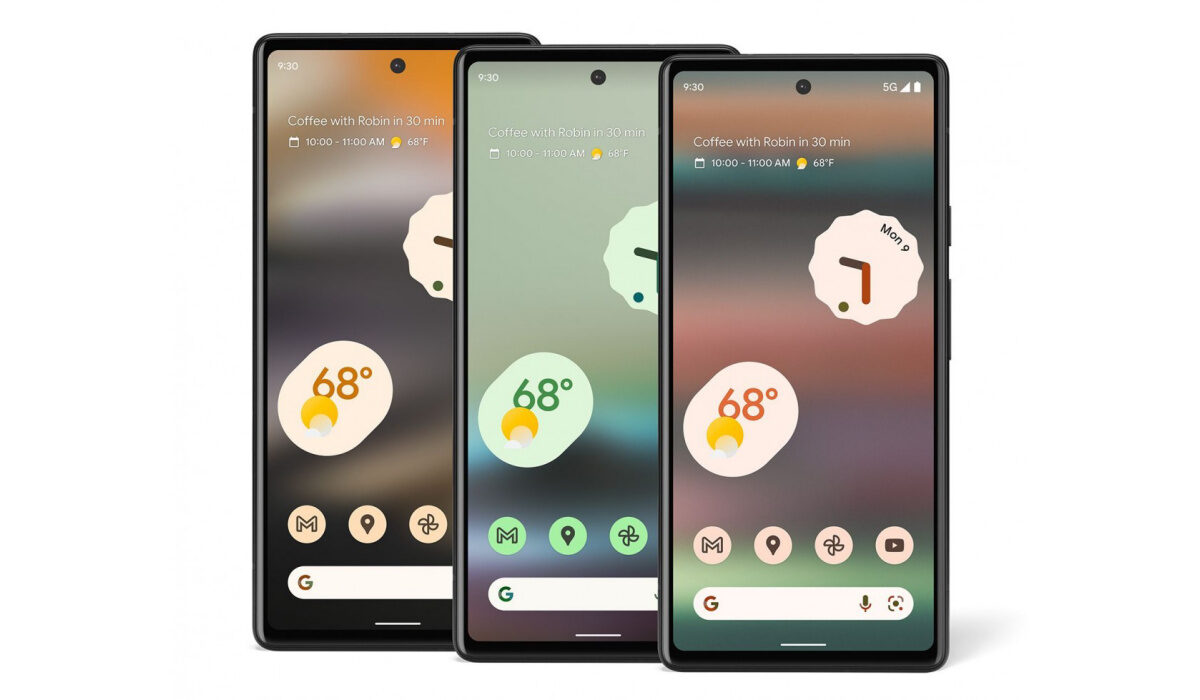
Google Pixel 6a 5G specs & features
Mobile Wireless Network and Software
- 2G mobile network bands : GSM, GPRS, EDGE 850 / 900 / 1800 / 1900 MHz.
- 3G mobile network bands : UMTS, WCDMA, HSDPA 800 / 850 / 900 / 1700(AWS) / 1900 / 2100 MHz. CDMA2000 1xEV-DO
- 4G mobile network bands : LTE.
- 5G mobile network bands : Yes – SA/NSA.
- SIM Type : Nano-SIM, Single SIM + eSIM
- Software / OS : Android 12
Design, Form Factor, Appearance
- Dimensions : 152.2 x 71.8 x 8.7 mm
- Weight : g
- Display : 6.1 inches, 1080 x 2400 pixels, 20:9 aspect ratio, 60Hz refresh rate, OLED screen, Gorilla Glass 3, Always-on.
- Colours : Chalk, Charcoal, Sage.
- Physical Build : Plastic rear. IP67 rating.
Internal Hardware Specs
- Processor Type : 64-bit, 2.8 GHz Octa-core, Cortex
- Processor Name : Google Tensor GS101 (5 nm)
- Graphics Processor : ARM Mali-G78 MP20
- RAM : 6 GB
- Internal Storage : 128 GB
- External Storage : No.
Photography, Video Recording
- Main Camera : 12.2 MP IMX363 main lens + 12 MP IMX386 wide angle lens, autofocus, dual LED flash, 4k video @ 30fps, 1080p@30fps video recording
- Front Camera : 8 MP, IMX355, fixed focus, Face Recognition, 1080p@30fps video capture
Audio, Video Playback
- Music Support : PCM, AAC / AAC + / eAAC + / MP3 / AMR – NB / WB / APE
- Audio : No audio jack
- Loudspeaker : Stereo speakers
- Video Support : H.264/MP4/MPEG4 player
- FM Radio : No.
Phone Sensors
- Digital Compass : Yes.
- Accelerometer : Yes.
- Proximity Sensor : Yes.
- Ambient Light Sensor : Yes.
- Barometer : No.
- Pedometer : No.
- Heart Rate Monitor : No.
- Gyroscope (G-Sensor) : Yes.
- Fingerprint Scanner : Yes; in-display.
- Face Unlock : Yes.
- Iris Scanner : No.
- Motion Sensing / Gesture Control : No.
- Voice Control : No.
- Intelligent Digital Assistant : Yes; Google Assistant.
- Infra-red Sensor : No.
Connectivity Options
- Bluetooth Version : 5.2
- Bluetooth Profiles : A2DP
- WiFi : Wi-Fi 802.11 a/b/g/n/ac/6, hotspot
- GPS : Yes, A-GPS, GLONASS, GALILEO, QZSS, BDS
- USB : microUSB v2.0. Type-C.
- NFC : Yes.
Miscellaneous Specs and Features
- Battery Type and Capacity : Non-Removable Lithium-Polymer 4410 mAh
- Battery Charging : 18W quick charging. USB Power delivery
- Wireless Charging : No.
- Reverse Charging : No.
- Model Version/Number :
Launch/Release Date and Information
- Announced : May 11, 2022
- Release Date : July 28, 2022
Google Pixel 6a Price by Country
- USA: $449
- Canada CAD 599
- UK GBP 399
- Australia AUD 749
- Ireland EUR 459
- Germany EUR 459
- France EUR 459
- Italy EUR 459
- Spain EUR 459
- Singapore SGD 749
- Taiwan NTD 13,990
- Japan JPY 53,900
The above prices may change with time from country to country, as market forces and economic policies influence product price movements.
What countries is Pixel 6a available in?
The 6a 5G is officially available in Australia, Canada, France, Germany, Ireland, Italy, Japan, Puerto Rico, Singapore, Spain, Taiwan, United Kingdom, and the United States.
Does Google Pixel 6a have Google Play Store?
It supports Google Services and software applications, including Play Store and Maps, Gmail, YouTube, and others.
Will Google Pixel 6a work in the USA?
This is a GSM and CDMA smartphone and is supported on US GSM and CDMA carriers alike. These include AT&T, T-Mobile, Verizon, and other networks riding on their networks. .
MobilityArena Buyer’s Guide Verdict
Not available.
Our Buyer’s Guide Verdict is a recommendation based on the specs of the device and a general guide to help you understand how much value a device offers for its price. It is not an endorsement of the device. Ask questions and use your judgement when buying any device; MobilityArena takes no responsibility for your buying decisions .
Google Pixel 6a Phone Review Rating
Not available.
- Don’t miss our reviews .
- Join our WhatsApp Group , to be notified of the most important articles and deals,
- Follow us on Instagram , Facebook , Twitter , and YouTube .
Author:InfoDesk
Add MobilityArena as a preferred source on Google
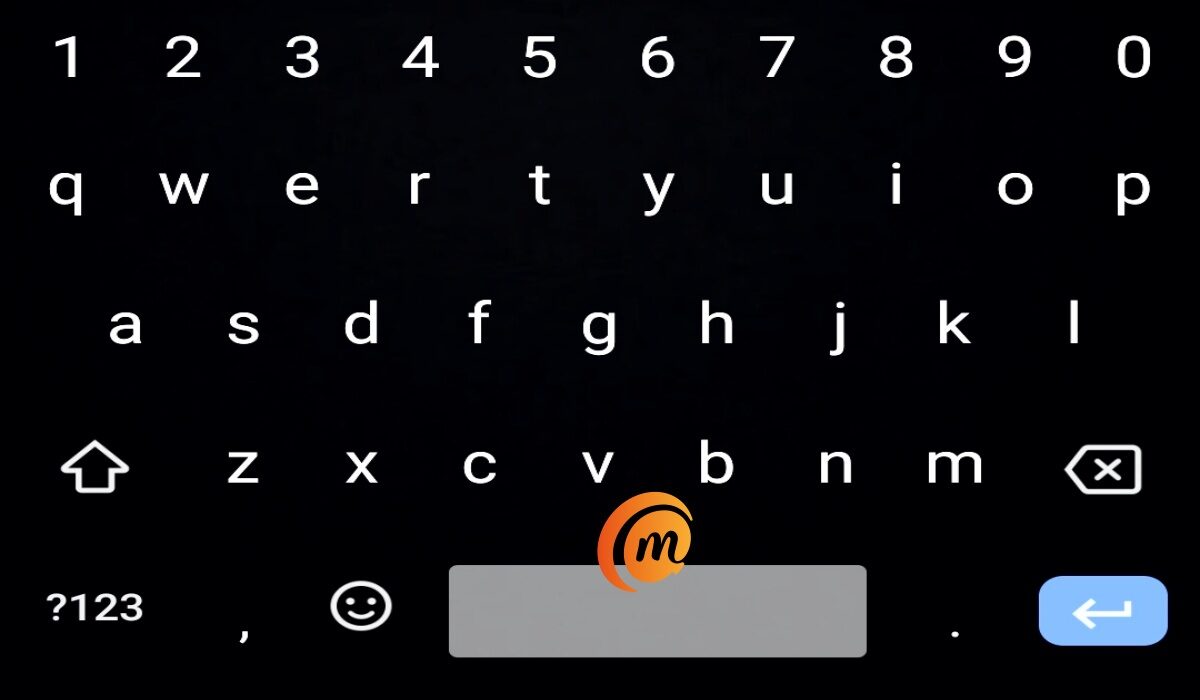
The QWERTY keyboard is the most widely used, and the most versatile, keyboard layout in the history of man. And whether you prefer to use it in hardware or on a touchscreen, it does not look like it is going away soon. Let’s look at a few historical facts about it and why it is so damned good.
A keyboard is a text input tool that allows a person to enter letters, numbers, and other characters. Decades ago, the QWERTY keyboard started out on the humble typewriter, a non-electronic gagdet. But the computer arrived and it transitioned to that as well and became an electronic too too. And when PDAs and mobile phones arrived, it was only a matter of time before it became a part of their DNA too.
The QWERTY keyboard is the standard typewriter and computer keyboard in countries that use a Latin-based alphabet. And it has evolved from its humble hardware beginnings to the highly versatile virtual tool that hundreds of millions of people use today.
History of the QWERTY keyboard
The QWERTY keyboard layout had its first iteration by Christopher Sholes. Which is why it is also called the Sholes keyboard. In 1874, Sholes invented the typewriter, with a keyboard design that had an early version of what we know today.
There is a story that claims otherwise though[1], and says that the QWERTY keyboard is the result of a long, complicated process beyond one person.
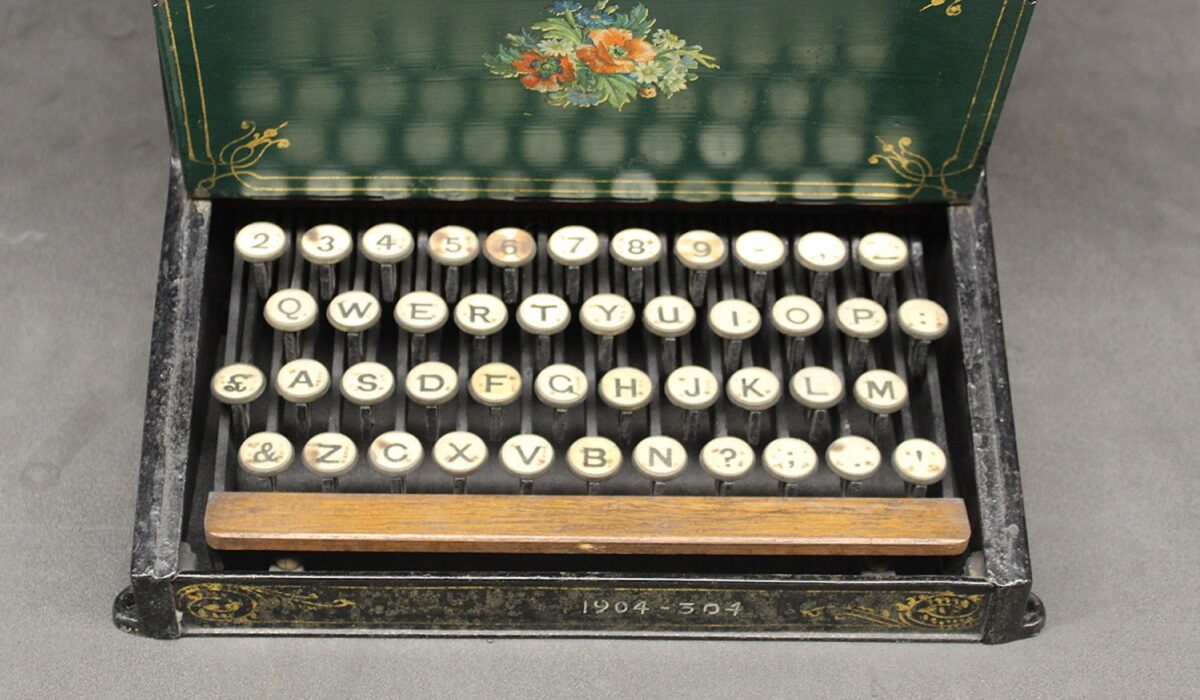
The Sholes keyboard (source:National Museums Scotland)
The above picture is that of a Sholes keyboard, and the keys do not all match what we have on today’s QWERTY keyboard, so there might be some merit to the submission that the development of the design “was complex, evolutionary, and quite sensible for Morse operators”.
By the way, the name “QWERTY” is derived from the first six letters in the top row of the keyboard.
The QWERTY keyboard alternatives: Other key layouts
There are some common alternatives to QWERTY. They are variations of it, though, if we are bing honest. They have the positioning of some letters different and include other special characters required for the languages they are used for.
AZERTY keyboard : This is the French equivalent of the QWERTY keyboard. It is name is also derived from the first 6 letters in the top row.
QWERTZ keyboard : This is also called Swiss keyboard, and is used in German-speaking countries. The name is also derived from the first 6 letters on the top row.
Dvorak keyboard : This has a layout that is totally different from that of QWERTY, AZERTY, and QWERTZ. It was designed to provide a faster typing experience by making the most commonly available characters easier to reach.
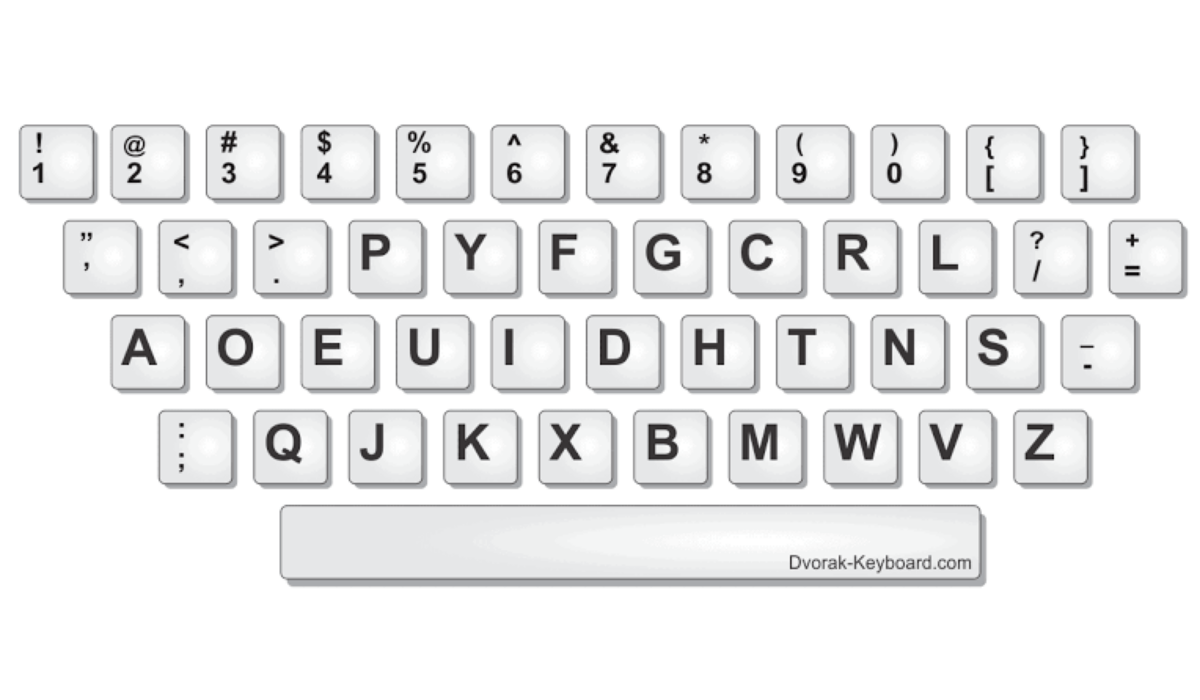
There are reports and counter-reports, arguments and counter-arguments as to whether typing with Dvorak is really faster than typing with QWERTY. One US Navy study “found that it took an average of only 52 hours of training for those typists’ speeds on the Dvorak keyboard to reach their average speeds on the qwerty keyboard. By the end of the study their Dvorak speeds were 74 percent faster than their qwerty speeds, and their accuracies had increased by 68 percent.”[2]
The study has been contested though. Others who have actually used Dvorak say it is fast but for different reasons. A The Verge contributor who has used Dvorak for over 10 years says QWERTY users are not missing much.[3]
what is not in contest is that the QWERTY keyboard has stood the test of time and continues to march on. In the smartphone world, we have mostly ditched hardware keyboards for on-screen typing. But we have stayed with the almighty QWERTY keyboard.
References
- The Atlantic ( link )
- MIT ( link )
- The Verge ( link )
Author:Mister Mobility
Digital Skills and Communication Coach | Mobile Phone Connoisseur since 2001 | Tech Blogging since 2004
