Add MobilityArena as a preferred source on Google
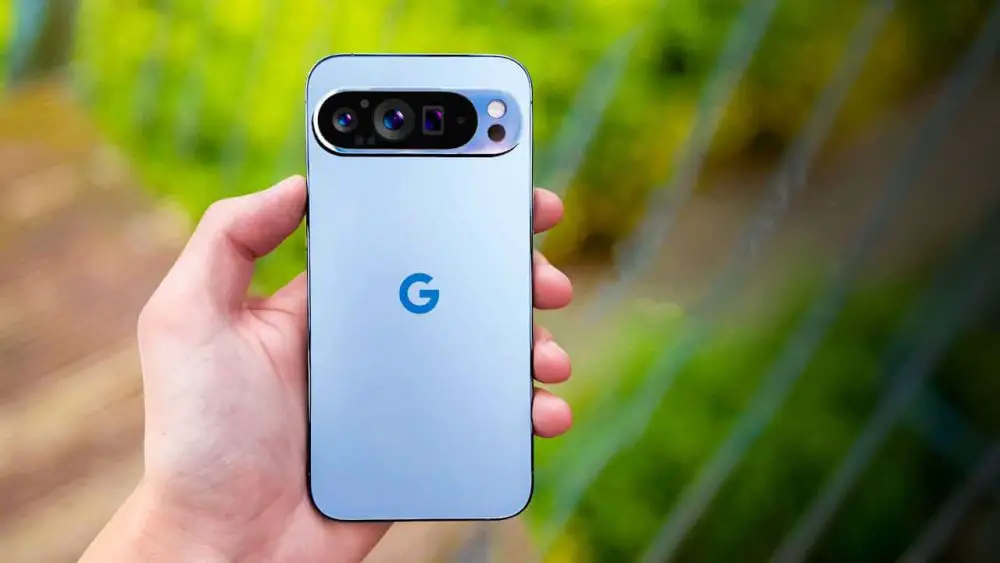
The Google Pixel 9 Pro has made waves in the smartphone market with its cutting-edge features and AI capabilities. Nonetheless, like any and every other advanced device, it’s not without its challenges. Many users have reported battery life concerns, which can be frustrating when you’re trying to make the most of your new phone. Let me show you some practical solutions to help you maximize your Pixel 9 Pro’s battery life and enjoy a seamless experience.
- Solutions to the Battery Drain Issues of Google Pixel 9 Pro Optimize Your Display Settings The Power of Adaptive Battery Manage Battery-Draining Apps Leverage Battery Saver Mode Fine-Tune Your Connectivity Update Your Phone and Apps
- Embracing Advanced Techniques
- Conclusion
Solutions to the Battery Drain Issues of Google Pixel 9 Pro
Optimize Your Display Settings
One of the biggest culprits of battery drain is your phone’s display. Here’s how to tackle it:
- Lower your screen brightness or enable Adaptive brightness in Settings > Display
- Consider using Dark theme, which can be activated in Settings > Display
- Reduce screen timeout to 30 seconds or 1 minute in Settings > Display > Screen timeout
- If you’re willing to sacrifice some smoothness for battery life, disable the 120Hz refresh rate by turning off Smooth Display in Settings > Display
The Power of Adaptive Battery
The Google Pixel 9 Pro comes with a smart feature called Adaptive Battery. To ensure it’s working for you:
- Go to Settings > Battery > Adaptive preferences
- Enable “Use Adaptive Battery”
- Give it a few weeks to learn your usage patterns for optimal performance
Manage Battery-Draining Apps
Some apps can be real power draining. Here’s how to keep them in check:
- Go to Settings > Battery > Battery usage to identify power-hungry apps
- For apps you don’t use often, select them and choose “Restricted” to limit their background activity
- Consider uninstalling apps you rarely use
Leverage Battery Saver Mode

Concept depicting new possibilities for the development of ecological battery technologies and green energy storage in the form of a battery-shaped pond located in a lush forest. 3d rendering.
When you’re running low on juice with the Google Pixel 9 Pro , especially in the middle of an important activity, battery Saver mode can be a lifesaver. To turn it on:
- Go to Settings > Battery > Battery Saver
- Enable “Use Battery Saver”
- You can choose between Standard and Extreme Battery Saver depending on your needs
Fine-Tune Your Connectivity
One of the features of your device that can be power draining is the wireless connectivity. Turn it off when not in use. To turn it off:
- Turn off Wi-Fi, Bluetooth, and mobile data when not needed
- Disable “Turn on Wi-Fi automatically” in Settings > Network & internet > Internet > Network preferences
- Turn off hotspot and tethering features when not in use
Update Your Phone and Apps

Regularly check for updates on your Google Pixel 9 Pro . It often include optimizations for battery life:
- Keep your Pixel 9 Pro updated to the latest version of Android
- Ensure all your apps are up to date through the Google Play Store
Embracing Advanced Techniques
For those looking to squeeze every last drop of battery life of the Google Pixel 9 Pro, consider these additional steps:
- Disable ‘Hey Google’ Detection: This feature constantly listens for voice commands, which can impact battery life.
- Use Adaptive Charging: Enable this feature in Settings > Battery to optimize overnight charging and prolong battery lifespan.
- Monitor Location Services: Go to Settings > Location and disable it when not needed, or restrict it for specific apps.
- Limit Background Processes: In Developer Options, you can limit the number of background processes to save battery.
Conclusion
In conclusion, implementing these practical solutions can significantly improve your Google Pixel 9 Pro’s battery life. Remember, it’s about finding the right balance between functionality and power efficiency that works for your lifestyle. Don’t let battery anxiety hold you back from enjoying all the amazing features your Pixel 9 Pro has to offer. With these tips, you’ll be well-equipped to tackle your day with confidence, knowing your phone will keep up with your demands. Embrace the power of optimization, and watch as your Pixel 9 Pro transforms into a long-lasting companion for all your daily adventures!
Author:Ifeoluwa Adeleke
Add MobilityArena as a preferred source on Google
ThinkPhone 25 by Motorola is an upper mid-range Android smartphone with some interesting specifications. While availability in the UK, EU (Germany, Netherlands, and others), Australia have been confirmed, Motorola says that it won’t be officially available in the United States.
It supports eSIM and wireless charging. It also has a proper dust/waterproof IP rating. There is no support for any aptX Bluetooth codecs. There is no infrared port and no support for 3.5mm wired headphones. And in a bold move, Motorola has announced five major Android updates for the ThinkPhone 25.
ThinkPhone 25 in brief:
- Price Range: Below $500
- OS: Android 14
- Release Date: 2024
- Network Type: 2G/3G/4G/5G
- eSIM: Yes
- Display: 6.36-inch, 1220 x 2670 pixels resolution
- Chipset: Dimensity 7300 (5 nm)
- Selfie Camera: 32 MP
- Rear camera: 50 MP
- RAM: 8 GB
- ROM: 256 GB
- Fingerprint Sensor: Yes.
- Headphone Jack: No.
- Infrared/IR Blaster: No.
- Battery: 4310 mAh
- Fast Charging: 68W
- Wireless Charging: Yes.
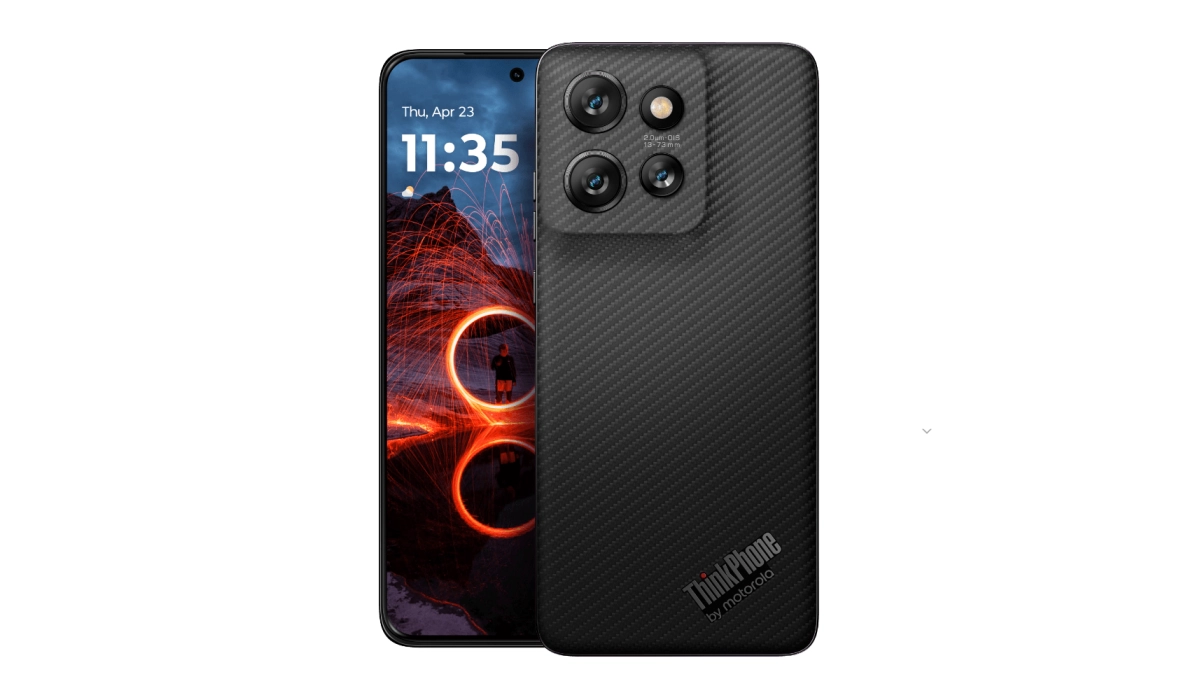
ThinkPhone 25 by Motorola
- Does ThinkPhone 25 have IR blaster (infrared port)?
- Does ThinkPhone 25 have wireless charging?
- Does ThinkPhone 25 have Gorilla Glass?
- Does ThinkPhone 25 have aptX Bluetooth codecs?
- Does ThinkPhone 25 have 3.55mm audio jack?
- Specs
- Prices in the UK, EU, Australia
DoesThinkPhone 25have IR blaster (infrared port)?
No, it does not.
DoesThinkPhone 25have wireless charging?
Yes, it does.
DoesThinkPhone 25have Gorilla Glass?
Yes, it does.
DoesThinkPhone 25have aptX Bluetooth codecs?
Yes, it supports three aptX Bluetooth codecs.
DoesThinkPhone 25have 3.55mm audio jack?
No, it does not.
Specs
This section provides more detailed specifications of the ThinkPhone 25 by Motorola.
Mobile Wireless Network and Software
- 2G mobile network bands : GSM, GPRS, EDGE 850 / 900 / 1800 / 1900 MHz.
- 3G mobile network bands : UMTS, WCDMA, HSDPA 850 / 900 / 2100 MHz
- 4G mobile network bands : LTE.
- 5G mobile network bands : NSA/SA
- SIM Type : Nano-SIM, Dual SIM
- Software / OS : Android 14
- Software Updates : 5 major Android updates
Design, Form Factor, Appearance
- Dimensions : 154.1 x 71.2 x 8.1 mm
- Weight : 171g
- Display Size: 6.36 inches,
- Screen Resolution : 1220 x 2670 pixels
- Refresh Rate : 120 Hz refresh rate
- Screen Type : pOLED, AMOLED, HDR10+, LTPO, Corning Gorilla Glass 7i
- Frame : Glass front, plastic frame,
- Back/Rear Cover : plastic back
- Ingress Protection/IP Rating : IP68 dust/water resistance. MIL-STD 810H.
- Colorways : Carbon Black.
Internal Hardware Specs
- Central Processor ( CPU ): 64-bit, 2.3 GHz Octa-core
- Chipset : MediaTek Dimensity 7300(5 nm)
- Graphics Processing Unit ( GPU ): Arm Mali-G615
- RAM : 8GB LPDDR4X
- Extended/Virtual RAM :
- Internal Storage : 256 GB uMCP
- External Storage : microSD
Photography, Video Recording
- Main Camera : 50 MP main sensor + 13MP ultra-wide angle lens + 10MP telephoto with 3x optical zoom, autofocus, OIS, PDAF, LED flash, 4k UHD video@30fps, 1080p@30fps video recording
- Front Camera : 32 MP, fixed focus, Face Recognition, 4k UHD, 1080p@30fps video capture
Audio, Video Playback
- Music Support : PCM, AAC / AAC + / eAAC + / MP3 / AMR – NB / WB / APE
- 3.5 mm audio headphone jack :
- Loudspeaker : Stereo speakers. Dolby Atmos.
- Video Support : H.264/MP4/MPEG4 player
- FM Radio : No.
Phone Sensors
- Digital Compass : Yes.
- Accelerometer : Yes.
- Proximity Sensor : Yes.
- Ambient Light Sensor : Yes.
- Barometer : No.
- Pedometer : No.
- Heart Rate Monitor : No.
- Gyroscope (G-Sensor) : Yes.
- Fingerprint Scanner : Yes; on-display.
- Face Unlock : Yes.
- Iris Scanner : No.
- Motion Sensing / Gesture Control : No.
- Voice Control : No.
- Intelligent Digital Assistant : Yes; Google Assistant.
- Infra-red/IR Blaster : No.
Connectivity Options
- Bluetooth Version : 5.3
- Bluetooth Profiles : A2DP, LE
- aptX Bluetooth Codecs : None.
- WiFi : Wi-Fi 802.11 a/b/g/n/ac/6e, hotspot
- GPS : Yes, A-GPS, GLONASS, GALILEO
- USB : microUSB v2.0. Type-C.
- NFC : Yes.
Miscellaneous Specs and Features
- Battery Type : Non-Removable Lithium-Polymer
- Battery Capacity : 4310 mAh
- Battery Charging : 68W fast charging
- Wireless Charging : 15W.
- Reverse Charging : No.
- Model Version/Number :
Launch/Release Dates and Information
- Announced : October 1, 2024
- Release Date : October 2024
Prices in the UK, EU, Australia
ThinkPhone 25 by Motorola comes in only one storage variant – 8/256GB. Below are its prices in the the UK, Germany, and Australia.
- United Kingdom (UK) : from £450
- European Union (EU) : from €499
- Australia : from AUD 750 (Estimated)
Motorola has confirmed that the ThinkPhone 25 will not be available in the US.
