Add MobilityArena as a preferred source on Google
T-Mobile now has the world’s first commercial nationwide standalone 5G network, drawing a lot of attention to itself. Many mobile users in the United States now want to know more about T-Mobile 5G plans, prices, cities list, and other important details, and we are here to help with all of that information.
5G is the fifth generation of wireless network technology. Previous generations include 4G, 3G, 2G, and 1G. You might be wondering if 5G will replace 4G. That will happen eventually, maybe two decades down the road. But for now, just the same way 3G networks run alongside 4G networks, 4G and 5G networks will run side-by-side.

As such, T-Mobile’s 4G network is alive and well, and continues to run alongside the new nationwide 5G network.
Another question you might ask is, What is a standalone 5G network? There have been two approaches to 5G – the first being to leverage on existing 4G LTE infrastructure, and the second being to use completely new network infrastructure. The latter is what is known as a standalone 5G network, that is, one that does not depend on an LTE network. Instead, it uses new network infrastructure to deliver better connectivity. This is what T-Mobile has done.
Also note that T-Mobile ’s nationwide 5G network is built largely on the 600 MHz 5G band, with smaller footprints of millimeter wave (mmWave). This point is important, especially when you begin to shop for 5G phones, as we shall see further down this article. But it is important to note that, for the benefit of enjoying wider coverage on the T-Mobile 5G network, a 5G smartphone that supports 600 MHz 5G band is your best bet.
It is also important to note that the 600 MHz spectrum is not as fast as millimeter-wave, so expect slower speeds if using 600 MHz 5G phones.
T-Mobile 5G Plans And Prices
Available T-Mobile plans include: T-Mobile Essential ($30/line) monthly, T-Mobile Magenta ($35/line) monthly, and Magenta Plus ($43/line) monthly.
T-Mobile also offers an unlimited plan too, and you just might be interested in that.
T-Mobile 5G Cities List
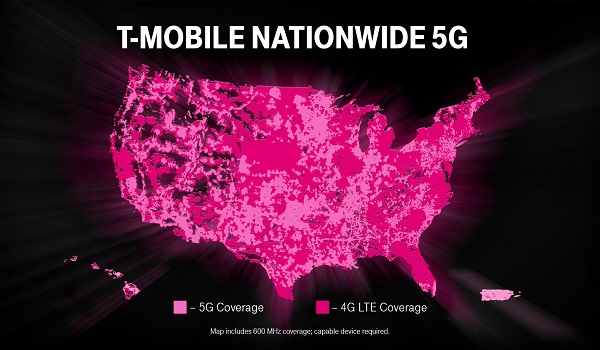
Back in June 2019, T-Mobile had launched 5G service, on millimeter-wave (mmWave) spectrum, in 6 cities, including Atlanta, Cleveland, Dallas, Las Vegas, Los Angeles and New York have all had that 5G coverage from T-Mobile since the end of June 2019
T-Mobile USA launched its nationwide 5G network in December. As at press time, the carrier says that its 5G nationwide network now covers over 7,500 cities and towns across the United States. It also says that this represents about 65% of Americans covered. To check if your city or town is covered, use the T-Mobile 5G coverage map HERE .
T-Mobile 5G Phones
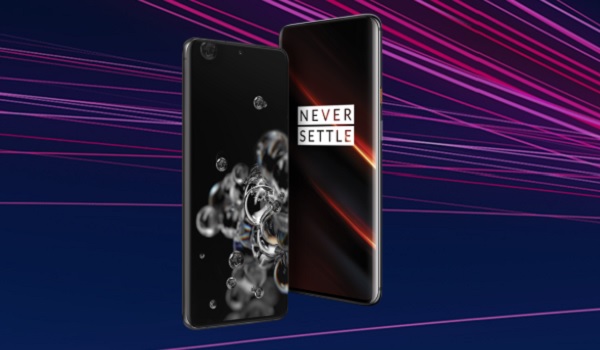
Because 5G is new technology, its availability on smartphones is still limited. There are few 5G phones in the market at this time, and they are either flagship or upper mid-range. Some of the available 5G phones for use on T-Mobile 5G plans are:
- OnePlus 7T Pro 5G McLaren (supports 600 MHz 5G) – $899
- OnePlus 8 5G (supports 600 MHz) – $699
- LG V60 ThinQ 5G (supports 600 MHz) – from $799
- Samsung Galaxy S20 5G (supports 600 MHz) – $999
- Samsung Galaxy S20 Plus 5G (supports 600 MHz 5G / mmWave) – $1,199
- Samsung Galaxy S20 Ultra 5G (supports 600 MHz 5G / mmWave) – $1,399
- Samsung Galaxy Note 10 Plus (supports 600 MHz 5G / mmWave) – $1,299
These 5G smartphones can be purchased at T-Mobile retail stores across the United States, as well as from the T-Mobiile website. If you want to spread payments out, this is available on T-Mobile.
Note also that you can buy any of these 5G smartphones unlocked from 3rd party retailers for use with T-Mobile 5G plans in cities and towns where there is coverage.
Having a commercial nationwide 5G network coverage in the United States is a major milestone in the deployment and adoption of the 5th generation of wireless technology. With T-Mobile 5G plans being the same as their existing 4G plans, there is little to keep you from exploring the new world of faster wireless speeds. Perhaps the only limiting factor for now is that 5G smartphones are still expensive. But if you are looking to upgrade your phone this year, getting a 5G smartphone is no longer such a bad idea now that 5G coverage is available nationwide.
Author:InfoDesk
Sprint
Here Is Everything You Need To Know About T-Mobile’s Nationwide 5G Network
With a nationwide 5G network that covers cities around the United States, T-Mobile 5G plans are super attractive. Here is everything you need to know, including prices, cities list, and more.
Samsung Galaxy Tab A 8.4 (2020): Full Specs, Price
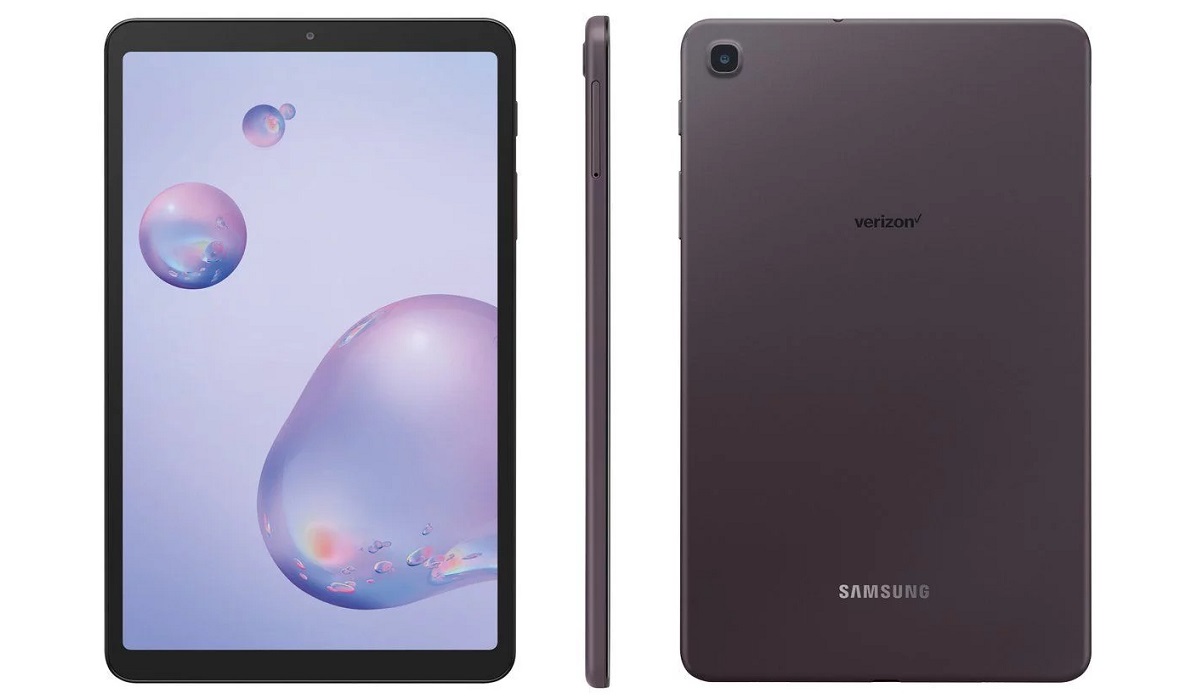
Samsung Galaxy Tab A 8.4 (2020) tablet. 8.4″ display, 3GB RAM, 32GB storage, EXYNOS 7904 chipset, 8MP rear camera, 5MP selfie camera, 5000 mAh battery.
Add MobilityArena as a preferred source on Google
Buying a new smartphone is a thing of excitement. It is human nature to be excited about new things. Whether you are getting a new Android smartphone or iPhone though, there are some important things to backup when getting a new phone.
It is likely that you have taken hundreds of pictures, including selfies, on your old phone. You also probably have scores of memes and videos you got off Facebook, Twitter and through WhatsApp stored on the phone. How do you make sure you do not lose these files when you switch to a new smartphone?

ZmBIZI phone
Important Things To Backup When Getting A New Phone
We have established the basis on which the need to backup the files on your . Here are a number of key data that you need to backup before switching to a new smartphone.
- Contacts : How many times have you heard someone say that they lost some of their phone Contacts when they got a new smartphone? We could become billionaires if we got a dollar for every time we heard it. Do not be like those people. Backup or synchronise your Contacts before making that switch, so you can restore them on the new phone and lose nothing.
- Call Records : Not a lot of people pay attention to this. But it is a good idea to backup your call records too when getting a new phone. Then restore them to the new one. That way, if you ever need to check up a number you called a week ago, or figure out the strange number that called you the previous week, you still have the records on your phone. A good tool for doing this is SMS Backup And Restore.
- SMS/Text Messages : This ranks as one of the most important things to backup when getting a new phone. Backup your SMS up before you switch, so you still have access to them on the new phone.
- Photos : You already know you don’t want to lose those fun pictures of the family or from a picnic you attended with friends last Christmas. The solution again is to back them up.
- Videos : Same reasons as photos.
- Smartphone Settings : Thiis might not sound like a big deal, but once you have experienced the convenience, you will never want to switch to a new phone withput backing up the settings of your old phone. For example, if you like to use all your phones in a certain way – a certain background, certain brightness level, etc, backing up your phone settings is the first step. Both Android and iOS devices allow you to backup your phone settings.
How To Backup Your Old Phone
Now that you have a list of important things to backup when getting a new phone, the next question is, How do I go about it?
iOS devices like iPhones and iPads have a device backup feature from iOS 11 and later. This will backup your photos, videos, settings and more to iCLoud and use them to setup your new iPhone or iPad when setting them up.
How do I backup my entire iPhone?
You can backup your iPhone or iPad using either of two ways –
- using Apple’s iCloud over-the-air (OTA)
- using iTunes on your PC
iCloud backup includes contacts, calendars, camera roll, settings, and app data. iCloud has an edge over Android OS backup: when you initiate a restore on your new iPhone, your backed up apps get downloaded from the App Store automatically to your iPhone.
To enable iCloud backup on your iOS device, navigate to Settings -> iCloud -> Backup . If prompted, you need to enter your iCloud login details to sign in and initiate the backup. Once neabled, backup is done automatically in the background
How do I backup my entire Android phone?
Google Sync allows you to back up data and files from all of its apps. Google apps include: Gmail, Calendar, Chrome, Contacts, Docs, Drive, Google Fit (and it’s data), Google Opinion Rewards, Google Play Books, Google Play Movies & TV, Google Play Music, Google Play Newsstand, Google Keep, My Tracks, MyGoogleDrive, News & Weather, People details, and Tasks. This is a pretty extensive list that covers most of the things to backup when getting a new phone. All of these are backed up by default without the need for you to do anything.
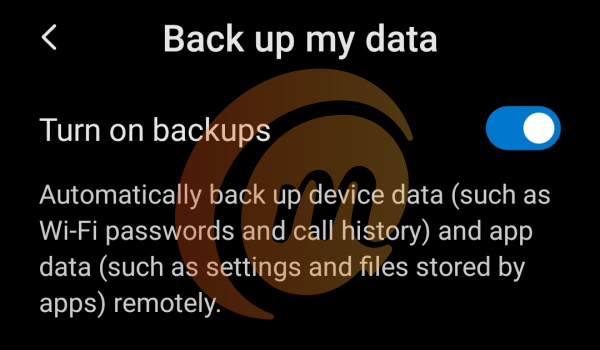
In addition to the above, Android OS now has an automatic backup feature. When you enable it, settings such as call history, app settings and files stored by those apps, Wi-Fi passwords, home wallpapers , etc, are backed up automatically to your Google account. When you are setting up your new Android phone and login to your Google account, the phone is automatically set up with all those backed up settings.
Note that there is no way to restore apps automatically on a new Android phone. The list of your apps, as well as their settings, is backed up, but you have to manually re-download the apps from Google Play Store. The settings of the apps will be automatically restored if you have them backed up.
To enable phone settings backup on your Android smartphone, go to Settings -> Backup & reset -> Google Backup & Reset , and then tap “Back up my data”, then selecting your Google account.
Backup Your Phone Using 3rd Party Tools
There are also offline backup tools. An app like SMS Backup and Restore lets you back up your SMS, MMS, and call logs from your old phone and restore them on the new. You can download it HERE . There are many other backup and restore apps available in the app stores of both Google and Apple.
- Don’t miss our reviews .
- Follow our news on Google News .
- Join our WhatsApp Group , to be notified of the most important articles and deals,
- Follow us on Instagram , Facebook , Twitter , and YouTube .
