Add MobilityArena as a preferred source on Google
Whenever you hear a knocking noise or a ticking noise from your vehicle, it is a sign that something is wrong. It could be a result of a lack of lubrication, a sign that something has broken, or something is about to break. Now, some engines have a normal ticking sound, which is caused by the electrical components like relays and injectors. Also, the engine itself makes some noise, turning the way it does.
However, in general, engines should only make a soft, ticking noise. There should not be a knocking noise. If your engine develops a knocking noise while driving, you might notice a warning light on the dashboard, telling you that there is a problem. If it is a red light, you have to stop immediately. However, if the warning light is amber, you can manage the engine till you get to an auto technician.
Now, the first thing you should check when you notice a knocking noise from your engine is the oil level. The most common cause of low oil levels is an oil leak. This could be either external or internal. To find out if you have an external oil leak, check the floor underneath your vehicle in the morning. If you do not see any external oil leaks, then the leak could be internal. There are lots of sources of internal oil leaks. These include piston rings, valve guide seals, o-rings and so on. If your engine burns oil past the piston rings or valve guide seals, you will see blue smoke from the exhaust.
Once your engine develops such knocking noises or ticking noises, there is no quick fix. You have to replace the malfunctioning parts, or replace the entire engine itself. Once an engine is low on oil enough to make a knocking sound, it is usually too late. Thus, it is extremely important for you to always change your oil, even if you carry out no other maintenance on your vehicle. Source
- Don’t miss our reviews .
- Join our WhatsApp Group , to be notified of the most important articles and deals,
- Follow us on Instagram , Facebook , Twitter , and YouTube .
Author:EmmyCN
Add MobilityArena as a preferred source on Google
If you use an Android smartphone, there’s a good chance you might have received an error message saying Google Play Authentication Required. This is an easy issue to tackle; it simply shows you how much your smartphone is dependent on Google products for your smartphone activity. This includes the Play Store. Here are ways to fix this authentication problem:
REMOVE YOUR GOOGLE ACCOUNT
This error might be because of a sign-in problem. The first thing to do is to go to Settings > Accounts, then remove the Google account registered there that is getting the Google Play authentication Required message. After that, re-add the account.
SYNC AGAIN
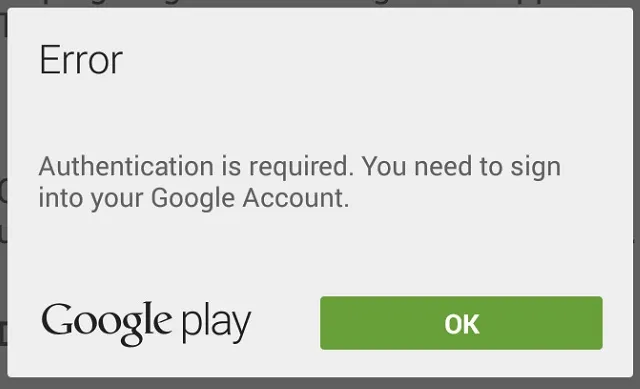
This issue could be because things are not syncing properly from your phone. Go to Settings > Accounts > Google, then tap on your email address, and then press Sync All. You can go back to the Play Store after that to see if the message is gone. If it isn’t, you might have to do the following.
CLEAR DATA FROM THE GOOGLE PLAY STORE
To do this, go to Settings > Applications, then locate the Google Play Store app. tap on it, then select Clear Data. This should ensure that the previous step works if it did not previously.
DOWNLOAD AN APP USING YOUR MOBILE BROWSER
Open your web browser and visit the Play Store website from it. then try to download an app directly, rather than using the Play Store app.
UNINSTALL PLAY STORE UPDATES
Sometimes, the problem might not be from the sign-in attempts. It might just be the Play Store app malfunctioning. To solve this, tap on Settings > Applications, then select Play Store. After that, tap on Uninstall Updates, which will roll back the app to its factory version. Now, install the latest version of the Google Play Store and sign in again.
FACTORY RESET
If the Google Play Authentication Required error message does not go away after you tried all these steps, you might want to do a factory reset on your phone.
- Don’t miss our reviews .
- Follow our news on Google News .
- Join our WhatsApp Group , to be notified of the most important articles and deals,
- Follow us on Instagram , Facebook , Twitter , and YouTube .
