Add MobilityArena as a preferred source on Google
We have seen mobile manufacturers focus on improving phone cameras and fast charge technologies. We have now stepped into the age of improving cell phone screen technology, and consequently, a deluge of high refresh rate displays in smartphones.
If you follow news in the smartphone industry, you will have seen news of one new phone with a 90Hz or 120Hz refresh rates. There is even an elite group of smartphones with 144Hz rate. What is refresh rate in mobile? If you have wanted to fully understand what it is all about, I’m here to break it down for you in easy to understand language.
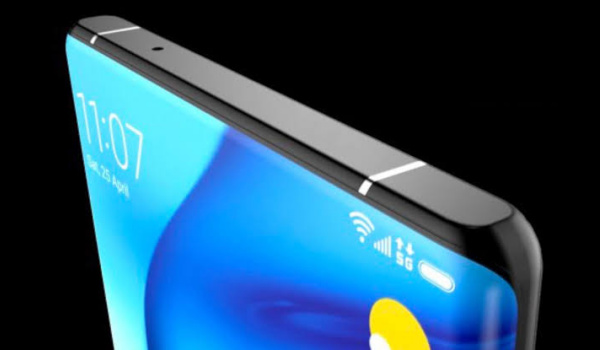
What is high refresh rate in mobile phones?
- What is refresh rate in mobile display?
- What is the standard refresh or vertical scan rate?
- Are high refresh rate phone screens always better?
- Are there any disadvantages of high refresh rates?
- What is display refresh rate switching?
- How to change display refresh rate
- Do you need a high refresh rate phone?
- 90Hz high refresh rate phones
- 120Hz refresh rate phones
- 144 Hz refresh rate phones
What is refresh rate in mobile display?
All electronic displays are able to show video content by updating the images on the screen. So this is applicable not just to smartphones but also TV screens and PC screens. The refreshing is a vertical scan of the display, and so it is sometimes also referred to as the vertical scan rate .
Refresh rate is the number of times your phone screen (or any electronic monitor or display) updates with new images each second. For example, a 60 Hz display means the screen or monitor updates 60 times per second, while 90 Hz means the display or monitor updates 90 times per second. A higher rate results in a smoother picture.
FPS (frames per second) is the measure of how often a video file or video game displays frames. Standard movies are recorded and play at 24fps, while video games are usually locked to 30fps or 60fps. As video cameras have improved though, it becomes possible to record videos and design games that play at high frame rates.
The challenge then is that screen refresh rates and video frame rates need to be in sync to enjoy the experience without artefacts like screen tearing. As such, 120 fps video may not be properly displayed on a screen with 60 Hz refresh rate without some form of conversion happening in the background.
What is the standard refresh or vertical scan rate?
As of today, the standard refresh rate on modern smartphones is 60 Hz. Which is why you almost never hear it mentioned. Manufacturers tend to mention the figure only when it is higher than the common standard. 60Hz is the standard, and anything more than that is called a high refresh rate.
So you hear of new cell phones that have 90 Hz, 120, and 144 Hz displays, because, all other things being equal, they are better. They are smoother in use, especially during screen scrolling, video playback, and game play.
Are high refresh rate phone screens always better?
Are displays that support 90 Hz, 120Hz, 144 Hz always better than 60 Hz screens? Not at all. That a cell phone screen has a higher rate does not mean it is better than one with a lower figure. There are other factors that contribute to the quality of a screen.
One easy example is the screen resolution. It is usually stated like this: 1080x 2340 pixels. Another is the screen size, usually stated in inches e.g. 6.5 inches. Another factor is whether it is an LCD display or an AMOLED display, or any one of their variations.
All of the above factors, along with refresh rate, determine how good each phone screen is. We have seen cases where a 120Hz phone screen is disappointing. But if you are a smartphone gamer, smartphones with higher rates will be more appealing to the eyes during gameplay.
Are there any disadvantages of high refresh rates?
As with all things good, high refresh rates often come at a cost to power consumption. Gaming and video playback on your phone will look smoother, but your phone’s battery will die faster, as the screen does more work.
What is display refresh rate switching?
Some phones are configured so that the screen can switch between different refresh/vertical scan rates as needed. For example, it may stay on 60Hz for normal tasks like reading, and then automatically switch to a higher rate for YouTube videos and gaming.
How to change display refresh rate
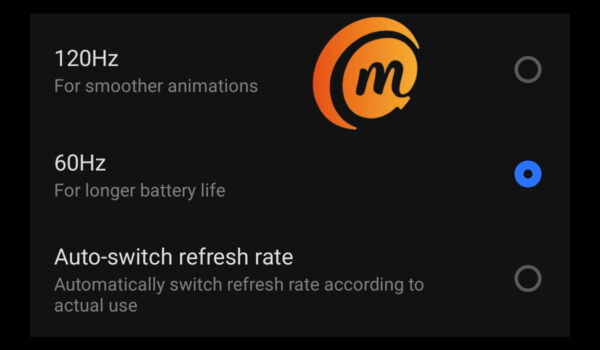
If you will like to change the refresh rate of your smartphone’s screen, you will find it under your phone settings. Look for the “Display” menu item (the name may differ slightly from one brand to another). The options to switch the rate will be found there.
Do you need a high refresh rate phone?
Most of the video content and games out there today are encoded at a maximum of 60 FPS and so, screens with 60 Hz rates handle them just fine. Most YouTube video, for example, are recorded and played back at 30/60fps.
As such, you do not really need a smartphone with a high refresh rate unless you are an avid gamer. If you do get one, there is usually a setting to peg the maximum rate to something lower, should you need to.
90Hz high refresh rate phones
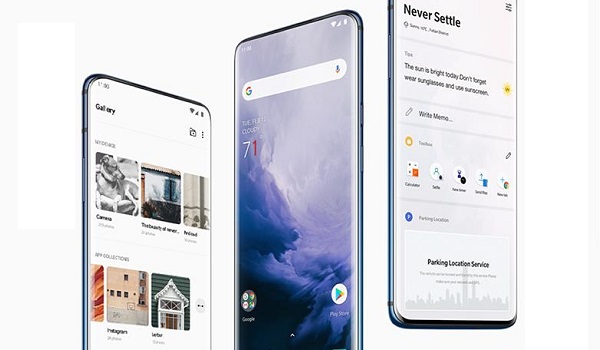
- Realme 6
- Realme 6i
- Realme 6 Pro
- Realme 7
- Realme X2 Pro
- Realme X50 Pro 5G
- OnePlus 7 Pro
- OnePlus 7T
- OnePlus 7T Pro
- OnePlus 7T Pro 5G McLaren Edition
- OnePlus 8
- Pixel 4
- Pixel 4 XL
- Pixel 4a
- Pixel 4a 5G
- Pixel 5
- Huawei P40
- Huawei P40 Pro
- Huawei P40 Pro Plus
- Honor 30 Pro+
- Xiaomi Mi 10 Pro 5G
- Xiaomi Mi 10 5G
- Black Shark 3
- Black Shark 3 Pro
- OPPO Reno Ace
- OPPO Ace 2
- OPPO A53 2020
- OPPO Reno 3 Pro 5G
- OPPO Reno 4
- OPPO Reno 4 Pro
- Asus ROG Phone I
- Asus Zenfone 7
- Asus Zenfone 7 Pro
- Nubia Red Magic 3
- Nubia Red Magic 3s
- Motorola Edge
- Motorola Edge+ 5G
- Motorola One 5G
120Hz refresh rate phones
Find below a list of cell phones with 120Hz refresh rate.
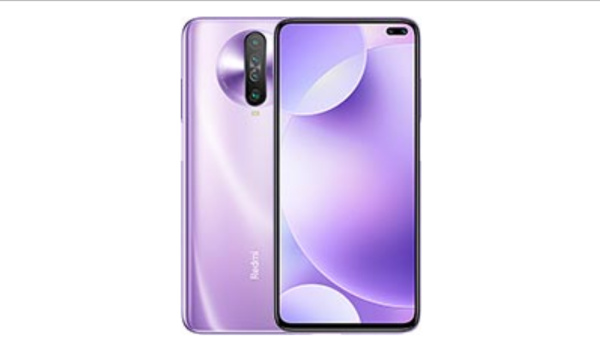
Poco X2 Pocophone is an example of a 120Hz phone
- Samsung Galaxy S20
- Samsung Galaxy S20 Plus
- Samsung Galaxy S20 Ultra 5G
- Samsung Galaxy Note 20 Ultra
- Samsung Galaxy S20 FE
- OnePlus 8 Pro
- Poco X2
- Poco X3
- Realme X3
- Realme X3 SuperZoom
- Apple iPad Pro 10.5″
- Apple iPad Pro 12.9″
- Asus ROG Phone II
- OPPO Find X2
- OPPO Find X2 Pro
- OPPO A92s
- Realme X50 5G
- Razer Phone 1
- Razer Phone 2
- Redmi K30
- Redmi K30 5G
- Sharp Aquos R3
- Sharp Aquos R2 Compact
- Lenovo Z6
- Realme X50M 5G
144 Hz refresh rate phones
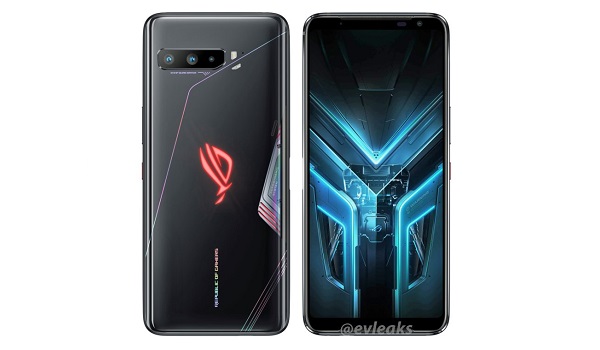
Asus ROG Phone 3 is an example of a 144 Hz phone
- Lenovo Legion Phone Duel
- Asus ROG Phone 3
- iQOO Neo 3 5G
- iQOO Z1 5G
- Nubia RedMagic 5G
- Nubia Play 5G
Cell phone technology keeps advancing new frontiers and bringing new innovations. Newer phones with high rate screens are released every other day, and over time, we will see phone screens that go beyond 144 Hz refresh/vertical scan rate.
Related : The Best All-in-One Gaming Monitors with High Refresh Rates in 2024 .
Author:Mister Mobility
Digital Skills and Communication Coach | Mobile Phone Connoisseur since 2001 | Tech Blogging since 2004
Add MobilityArena as a preferred source on Google
Today, you can do almost anything from your phone. Resting in your pocket or sitting on the table is now a supercomputer that orders food, contacts friends, and finds you a date.
These devices have become so powerful that you can now manage your business entirely from your phone. You can take advantage of your phone’s powerful tools to manage customer service, communication between staff, human resources, etc.
So, if you’re ready to make managing easier, try these three ways to run your business entirely through your phone.
1) Getting Paid, Sending Invoices And Making A Payment
There’s nothing more important for a business owner or a freelancer than getting paid. However, it’s become inconvenient to wait for a check in the mail.
For example, an app like Paylinks enable you to create payment requests and share them through your preferred medium. It doesn’t matter if it is in a text, email, Slack or social media — all you have to do is share a link with your client or customer and await payment. Your phone speeds up the process and keeps track of your payment information in one spot.
No more invoices on Microsoft Word or Excel; you can send invoices from your phone, detailing your preferred payment method. You can also send regular reminders if and when your customers don’t respond.
And naturally, it is just as easy to make payments, too, so you never have to worry about outstanding bills.
2) Download Apps You Can Use Across Platforms
This is crucial if you like to work on the go. Say you’ve been working at home, and you want to squeeze in some work on the bus or the train. You can pick up where you left off if you’ve ensured you have all the same apps on your phone as you do on your computer.
Google Suite , Slack, Office 365, and many more office staples offer mobile app versions you can download. These mobile-friendly options allow you to keep working; changes will update right away on your mobile device.
Downloading the apps you need across all of your devices is vital to enable collaboration, too. This is the fastest way to receive files and communicate while you’re out of the office. You will never slow down work because a colleague can’t reach you. And if that colleague wants your input on some work, you can easily jump into a Google Doc on your phone.
3) Use Voice Technology
Responding to emails and messages consumes a lot of time — and it doesn’t feel that productive when it becomes overwhelming and you need to do other work.
Many people find that by using voice technology like Siri or another virtual assistant, they can save loads of time by dictating their emails. They can reply more efficiently to emails and save time for work. You speak faster than you text, so take advantage of your phone’s ability to speed up communication on-the-go.
Final Thoughts
Using your phone to handle communication with employees, get paid, and work on-the-go only improves business operations. It might seem like a hassle to download programs, create accounts, and organize your phone to allows for more app space. However, you’ll love how much working from your phone increases your productivity over time.
Consider making your phone your mobile office to make your life as a business owner easier. This is also a good opportunity to remove clutter on your phone; delete any apps you don’t use to make way for software that improves your business!
