Add MobilityArena as a preferred source on Google
If you’re an iPhone user, you probably perform some of the same actions on your device every day. Most daily tasks that require more than a few clicks can be turned into clever automations using iPhone shortcuts. Automating tasks this way can help you do more of other things and spend less time using your iPhone.
If you’d like to find out how to use shortcuts to automate iPhone tasks for your daily schedule, this guide is for you. We’ve described some of the best iPhone shortcuts to this effect, that will help you spend less time on the typical things you do on your iPhone every day.
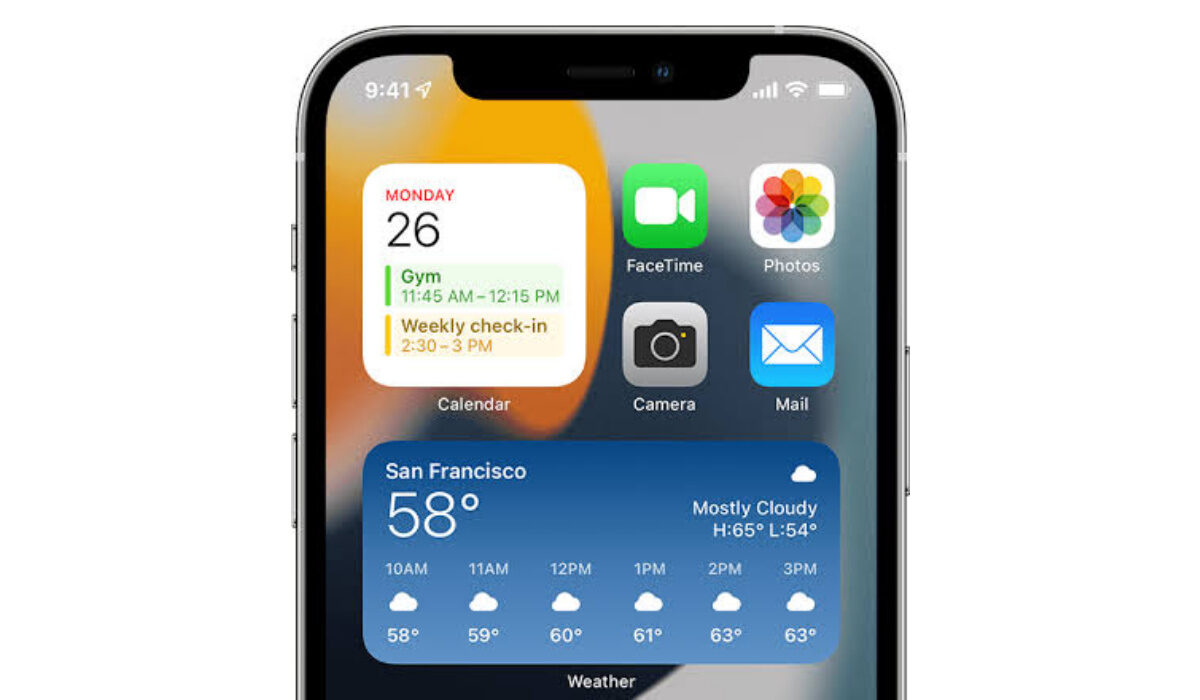
You can use the best shortcuts to automate iPhone tasks and boost your productivity
- What is the iPhone Shortcuts App?
- Automate iPhone tasks With The Best iPhone Shortcuts
What is the iPhone Shortcuts App?
With Apple’s automation program, Shortcuts, you can create shortcuts on your iPhone and create intricate workflows (actions that take place automatically once the shortcut triggers). Simply put, Shortcuts are a way to automate iPhone tasks. Four distinct methods can be used to launch a shortcut: directly from the Shortcuts app, through the Shortcuts widget, by using a personalized Siri phrase, or from the Share sheet.
For instance, you could make a shortcut that plays your preferred playlist while putting your iPhone on Do Not Disturb. To enable that shortcut when you get into your car, just say to Siri, “Let’s drive.” Alternatively, you can activate it by tapping the Let’s drive shortcut in the Shortcuts widget. In both instances, you were able to complete the task without using the Control Center or the Music app.
You can also import preexisting shortcuts using the Shortcuts app. The best iPhone shortcuts, thankfully, are shared by a community of like-minded users. Simply download and import any of your preferred iPhone automations listed below into the Shortcuts app.
Automate iPhone tasks With The Best iPhone Shortcuts
There are several task options that you can automate on your iPhone. We’ve described some of the most popular iPhone shortcuts below and how to use them to automate iPhone tasks:
- Create Multiple Alarms
Making a shortcut that sets many alarms at once makes sense if you require several alarms to wake up every day. When you use the Multiple Alarms shortcut, the “Toggle Alarm” action will first enable an existing alarm before performing the “Create Alarm” action. You can adjust the times after downloading the Multiple Alarms shortcut to suit your needs.
- Play a Playlist
You probably have playlists prepared for various tasks, such as driving, exercising, taking a shower, or simply unwinding. The Play Playlist shortcut is a basic yet cool iPhone automation that you can find directly in the Shortcuts Library. Simply choose a playlist from the ones offered and begin listening to your songs. Edit the shortcut by tapping it, then hit the arrow next to the Play Playlist action to bring up the options to choose Repeat or Shuffle. If necessary, you can add a Siri command to activate it verbally. If you are a lover of music, this is one of the best iPhone shortcuts around.
- Disable Wi-Fi Completely
Wi-Fi doesn’t switch off completely when you disable it from the Control Center. It restarts automatically at 5:00 AM the following morning, which can be annoying. With this iPhone shortcut , Wi-Fi is totally turned off in the settings, ensuring that you’re disconnected and not interrupted by incoming messages when you’re attempting to concentrate at work or go to sleep.
- Send a Predetermined Message
You may use the Messages app to send a prepared message to one or more contacts by employing the Send Message function in Shortcuts. Add recipients and text after adding the Send Message action. To turn this into a background process, turn off the “Show When Run” toggle. This iPhone shortcut can save you a considerable amount of time if you frequently send the same text message to the same people. To use this shortcut without ever touching your iPhone, add a Siri command.
- Add Song to Playlist
It typically takes a lot of tapping to add a great song to one of your favorite playlists while you’re browsing Apple Music. But it can get simpler with an iPhone shortcut. Use this shortcut to add any song you fancy to the end of the selected playlist while the song is playing.
- Set a Timer
Doing everyday tasks like laundry, making coffee, baking, and more benefit from the use of timers. This timing shortcut , which you can activate through the Shortcuts widget or Siri, is useful if you frequently drink many cups of coffee, for instance.
Saying “French press” to Siri, for instance, could start a four-minute coffee timer that would allow you to run other errands while you wait.
- Setting up a Customized Do Not Disturb Mode
Usually, you can enable Do Not Disturb on your iPhone in several ways using iOS, including enabling it for an hour or throughout the day. However, if you wanted to set it for only 15 minutes or an hour and a half, instead of manually turning it off or going to the trouble of creating a Focus schedule, you can use this iPhone shortcut .
Start the shortcut, enter the appropriate number of minutes or hours, then Do Not Disturb will go into effect for the specified amount of time.
In summary , iPhone shortcuts can make your life considerably easier and give you more time to attend to other tasks. Pay attention to the instructions we’ve provided to set them up and you’re good to go.
- Don’t miss our mobile phone reviews .
- Follow our news on Google News .
- Follow us on Instagram , Facebook , Twitter , and YouTube .
Author:Joan Agie
Add MobilityArena as a preferred source on Google
Did you know that you do not have to be a software developer for you to create your own mobile app? Well, there are different options available today, from using an application builder to hiring a software developer to do the work for you.
Building a mobile application is one of the best ways for businesses that want to improve customer engagement and increase their sources of revenue. Mobile apps come with improved user experience (UX) that increase the time users spend engaging with your business.
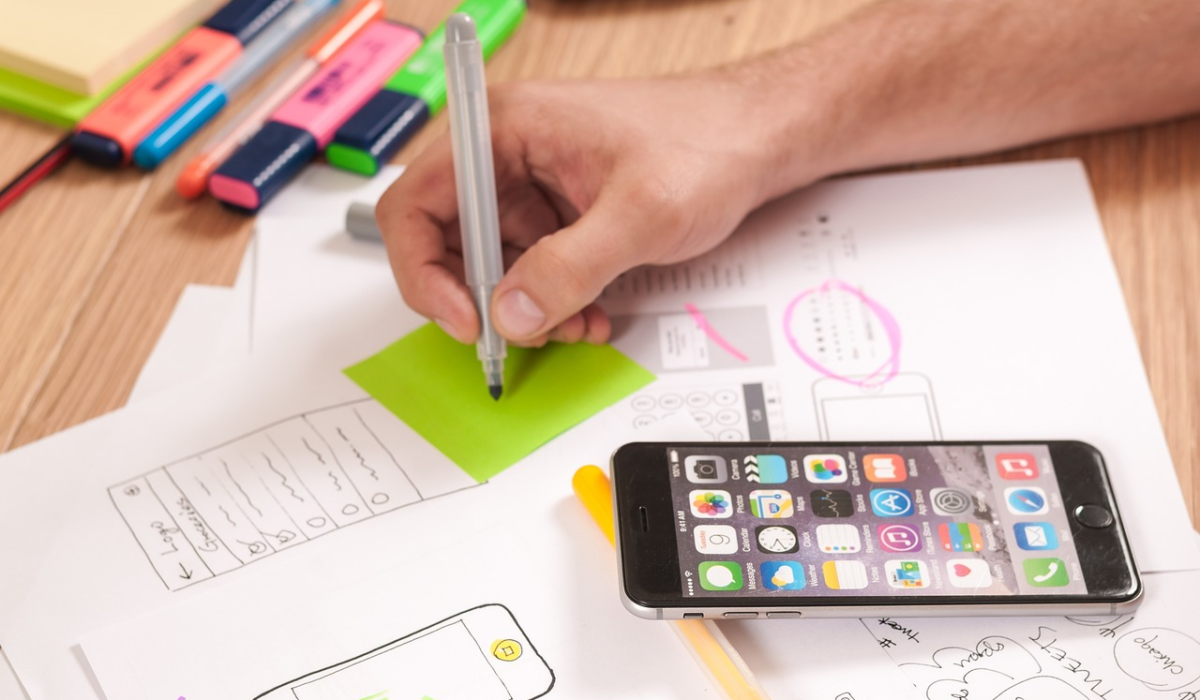
The good news is that you do not need much experience for you to create your own mobile app. Technology advancement has given birth to hundreds if not thousands of tools and resources to help you build an app that meets your requirements.
Even if you hire someone else to do the job for you, you can still contribute to the process to ensure that the final product meets all your requirements.
Here are a few things to do to create your own mobile app even if you do not have much experience;
Research
Creating a mobile app is not a small project, and just like other projects, you need to do a lot of research before you can start building your app . There are many things you need to consider at this stage, with some of them being your goals for the app.
You also need to choose the mobile platform you are going to use, check the options you have when it comes to monetization, and see what the market has in store for you. In addition, your competition is going to play a role in how successful your mobile app is going to be.
You should find out if there are similar apps in the market, the features that they have, and what you can do to make your app stand out from the rest. You also need to understand your target audience and what they are looking for in similar apps. Make sure that you will give people a reason to download and use your app.
Design the App
After doing research and getting answers to all the questions you might have, you now have an idea of the kind of app you need and what it should do. You also know the right mobile platform(s) to use and who your target audience is.
You now need to start designing your app. This is the stage that determines the look and feel of your app. You will also need to come up with the flow of the app, from one page to another. This stage is one of the most important stages and will determine the success of the actual development stage.
The first thing you need to do when designing the app is to come up with a sketch. This is important in helping you note the main features of the app. It also helps you understand how the interface of the app will look and whether it will meet your requirements or not.
After that, you can start creating wireframes and storyboarding your app. These are some of the most important things to consider before building your app. You do not have to worry about how to do this since you can get tools online to aid with these processes.
Specify Your Requirements
After designing your mobile app, you need to specify your app’s requirements before the actual creation of the app starts. When doing this, you should come up with a list of problems that you are trying to solve.
One of the best ways of doing this is through the creation of user stories. This means that you create personas for your target audience. For instance, you can assume that you are a customer and then describe everything that such a customer can do through the app.
When doing this, make sure that you have focused on the problem instead of the solution. In addition, keep a close eye on what your app users want or need instead of what they can do with the app.
After that, ensure that everything is detailed and put in a document. You can get documentation templates online, but make sure that your documentation is unique . Your app needs to be different from others.
Keep Track of Your Mobile App’s Assets
This is something you need to do from the time you start doing research. The organization of your mobile app’s assets is very crucial when it comes to the success of the final product. You will need to collect data, and track progress, issues, and other assets throughout the lifecycle of your app.
Your app’s lifecycle starts from the research phase discussed above, meaning that you need to have an IT asset tracker even before you start doing any research. With such a tracker, you will be able to keep your data in a centralized location for easier access.
In addition, you will easily track the development progress, increase accountability, improve management and budgeting, and ensure that your mobile app does what it is supposed to do. This is an important tool for the creation of your mobile app.
Start the Actual Development
There are several options for you to choose from when it comes to the actual development of your app. All these options revolve around the kind of app you want and the budget you have set aside for the app.
If you are looking for a custom app, you can hire a freelance developer or a development company to do the work for you. However, it is important to note that this might be an expensive option, especially for those with a limited budget. If you choose this option, make sure that you are involved throughout the entire process.
The other option is through application builders. This is the best option for those without much experience. It is also suitable for those who have limited budgets. Using these builders, you can build your app from templates, observing all the planning discussed above.
Test Your Mobile App
This is one of the most important things to do when creating your mobile app. Testing should not even start when the development of your app is completed. You should start testing your app immediately after development starts.
This way, you can test different modules, making sure that they all do what they are supposed to do. Testing can also help improve your app’s user experience . This is important in helping you avoid major incidents that can bring your app down after it is launched.
Finally, you can launch your app. Make sure that it meets all regulations set on different app stores and then invite customers to download and use the app. You need to provide your users with ways of leaving feedback to see what you can improve and what you can get rid of. That way, you will easily create your own mobile app even if you do not have much experience.
- Don’t miss our mobile phone reviews .
- Follow our news on Google News .
- Join our WhatsApp Group , to be notified of the most important articles and deals,
- Follow us on Instagram , Facebook , Twitter , and YouTube .
